


 Global (World)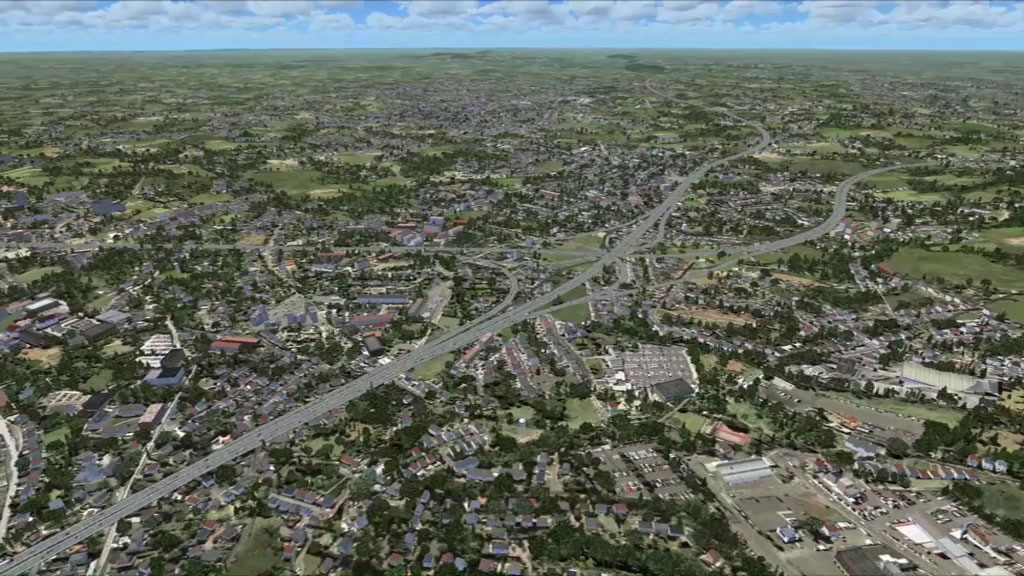





 FSX Scenery
50cm Generic Project Textures Intermediate (All Parts)
This amazing all-in-one package includes all parts (1-5) of the series. All o…
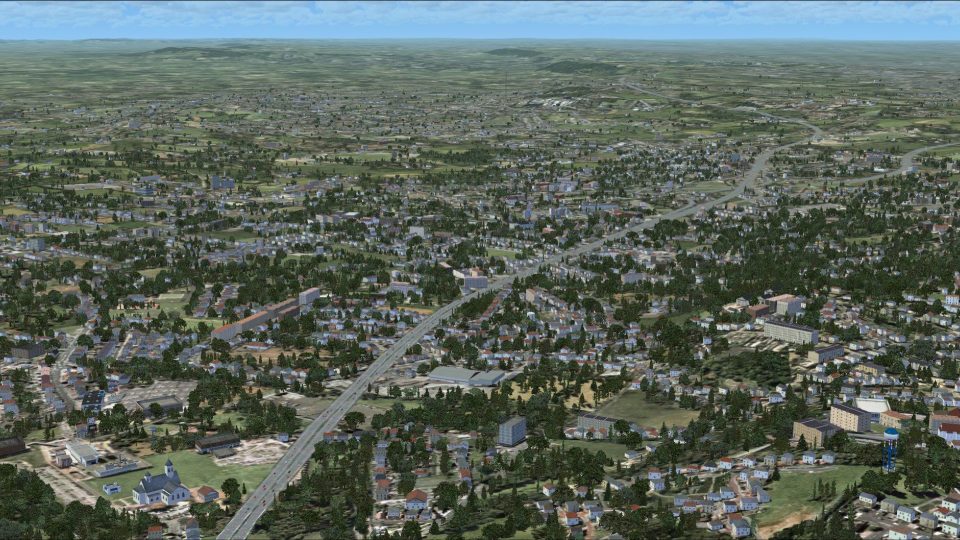
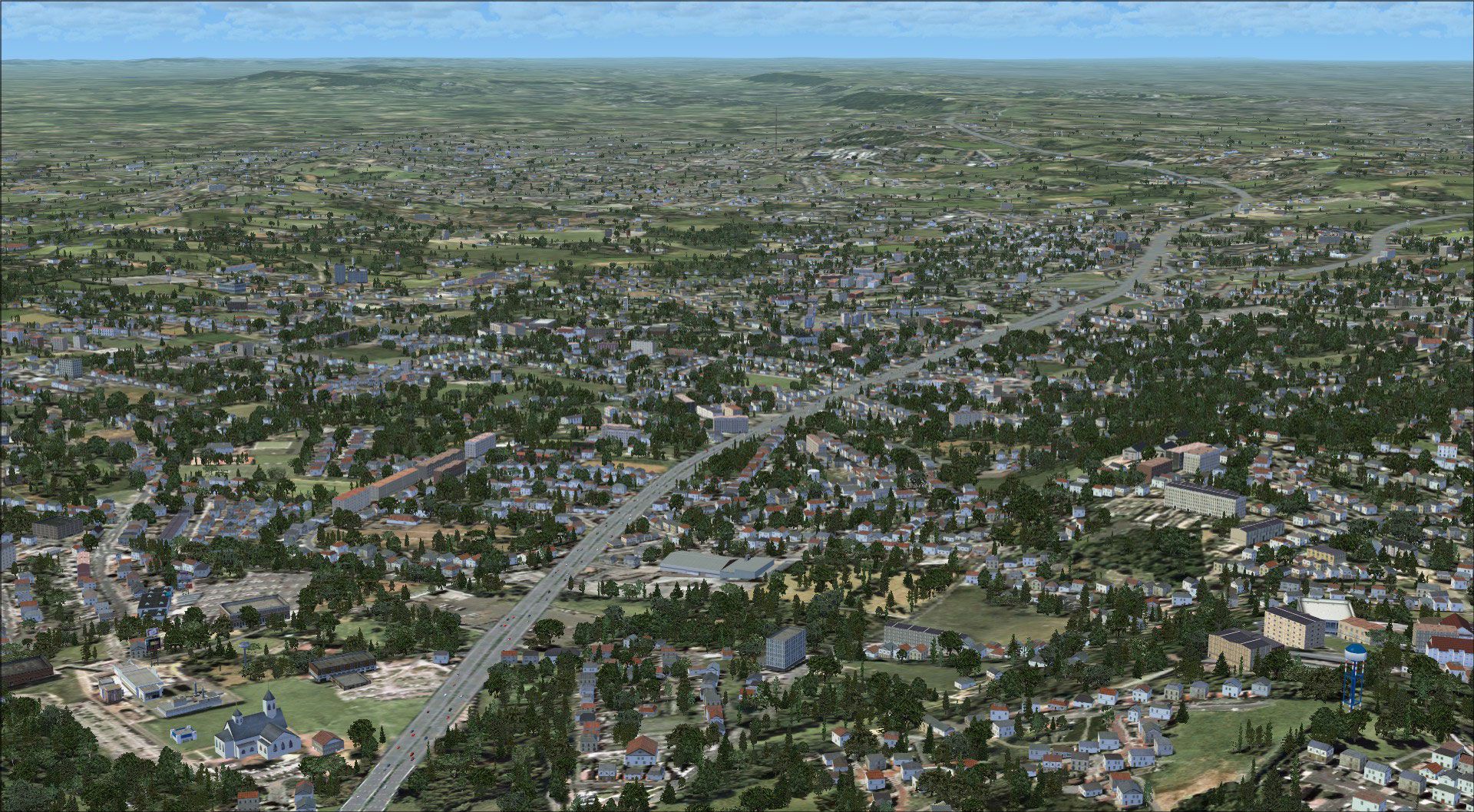
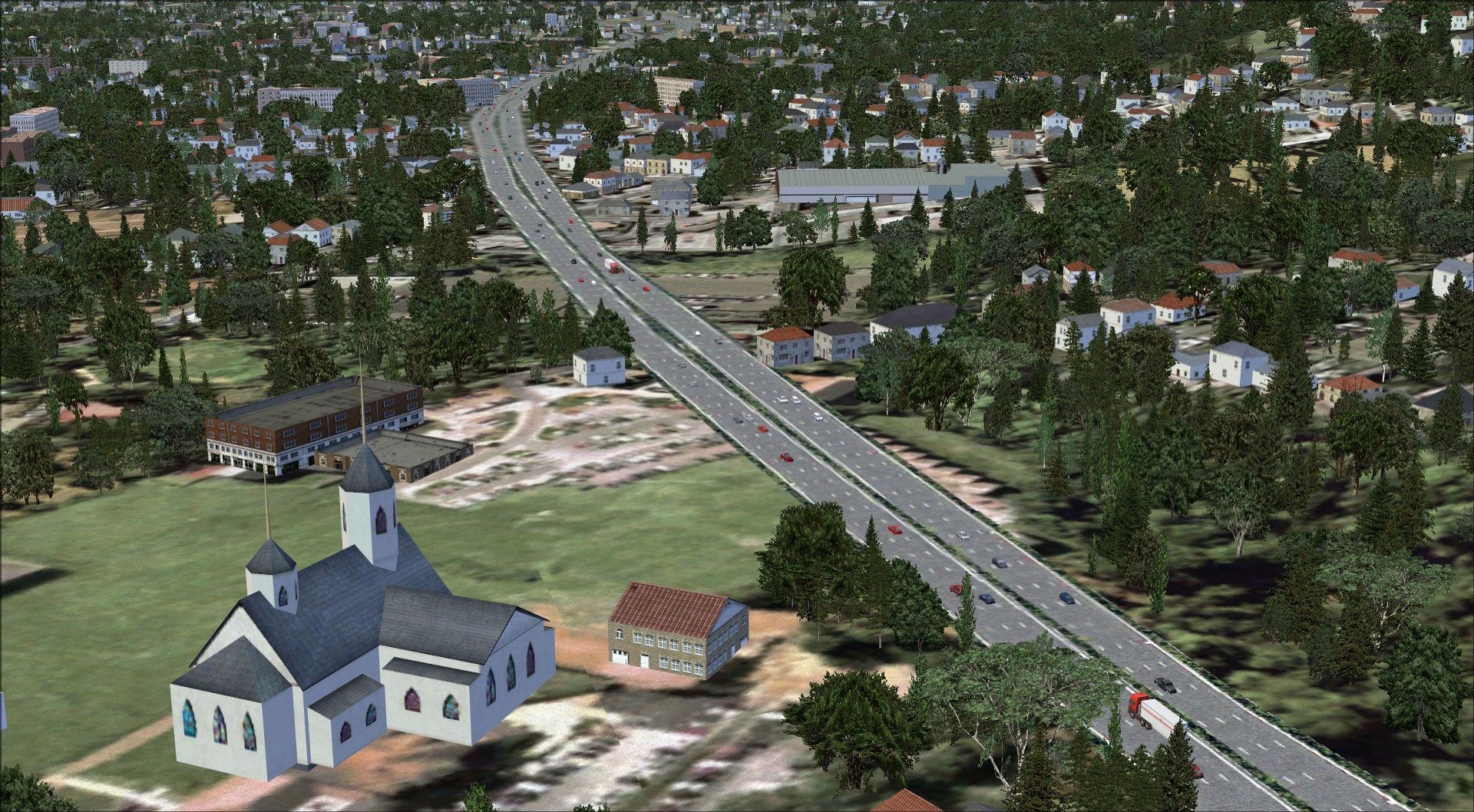
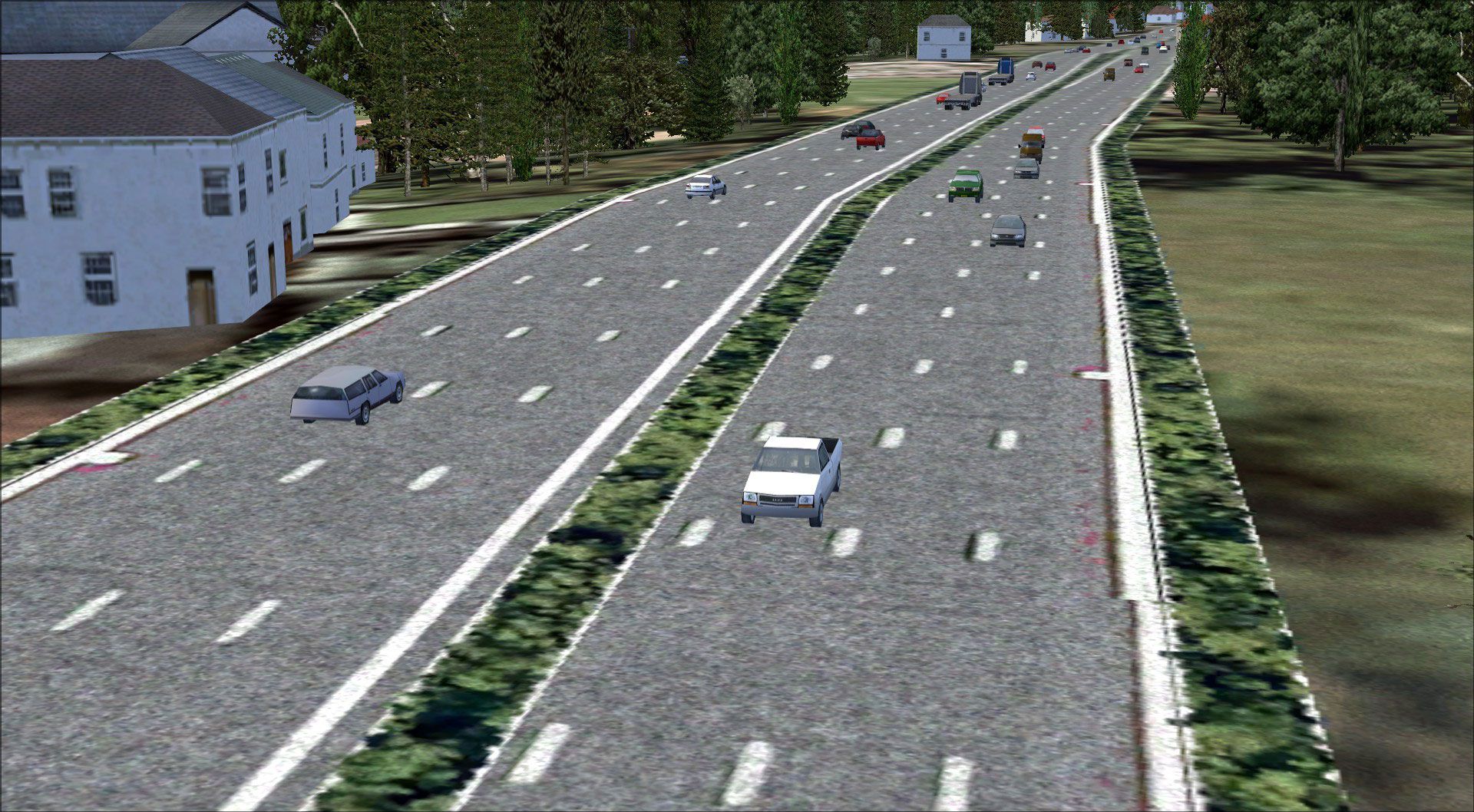
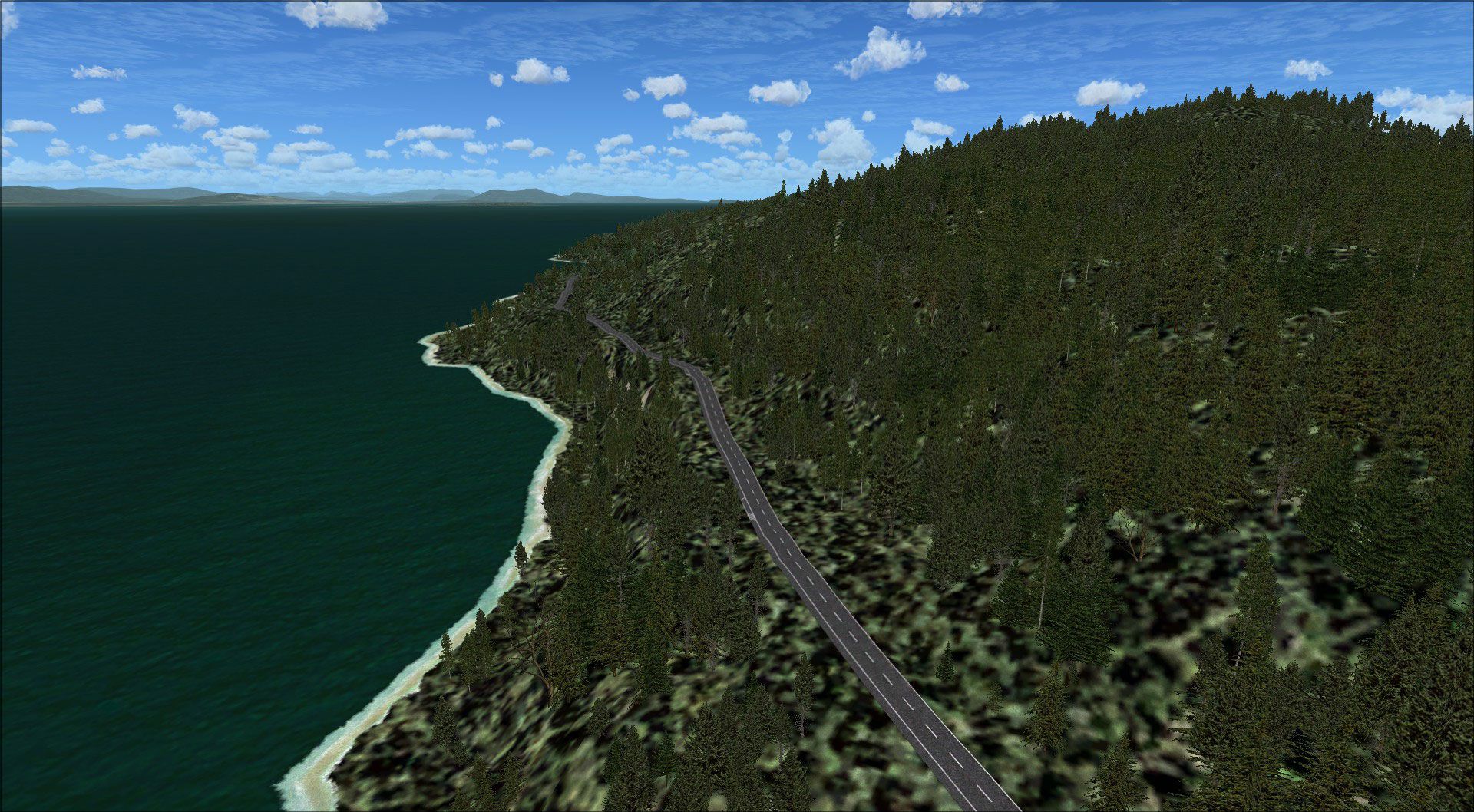
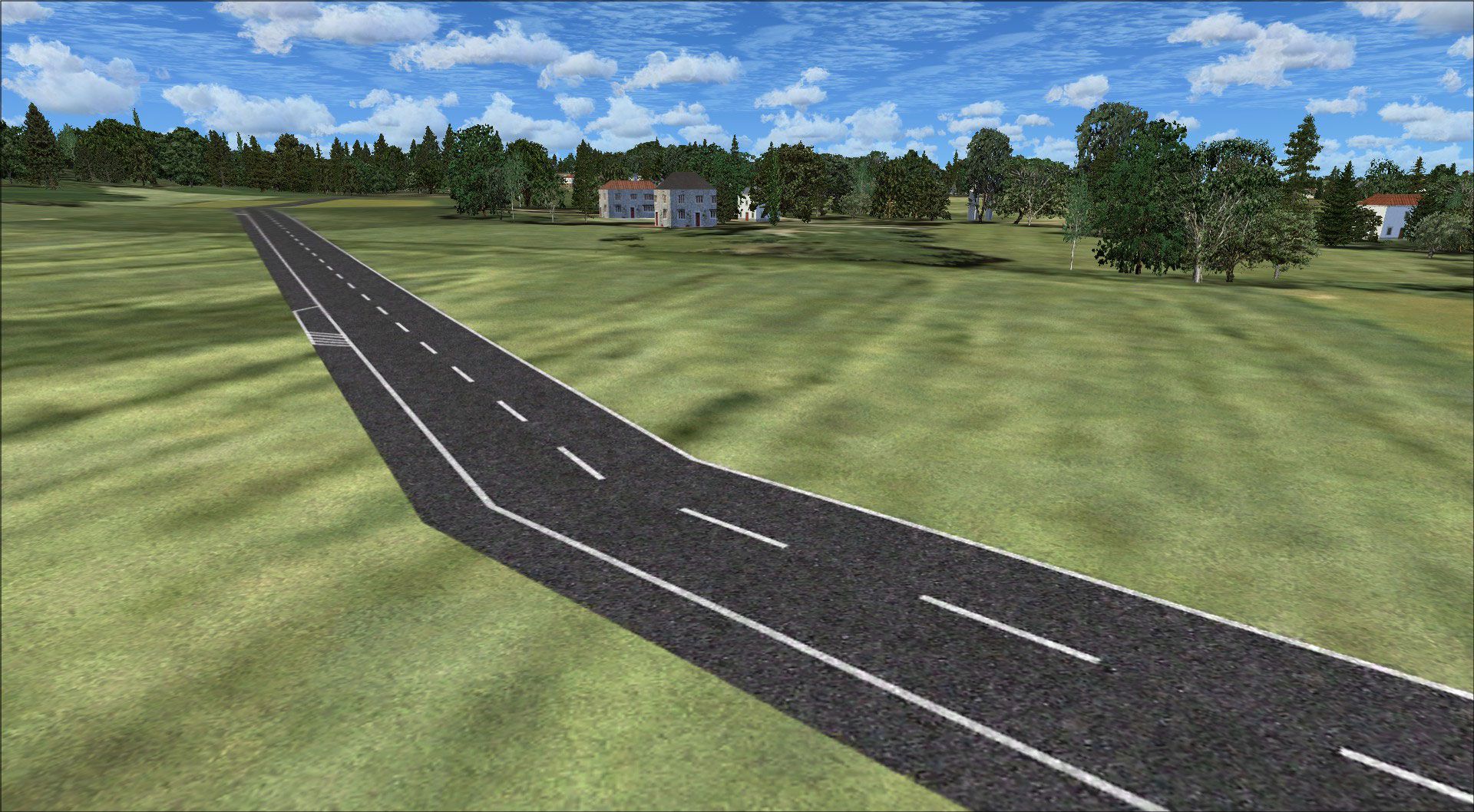
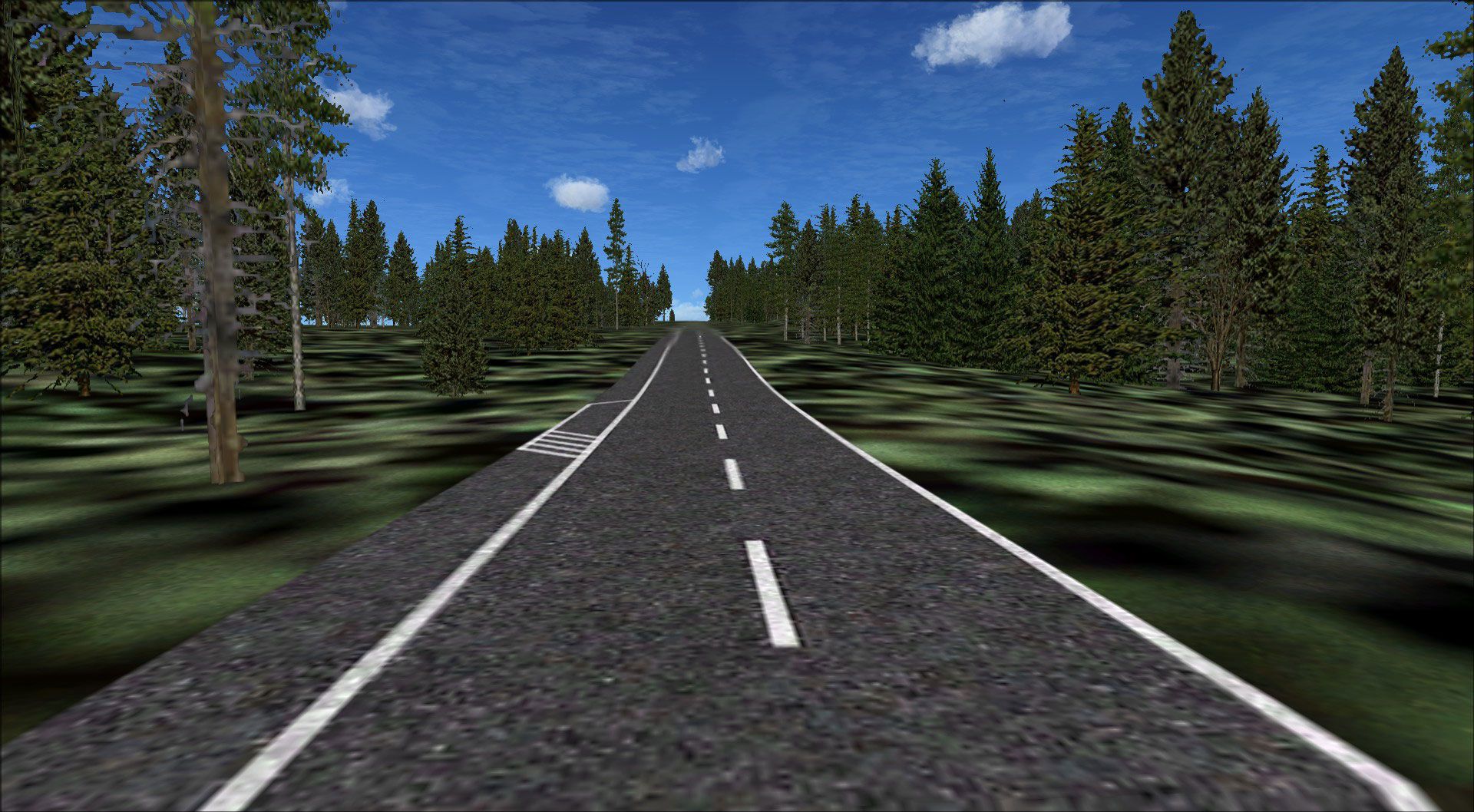
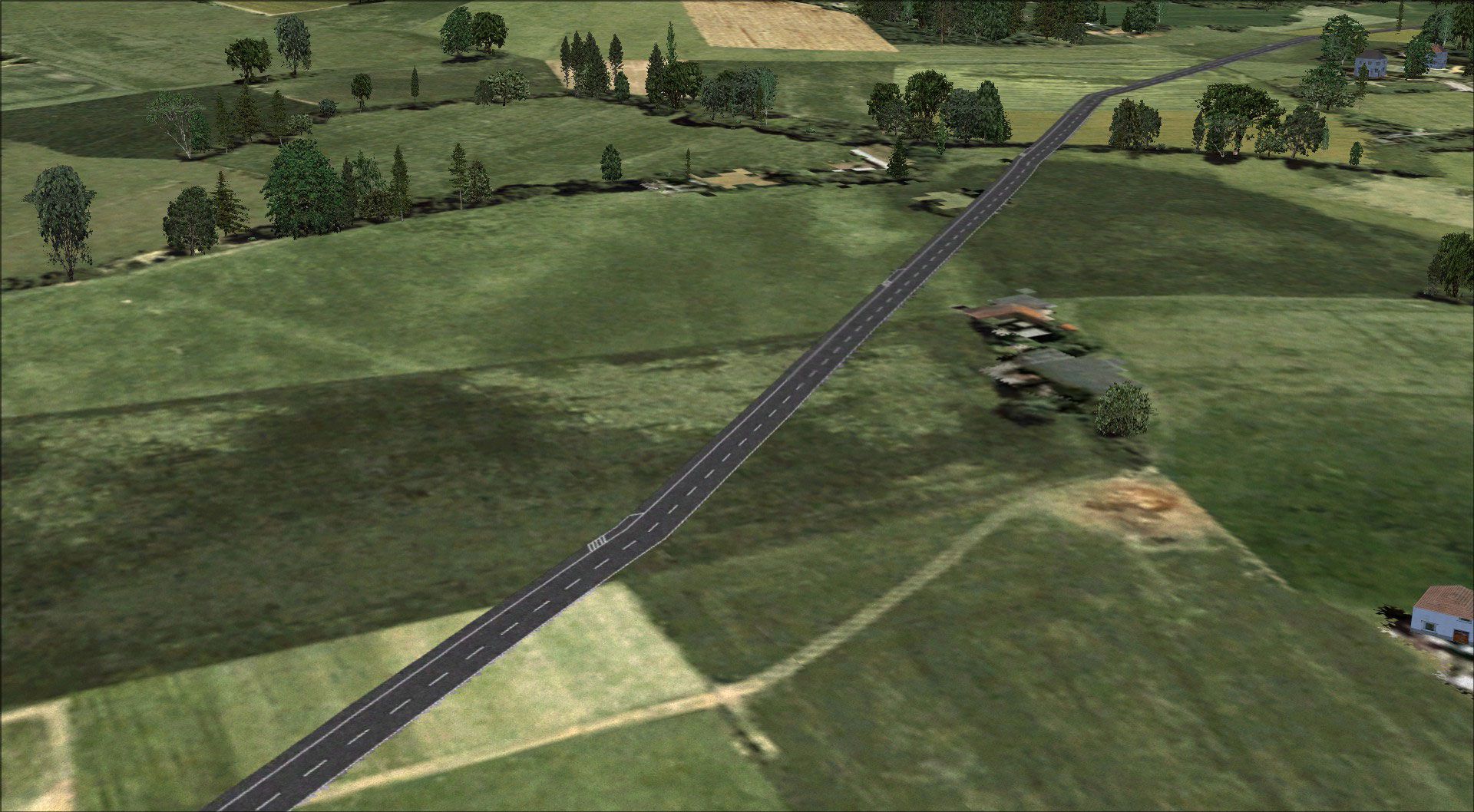
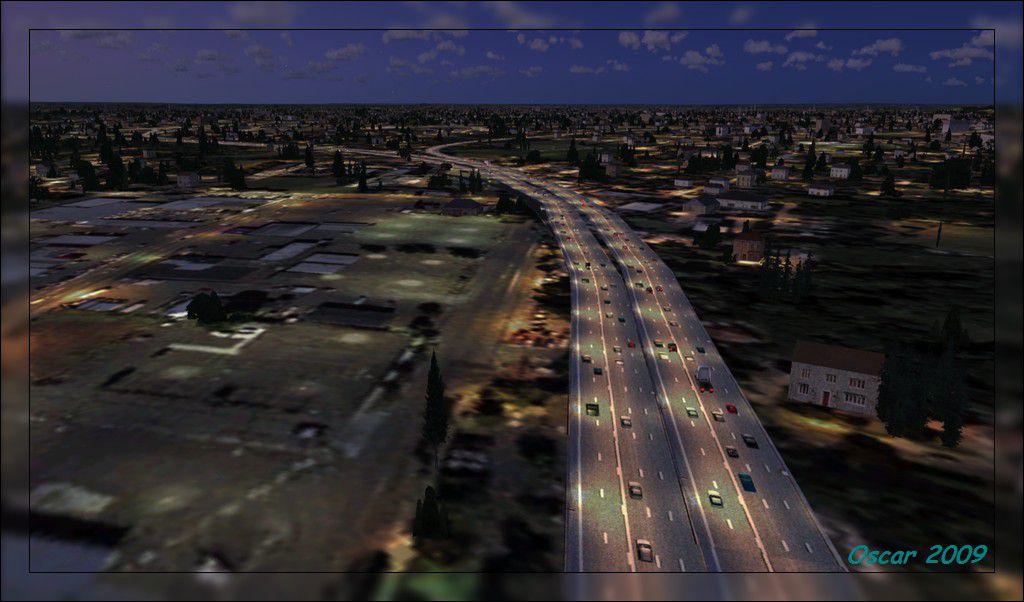
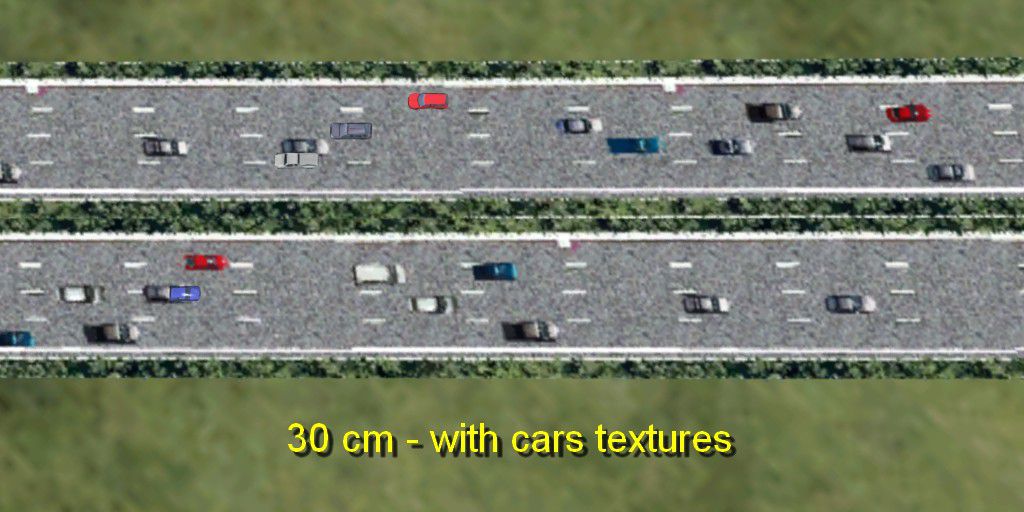
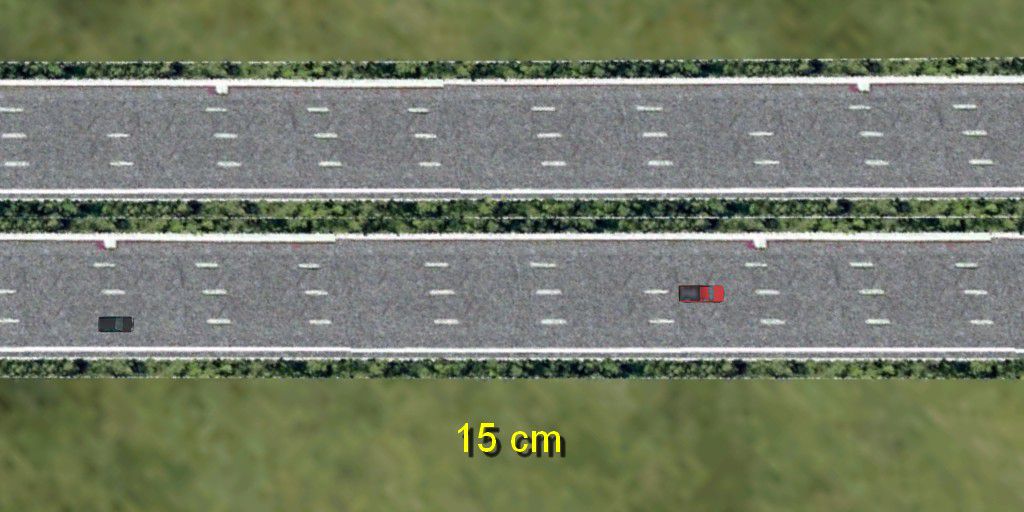
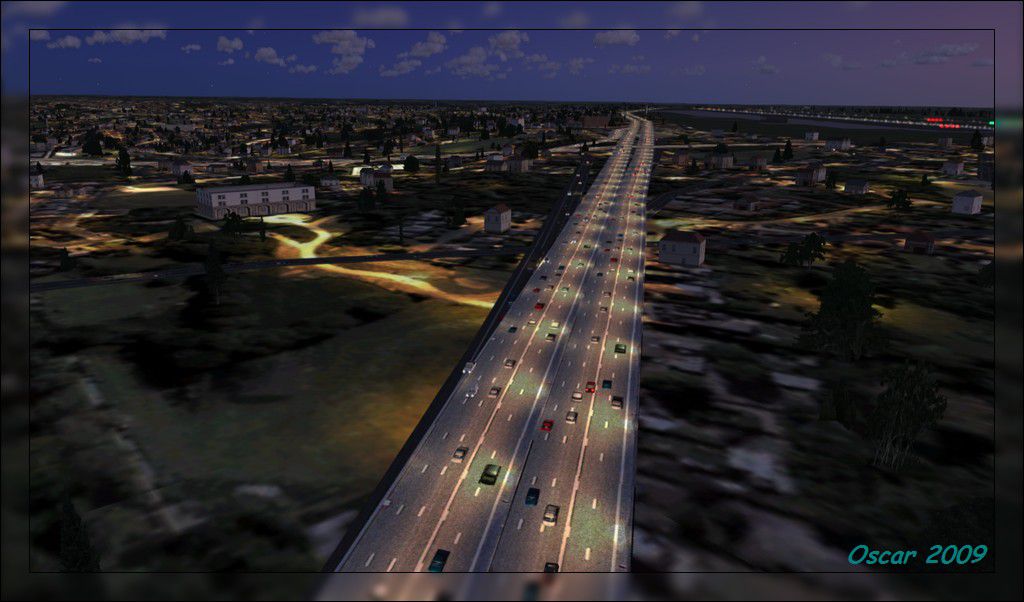
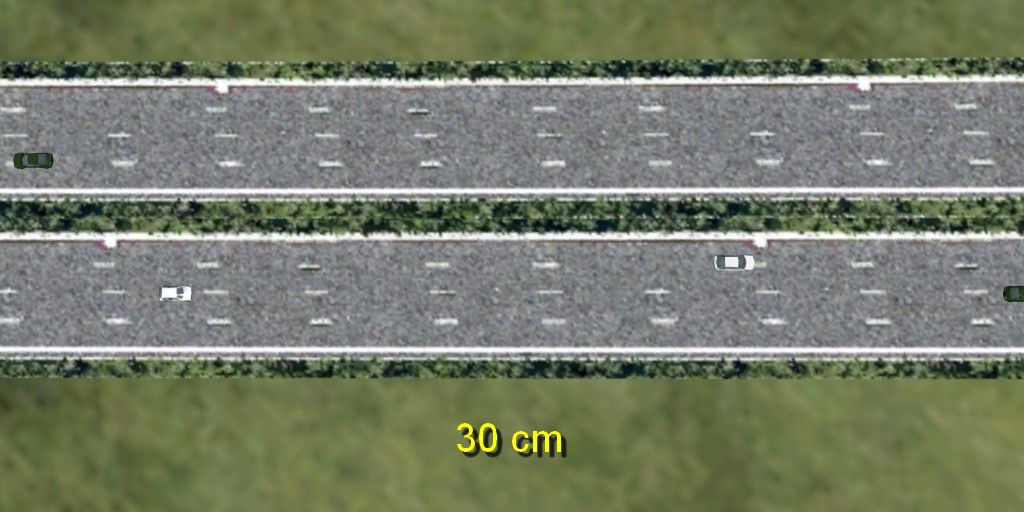
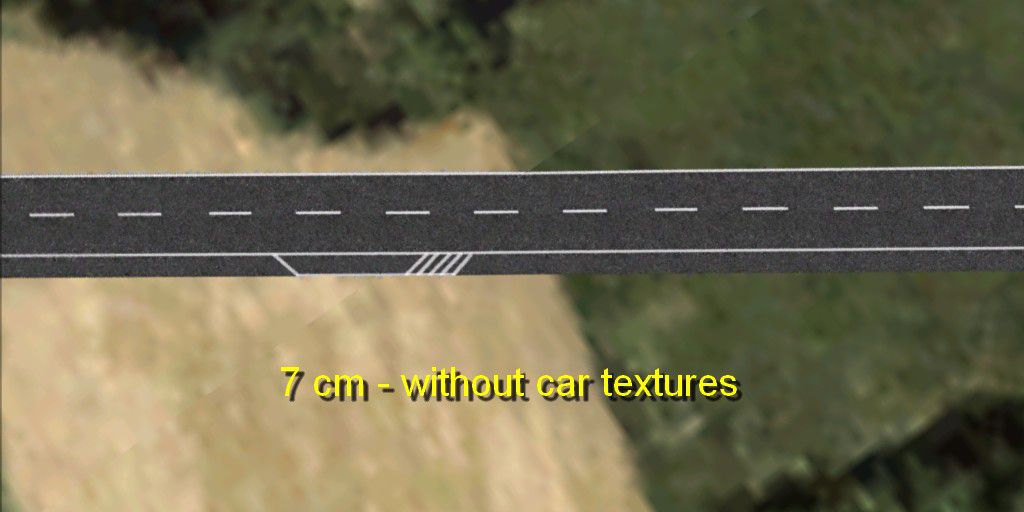
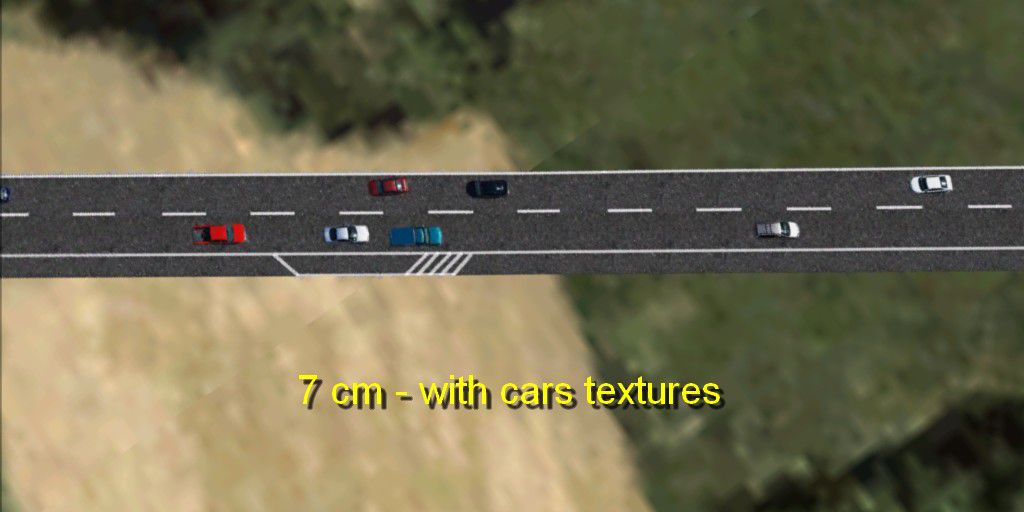
Reworked road and highway textures sharpen ground infrastructure for low-level flying and helicopter touring in Microsoft Flight Simulator X. Choose from three resolutions, ranging from 7 to 30 cm per pixel, plus optional overlays with static vehicle artwork or clean lanes, for more convincing asphalt detail across suburban and rural scenery.
This freeware release by developer Aime Leclercq introduces revised highways and roads in Flight Simulator X, offering three distinct texture resolution options and the choice of overlays featuring vehicle graphics or empty lanes. The package aims to refine the visual quality of ground infrastructure, ensuring more realistic highways and inviting surface details for those who frequently engage in low-level flying or helicopter exploration. Simmers seeking an unobtrusive but noticeable enhancement should find these revamped textures beneficial.
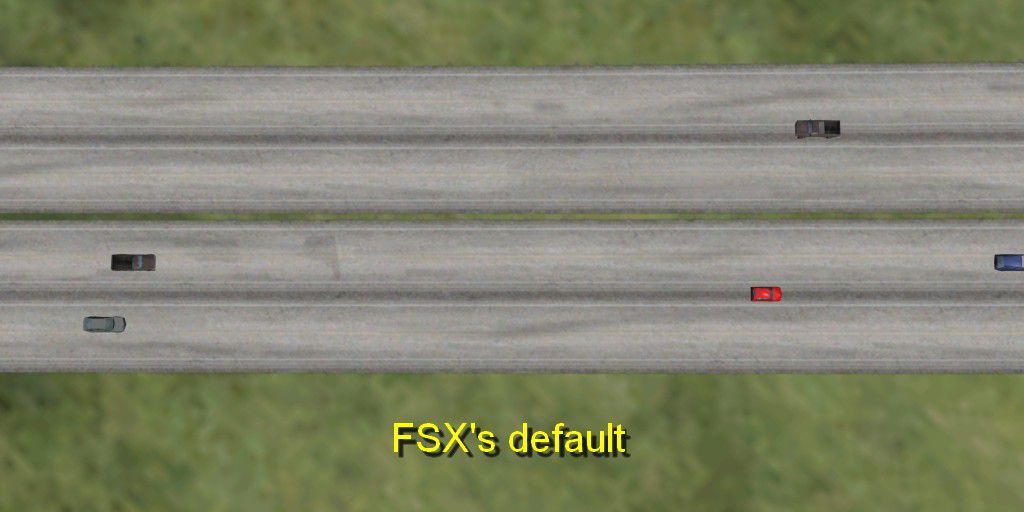
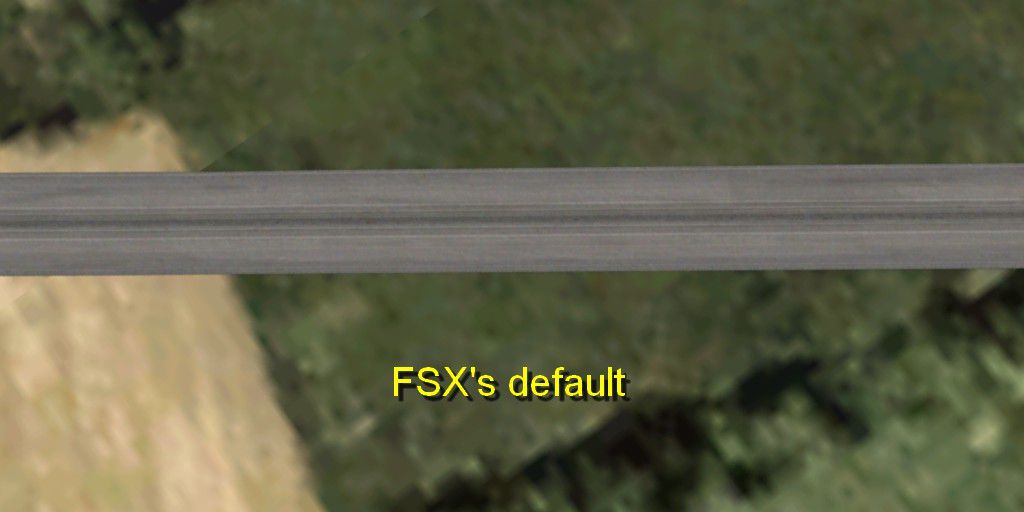
FSX Road Textures Scenery modifies the default road surfaces to yield sharper visuals. Instead of the standard FSX roadway design, you can now pick from different pixel densities to match your simulator’s settings. This add-on improves highways and local roads in both suburban and rural sectors, giving them improved sharpness when viewed at various altitudes.
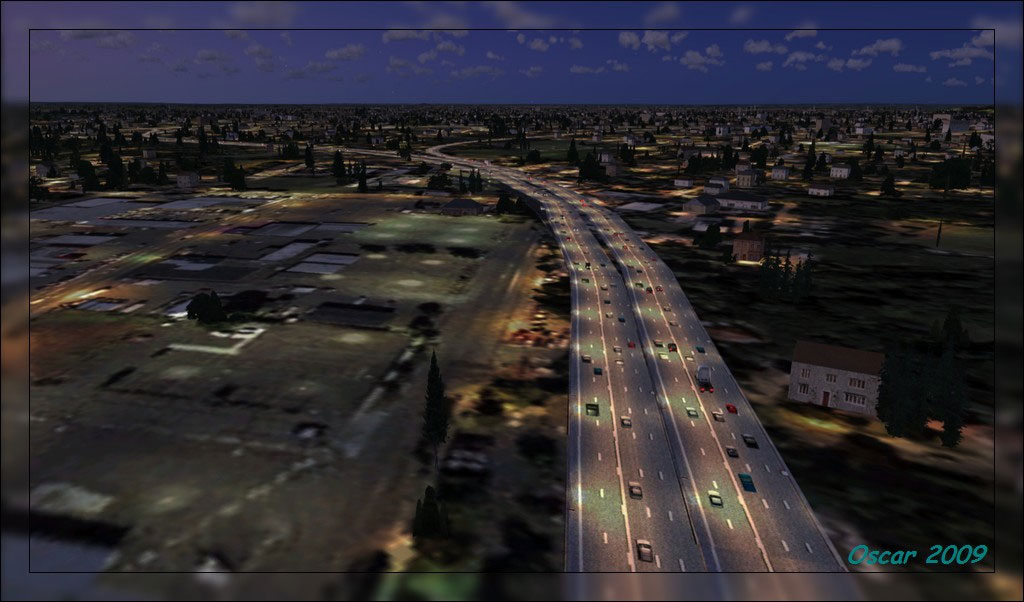
Road Textures Scenery.
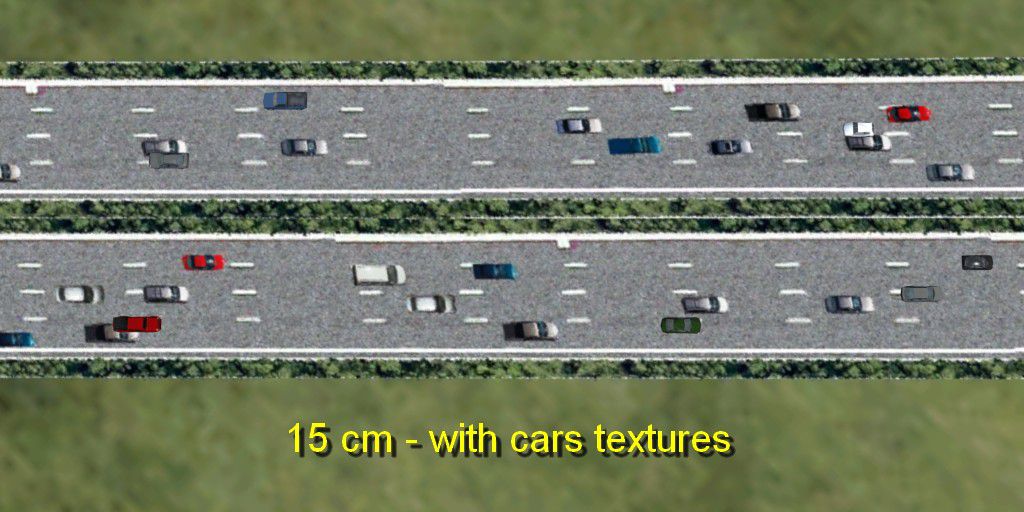
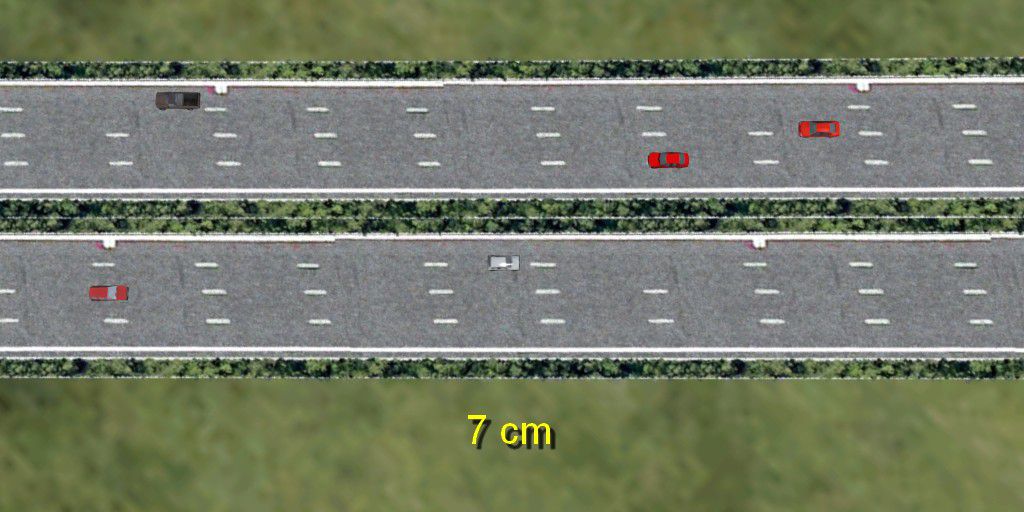
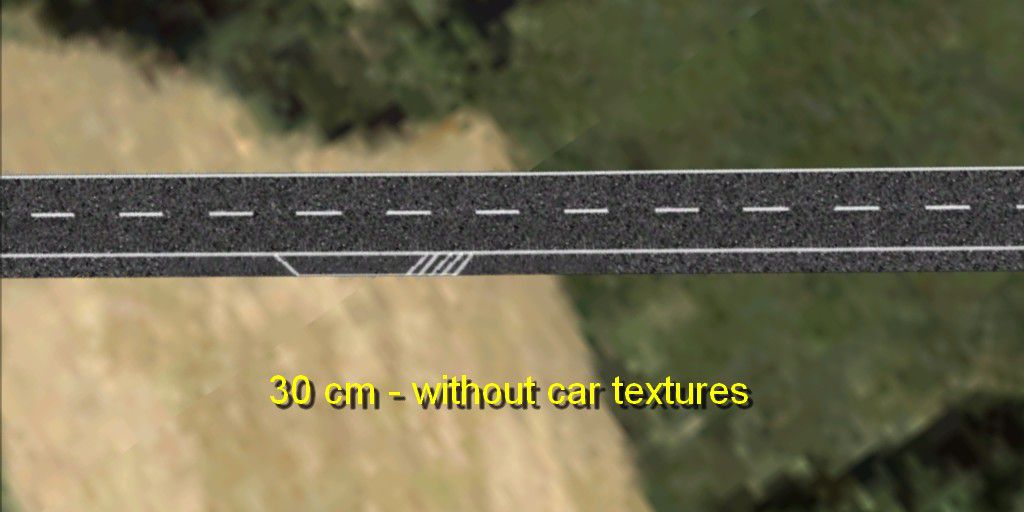
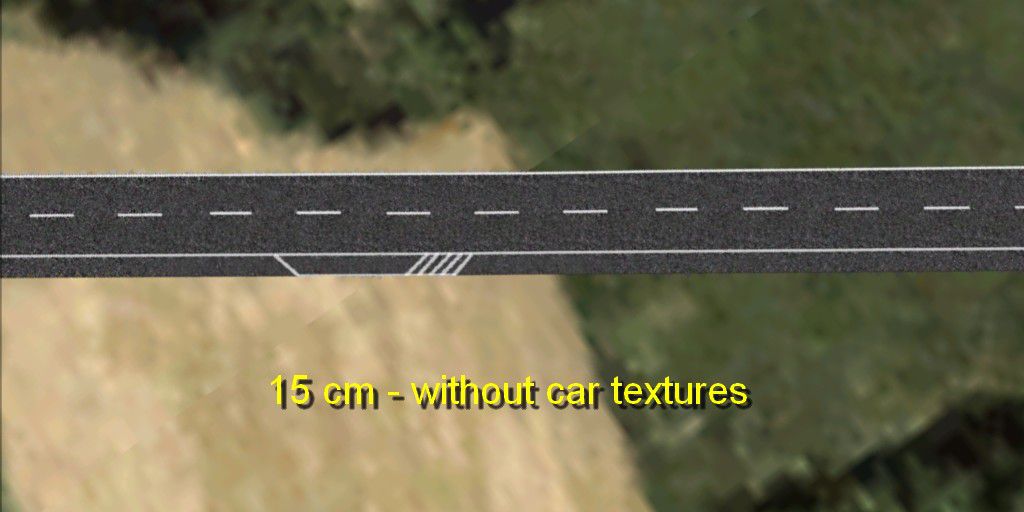
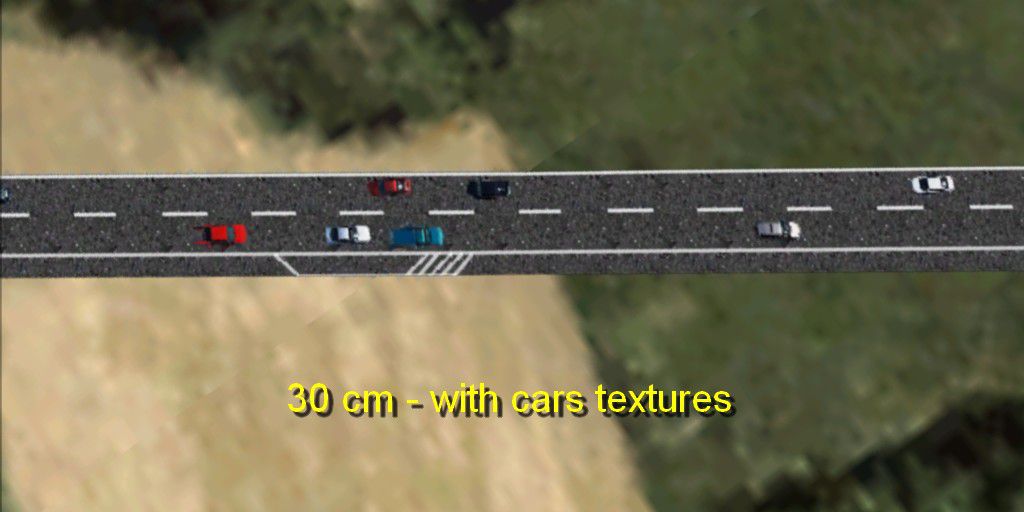
Users can select from three texture densities: 7 cm/pixel, 15 cm/pixel, or 30 cm/pixel. Each resolution modifies the clarity and crispness of the highway layout. Furthermore, two separate variants are included: one showcases static car artwork for enhanced realism, while the other omits vehicle imagery for those preferring unobstructed asphalt textures. These settings give fans of FSX precise control over the look and feel of road surfaces.
scenery directory it contains.scenery folder into your main FSX install directory, allowing it to overwrite the existing files.To restore the original roads or revert to another add-on, open the Default folder included in this package. Copy its scenery subfolder into your main FSX directory, confirming any overwrite messages. This action replaces the modified textures with standard FSX roads. If you used a different add-on’s road package previously, you may have to reinstall it.
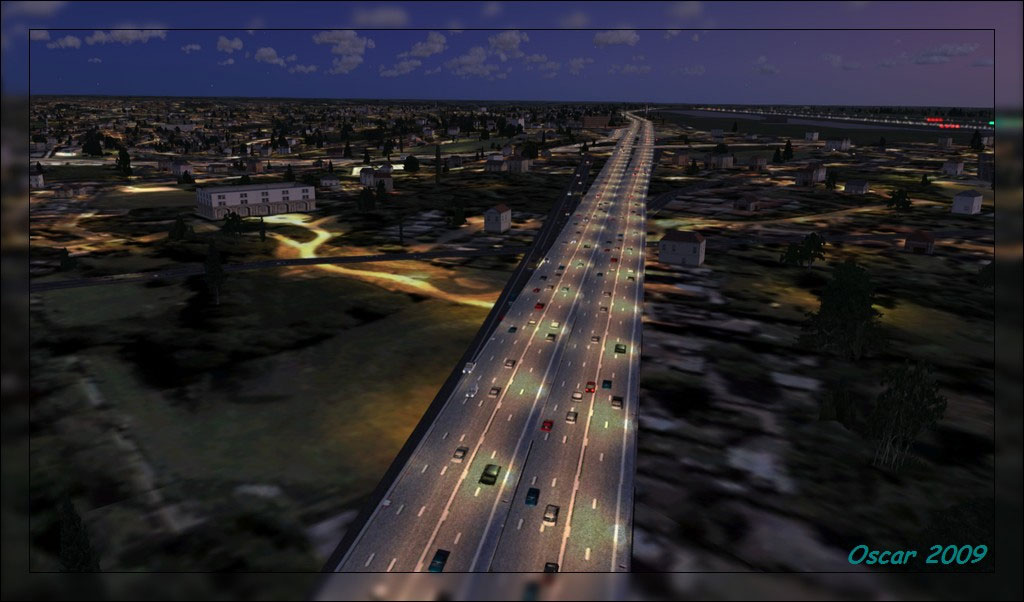
Road Textures Scenery.
These reworked road surfaces can complement other visual enhancements by adding subtle but significant improvements to your ground surroundings. Whether you want to emphasize the presence of highway traffic or keep surfaces clean, the included variations cover both preferences. This approach helps advanced flight enthusiasts and casual users alike achieve the balance between visual immersion and performance. The textures remain easy to install, modify, or remove, ensuring a convenient upgrade path for individual preferences.
All content here is provided as freeware by Aime Leclercq, and it stands as a practical tool for those aiming to refine FSX environments. Combined with your existing scenery enhancements, this road texture set can make a noticeable impact during low and mid-altitude flights.
Free for all simmers · 9.78 MB · Scanned clean
Download speed: Free tier is capped at 0.5 Mbps (this file takes approximately 3 mins at the cap). PRO members download at full line speed.
FSX\Addon Scenery\ containing scenery and texture sub-folders.readme.txt or README file. It tells you exactly where files go, what dependencies are needed, and any quirks specific to this add-on.The archive road_v11.zip has 85 files and directories contained within it.
This list displays the first 500 files in the package. If the package has more, you will need to download it to view them.
| Filename/Directory | File Date | File Size |
|---|---|---|
| 15 cm | 04.30.09 | 0 B |
| 15 cm - 2.jpg | 04.30.09 | 75.49 kB |
| 15 cm - 4.jpg | 04.30.09 | 133.91 kB |
| scenery | 04.30.09 | 0 B |
| world | 04.30.09 | 0 B |
| texture | 04.30.09 | 0 B |
| hiway_2_lane_asphalt_hw.bmp | 04.30.09 | 341.43 kB |
| hiway_2_lane_asphalt_su.bmp | 04.30.09 | 341.43 kB |
| hiway_4_lane_hw.bmp | 04.29.09 | 341.43 kB |
| hiway_4_lane_su.bmp | 04.29.09 | 341.43 kB |
| 30 cm | 04.30.09 | 0 B |
| 30 cm - 2.jpg | 04.30.09 | 75.70 kB |
| 30 cm - 4.jpg | 04.30.09 | 122.31 kB |
| scenery | 04.30.09 | 0 B |
| world | 04.30.09 | 0 B |
| texture | 04.30.09 | 0 B |
| hiway_2_lane_asphalt_hw.bmp | 04.30.09 | 85.43 kB |
| hiway_2_lane_asphalt_su.bmp | 04.30.09 | 85.43 kB |
| hiway_4_lane_hw.bmp | 04.29.09 | 85.43 kB |
| hiway_4_lane_su.bmp | 04.29.09 | 85.43 kB |
| 7 cm | 04.30.09 | 0 B |
| 7 cm-2.jpg | 04.30.09 | 74.28 kB |
| 7 cm-4.jpg | 04.30.09 | 134.12 kB |
| scenery | 04.30.09 | 0 B |
| world | 04.30.09 | 0 B |
| texture | 04.30.09 | 0 B |
| hiway_2_lane_asphalt_hw.bmp | 04.30.09 | 1.33 MB |
| hiway_2_lane_asphalt_su.bmp | 04.30.09 | 1.33 MB |
| hiway_4_lane_hw.bmp | 04.29.09 | 1.33 MB |
| hiway_4_lane_su.bmp | 04.29.09 | 1.33 MB |
| 15 cm | 04.30.09 | 0 B |
| 15 cm - 2.jpg | 04.30.09 | 79.24 kB |
| 15 cm - 4.jpg | 04.30.09 | 121.98 kB |
| scenery | 04.30.09 | 0 B |
| world | 04.30.09 | 0 B |
| texture | 04.30.09 | 0 B |
| hiway_2_lane_asphalt_hw.bmp | 04.30.09 | 341.43 kB |
| hiway_2_lane_asphalt_su.bmp | 04.30.09 | 341.43 kB |
| hiway_4_lane_hw.bmp | 04.29.09 | 341.43 kB |
| hiway_4_lane_su.bmp | 04.29.09 | 341.43 kB |
| 30 cm | 04.30.09 | 0 B |
| 30 cm - 2.jpg | 04.30.09 | 79.86 kB |
| 30 cm - 4.jpg | 04.30.09 | 112.74 kB |
| scenery | 04.30.09 | 0 B |
| world | 04.30.09 | 0 B |
| texture | 04.30.09 | 0 B |
| hiway_2_lane_asphalt_hw.bmp | 04.30.09 | 85.43 kB |
| hiway_2_lane_asphalt_su.bmp | 04.30.09 | 85.43 kB |
| hiway_4_lane_hw.bmp | 04.29.09 | 85.43 kB |
| hiway_4_lane_su.bmp | 04.29.09 | 85.43 kB |
| 7 cm | 04.30.09 | 0 B |
| 7 cm - 2.jpg | 04.30.09 | 74.76 kB |
| 7 cm - 4.jpg | 04.30.09 | 123.25 kB |
| scenery | 04.30.09 | 0 B |
| world | 04.30.09 | 0 B |
| texture | 04.30.09 | 0 B |
| hiway_2_lane_asphalt_hw.bmp | 04.30.09 | 1.33 MB |
| hiway_2_lane_asphalt_su.bmp | 04.30.09 | 1.33 MB |
| hiway_4_lane_hw.bmp | 04.29.09 | 1.33 MB |
| hiway_4_lane_su.bmp | 04.29.09 | 1.33 MB |
| Default FSX - 2.jpg | 04.30.09 | 59.37 kB |
| Default FSX - 4.jpg | 04.30.09 | 79.12 kB |
| scenery | 04.30.09 | 0 B |
| world | 04.30.09 | 0 B |
| texture | 04.30.09 | 0 B |
| hiway_2_lane_asphalt_hw.bmp | 07.26.06 | 341.40 kB |
| hiway_2_lane_asphalt_su.bmp | 07.26.06 | 341.40 kB |
| hiway_4_lane_hw.bmp | 07.26.06 | 341.40 kB |
| hiway_4_lane_su.bmp | 07.26.06 | 341.40 kB |
| readme.txt | 04.30.09 | 2.69 kB |
| higway.jpg | 04.30.09 | 127.19 kB |
| higway2.jpg | 04.30.09 | 121.18 kB |
| flyawaysimulation.txt | 10.29.13 | 959 B |
| Go to Fly Away Simulation.url | 01.22.16 | 52 B |
| Screenshots | 10.31.17 | 0 B |
| screen-1.jpg | 10.30.17 | 726.27 kB |
| screen-10.jpg | 10.30.17 | 479.76 kB |
| screen-2.jpg | 10.30.17 | 701.40 kB |
| screen-3.jpg | 10.30.17 | 483.68 kB |
| screen-4.jpg | 10.30.17 | 698.72 kB |
| screen-5.jpg | 10.30.17 | 392.79 kB |
| screen-6.jpg | 10.30.17 | 464.75 kB |
| screen-7.jpg | 10.30.17 | 552.30 kB |
| screen-8.jpg | 10.30.17 | 448.88 kB |
| screen-9.jpg | 10.30.17 | 426.83 kB |
More FSX & P3D add-ons hand-picked based on this download.
FSX Scenery
This amazing all-in-one package includes all parts (1-5) of the series. All o…
 FSX Scenery
Scenery 50cm Generic Project Textures Rocks Mountains. All rocks around the w…
 FSX Scenery
Scenery 50cm Generic Project Textures Forests (all parts: 1, 2 and 3). All fo…
 FSX Scenery
SpainFsX Night Textures, for use with SPAINFSX.ZIP scenery of the Iberian Pen…
 FSX Scenery
Modified replacement ground textures for the USA and Europe including all par…
 FSX Scenery
Flight Simulator X terrain is defined in the terrain.cfg file. During testing…
 FSX Scenery
This release includes resized textures for autogen buildings in FSX. Textures…
 FSX Scenery
30cm Generic Project Textures Forests (All Parts). Conifer forests, seasonal …
Read what other simmers think, or add your own.


Hi guys. I've followed your instructions to the letter but i still don't get anything like the images shown. It still looks like the fsx default. Please help only they look fantastic..

Great free add on. Thanks for doing this. It really enhances the realism in FSX Steam. Quite a difference in the road textures. If you have FSX, you need to get this.

This seems to be the solution - choose your 4 files and copy them into the FSX Scenery/World/Texture folder. Save the originals if you don't want to lose them by over-writing with the new files. Hope this helps. Also, I found that the files without cars work better because if you choose with cars, the cars don't move.

And no answer is given to Kori's question after 6 months. There are over 27 THOUSAND files in the original FXS Scenery folder and we are instructed to overwrite this with a Scenery folder containing FOUR files???????? Come-on Give us some precise instructions. I pasted and overwrote the only the files that were duplicated, changed my texture settings to those recommended and saw no difference. We need real instructions please...

I am confused by your instructions. If I copy and paste the folder "scenery" into my main folder, won't that over wright my "scenery" folder? I do not want to do that correct? Because the default scenery folder contains a lot of other textures and stuff for other things , correct?