Flyware announces an update to FsXPand, a suite of software that lets you combine multiple PC's into one flightsim package. You can run parts of a cockpit on separate screens, add multiple controllers (joysticks) and much more. For details, click on Read More.
FsXPand 4.2 creates your own cockpit for you, by connecting 1 or more PC's to one FS PC over a network, and display custom (non-FS!) panel gauges on each PC. FsXPand helps you to control FS without keyboard or mouse. Add up to 8 controls per PC to any of the joystick inputs on your network.
Status of the project:
FsXPand has just been upgraded for FS2002/FS2004.
Requirements:
- 1 PC with Flight Simulator, requirements depending on your FS version.
- 1 or more additional PC's (at least P200, 32 MB), including network adapters (10 MegaBit will do, even a coax network with no hubs at all works fine)
- TCP/IP local network connection (see network.doc)
- Minimal resolution: 800 x 600
- Joystick port
- FSUIPC.DLL > 2.5; For FS2004, you will need 3.45
What's new in this version?
- Automatic reconnect on restart client
- Automatic finding of clients (IP range)
- FS versions 6,7,8,9
- Panel graphics were enhanced to look more like real gauges while preserving full customizability
- Panel and frame colors are easily changed, and allow for day and night settings.
- Drag and drop gauges, font options, change appearance.
- The use of 8 (usb) sticks in fsxfer and fsclient is facilitated, 15 stick buttons per stick are handled if available
- Sound options added: Customize behaviour for each plane to enhance FS98 sound effects
Licenses
You get the full product FsXPand/FsClient on download, but unlicensed users are restricted in connect time.
What is FsXPand?
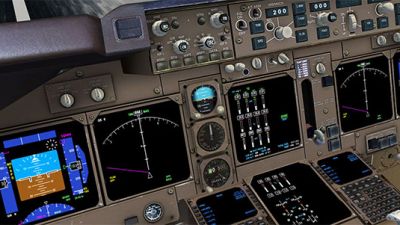
FsXPand is a program running on your FS pc. It connects to a program FsClient running on multiple PC's. This includes displays on dual-head or extra video card outputs. Spreading your panel over additional monitors, your main screen remains free for an outside view without a panel. All gauges in the toolbox can be shown on all PC's in your network, this only depends on the local selection you make. It can display any aircraft gauge you may require. Those you wish to display on your screens you can easily select in a setup screen. FsXPand was designed with the user of general aviation cockpits in mind. At the moment you will find mainly analog instruments in the collection.
You can setup controls for any aircraft you wish. Controls are easily adapted to your needs. Lots of functions can be assigned to any button/swith/analog you wish to use. You do not need to use additional hardware to connect controls. Standard game ports, USB game devices are all you need.
Customize it
You can customize the panel gauges to suit your needs. Change appearance, digit values etc. FsXPand supports a total of 4 engines. You do not need state-of-the-art client PC's or need to run multiple copies of FS. Non compromising - no dropping frame rates. For any questions:
www.flyware.nl