


 FSX Military Aircraft
SIAI Marchetti Aermacchi SF-260 Textures
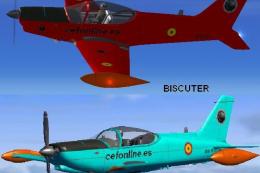
SIAI Marchetti Aermacchi SF-260. Two textures for the SIAI Marchetti Aermacch…
The SIAI Marchetti Aermacchi SF-260 brings a nimble military trainer and aerobatic light-attack aircraft to FSX and FS2004 with a complete model and panel, smooth control-surface animations, and an authentic Italian Air Force-style virtual cockpit with working essential gauges. Two liveries are included, and it requires GougeSound.dll.
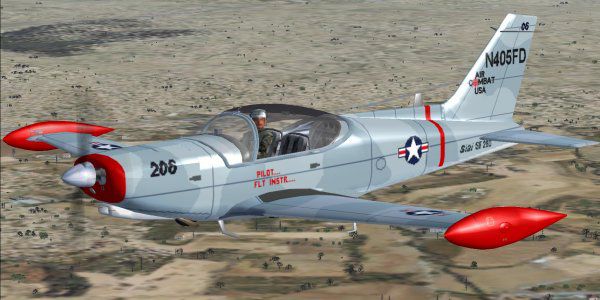
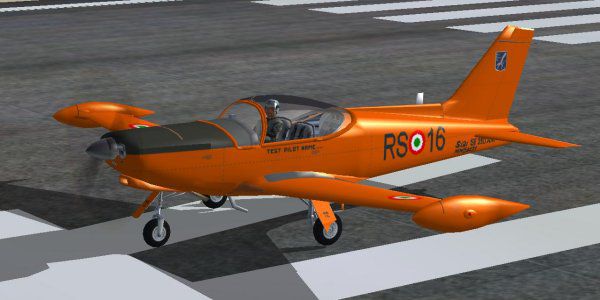
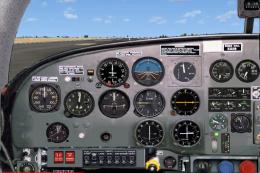
SIAI Marchetti Aermacchi SF-260. The SIAI-Marchetti SF260 is a light aircraft marketed as a light attack/aerobatic military trainer. It was designed by Stelio Frati. First flight of the prototype on July 15, 1964. SIAI-Marchetti purchased the design, soon after the tests, and started production. The military versions are popular with smaller air forces, and can be armed for close-support role. The SF.260 is also popular among many aero clubs around the world. This model features the usual animations, such as flight controls, spinning wheels, pilot scanning the sky, etc., plus two textures. The orange texture is the Italian Air Force test pilots school and the other is the 'Usa Air Combat' livery. The textures and panel have been created entirely from drawings or photos found on internet or shots taken by the author. The virtual cockpit is provided with working essential gauges and animated flight controls. The "virtual cockpit panel" is made as per "Italian Air Force panel" with the main pilot station on the right seat. The 2D panel is the "mooney_Bravo" panel with some small changes since the SF-260 and the "mooney_Bravo" panels are very similar. By Giovanni Quai.
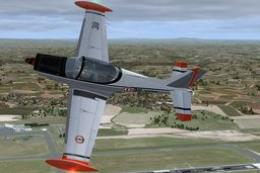
SIAI Marchetti Aermacchi SF-260 in flight.
This is a full package (aircraft and panel) for FSX and it works also on FS 2004.
(PLEASE READ NOTES AT THE BOTTOM OF THIS PAGE BEFORE INSTALLING ON FSX).
DO NOT INSTALL THIS FILE ON FSX IF YOU DON'T FEEL SURE ABOUT NOTES 1 AND 2.
IMPORTANT!
===========
You MUST insert the enclosed 'GougeSound.dll' in the Main (FSX/FS2004) folder , or you might experience a FS crash!!
THIS FILE IS FREEWARE ONLY!
=========
INSTALLATION
============
Step1): Unzip this file into your flight simulator X airplanes folder (or fs9 aircraft folder) and you will find a SIAI-Marchetti SF-260 folder with the usual subfolders, and a 'GougeSound.dll', then operate as follows:
Step2) Copy/Paste the 'GougeSound.dll' in your MAIN flight simulator X or fs9 folder (if you don't have it yet).
Nothing else is required for installation procedure.
TIPS
====
FS2004 users will find this plane listed in the Aircraft Manufacturer as "SIAI-MARCHETTI-AERMACCHI".
Please do not hesitate to use elevator trim very often as required to fly the plane hands-off.
Flying on virtual cockpit you can move the eyepoint as required for better vision (check your eyepoint keyboard on FS options\controls\assignements for the keys required to move the 'eyepoint of view' (left/right/up/down/back or forward).
For Camera definitions (FSX only), please use ''A'' key to cycle views within a category and 'S' to change category (check the quick reference key commands).
CREDITS
=======
I deeply thank:
Capt. Italo D'Attomo, for creating the special gauge.
DISCLAIMER
==========
THE PANEL AND MODEL HAVE BEEN TESTED MANY TIMES TO ENSURE THE PROPER OPERATION OF THIS SOFTWARE, AND ALL IS DONE TO AVOID ERRORS.
I WILL NOT ACCEPT ANY RESPONSIBILITY FOR CONSEQUENTIAL INCIDENTAL OR ANY SYSTEM DAMAGE DUE TO THE FAILURE OR IMPROPER OPERATION OF THE SOFTWARE. THERE IS NOT ANY WARRANTY EXPRESSED OR IMPLIED FOR ANY CIRCUMSTANCE.
THIS FILE IS FREEWARE: NOT TO BE SOLD!
Author Giovanni Quai
I grant permission for repainting purposes only.
Please DO NOT upload the entire airplane...upload your work only.
NOTE:
I installed succesfully this model on FS2004, FSX Deluxe Edition and FSX Gold plus Acceleration simply following the above installation procedure.
Note 1: Loading the aircraft for the first time on FSX you will get an 'unknown author' message for each (1) gauge. Click 'YES' if you like the gauge or 'NO' if you don't. If you say 'NO' you will not have the instrument displayed on the panel, but the default ones only.
Note 2: You will get a second message asking you to "trust" the related gauge; if you click "Yes" when asked, you will never be asked again.
PLEASE READ CAREFULLY BOTH MESSAGES
Note 3: If you want to see a different panel, copy or aliase a panel of a single engine prop. of your choice: in this case, the VC will not be shown correctly.You might also create a panel by removing our gauges and installing your preferred.
Note 4: Installing & using this package is at your own risk.
Note 5: FSX-Settings\Display\Graphics; selecting ''Light_Bloom'' check box, in the global options window, might not be compatible with our model and the selected plane may not appear.
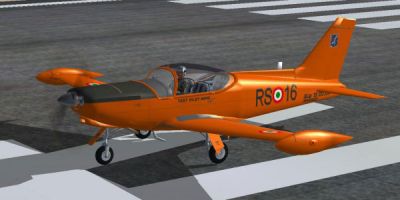
SIAI Marchetti Aermacchi SF-260 on runway.
Free for all simmers · 2.17 MB · Scanned clean
Download speed: Free tier is capped at 0.5 Mbps. PRO members download at full line speed.
SimObjects\Airplanes\, Addon Scenery\, Effects\, or Gauges\.readme.txt or README file. It tells you exactly where files go, what dependencies are needed, and any quirks specific to this add-on.The archive siai-marchetti-aermacchi_sf-260.zip has 62 files and directories contained within it.
This list displays the first 500 files in the package. If the package has more, you will need to download it to view them.
| Filename/Directory | File Date | File Size |
|---|---|---|
| Aircraft.cfg | 01.13.11 | 22.34 kB |
| GaugeSound.dll | 05.01.03 | 40.00 kB |
| model | 01.13.11 | 0 B |
| Model.cfg | 10.30.10 | 40 B |
| SIAI-Marchetti SF-260.mdl | 01.13.11 | 993.63 kB |
| panel | 01.11.11 | 0 B |
| compass.bmp | 04.18.01 | 96.42 kB |
| main_SF260.bmp | 12.23.10 | 531.05 kB |
| Mooney_Panel_Decals.bmp | 03.05.03 | 257.05 kB |
| PANEL.CFG | 01.13.11 | 8.55 kB |
| pspbrwse.jbf | 12.25.10 | 6.06 kB |
| SF260gau | 01.11.11 | 0 B |
| ID_EFA_GMeterV2.gau | 03.04.06 | 286.50 kB |
| upper_640.bmp | 04.18.01 | 9.30 kB |
| pspbrwse.jbf | 01.12.11 | 5.30 kB |
| ReadmeSF260.txt | 01.14.11 | 4.88 kB |
| SIAI-Marchetti SF-260.air | 11.06.10 | 8.11 kB |
| sound | 01.11.11 | 0 B |
| Sound.cfg | 10.31.10 | 28 B |
| texture | 01.13.11 | 0 B |
| $260vc1.bmp | 02.05.09 | 17.05 kB |
| $pnlSF260.bmp | 12.12.05 | 257.05 kB |
| pspbrwse.jbf | 12.30.10 | 43.51 kB |
| SF260-interni.bmp | 12.05.10 | 257.05 kB |
| SF260-mix.bmp | 12.30.10 | 257.05 kB |
| SF260-mix2.bmp | 12.25.10 | 257.05 kB |
| sf260-pil.bmp | 12.07.10 | 65.05 kB |
| SF260-ruote.bmp | 11.04.10 | 65.05 kB |
| SF260-VC_pnl.bmp | 01.13.11 | 1.00 MB |
| SF260ala_botm.bmp | 12.19.10 | 257.05 kB |
| SF260ala_top.bmp | 12.23.10 | 257.05 kB |
| SF260_disco_elicaV2.bmp | 08.24.10 | 64.07 kB |
| SF260_eng.bulkhd.bmp | 11.21.05 | 65.05 kB |
| SF260_Glass-brown.bmp | 11.19.10 | 65.05 kB |
| SF260_Glass.bmp | 08.11.10 | 65.05 kB |
| SF260_vc-Glass.bmp | 10.05.10 | 65.05 kB |
| SF_260fuse.bmp | 12.24.10 | 257.05 kB |
| thumbnail.jpg | 01.10.11 | 33.08 kB |
| Thumbs.db | 01.13.11 | 68.50 kB |
| texture.AIRCOMBATUSA | 01.13.11 | 0 B |
| $260vc1.bmp | 02.05.09 | 17.05 kB |
| $pnlSF260.bmp | 12.12.05 | 257.05 kB |
| pspbrwse.jbf | 01.13.11 | 44.58 kB |
| SF260-interni.bmp | 12.05.10 | 257.05 kB |
| SF260-mix.bmp | 01.01.11 | 257.05 kB |
| SF260-mix2.bmp | 12.25.10 | 257.05 kB |
| sf260-pil.bmp | 12.07.10 | 65.05 kB |
| SF260-ruote.bmp | 11.04.10 | 65.05 kB |
| SF260-VC_pnl.bmp | 01.13.11 | 1.00 MB |
| SF260ala_botm.bmp | 01.01.11 | 257.05 kB |
| SF260ala_top.bmp | 01.12.11 | 257.05 kB |
| SF260_disco_elicaV2.bmp | 08.24.10 | 64.07 kB |
| SF260_eng.bulkhd.bmp | 11.21.05 | 65.05 kB |
| SF260_Glass-brown.bmp | 11.19.10 | 65.05 kB |
| SF260_Glass.bmp | 08.11.10 | 65.05 kB |
| SF260_vc-Glass.bmp | 10.05.10 | 65.05 kB |
| SF_260fuse.bmp | 01.13.11 | 257.05 kB |
| thumbnail.jpg | 01.10.11 | 45.78 kB |
| Thumbs.db | 01.13.11 | 105.50 kB |
| SIAI-Marchetti SF-260 | 01.14.11 | 0 B |
| flyawaysimulation.txt | 10.29.13 | 959 B |
| Go to Fly Away Simulation.url | 01.22.16 | 52 B |
More FSX & P3D add-ons hand-picked based on this download.
FSX Military Aircraft
SIAI Marchetti Aermacchi SF-260. Two textures for the SIAI Marchetti Aermacch…
 FSX Military Aircraft
Texture files only for the Realair SF260. This is a fictional repaint of a fl…
 FSX Military Aircraft
SIAI 208M. Derived from the S205, in 1968 the S.208 version became available,…
 FSX Military Aircraft
This model is a complete rework of the original MB339A PAN (Pattuglia Acrobat…
 FSX Military Aircraft
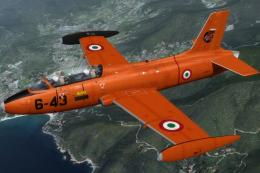
The Aermacchi or Macchi MB-326 is a light military jet aircraft designed of I…
 FSX Military Aircraft
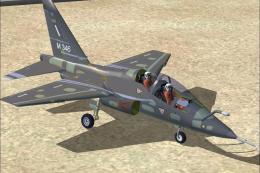
Aermacchi is now developing a next-generation jet trainer designated the M-34…
 FSX Military Aircraft
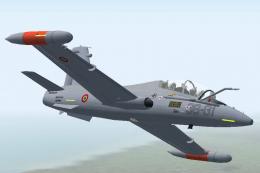
This model is a modification of the original aircraft, the old version of MB3…
 FSX Military Aircraft
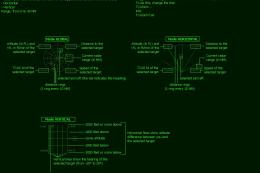
This is the full package (aircraft panel and sound) and is only for FSX. To m…
Be the first to leave a comment on this download.
Be the first to share your thoughts on this download.