


 FSX General Aviation Aircraft
Cessna 152 Aerobat
This exclusive package brings together an enhanced rendition of the well-know…
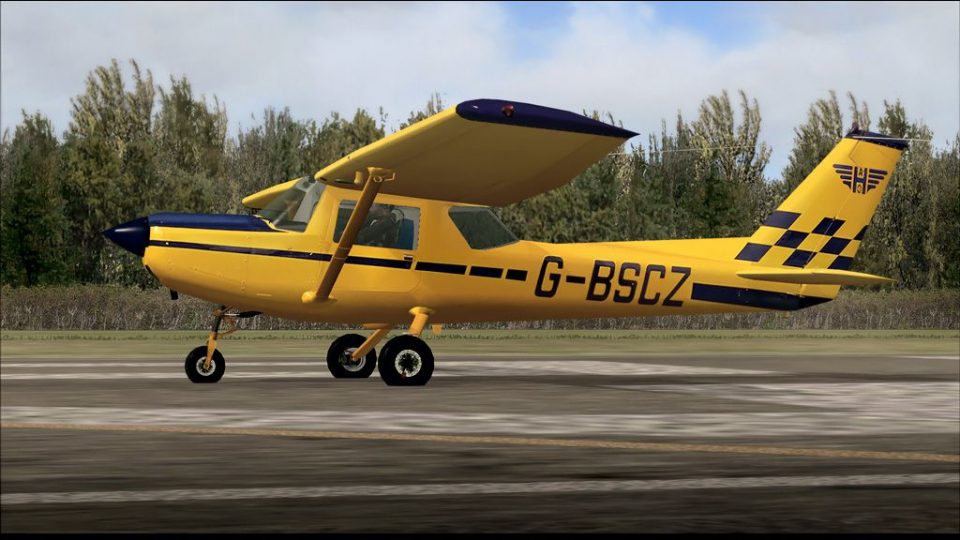
Cessna 152 G-BSCZ brings a navy blue and yellow, partially photoreal repaint to the Just Flight and FSInsider freeware trainer, adding realistic exterior detailing that suits circuit work and VFR practice. Designed for Microsoft Flight Simulator X, it requires the jf_C152_INSIDER base aircraft and complements its classic two-seat cockpit and high-wing visibility.
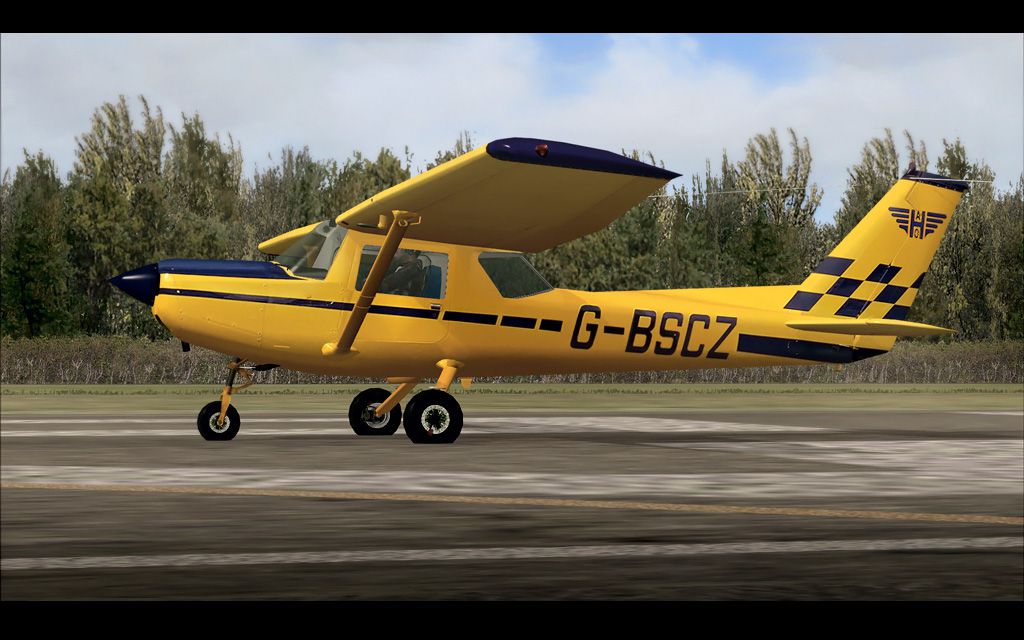
Cessna 152, registration G-BSCZ. A partially photoreal texture of Just Flight/FSInsider's freeware C152. Repaint by Bob Rivera.
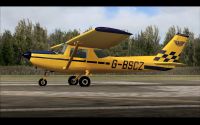
Cessna 152 on runway.
This is a partially photoreal texture of Just Flights/FSInsider's excellent freeware FSX Cessna 152 for FSX.
Installation:
Just place the - texture.G-BSCZ - folder in your jf_C152_INSIDER folder, then using notepad, open the aircraft config file and copy and paste the text below after the last texture files entry, replace the ?? with the next appropriate number of texture. Save and close. Done.
//-----------------------------------------------------------------
[fltsim.??]

title=jfC152_INSIDER_G-BSCZ

sim=jfc152

model=

panel=

sound=

texture=G-BSCZ

kb_checklists=jf_c152_check

kb_reference=jf_c152_ref

atc_id=

atc_id_font=Arial,150,1,600,0

ui_manufacturer=Cessna

ui_type=C152 G-BSCZ

ui_variation=Navy Blue and Yellow

description=The C152 is a traditional all-metal construction aircraft. A 2 seat side by side design makes it an ideal basic trainer and the high placed wing allows excellent downward views although your view is obscured during turns. Copyright Just Flight Ltd 2008 www.justflight.com

ui_typerole="Single Engine Prop"

ui_createdby="Just Flight"
//-----------------------------------------------------------------
Thanks to Frank Steffens for the paintkit.
Cheers,
Bob "BananaBob" Rivera
Free for all simmers · 5.7 MB · Scanned clean
Download speed: Free tier is capped at 0.5 Mbps (this file takes approximately 2 mins at the cap). PRO members download at full line speed.
FSX\SimObjects\Airplanes\. The folder must contain an aircraft.cfg file. Effects go into FSX\Effects\; gauges go into FSX\Gauges\.readme.txt or README file. It tells you exactly where files go, what dependencies are needed, and any quirks specific to this add-on.The archive c152bscz.zip has 23 files and directories contained within it.
This list displays the first 500 files in the package. If the package has more, you will need to download it to view them.
| Filename/Directory | File Date | File Size |
|---|---|---|
| gbscz152.jpg | 10.09.08 | 231.14 kB |
| gbscz152150.gif | 10.09.08 | 9.51 kB |
| gbscz152300.jpg | 10.09.08 | 45.60 kB |
| Read Me.txt | 10.09.08 | 1.52 kB |
| Texture.G-BSCZ | 10.09.08 | 0 B |
| C152_C1.dds | 06.05.08 | 1.00 MB |
| C152_Prop.dds | 10.09.08 | 256.12 kB |
| C152_reflection.dds | 01.16.07 | 256.12 kB |
| c152_t1.dds | 10.09.08 | 4.00 MB |
| C152_T1_bump.dds | 01.12.07 | 1.00 MB |
| C152_T1_specular.dds | 10.03.08 | 1.00 MB |
| c152_t2.dds | 10.09.08 | 4.00 MB |
| C152_T2_bump.dds | 01.12.07 | 1.00 MB |
| C152_T2_specular.dds | 01.13.07 | 1.33 MB |
| C152_T3.dds | 10.09.08 | 4.00 MB |
| fresnel_ramp.dds | 11.22.06 | 1.12 kB |
| Man_1a.dds | 01.15.07 | 64.12 kB |
| Man_1b.dds | 01.15.07 | 64.12 kB |
| thumbnail.jpg | 10.09.08 | 29.46 kB |
| User.dds | 10.03.08 | 256.12 kB |
| G_BSCZ | 10.09.08 | 0 B |
| flyawaysimulation.txt | 10.29.13 | 959 B |
| Go to Fly Away Simulation.url | 01.22.16 | 52 B |
More FSX & P3D add-ons hand-picked based on this download.
FSX General Aviation Aircraft
This exclusive package brings together an enhanced rendition of the well-know…
 FSX General Aviation Aircraft
Cessna 152 flyable blank white textures for the Just Flight/FS Insider freewa…
 FSX General Aviation Aircraft
Textures only for the freeware Just Flight C152. C-GUZW is owned and operated…
 FSX General Aviation Aircraft
This repaint set features a distinctive red-on-white finish for the Cessna 15…
 FSX General Aviation Aircraft
Cessna C-152 G-BOYL. A repaint of the Cessna C-152 in the livery of Central A…
 FSX General Aviation Aircraft
This lively repaint package offers a detailed blue-and-white paint scheme lab…
 FSX General Aviation Aircraft
This repaint package features a fictional registration, N6539H, over a sleek …
 FSX General Aviation Aircraft
This dedicated repaint package for the payware Carenado C152, crafted by Tom …
Read what other simmers think, or add your own.

Please can I have some help. New to this and unable to find the config file.
Just have downloaded FSX steam and the Just Flight C152 from the store too.
Many Thanks