


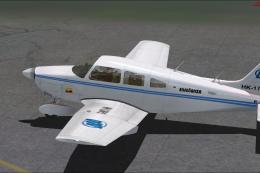
 FSX General Aviation Aircraft
Academia Antioquena de Avicion Piper PA28-181
Academia Antioquena de Avicion Piper PA28-181 Archer II, registration HK-1798…
Piper Archer III PA28-181 brings the PH-SVP trainer to Microsoft Flight Simulator X SP2 with smooth LOD modeling, mipmapped DDS textures, and a clear virtual cockpit featuring semi-transparent yoke and improved sightlines. Expect animated doors, suspension and wheel spin, optional wheel fairings, widescreen or standard panels, and custom XML gauges with realistic gyro drift and P-factor handling.
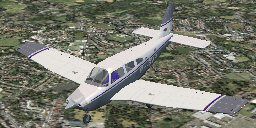
FSX/SP2 Piper Archer III PA28-181. Version for FSX with SP2. LOD's, xml gauges, .dds textures. The PH-SVP is owned by the Rotterdam Flying Club. By Rien Cornelissen.
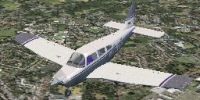
Piper Archer III PA28-181 in flight.
This is Archer-3.zip for FS X with SP 2 which, of course, has many features of the Piper Arrow-IV, arrowiva.zip, released already.
Installation: unzip Archer-3.zip to your Microsoft Flight Simulator X folder. Make sure the option "use directories" is active, (it usually is) for the directory structure is contained within the .zipfile.
The textures are dxt mipmapped .dds files. The exterior model contains LOD's: Levels-Of-Dilution; when the aircraft gets more remote, less detail is shown, requiring less processing time.
I made LOD 400, 150, 50, 15 and 5. In LOD 400 everything is present; in LOD 5 there are only flat, unanimated and untextured silhouette of fuselage, wings and tail.
The model with animations was made using GMax. Many parts could be borrowed from other members of the Piper family, such as the FS X Arrow (arrowiva.zip ) and the FS 2004 Pipers I uploaded before.
In the virtual cockpit I left out the pilot and the head rests of the front seats, in order to facilitate looking around.
Also, the yoke is semi-transparent in the vc.
The door will open using . First the door latch will open together with the storm window, a small window within the window directly to the pilot's left, and then the door itself.
The bagage door will open by , followed bij <2>. The ribbon to keep this door in the open position is represented too.
The gear has suspension, as can be seen when moving on uneven ground. The wheels will spin while taxiing.
Like in the real Archer the trim surface at the trailing end of the elevator wil move extra as the elevator is moved.
Choices can be made between Archers with a '16x9' and a '4x3' panel, and with or without the wheel fairings installed.
The '16x9' panel is for wide screen monitors.
Without fairings the aircraft will be about 5 kt slower.
The gauges that are specific to the Archer were made in xml.
The directional gyro has the usual random drift, but I added an extra drift in steep turns; its absolute value is proportional to the rate-of-turn-squared. The gyro can be reset pressing the key, but also, more realistically, by turning the knob using the mouse.
The subscale of the altimeter was changed to read both hPa (=mBar) and inches of mercury. The tanks will contain 25 Gal. each, and the fuel gauges will indicate "full" at that amount.
The annunciator panel is functional, as is the audio panel, on which sound of markers, nav 1 and 2, and ADF can be switched on and off.
The instruments were put in place using FS Panel Studio.
About the P-effect:
I placed the engine slightly to the right of the midline in the flight dynamics (aircraft.cfg, Piper Archer-III_nwf.air and Piper Archer-III_wwf.air) to simulate the P-factor:
In the real aircraft the propeller turns clockwise as seen from the pilot's seat.
Therefore, the propwash will take a spiraling trajectory along the fuselage. It will collide with the vertical fin, pushing it to the right, thus causing the aircraft to turn left.
Moreover, a propeller blade that goes down will generate more thrust than one going upward because the former will have a higher speed with respect to the air and will have a larger angle-of-attack, caused by the propeller axis being more pitch-up than the aircraft path.
This, too, adds to a tendency to turn left.
This so-called P-factor is compensated for cruise speed in the Cessna 172 with a bent strip of metal at the trailing end of the rudder; in the Arrow by the rudder trim, but the degree of correction will depend upon airspeed.
In situations in which engine power is high with respect to airspeed (takeoff, climb, recovery from stall) the pilot has to apply "right rudder".
This is the case in almost all single engine propeller aircraft; most engines (but not all) turn clockwise.
The P-factor adds to realism, but there are a few prerequisites:
1. The simpilot must have rudder pedals.
2. The pedal mechanism should have no mechanical play: its potentiometer should exactly follow the feet's movements.
3. In the settings menu the null zone for the rudder pedals must be set to zero. If the software that comes with the pedals allows for a null zone, it should be set to zero too.
Still, if you don't like the P-factor, open aircraft.cfg, find
[GeneralEngineData]

	engine_type= 0

	Engine.0= 7.000, 0.800, 0.000

	fuel_flow_scalar= 0.800

	min_throttle_limit=0.000000
and change it to read
[GeneralEngineData]

	engine_type= 0

	Engine.0= 7.000, 0.000, 0.000

	fuel_flow_scalar= 0.800

	min_throttle_limit=0.000000
which will place the engine in the midline.
The real Piper Archer-III PH-SVP is owned by the Rotterdam Flying Club in the Netherlands of which I am a member, being a private-pilot-with-an-instrument-rating. I use this computer model to help me stay current. From time to time, from all over the world I am getting mail from (student) pilots using it to the same purpose.
All of my files are public domain; you are allowed to do with them whatever you please without permission, though I do appreciate to be notified of major changes.
Rien Cornelissen
Free for all simmers · 5.69 MB · Scanned clean
Download speed: Free tier is capped at 0.5 Mbps (this file takes approximately 2 mins at the cap). PRO members download at full line speed.
This add-on may require the following files to function properly. If this is a repaint, the dependency below is likely the base aircraft package.
SimObjects\Airplanes\, Addon Scenery\, Effects\, or Gauges\.readme.txt or README file. It tells you exactly where files go, what dependencies are needed, and any quirks specific to this add-on.The archive archer3.zip has 55 files and directories contained within it.
This list displays the first 500 files in the package. If the package has more, you will need to download it to view them.
| Filename/Directory | File Date | File Size |
|---|---|---|
| Archer-III_readme.txt | 02.08.08 | 5.84 kB |
| FILE_ID.DIZ | 02.09.08 | 194 B |
| Piper Archer-III_Ref.txt | 02.08.08 | 461 B |
| fx_navgre3.fx | 02.09.08 | 4.74 kB |
| fx_navred3.fx | 02.09.08 | 4.74 kB |
| fx_navwhi3.fx | 02.09.08 | 4.75 kB |
| texture | 02.09.08 | 0 B |
| fx_2a.bmp | 01.20.08 | 42.74 kB |
| Effects | 02.09.08 | 0 B |
| archer.CAB | 09.07.07 | 332.05 kB |
| P28A-R.CAB | 09.17.07 | 450.27 kB |
| gauges | 02.07.08 | 0 B |
| Airplanes | 02.09.08 | 0 B |
| Piper Archer-III | 02.09.08 | 0 B |
| aircraft.cfg | 02.09.08 | 16.45 kB |
| model.nwf | 02.09.08 | 0 B |
| Archer-III_interior.mdl | 02.08.08 | 460.24 kB |
| Archer-III_nwf.mdl | 02.08.08 | 1.65 MB |
| Model.cfg | 01.30.08 | 61 B |
| model.wwf | 02.09.08 | 0 B |
| Archer-III_interior.mdl | 02.08.08 | 460.24 kB |
| Archer-III_wwf.mdl | 02.08.08 | 1.60 MB |
| Model.cfg | 02.01.08 | 63 B |
| panel.16x9 | 02.09.08 | 0 B |
| ArcherVC_l.bmp | 01.30.08 | 3.00 MB |
| ArcherVC_r.bmp | 01.30.08 | 3.00 MB |
| ArchUpPan.bmp | 12.24.05 | 33.05 kB |
| compass.bmp | 06.04.07 | 25.69 kB |
| main_1536.bmp | 01.30.08 | 4.50 MB |
| main_1536_night.bmp | 01.31.08 | 4.50 MB |
| Panel.cfg | 02.01.08 | 6.20 kB |
| panel.4x3 | 02.09.08 | 0 B |
| ArcherVC_l-extr.bmp | 02.01.08 | 1.26 MB |
| ArcherVC_l.bmp | 01.30.08 | 3.00 MB |
| ArcherVC_r.bmp | 01.30.08 | 3.00 MB |
| ArchUpPan.bmp | 12.24.05 | 33.05 kB |
| compass.bmp | 06.04.07 | 25.69 kB |
| main_1024.bmp | 01.31.08 | 2.25 MB |
| main_1024_night.bmp | 01.31.08 | 2.25 MB |
| Panel.cfg | 02.01.08 | 6.14 kB |
| Piper Archer-III_nwf.air | 02.09.08 | 8.58 kB |
| Piper Archer-III_wwf.air | 02.09.08 | 8.57 kB |
| sound | 02.09.08 | 0 B |
| Sound.cfg | 08.05.07 | 47 B |
| texture | 02.09.08 | 0 B |
| Archer0_T.dds | 02.08.08 | 682.79 kB |
| Archer1_T.dds | 02.02.08 | 682.79 kB |
| Archer4_T.dds | 01.28.08 | 5.45 kB |
| Piper1_T.dds | 02.04.08 | 1.33 MB |
| Piper2_T.dds | 01.28.08 | 170.79 kB |
| thumbnail.jpg | 02.09.08 | 15.22 kB |
| SimObjects | 02.08.08 | 0 B |
| Archer-III.jpg | 02.09.08 | 15.22 kB |
| flyawaysimulation.txt | 10.29.13 | 959 B |
| Go to Fly Away Simulation.url | 01.22.16 | 52 B |
More FSX & P3D add-ons hand-picked based on this download.
FSX General Aviation Aircraft
Academia Antioquena de Avicion Piper PA28-181 Archer II, registration HK-1798…
 FSX General Aviation Aircraft
Academia Antioquena de Avicion Piper PA28-181 Archer II (Matricula HK-1798G M…
 FSX General Aviation Aircraft
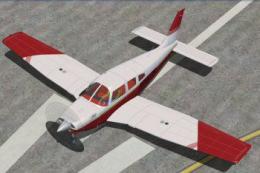
FSX/SP2 Piper Turbo Arrow III PA28RT-201, in U.S. and U.K. liveries. Model ma…
 FSX General Aviation Aircraft
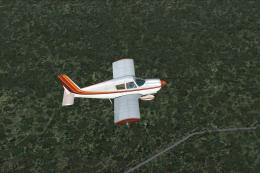
Piper PA28-180 Cherokee. This file contains the default FS2004 PA28-180 with …
 FSX General Aviation Aircraft
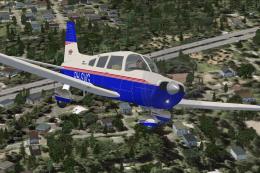
Piper Warrior II PA28-161 Version for FSX with SP2. A Gmax model that feature…
 FSX General Aviation Aircraft
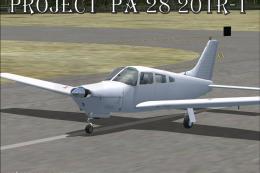
Piper PA28-201. This is Hauke Keitel's Piper PA28-201 modified for Flight Sim…
 FSX General Aviation Aircraft
A repaint of Hauke Keitel's Piper PA28-201. The aircraft is painted in a two …
 FSX General Aviation Aircraft
Textures only for the payware A2A Cherokee 180. By Christos Diakodimitriou. S…
Read what other simmers think, or add your own.


Hi. Very cool model. You mentioned changing the version of the archer. Is that from Archer III to Archer II?