Page 11

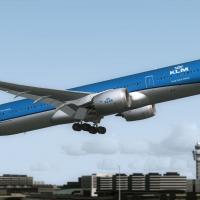
A repaint of the stock Boeing 747-400 in a high luster shine. This effect achieved with the use of a modified alpha channel and light bending process formula 14. This technique created and used by Rooks Silva Design Group (RSDG). Aircraft is entitled "Heavy Metal". Textures by Mark Rooks. Screenshot of Boeing 747-400 in flight. As always back up any original files. Unzip downloaded folders to your desktop or temporary directory of your choice. Copy the "RSDG...
File size: 1.39 MB | Download hits: 11 | Type: Repaint

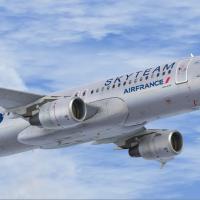
Air France textures only for the default B747-400. By Alain Steiner. Screenshot of Air France Boeing 747-400 in flight. Copy the folder texture.air france into your b747-400 directory. Copy and paste the following into the existing aircraft.cfg for the b747-400. [fltsim.x] title=Boeing 747-400 Air France sim=Boeing747-400 model= panel= sound= texture=air france kb_checklists=Boeing747-400_check kb_reference=Boeing747-400_ref atc_id=747-AF atc_airline=Air...
File size: 6.88 MB | Download hits: 32 | Type: Repaint

New camera and wing views for the default Boeing 737 and 747 and the Airbus A321 plus improved reverser physics and better toe brakes. By Peter James. Just rename to each appropriate aircraft.cfg. That's it! I have taken time to place the cameras for those who love wing views like I do. This does get rid of the default outside views however. Now, you don't have to redo them every time you change jets, they stay there. Also, the default reversers have been improved for realism,...
File size: 21.27 kB | Download hits: 2

Textures only for the default CRJ700. Repaint by Dwight Estey. Screenshot of Air Canada Jazz bombardier CRJ 700 in flight. Just create a sub directory called in the Bonbardier_CRJ_700 directory call texture.air canada and copy all the texture files into it. Then copy and paste the following replacing the "X" [fltsim.X] title=Bombardier CRJ 700 Air Canada Jazz sim=Bombardier_CRJ_700 model= panel= sound= texture=air...
File size: 6.39 MB | Download hits: 6 | Type: Repaint

Textures only for the default B737-800. Repaint by Timothy Mathews. Screenshot of Virgin Blue Boeing 737-800 in flight. [fltsim.X] title=Boeing 737-800 VB sim=Boeing737-800 model= panel= sound= texture=7 kb_checklists=Boeing737-800_check kb_reference=Boeing737-800_ref atc_id=N737Z atc_airline="Virgin Blue" atc_flight_number= ui_manufacturer="Boeing" ui_type="737-800" ui_variation="Virgin Blue" ui_typerole="Commercial...
File size: 8.71 MB | Download hits: 22 | Type: Repaint

Textures only for the default B737-800. Screenshot of Easyjet Boeing 737-800 on the ground. ...
File size: 9.60 MB | Download hits: 69 | Type: Repaint

Rewritten aircraft config for the iFDG Airbus A318, A319 and the Kittyhawk B737-500 in fictional Jersey Jet schemes. This will allow you to view the aircraft in the main aircraft menu. Requires the original repaints. By Dave Evans. Screenshot of Jersey Jet in flight. Extract zip to desktop open all three folders move the aircraft config to the right aircraft folder move the Thumbnail to the right aircraft texture folder that's it..... recommend you use the default FSX panels...
File size: 274.30 kB | Download hits: 2 | Type: Repaint

Textures only for the default B737-800. By Jeff Olszewski. To Install, simply place or unzip the Texture.X folder into your C Drive/Program Files/Microsoft Games/Flight simulatorX/SimObjects/Airplanes/B737_800 Folder. Then you must rename the folder as Texture.8 or another number after your last one you have installed or have. Then you must edit the Aircraft CFG File and insert below your last one. Example below: [fltsim.6] title=Boeing 737-800...
File size: 2.33 MB | Download hits: 6 | Type: Repaint

Textures only for the default B737-800. By Murat Ozden. Screenshot of Turkish Airlines Boeing 737-800 in flight. Just create a copy of texture.6 folder which is located in simobjects/airplanes/b737_800 folder and rename it as texture.7 and copy 3 files located in zip file to this folder (accept overwrite) then add those lines to aircraft.cfg file by opening it with notepad and assign next available number to xx. [fltsim.xx] title=Boeing 737-800 Turkish...
File size: 1.64 MB | Download hits: 22 | Type: Repaint

Textures only for the default B737-800. By Frank McCall. Screenshot of Transavia Boeing 737-800 on the ground. Unzip downloaded folders to a Temp directory on your system. Copy Texture.HapL into C:Program FilesMicrosoft GamesMicrosoft Flight Simulator XSimObjectsAirplanesB737_800. Add this entry into your 737-800 Aircraft.cfg file. Paste it in sequence right after the last [fltsim.x]. Rename "FLTSIM.X" to next number in sequence IE: fltsim.8...
File size: 7.98 MB | Download hits: 25 | Type: Repaint

Textures only for the default A321. Screenshot of Easyjet Airbus A321 on the ground. ...
File size: 8.20 MB | Download hits: 82 | Type: Repaint

Textures only for the default CRJ700. Screenshot of Air France CRJ-700 on runway. [fltsim.x] title=Bombardier CRJ 700 Air France sim=Bombardier_CRJ_700 model="" panel="" sound="" texture=AFR kb_checklists=BombardierCRJ700_check kb_reference=BombardierCRJ700_ref atc_id= atc_parking_types=GATE,RAMP ui_manufacturer=Bombardier ui_type=CRJ700 ui_variation=Air France by Britair ui_typerole=Jet regional ui_createdby= ...
File size: 6.95 MB | Download hits: 10 | Type: Repaint

This file is a fix for the mis-configured baggage cart airport scenery when using the CRJ at a gate that features baggage handling trucks. By Henning Schaefer. Screenshot of CRJ-700 shown with ground services. ...
File size: 106.05 kB | Download hits: 26 | Type: Patch

For use with A321LH.ZIP. Adds shine to the texture (updated alpha channel). Screenshot of Lufthansa Airbus A321-100. Go and get A321LH.ZIP first and install. Unzip the contents of A321LHUP.ZIP to a directory of your choice. Go to the folder > Microsoft Flight Simulator XSimObjectsAirplanesAirbus_A321 Texture.LH. Copy and paste all contents of the unzipped A321LHUP to the folder "Texture.LH" (When asked "Replace older files with newer ones" click...
File size: 817.05 kB | Download hits: 26 | Type: Patch

A repaint of the default B737-800. By Tibor Kokai. Screenshot of Malev Boeing 737-800 on the ground. This is a repaint for default FS-X Boeing B737-800. Just one thing is different between real aircraft and this one: the real aircraft haven't winglets. Unzip my folder into your B737_800 directory. Add the following rows to your Boeing's aircraft.cfg, and save: [fltsim.6] title=Boeing 737-800...
File size: 8.61 MB | Download hits: 38 | Type: Repaint

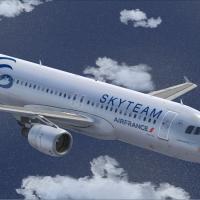
Textures only for the default B737-800. Side view of Air France Boeing 737-800 in the air. [fltsim.XX] title=Boeing 737-800 Air France sim=Boeing737-800 model="" panel="" sound="" texture=AFR kb_checklists=Boeing737-800_check kb_reference=Boeing737-800_ref atc_id= atc_airline="" atc_flight_number="" ui_manufacturer=Boeing ui_type=737-800 ui_variation=Air France ui_typerole=Avion de ligne ui_createdby=Microsoft...
File size: 9.12 MB | Download hits: 27 | Type: Repaint

A UAL repaint of the default A321. Repaint by Kevin Troutman. Screenshot of United Airlines Airbus A321 in flight. Here is a repaint of the default A321 for Flight Simulator X in the United Airlines old colors. To install, copy the texture.ual folder to your A321 folder (usually C:program filesMicrosoft GamesMicrosoft Flight Simulator XSimObjectsAirplanesAirbus_A321). Then copy the text from the fltsim_info.txt folder into you aircraft.cfg file. Change the x in [fltsim.x] to the...
File size: 3.79 MB | Download hits: 14 | Type: Repaint

Textures only for the default Canadair CRJ700 in the United Express new colors. Repaint by Kevin Troutman. Screenshot of United Express CRJ-700 in flight. Here is a repaint of the default CRJ-700 for Flight Simulator X in the United Express New Colors. To install, copy the texture.ual folder to your CRJ folder (usually C:program filesMicrosoft GamesMicrosoft Flight Simulator XSimObjectsAirplanesBombardier_CRJ_700). Then copy the text from the fltsim_info.txt folder into you...
File size: 1.44 MB | Download hits: 22 | Type: Repaint

A repaint of the default B737-800 into a Hapag-Lloyd paint scheme. By Frank McCall. Screenshot of Hapag-Lloyd Boeing 737-800 on runway. Unzip downloaded folders to a Temp directory on your system. Copy Texture.HapL into C:Program FilesMicrosoft GamesMicrosoft Flight Simulator XSimObjectsAirplanesB737_800. Add this entry into your 737-800 Aircraft.cfg file, paste it in sequence right after the last [fltsim.x]. Rename "FLTSIM.X" to next number in...
File size: 7.82 MB | Download hits: 15 | Type: Repaint

"Regensburg", a repaint of the FSX default Airbus with accurate details and colors of the original aircraft. (See also A321LHUP.ZIP). Screenshot of A321 Regensburg on runway. Unzip the contents of A321LH.ZIP to a directory of your choice. Go to the folder--> Microsoft Flight Simulator XSimObjectsAirplanesAirbus_A321 (Usually located at C:Program FilesMicrosoft Games). Make a copy of the default folder "Texture" within the Airbus_A321 folder (Including...
File size: 346.85 kB | Download hits: 24 | Type: Repaint
Signing-up for a Pro account gives you super fast uncapped speed to the thousands of FSX, FS2004 & X-Plane downloads which include aircraft, scenery and more - click here to view the library for free or...
Search for add-on planes/repaints, airports, scenery, flight sim news and even the discussion forum all from here.