Page 2

Using the default Bravo model, the Mooney Acclaim is Mooney's newest model. Like all models before the Acclaim is built to go faster. This turboprop model screams fast with its new flight dynamics and textures by Mark Rooks of RDG. Screenshot of red and black Mooney Acclaim Turbo Prop in flight. To install this aircraft: As always back up any original files. Unzip downloaded folders to your desktop or temporary directory of your choice. Copy the " Acclaim...
File size: 4.28 MB | Download hits: 0 | Type: Complete with Base Model

Textures only for the default C172. Repaint by Jon Murchison. Screenshot of Ardmore Aerodrome Cessna 172 in the air. Place the 'Texture.G1000_JRA' folder into your Flight Sim X directory, under ...SimObjectsAirplanesC172 Open the aircraft.cfg file and paste the following text into the file after the previous aircraft repaint, ensuring to replace [fltsim.x] with the next number in sequence, e.g. [fltsim.5] [fltsim.x] title=Cessna Skyhawk 172SP ZK-JRA...
File size: 2.58 MB | Download hits: 0 | Type: Repaint

An update of thirteen liveries for previous versions of the Decathlon and Scout revised to work in FSX. By John Cagle, RealAir Simulations. Screenshot of RealAir Scout 2007 Tundra in flight. Straightforward installation. Here is how you would do the Decathlon, for instance. Copy Directories in Decathlon Textures to SimObjects->Airplanes->RealAir Decathlon 2007 Copy some or all of the text below and paste into the aircraft.cfg located at...
File size: 21.98 MB | Download hits: 0 | Type: Payware Repaint

Sounds Air Cessna 172 with Garmin 1000 panel, registration ZK-EKE. Textures only for the default C172. Repaint by Jon Murchison. Screenshot of Sounds Air Cessna 172 ZK-EKE in the air. Place the 'Texture.G1000_SOUNDS' folder into your Flight Sim X directory, under ...SimObjectsAirplanesC172 Open the aircraft.cfg file and paste the following text into the file after the previous aircraft repaint, ensuring to replace [fltsim.x] with the next number in sequence, e.g....
File size: 2.57 MB | Download hits: 0 | Type: Repaint

Textures only for the default C172. Repaint by Jon Murchison. Screenshot of Cessna 172 ZK-ELC in the air. Place the 'Texture.G1000_ELC' folder into your Flight Sim X directory, under ...SimObjectsAirplanesC172 Open the aircraft.cfg file and paste the following text into the file after the previous aircraft repaint, ensuring to replace [fltsim.x] with the next number in sequence, e.g. [fltsim.5] [fltsim.x] title=Cessna Skyhawk 172SP ZK-ELC...
File size: 2.57 MB | Download hits: 0 | Type: Repaint

Wanganui Aeroclub Air Cessna 172 with Garmin 1000 panel, registration ZK-EWA. Textures only for the default C172. Repaint by Jon Murchison. Screenshot of Wanganui Aeroclub Air Cessna 172 in the air. Place the 'Texture.G1000_EWA' folder into your Flight Sim X directory, under ...SimObjectsAirplanesC172 Open the aircraft.cfg file and paste the following text into the file after the previous aircraft repaint, ensuring to replace [fltsim.x] with the next number in...
File size: 4.61 MB | Download hits: 0 | Type: Repaint

Textures only for the payware Realair American Champion Citabria in reverse scallop theme in white and blue. Repaint by Jim Boynton. Side of Citabria N269AC in the air. Place the folder in fsx/simobjects/airplanes/realair citabria 2007 folder with other textures. Add text to aircraft.cfg file: [fltsim.9] title=American Champion Citabria FSX...
File size: 1.06 MB | Download hits: 0 | Type: Payware Repaint

Textures only for the payware Realair American Champion Citabria in scallop theme in green. Repaint by Jim Boynton. Screenshot of Green Citabria N31272 in flight. Place the folder in fsx/simobjects/airplanes/realair citabria 2007 folder with other textures. Add text to aircraft.cfg file: [fltsim.8] title=American Champion Citabria FSX...
File size: 1.63 MB | Download hits: 0 | Type: Payware Repaint

A new aircraft.cfg for the default Baron to make it turbo-normalized. By Milton Tomasovich Jr. EG: [fltsim.0] title=Beech Baron 58TC Paint1 sim=Beech_Baron_58 model= panel= sound= texture=1 kb_checklists=Beech_Baron_58_check kb_reference=Beech_Baron_58_ref atc_id=N71FS ui_manufacturer="Beechcraft" ui_type="Baron 58TC" ui_variation="White/Blue Stripes" ui_typerole="Twin Engine Prop" ui_createdby="Microsoft...
File size: 7.61 kB | Download hits: 0 | Type: Patch

Textures only for the default Beechcraft Baron in Bluegrass Virtual airlines livery. By L. Friese. Screenshot of Bluegrass Airlines Beech Baron 58 on the ground. [fltsim.x] title=Beech Baron 58 Paint 4 sim=Beech_Baron_58 model= panel= sound= texture=4 kb_checklists=Beech_Baron_58_check kb_reference=Beech_Baron_58_ref atc_id=BGA ui_manufacturer="Beechcraft" ui_type="Baron 58" ui_variation=Bluegrass ui_typerole="Twin Engine...
File size: 1.33 MB | Download hits: 0 | Type: Repaint

An update of eleven liveries for previous versions of the SF260 revised to work in FSX. The liveries have been uploaded with the permission of RealAir Simulations and remain their copyrighted property. By John Cagle, RealAir Simulations. Screenshot of red and white RealAir SF-260 in flight. Installation: Copy Directories in Textures to SimObjects->Airplanes->RealAir SF-260 Left Seat. Copy some or all of the text below and paste into the aircraft.cfg located at...
File size: 25.00 MB | Download hits: 0 | Type: Payware Repaint

Textures only for use with the default Cessna 172 with Garmin 1000 panel. Repaint by Jon Murchison. Screenshot of Waiheke Air Cessna C172 in the air. Place the 'Texture.G1000_PRF' folder into your Flight Sim X directory, under ...SimObjectsAirplanesC172 Open the aircraft.cfg file and paste the following text into the file after the previous aircraft repaint, ensuring to replace [fltsim.x] with the next number in sequence, e.g. [fltsim.5] [fltsim.x] title=Cessna...
File size: 2.58 MB | Download hits: 0 | Type: Repaint

Textures only for the default C172. Repaint by Jon Murchison. Screenshot of Ardmore Aerodrome Cessna 172 in the air. Place the 'Texture.JRA' folder into your Flight Sim X directory, under ...SimObjectsAirplanesC172 Open the aircraft.cfg file and paste the following text into the file after the previous aircraft repaint, ensuring to replace [fltsim.x] with the next number in sequence, e.g. [fltsim.5] [fltsim.x] title=Cessna Skyhawk 172SP...
File size: 699.10 kB | Download hits: 0 | Type: Repaint

Textures only for the default C172. Repaint by Jon Murchison. Screenshot of Waiheke Air Cessna 172 ZK-PRF in the air. Place the 'Texture.PRF' folder into your Flight Sim X directory, under ...SimObjectsAirplanesC172 Open the aircraft.cfg file and paste the following text into the file after the previous aircraft repaint, ensuring to replace [fltsim.x] with the next number in sequence, e.g. [fltsim.5] [fltsim.x] title=Cessna Skyhawk 172SP ZK-PRF 'Waiheke...
File size: 698.88 kB | Download hits: 0 | Type: Repaint

Textures only for the default C172. By Jon Murchison. Screenshot of Sounds Air Cessna 172 ZK-EKE in the air. Place the 'Texture.SOUNDS' folder into your Flight Sim X directory, under ...SimObjectsAirplanesC172 Open the aircraft.cfg file and paste the following text into the file after the previous aircraft repaint, ensuring to replace [fltsim.x] with the next number in sequence, e.g. [fltsim.5] [fltsim.x] title=Cessna Skyhawk 172SP ZK-EKE 'Sounds...
File size: 694.09 kB | Download hits: 0 | Type: Repaint

Textures only for the default C172. By Jon Murchison. Screenshot of Cessna 172 ZK-ELC in the air. Place the 'Texture.ELC' folder into your Flight Sim X directory, under ...SimObjectsAirplanesC172 Open the aircraft.cfg file and paste the following text into the file after the previous aircraft repaint, ensuring to replace [fltsim.x] with the next number in sequence, e.g. [fltsim.5] [fltsim.x] title=Cessna Skyhawk 172SP...
File size: 690.33 kB | Download hits: 0 | Type: Repaint

Textures only for the default C172. By Jon Murchison. Screenshot of Wanganui Aeroclub Cessna 172 in the air. Place the 'Texture.EWA' folder into your Flight Sim X directory, under ...SimObjectsAirplanesC172 Open the aircraft.cfg file and paste the following text into the file after the previous aircraft repaint, ensuring to replace [fltsim.x] with the next number in sequence, e.g. [fltsim.5] [fltsim.x] title=Cessna Skyhawk 172SP ZK-EWA 'Wanganui...
File size: 688.50 kB | Download hits: 0 | Type: Repaint

A highly modified version of Robert Christopher's Lancair. Aircraft is painted in highly reflective textures. This effect achieved with the use of a modified alpha channel. This technique created and used by Rooks Design Graphics, .air file and .cfg and textures created by Mary Moo of Rooks Design Graphics (RDG). Screenshot of red, black and white Lancair in flight. To install this aircraft: As always back up any original files. Unzip downloaded folders to your...
File size: 6.36 MB | Download hits: 2 | Type: Complete with Base Model

Textures only; requires TWIN_BON.ZIP. Model by Eric Dantes. Repaint by Mel Mutter. Screenshot of Beechcraft Twin Bonanza in flight. Add this text to TWIN_BON.ZIP by Eric Dantes.aircraft file. Change fltsim.xx to the number next in line. [fltsim.xx] title=Beechcraft Twin Bonanza...
File size: 1.63 MB | Download hits: 1 | Type: Repaint

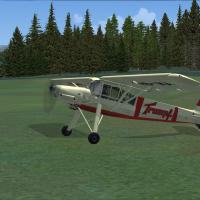
A Cessna 185 modified for Flight Simulator X by Mark Rooks. Screenshot of Cessna 185 on runway. To install this aircraft: As always back up any original files. Unzip downloaded folders to your desktop or temporary directory of your choice. Copy the " Cessna 185 " folder and paste it in the main aircraft folder: "C:Program FilesMicrosoft GamesFSxSIM Objects /Aircraft . Textures created by Mark "Fire Ball" Rooks. ...
File size: 13.16 MB | Download hits: 4 | Type: Repaint
Signing-up for a Pro account gives you super fast uncapped speed to the thousands of FSX, FS2004 & X-Plane downloads which include aircraft, scenery and more - click here to view the library for free or...
Search for add-on planes/repaints, airports, scenery, flight sim news and even the discussion forum all from here.