FSX Controls/Keyboard Commands
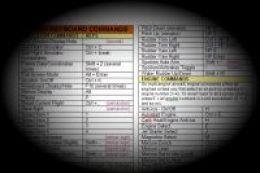
These are the final keyboard commands for FSX. Many are new due to the new features in FSX. Print them out (5 pages). You'll find that they will enhance your flight experiences with FSX.
- Download hits
- 74.6K

- Compatibility
- Microsoft Flight Simulator X (FSX) including Steam Edition & Prepar3D (P3D)
- Filename
- FSX_Keyboard_Commands.zip.zip
- File size
- 2.29 MB
- Virus Scan
- Scanned 24 days ago (clean)
- Access to file
- Free (Freeware)
- Content Rating
- Everyone

Rated 5 out of 5 stars by 25 PRO members.


These are the final keyboard commands for FSX. Many are new due to the new features in FSX. Print them out (5 pages). You'll find that they will enhance your flight experiences with FSX.
Microsoft Flight Simulator MSFS (2020)
Many users visiting this page are expecting the keyboard commands for the latest flight simulator, Microsoft Flight Simulator (MSFS) 2020 - you can find those here. If you are still wanting FSX, continue reading below.
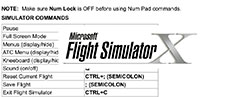 You can view the keyboard controls below or you can download the file to keep on your own system.
This control list is extensive and should cover everything you need from basic to advanced flying in Flight Simulator X.
PDF Option
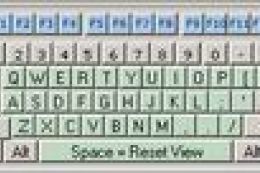
If you choose to download this file instead of viewing it on this page, it now includes a PDF sheet with a keyboard map option for cross-compatibility and easy downloading/viewing. This has been added by popular user demand. We have also included additional Microsoft Word formats too.
Let us know
If these commands have been helpful to you or if you have any issues using them (or if any are incorrect), please let us know in the comments section below. Please note, also included in this file are all of the files from fsxkypml.zip (PDF, JPG, PNG).
Control list
NOTE: Make sure Num Lock is OFF before using Num Pad commands.
SIMULATOR COMMANDS
|
Pause |
P or BREAK |
|
Full Screen Mode |
ALT + ENTER |
|
Menus (display/hide) |
ALT |
|
ATC Menu (display/hide) |
ACCENT or SCROLL LOCK |
|
Kneeboard (display/hide) |
SHIFT+F10 |
|
Sound (on/off) |
Q |
|
Reset Current Flight |
CTRL+; (SEMICOLON) |
|
Save Flight |
; (SEMICOLON) |
|
Exit Flight Simulator |
CTRL+C |
|
Exit Flight Simulator Immediately |
CTRL+BREAK |
|
Joystick (on/off) |
CTRL+K |
|
Cycle Coordinates/Frame Rate |
SHIFT+Z |
|
Select Item 1 |
1 |
|
Select Item 2 |
2 |
|
Select Item 3 |
3 |
|
Select Item 4 |
4 |
|
Select Time Compression |
R |
|
Drop Objects |
SHIFT+D |
|
Fuel Truck (request) |
SHIFT+F |
|
Aircraft Labels (display/hide) |
CTRL+SHIFT+L |
|
Flying Tips (display/hide) |
CTRL+SHIFT+X |
|
Increase Selection |
= (EQUAL SIGN) |
|
Increase Selection Slightly |
SHIFT+= (EQUAL SIGN) |
|
Decrease Selection Slightly |
SHIFT+- (MINUS SIGN) |
|
Decrease Selection |
- (MINUS SIGN) |
|
Capture Screenshot |
V |
|
Jetway (attach/detach) |
CTRL+J |
|
End Flight |
ESC |
CONTROL SURFACE COMMANDS
|
Ailerons (bank left) |
Num Pad 4 |
|
Ailerons (bank right) |
Num Pad 6 |
|
Aileron Trim (left) |
CTRL+Num Pad 4 |
|
Aileron Trim (right) |
CTRL+Num Pad 6 |
|
Rudder (yaw left) |
Num Pad 0 |
|
Rudder (yaw right) |
Num Pad ENTER |
|
Rudder Trim (left) |
CTRL+ Num Pad 0 |
|
Rudder Trim (right) |
CTRL+Num Pad ENTER |
|
Center Ailerons and Rudder |
Num Pad 5 |
|
Pitch Down (elevator) |
Num Pad 8 |
|
Pitch Up (elevator) |
Num Pad 2 |
|
Elevator Trim Down |
Num Pad 7 |
|
Elevator Trim Up |
Num Pad 1 |
|
Flaps (retract fully) |
F5 |
|
Flaps (retract incrementally) |
F6 |
|
Flaps (extend incrementally) |
F7 |
|
Flaps (extend fully) |
F8 |
|
Extend/Retract Spoilers/Airbrakes |
/ (FORWARD SLASH) |
|
Arm Spoilers |
SHIFT+/ (FORWARD SLASH) |
|
Water Rudder Up/Down |
CTRL+W |
ENGINE COMMANDS
|
On multiengine aircraft, engine commands affect all engines unless you first select an engine. |
|
|
Select Engine |
E+engine number (1-4) |
|
Select All Engines |
E+1+2+3+4 |
|
Engine Autostart |
CTRL+E |
|
Throttle (cut) |
F1 |
|
Reverse Thrust (turboprops/jets) |
F2 (press and hold) |
|
Throttle (decrease) |
F2 or Num Pad 3 |
|
Throttle (increase) |
F3 or Num Pad 9 |
|
Throttle (full) |
F4 |
|
Propeller (low RPM) |
CTRL+F1 |
|
Propeller (decrease RPM) |
CTRL+F2 |
|
Propeller (increase RPM) |
CTRL+F3 |
|
Propeller (high RPM) |
CTRL+F4 |
|
Mixture (idle cutoff) |
CTRL+SHIFT+F1 |
|
Mixture (lean quickly) |
CTRL+SHIFT+F2 |
|
Mixture (enrich) |
CTRL+SHIFT+F3 |
|
Mixture (full rich) |
CTRL+SHIFT+F4 |
|
Carb Heat/Engine Anti-ice ((on/off)) |
H |
|
Magnetos (select) |
M |
|
Master Battery/Alternator (select) |
SHIFT+M |
|
Jet Starter (select) |
J |
|
Helicopter Rotor Clutch ((on/off)) |
SHIFT+. (PERIOD) |
|
Helicopter Rotor Governor ((on/off)) |
SHIFT+, (COMMA) |
|
Helicopter Rotor Brake ((on/off)) |
SHIFT+B |
|
Increase Selection |
= (EQUAL SIGN) |
|
Increase Selection Slightly |
SHIFT+= (EQUAL SIGN) |
|
Decrease Selection Slightly |
SHIFT+- (MINUS SIGN) |
|
Decrease Selection |
- (MINUS SIGN) |
GENERAL AIRCRAFT COMMANDS
|
Brake (set parking) |
CTRL+. (PERIOD) |
|
Pushback (start/stop) |
SHIFT+P (then press 1 or 2 to turn tail right/left) |
|
Brakes (apply/release) |
. (PERIOD) |
|
Brakes (apply left brake) |
Num Pad + (PLUS) |
|
Brakes (apply right brake) |
Num Pad - (MINUS) |
|
Landing Gear (extend/retract) |
G |
|
Tail wheel (lock/unlock) |
SHIFT+G |
|
Landing Gear (extend manually) |
CTRL+G |
|
Fuel Dump (on/off) |
CTRL+SHIFT+D |
|
Subpanels (display/hide) |
SHIFT + 1 through 9 |
|
Smoke System ((on/off)) |
I |
|
Cowl Flaps (open incrementally) |
CTRL+SHIFT+V |
|
Cowl Flaps (close incrementally) |
CTRL+SHIFT+C |
|
Tow Plane (call) |
CTRL+SHIFT+Y |
|
Tow Rope (release) |
SHIFT+Y |
|
Doors (select) |
SHIFT+E |
LIGHT COMMANDS
|
Lights - all (on/off) |
L |
|
Strobe Lights (on/off) |
O |
|
Panel Lights (on/off) |
SHIFT+L |
|
Landing Lights (on/off) |
CTRL+L |
|
Landing Light (tilt down) |
CTRL+SHIFT+Num Pad 2 |
|
Landing Light (tilt left) |
CTRL+SHIFT+Num Pad 4 |
|
Landing Light (tilt right) |
CTRL+SHIFT+Num Pad 6 |
|
Landing Light (tilt up) |
CTRL+SHIFT+Num Pad 8 |
|
Landing Light (center) |
CTRL+SHIFT+Num Pad 5 |
RADIO COMMANDS
|
ATC Window (display/hide) |
` ACCENT or SCROLL LOCK |
|
VOR 1 Ident (on/off) |
CTRL+1 |
|
VOR 2 Ident (on/off) |
CTRL+2 |
|
MKR Ident (on/off) |
CTRL+3 |
|
DME Ident (on/off) |
CTRL+4 |
|
ADF Ident (on/off) |
CTRL+5 |
|
Standby Frequency (swap) |
X |
|
COM Radio (select) |
C |
|
NAV Radio (select) |
N |
|
OBS indicator (select) |
SHIFT+V |
|
ADF (select) |
CTRL+SHIFT+A |
|
DME (select) |
F |
|
Transponder (select) |
T |
|
Increase Selection |
= (EQUAL SIGN) |
|
Increase Selection Slightly |
SHIFT+= (EQUAL SIGN) |
|
Decrease Selection Slightly |
SHIFT+- (MINUS SIGN) |
|
Decrease Selection |
- (MINUS SIGN) |
AUTOPILOT COMMANDS
|
Master (on/off) |
Z |
|
Flight Director (on/off) |
CTRL+F |
|
Wing Leveler (on/off) |
CTRL+V |
|
Yaw Damper (on/off) |
CTRL+D |
|
Altitude Hold (on/off) |
CTRL+ Z |
|
Altitude Bug (select) |
CTRL+SHIFT+Z |
|
Heading Hold (on/off) |
CTRL+H |
|
Heading Bug (select) |
CTRL+SHIFT+H |
|
Airspeed Hold (on/off) |
CTRL+R |
|
Mach Hold (on/off) |
CTRL+M |
|
Autothrottle (arm) |
SHIFT+R |
|
Autothrottle engage (TOGA) |
CTRL+SHIFT+G |
|
Nav 1 Hold (on/off) |
CTRL+N |
|
Approach Mode (on/off) |
CTRL+A |
|
Back Course Mode (on/off) |
CTRL+B |
|
Localizer Hold (on/off) |
CTRL+O |
|
Attitude Hold (on/off) |
CTRL+T |
|
Increase Selection |
= (EQUAL SIGN) |
|
Increase Selection Slightly |
SHIFT+= (EQUAL SIGN) |
|
Decrease Selection Slightly |
SHIFT+- (MINUS SIGN) |
|
Decrease Selection |
- (MINUS SIGN) |
INSTRUMENT COMMANDS
|
Heading Indicator (reset) |
D |
|
Altimeter (reset) |
B |
|
Pitot Heat (on/off) |
SHIFT+H |
|
Increase Selection |
= (EQUAL SIGN) |
|
Increase Selection Slightly |
SHIFT+= (EQUAL SIGN) |
|
Decrease Selection Slightly |
SHIFT+- (MINUS SIGN) |
|
Decrease Selection |
- (MINUS SIGN) |
VIEW COMMANDS
|
2-D Cockpit (cycle panels) |
W |
|
Snap to Panel View |
SHIFT+Num Pad 0 |
|
View (next category) |
S |
|
View (previous category) |
SHIFT+S |
|
View (next view in category) |
A |
|
View (previous view in category) |
SHIFT+A |
|
View (previous view toggle) |
CTRL+S |
|
View (default zoom) |
BACKSPACE |
|
Look (snap) |
Num Pad |
|
Look (pan) |
Hat switch or thumbstick |
|
Look (reset to forward view) |
SHIFT+Num Pad DEL |
|
Look Using Mouse (on) |
Hold SPACEBAR |
|
Look Using Mouse (on/off) |
SHIFT+O |
|
View (open new window) |
[ (LEFT BRACKET) |
|
View (close selected window) |
] (RIGHT BRACKET) |
|
View (open new top-down window) |
SHIFT+] (RIGHT BRACKET) |
|
Virtual Cockpit |
F9 |
|
2-D Cockpit |
F10 |
|
Locked Spot View |
F11 |
|
Top-Down View |
F12 |
|
2-D Panel Transparency |
CTRL+SHIFT+T (+ or -) |
|
Window (bring selected to front) |
' (APOSTROPHE) |
|
Zoom In |
= (EQUAL SIGN) |
|
Zoom Out |
- (HYPHEN) |
|
View (next window) |
CTRL+TAB |
|
View (previous window) |
CTRL+SHIFT+TAB |
|
Eyepoint (move back) |
CTRL+ENTER |
|
Eyepoint (move down) |
SHIFT+BACKSPACE |
|
Eyepoint (move forward) |
CTRL+BACKSPACE |
|
Eyepoint (move left) |
CTRL+SHIFT+BACKSPACE |
|
Eyepoint (move right) |
CTRL+SHIFT+ENTER |
|
Eyepoint (move up) |
SHIFT+ENTER |
|
Eyepoint (reset) |
CTRL+SPACE |
SLEW COMMANDS
|
Slew to rapidly reposition your aircraft without flying in real time. |
|
|
Slew Mode (on/off) |
Y |
|
Heading North/Attitude Level |
CTRL+SPACEBAR |
|
Freeze All Movement |
Num Pad 5 |
|
Slew Forward |
Num Pad 8 |
|
Slew Backward |
Num Pad 2 |
|
Slew Left |
Num Pad 4 |
|
Slew Right |
Num Pad 6 |
|
Slew Up Slowly |
Q or F3 |
|
Slew Up Quickly |
F4 |
|
Slew Down Slowly |
A |
|
Slew Down Quickly |
F1 |
|
Freeze Vertical Movement |
F2 |
|
Rotate Left |
Num Pad 1 |
|
Rotate Right |
Num Pad 3 |
|
Pitch Nose Up |
9 |
|
Pitch Nose Up Quickly |
F5 |
|
Pitch Nose Down |
F7 or 0 |
|
Pitch Nose Down Quickly |
F8 |
|
Freeze Pitch |
F6 |
|
Bank Left |
Num Pad 7 |
|
Bank Right |
Num Pad 9 |
MISSION COMMANDS
|
Compass/Pointer (on/off) |
U |
|
Compass Objective (next) |
K |
|
Compass Objective (previous) |
SHIFT+K |
MULTIPLAYER COMMANDS
|
Chat Window (display/hide) |
CTRL+SHIFT+] |
|
Chat Window (make active) |
ENTER |
|
Voice (start transmit) |
CAPS LOCK |
|
Voice (stop transmit) |
^CAPS LOCK |
|
Voice (start transmit to all) |
SHIFT+CAPS LOCK |
|
Voice (stop transmit to all) |
^SHIFT+CAPS LOCK |
|
Transfer/Accept Control |
SHIFT+T |
|
Follow Other Player |
CTRL+SHIFT+F |
To add or customize keyboard commands, on the Options menu, point to Controls, then click Buttons/Keys.

The archive FSX_Keyboard_Commands.zip.zip has 9 files and directories contained within it.
File Contents
This list displays the first 500 files in the package. If the package has more, you will need to download it to view them.
| Filename/Directory | File Date | File Size |
|---|---|---|
| FSXKeyboardCommands.mht | 08.31.06 | 74.16 kB |
| flyawaysimulation.txt | 10.29.13 | 959 B |
| Go to Fly Away Simulation.url | 01.22.16 | 52 B |
| FSXKeyboardCommands.doc | 01.14.19 | 182.00 kB |
| FSXKeyboardCommands.docx | 01.14.19 | 19.09 kB |
| FSXKeyboardCommands.pdf | 01.14.19 | 98.49 kB |
| FSX Keyboard Commands Page JPG.jpg | 10.24.06 | 871.09 kB |
| FSX Keyboard Commands Pamphlet.pdf | 10.24.06 | 887.23 kB |
| FSXCmndsScreenshot.png | 10.29.06 | 680.33 kB |
Editorial
Without a doubt, one of the best investments that you can make when using a flight simulator is to pick up a flight stick and a gaming keyboard.
However, not everybody is going to be able to make the most of these features because of the massive scope for using the keyboard when in-flight.
I really struggled to fly properly at first as I was constantly moving from one section to the next, trying this and that to become a more adept pilot – it just wouldn’t work. Then, I discovered the brilliance of hotkeys and keyboard commands.
In conjunction with my own flight stick, I was able to take control of a flight far more readily and steer it in the direction that I needed to go. This excellent list of commands and controls can be just what you need to get things moving; rather than always trying to click with the mouse, or spending forever looking for a certain feature, you can do it with a simple press of a button.
Thanks to the excellent use of hotkeys you can avoid having to deal with this kind of situation too often, and will eventually start to master those little shortcuts that will save you from crashing the aircraft looking for too long! It’s these little timesavers that help you start to become a more professional pilot who makes fewer mistakes and deals with problems quickly and easily.
Of course, it also helps the entire experience feel more “real”. If you are able to get used to hitting all these little keys in front of you it can feel far more like the real thing than constantly clicking with a mouse.
I struggled to engage with flight simulators at first because of this, but once I got into the habit of using keyboard shortcuts to get things done I found that not only did my flying skills improve, but my actual enjoyment of using a flight simulator shot up as well!
This is the perfect solution for anyone who struggles to get into the atmosphere, or regularly makes mistakes.

Adam McEnroe
Adam McEnroe is a flight sim enthusiast who has been simming since the days of FS95. Adam writes all of the download section editorials after testing each of the files. Adam has extensive knowledge using various flight simulator packages and thoroughly tests the files before writing about them. Adam also like to fly real-world aircraft in his spare time and is training for his PPL.
Should you wish, you can contact Adam via email at adam@flyawaysimulation.com.

Installation Instructions
Most of the freeware add-on aircraft and scenery packages in our file library come with easy installation instructions which you can read above in the file description. For further installation help, please see our Flight School for our full range of tutorials or view the README file contained within the download. If in doubt, you may also ask a question or view existing answers in our dedicated Q&A forum.






25 comments
Leave a ResponseThe content of the comments below are entirely the opinions of the individual posting the comment and do not always reflect the views of Fly Away Simulation. We moderate all comments manually before they are approved.
I have a weird problem where I have an addon plane specifically the Honda jet. It has commands mapped in the config file for open window shades, cargo doors, etc but none of them work except the main exit.
They don't work even when I try reconfiguring them to something simple like Shift+C to open window shades in the cabin. They come closed by default which is frustrating because it's one of the few private jet add-ons that feature a virtual cabin view where you can experience a passenger set.
Does anyone know how to fix this? It's a shame they never bothered to make it so we can add custom commands for addons for things like cargo doors and window shades for FSX itself.
Dear Sir Is there any way that I can switch in the switch on the ILS without having to try and read the very small print in most radio panels in most FSX aircraft instrument panels? Kindest Regards Bob.
Amazing site! I have an FSX ATC question for you. If you speed up FSX to get to your f/p destination ATC gets super confused and ruins it. If you change the channel before speed up sometimes it works ok but usually, it cancels the f/p, etc. Any ideas suggestions etc. like a suspend/resume ATC thing to publish along? Tks.
The new PDF option is brilliant. I don't have Microsoft Word so this one works for me just fine. I was also able to print it with no problems. The JPG and PNG files are also useful for viewing without printing.
All the best,
Shuge.
Nice grid of the commands pretty much the same as in the game. Maybe if you would have added something to it that would be helpful. Or made it a PDF file or something with page breaks... but all and all thanks.
GOD THIS IS AWESOME I WISH I COULD KISS YOU RIGHT NOW (OK maybe not kiss) But This Is Awesome
Can I reposition the aircraft for continual approaches, (instead of having top fly the full circuit?)
Hi,
I have a situation that has been driving me crazy for years !! Control + E will start the engine on planes but they will never keep running. Engines stop as soon as keys are released. I can only fly missions where the Engines are all ready running.
Please tell me what has made this happen. It worked okay at one time. Reloading the software does not fix the problem. I suspect that a file someplace stores this setup info and pumps it back into the new installations so reloading does not change the problem.
Thank you for your time. Bernie Staudt
Since I d/loaded Concord getting a lot of black smoke from other aircraft engines Tried the i key to switch off but doesnt seem to work I have checked the settings which seem ok
Hey Guys
Have you seen our new Flight Simulator X Keyboard?
https://www.editorskeys.com/products/gaming/flight-simulator-x-keyboard/
How do I remove the yoke from the panel? Tks
i cannot move my frontwheel anymore. can anyone help me?
This is a remarkable service you have done. Thank you so much. So nicely organized and clearly laid out. Very useful. Again, THANK YOU paul......
SHIFT+ENTER does not move eye point up in FSX. Is there a way around this?
THANK YOU VERY MUCH. Is there a keyboard command for switching fro Nav to GPS as when doing a flight plan and having the plane track the course?