


 FSX Turboprops
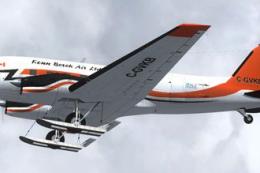
Kenn Borek Air Basler BT-67 C-GVKB
This freeware repaint package highlights a custom Kenn Borek Air livery desig…
Mauritania Air Force Basler BT-67 repaint brings 5T-MAH to life with crisp national insignia, accurate military colors, and detailed markings that suit rugged desert transport flying. Built for Microsoft Flight Simulator X, it complements the turboprop DC-3 conversion’s utility-mission vibe and requires the freeware Project BT-67 base model.
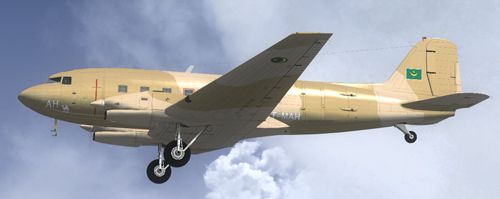
This repaint showcases a detailed Mauritania Air Force Basler BT-67 (registration 5T-MAH) designed specifically for Microsoft Flight Simulator X. This texture set was developed by Daniel Fuernkaess (Cheese-Strike Repaints) and features intricate markings that reflect modern Mauritanian military utility aircraft. The Basler BT-67 itself is a sophisticated turboprop conversion of the venerable DC-3, offering enhanced performance as well as exceptional versatility in transport missions across challenging terrains, including the desert landscapes of Northwest Africa. In order to experience this repaint, ensure you already have the freeware base model by the Project BT-67 developers—comprising Daniel Fuernkaess, Manfred Jahn, Alexander M. Metzger, and Hansjoerg Naegele—installed. Users can typically find that package in the Fly Away Simulation library.
The Basler BT-67 is a thoroughly upgraded variant of the classic Douglas DC-3, employing turboprop engines and refined aerodynamics for stable operations. This particular repaint depicts the aircraft operated by the Mauritania Air Force, known for employing rugged and reliable transports capable of managing demanding desert conditions. By featuring Mauritanian insignia and authentic color schemes, the texture brings realistic military flair to virtual flights.
Snapshot displaying the Mauritania Air Force Basler BT-67 in mid-flight.
[fltsim.x]

title=Basler BT67 Mauritania Air Force

sim=Basler_BT67_v1.7

model=bt67_1

panel=

sound=

texture=5T-MAH

kb_checklists=Douglas_DC3_check

kb_reference=Douglas_DC3_ref

atc_id=5T-MAH

ui_manufacturer="Basler"

ui_type="Turbo DC-3"

ui_variation="Mauritania Air Force"

ui_typerole="Twin Engine Prop"

ui_createdby=

description="Mauritania Air Force Paint by Daniel Fuernkaess (Cheese-Strike Repaints). Project BT-67 developers: Daniel Fuernkaess, Manfred Jahn, Alexander M. Metzger, Hansjoerg Naegele."
All textures remain freeware and serve only non-commercial usage. Users seeking a more realistic portrayal of Mauritanian military aviation will appreciate the right blend of heritage and updated avionics that the Basler BT-67 offers in Microsoft Flight Simulator X. Install the texture, keep the aircraft.cfg entries organized, and enjoy flying this robust twin-prop conversion in various operational scenarios around the globe.
Free for all simmers · 2.3 MB · Scanned clean
Download speed: Free tier is capped at 0.5 Mbps. PRO members download at full line speed.
This add-on may require the following files to function properly. If this is a repaint, the dependency below is likely the base aircraft package.
SimObjects\Airplanes\, Addon Scenery\, Effects\, or Gauges\.readme.txt or README file. It tells you exactly where files go, what dependencies are needed, and any quirks specific to this add-on.The archive bt-67_maf_5t-mah.zip has 16 files and directories contained within it.
This list displays the first 500 files in the package. If the package has more, you will need to download it to view them.
| Filename/Directory | File Date | File Size |
|---|---|---|
| BT-67_MAF_5T-MAH | 08.21.12 | 0 B |
| Cheese-Strike Repaints.url | 12.06.11 | 123 B |
| Install.txt | 08.21.12 | 2.25 kB |
| texture.5T-MAH | 08.21.12 | 0 B |
| bt67_1_T.dds | 07.10.12 | 4.00 MB |
| bt67_1_T_spec.dds | 07.10.12 | 1.00 MB |
| bt67_2_T.dds | 07.21.12 | 4.00 MB |
| bt67_2_T_spec.dds | 06.28.12 | 1.00 MB |
| bt67_4_T.dds | 07.21.12 | 1.00 MB |
| bt67_4_T_spec.dds | 06.27.11 | 1.00 MB |
| propdisk.dds | 04.13.12 | 256.12 kB |
| texture.cfg | 02.14.11 | 133 B |
| thumbnail.jpg | 08.21.12 | 78.04 kB |
| VC_nose.dds | 07.10.12 | 256.12 kB |
| flyawaysimulation.txt | 10.29.13 | 959 B |
| Go to Fly Away Simulation.url | 01.22.16 | 52 B |
More FSX & P3D add-ons hand-picked based on this download.
FSX Turboprops
This freeware repaint package highlights a custom Kenn Borek Air livery desig…
 FSX Turboprops
This repaint package brings a detailed Kenn Borek Air Basler BT-67 (C-FMKB) t…
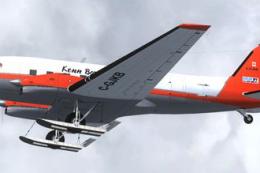 FSX Turboprops
This repaint set adds an authentic Kenn Borek Air livery to the Basler BT-67,…
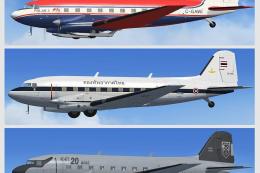 FSX Turboprops
The BT67 is a turboprop conversion of the classic Douglas DC-3/C-47. Version …
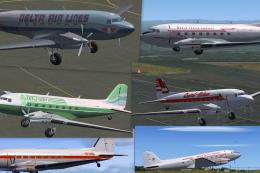 FSX Turboprops
This Repaint Pack is for the FSX Basler BT-67. By Michael Mannschreck. Screen…
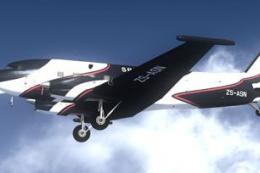 FSX Turboprops
The "Spectrem" Basler BT-67 is a single specially modified aircraft used worl…
 FSX Turboprops
FlightClub International textures for the Basler BT67 by Daniel Fuernkaess, M…
 FSX Turboprops
Experience a vibrant repaint crafted for the Basler BT-67 in Microsoft Flight…
Be the first to leave a comment on this download.
Be the first to share your thoughts on this download.