


 South Africa
  FSX Scenery
South Africa, Robben Island
Immerse yourself in the rich coastal environment of Robben Island, located ju…
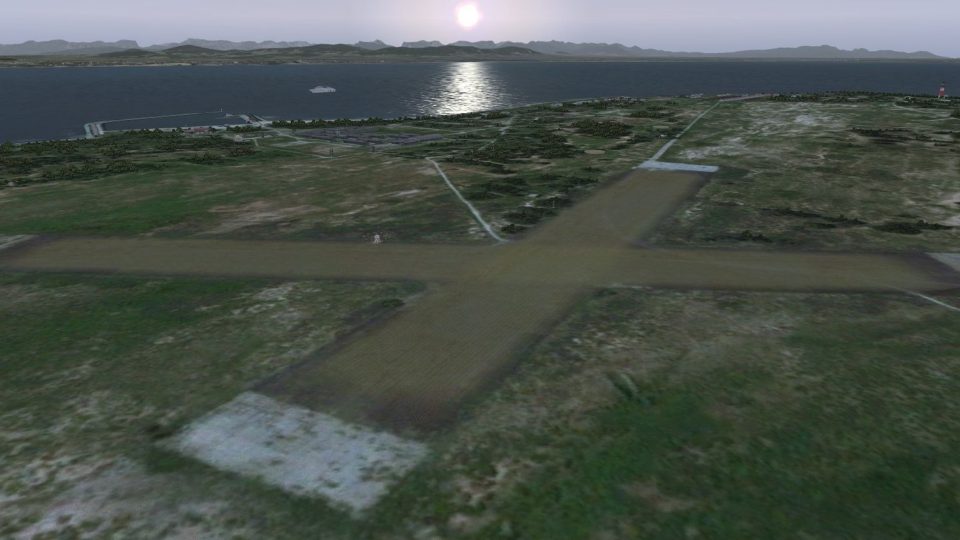
Robben Island Airstrip (AX78) brings the historic gravel strip in Table Bay to life with detailed terrain shaping and tuned vector features, capturing the island’s oval footprint and Cape Town coastal context in FSX. For best results it requires Aeroworx Southern Africa mesh and terrain packages for accurate elevations.
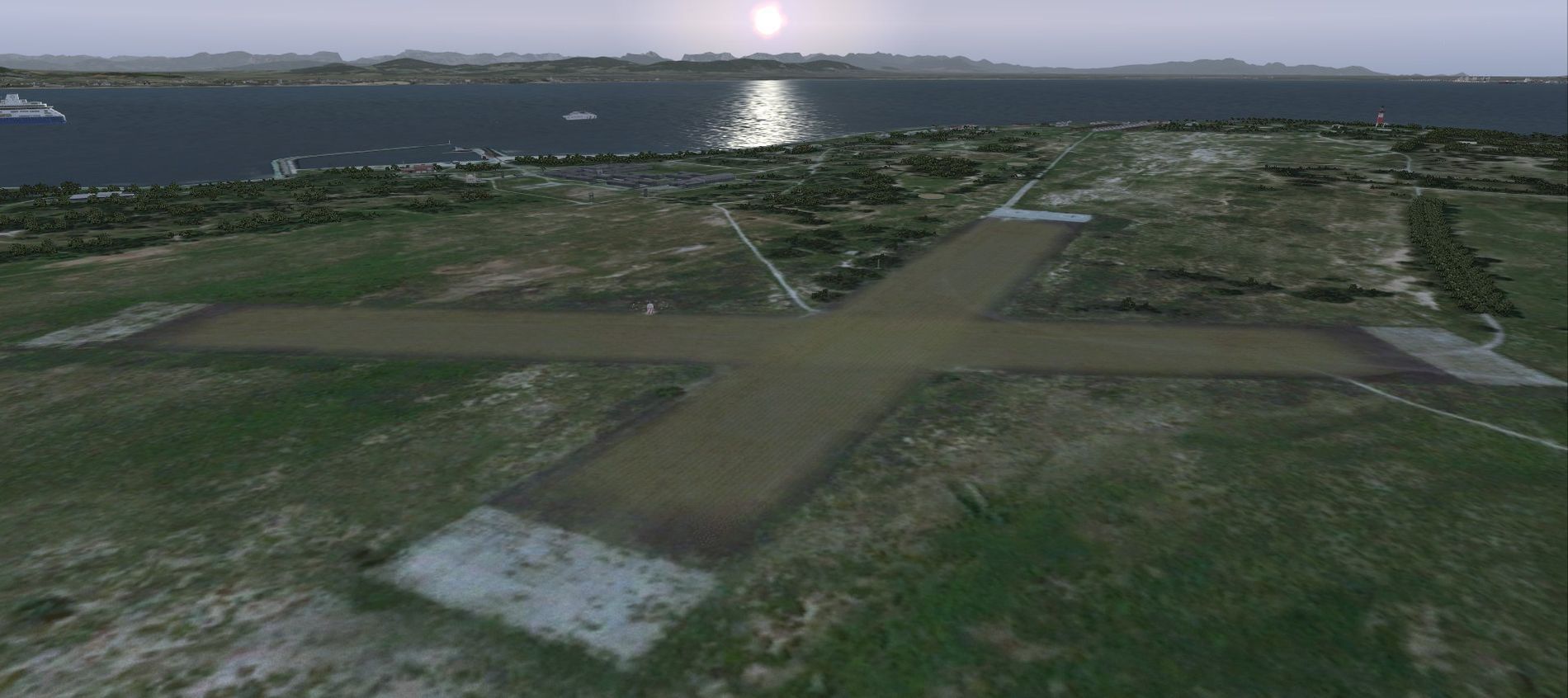
(AX78), South Africa. Robben Island is an island in Table Bay, some seven kilometers off the coast of Cape Town, South Africa. The name is Dutch for "Seal Island". Robben Island is roughly oval shaped with a disused gravel airstrip. It is of particular note as it was here that former South African President and Nobel Laureate Nelson Mandela and former South African President Kgalema Motlanthe, alongside many other political prisoners were imprisoned. During the Second World War, the island was fortified and guns were installed as part of the defenses for Cape Town. Please install FSXWORX01.ZIP, FSXWORX02.ZIP, and the updates before this scenery. By Hannes Steyn, Martin du Preez, Aeroworx.
Aerial view of Robben Island Airstrip scenery.
IMPORTANT NOTES:
Free for all simmers · 19.16 MB · Scanned clean
Download speed: Free tier is capped at 0.5 Mbps (this file takes approximately 5 mins at the cap). PRO members download at full line speed.
This add-on may require the following files to function properly. If this is a repaint, the dependency below is likely the base aircraft package.
FSX\Addon Scenery\ containing scenery and texture sub-folders.readme.txt or README file. It tells you exactly where files go, what dependencies are needed, and any quirks specific to this add-on.Use these coordinates to fly directly to this location once the mod is installed.
-33.80600000,18.37200000
Launch FSX or Prepar3D and use Flights → Load to open the downloaded .pln file. Your aircraft will be positioned at this location.
The archive fsxworx05upd1.zip has 9 files and directories contained within it.
This list displays the first 500 files in the package. If the package has more, you will need to download it to view them.
| Filename/Directory | File Date | File Size |
|---|---|---|
| Aeroworx_License_Agreement.PDF | 04.29.08 | 66.69 kB |
| fsxWorx05upd1.exe | 11.18.12 | 18.94 MB |
| license.txt | 04.04.09 | 7.38 kB |
| ReadmefsxWorx05upd1.txt | 11.17.12 | 3.76 kB |
| fsxWorx05upd1 | 11.18.12 | 0 B |
| FILE_ID.DIZ | 11.18.12 | 727 B |
| fsxWorx05upd1.jpg | 11.18.12 | 182.10 kB |
| flyawaysimulation.txt | 10.29.13 | 959 B |
| Go to Fly Away Simulation.url | 01.22.16 | 52 B |
More FSX & P3D add-ons hand-picked based on this download.
FSX Scenery
Immerse yourself in the rich coastal environment of Robben Island, located ju…
 FSX Scenery
Robben Island, South Africa. Robben Island now has a dirt runway that you can…
 FSX Scenery
Scenery Banff National Park Airstrip (CYBA), Canada. Runway moved to correct …
 FSX Scenery
Sulphur Creek Ranch AIrstrIp, Idaho (ID). MountaIn prIvate aIrstrIp In Idaho.…
FSX Scenery
A small airstrip in l'Enclave des Papes, south of France between a vineyard a…
 FSX Scenery
Scenery Moorsele Airstrip (EBMO), a grass airstrip in West Flanders, Belgium.…
 FSX Scenery
Cyclone Airstrip In Israel. Cyclone airstrip is an airstrip owned by Cyclone …
FSX Scenery
Metzada (Masada) Airstrip (LLMZ). Masada Airstrip which located near Masada N…
Read what other simmers think, or add your own.
