


 FSX Civil Aircraft
TDS Air France Boeing 787-9 F-HRBA
Tenkuu Developers Studio - Boeing 787-9 Dreamliner Air France Boeing 787-9 "F…
Air France’s Boeing 787-10 joins the hangar with a stretched Dreamliner profile, a crisp high-fidelity livery, and a detailed exterior model tuned for immersive airline ops in FSX. CamSim’s second-generation Animated Ground Servicing adds interactive doors, cargo hatches, and ramp activity, complemented by refined night lighting for realistic turnarounds.
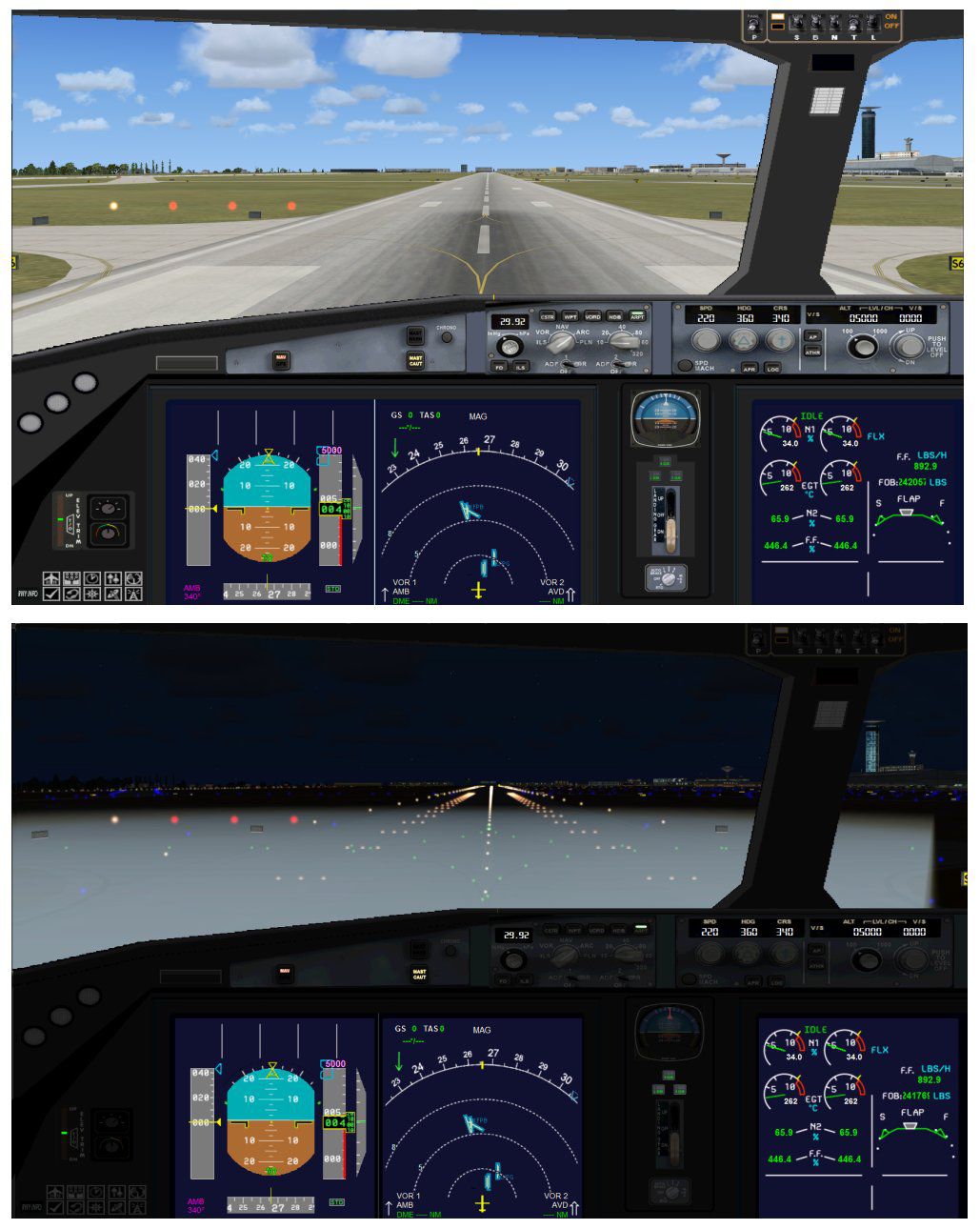
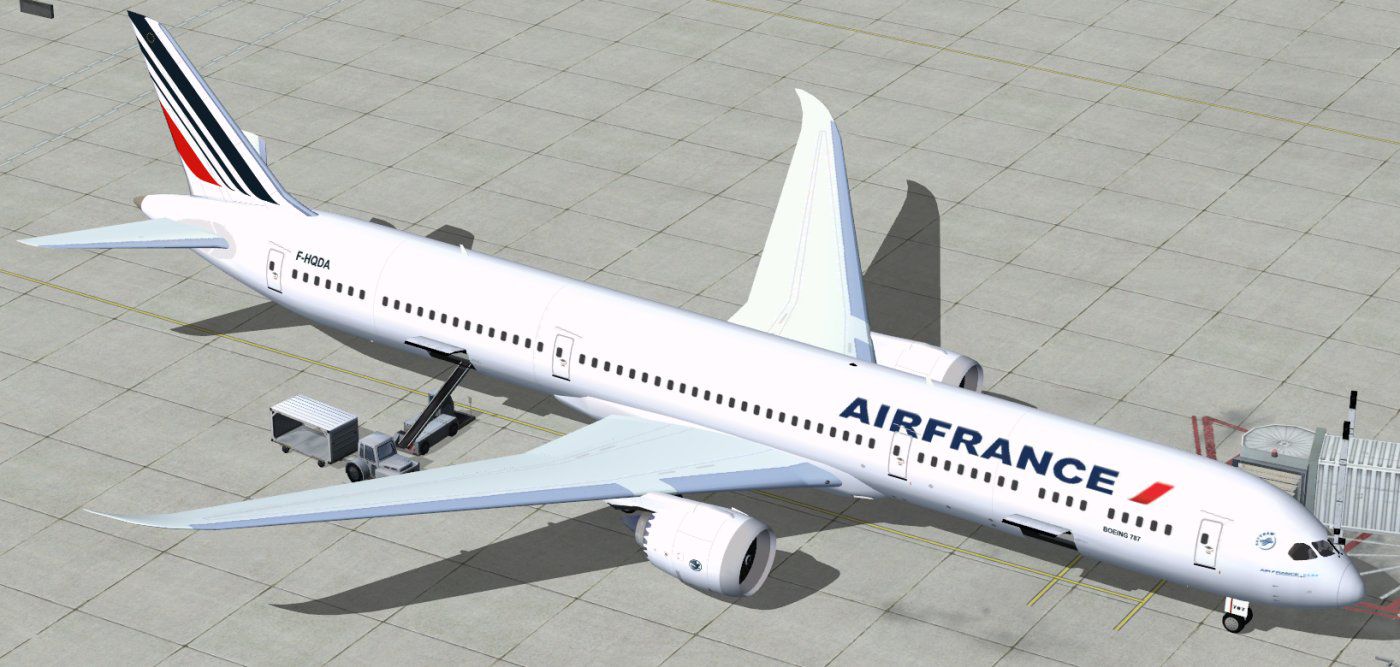

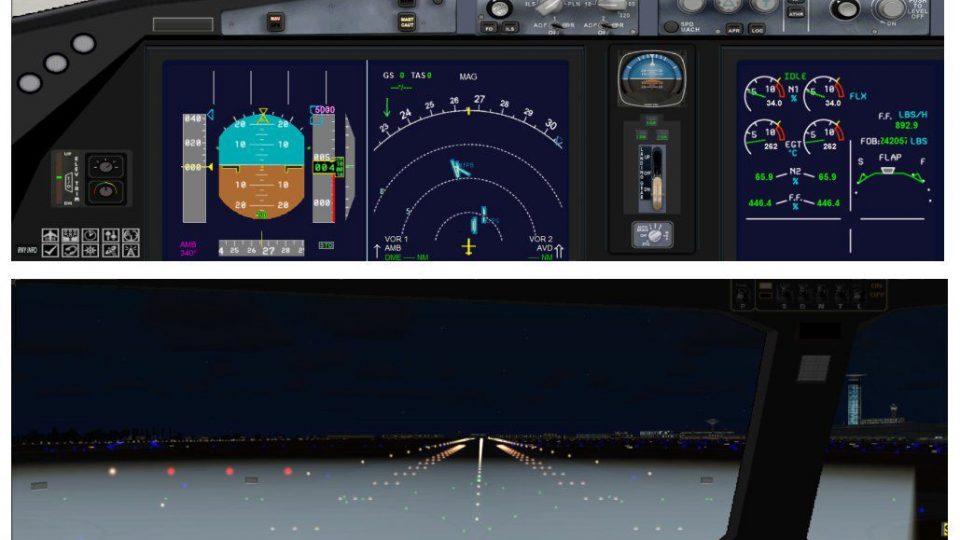
This updated freeware package introduces an Air France Boeing 787-10 variant built exclusively for FSX, featuring a detailed exterior model and an advanced interactive ground-servicing system. Created and painted by Camil Valiquette (CamSim), it integrates the extended fuselage layout of the Boeing 787 Dreamliner family and showcases Air France’s iconic design elements, which many enthusiasts have come to admire.
The Boeing 787-10 represents the largest member of the Dreamliner series, designed with an extended fuselage that accommodates more passengers for medium- and long-haul flights. In this package, the Air France color scheme appears in high fidelity, reflecting comprehensive inspections of actual livery references. The design also embraces the aircraft’s smooth nose contour and optimized wing profile, which benefit both aerodynamic performance and overall realism.

Air France Boeing 787-10 in flight.
This Boeing 787-10 freeware package includes all core components required to get airborne quickly in FSX. The project incorporates improvements such as the second-generation Animated Ground Servicing (AGS), which adds realism whenever you are positioned at a stand or gate. Both the exterior paintwork and the underlying 3D model were meticulously created by Camil Valiquette. The installation steps outlined by the developer ensure compatibility with FSX, and optional effect files bring refined night illumination, enhancing immersion when flying during dusk or dawn missions.
Once you place everything in the proper directories, you will have immediate access to this Air France Boeing 787-10 variant in your aircraft selection menu.
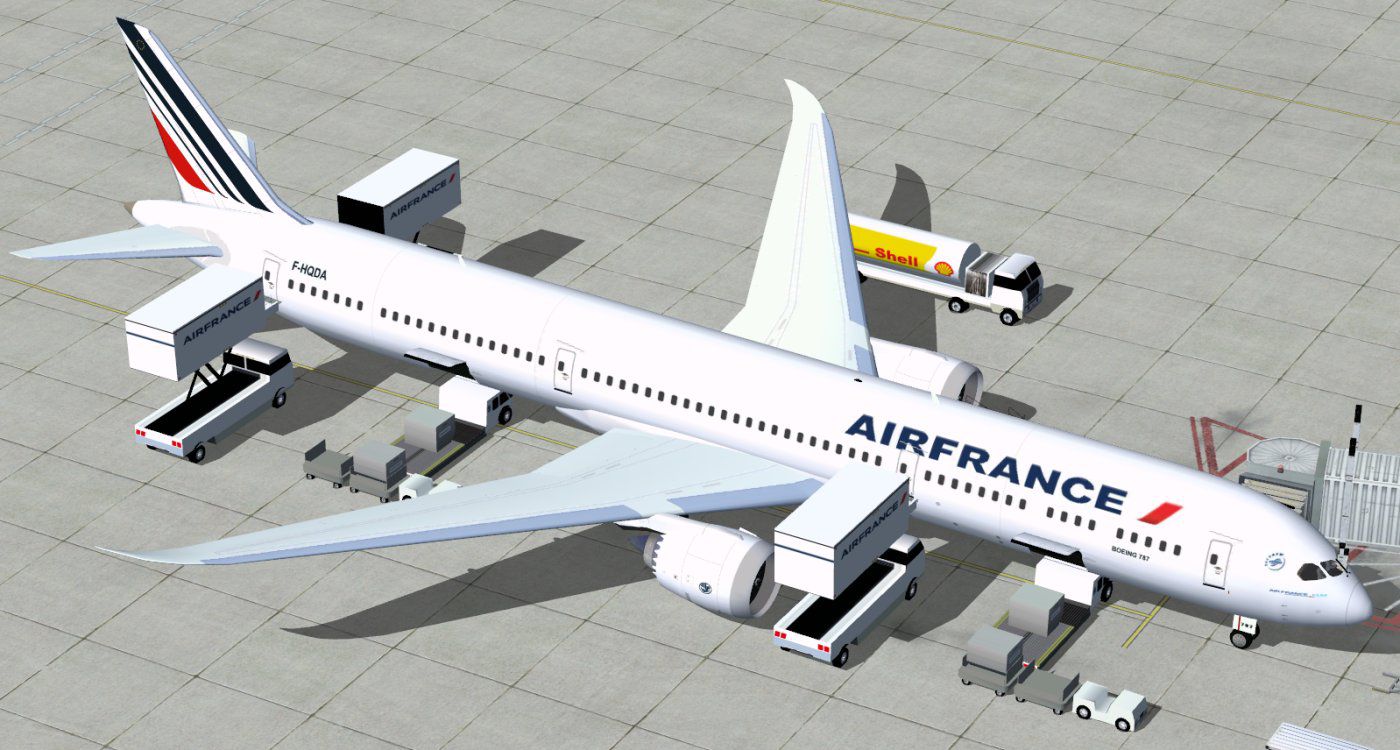
An innovative feature of this release is the Animated Ground Servicing (AGS) system. These animations are triggered via assigned key sequences in FSX for elements such as passenger doors and cargo compartments:
It is recommended to configure these commands within Options > Settings > Controls > Buttons/Keys > Change Assignment in FSX to precisely match the developer’s intended setup. The “Wing fold/unfold” assignment should be mapped to Shift + C, and “Tail hook up/down” should be assigned to Shift + D if not already.
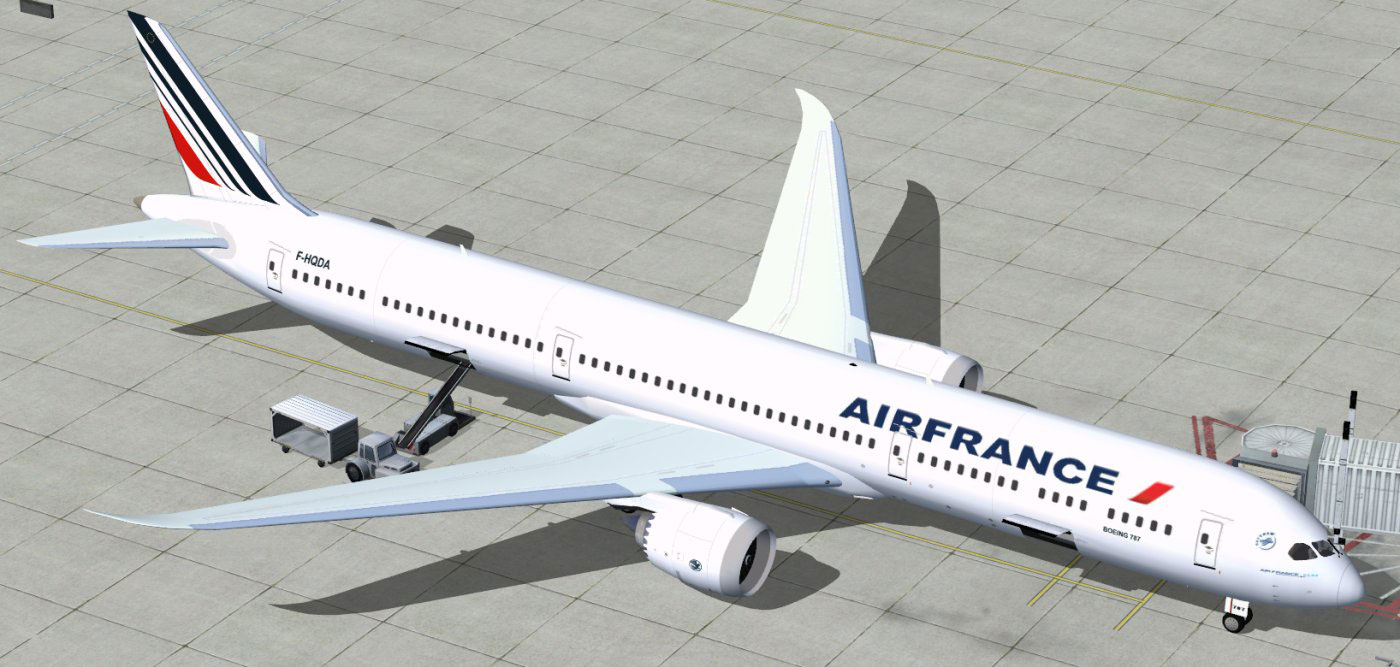
Air France Boeing 787-10 at boarding gate.
The hallmark of Air France’s fleet lies in the reliability and elegance of its aircraft, and this Boeing 787-10 rendition exemplifies that heritage. By blending CamSim’s attention to detail and the latest AGS enhancements, sim pilots can experience the wide-body’s capacity, its fuel-efficiency advantages, and the airline’s distinctive branding. Each flight evokes real-world operations—particularly during turnarounds—thanks to operational cargo doors, passenger boarding animations, and interactive servicing systems.
This comprehensive freeware release, with the modified fuselage and fully integrated paintwork, stands as a testament to Camil Valiquette’s dedication to accurate modeling. Aviation fans seeking a long-haul wide-body in Air France colors can integrate this package seamlessly into their collection, taking advantage of its interactive features on every journey through FSX skies.
Free for all simmers · 5.28 MB · Scanned clean
Download speed: Free tier is capped at 0.5 Mbps (this file takes approximately 1 min at the cap). PRO members download at full line speed.
This add-on may require the following files to function properly. If this is a repaint, the dependency below is likely the base aircraft package.
FSX\SimObjects\Airplanes\. The folder must contain an aircraft.cfg file. Effects go into FSX\Effects\; gauges go into FSX\Gauges\.readme.txt or README file. It tells you exactly where files go, what dependencies are needed, and any quirks specific to this add-on.The archive 780v2afx.zip has 36 files and directories contained within it.
This list displays the first 500 files in the package. If the package has more, you will need to download it to view them.
| Filename/Directory | File Date | File Size |
|---|---|---|
| CamSim Boeing 787-10 V2 AIRFRANCE | 07.13.11 | 0 B |
| 780af a fsx..jpg | 07.13.11 | 147.54 kB |
| 780af ags fsx..jpg | 07.13.11 | 173.77 kB |
| 780v2af_4x.jpg | 07.12.11 | 80.08 kB |
| 787-10.air | 03.24.09 | 12.76 kB |
| aircraft.cfg | 07.13.11 | 15.54 kB |
| Effects.zip | 09.09.08 | 1.81 kB |
| file_id.diz | 07.13.11 | 190 B |
| model.787-10 ags | 07.13.11 | 0 B |
| 787-10 ags.mdl | 06.16.11 | 2.68 MB |
| Model.cfg | 06.22.11 | 29 B |
| Panel | 07.13.11 | 0 B |
| 787_350_panel_background.bmp | 02.25.10 | 2.25 MB |
| 787_350_panel_background_night.bmp | 02.25.10 | 2.25 MB |
| Airbus_A321.cab | 09.04.06 | 2.72 MB |
| panel.cfg | 02.25.10 | 5.48 kB |
| panel camsim 787-350 afx_2.jpg | 04.09.10 | 182.86 kB |
| Read Me_FSX.txt | 07.13.11 | 2.60 kB |
| sound | 07.13.11 | 0 B |
| Sound.cfg | 08.30.09 | 35 B |
| texture.af | 07.13.11 | 0 B |
| 787eng_t.bmp | 07.08.11 | 1.00 MB |
| 787ext_L.bmp | 07.13.11 | 4.00 MB |
| 787ext_t.bmp | 07.13.11 | 1.00 MB |
| 787int_L.bmp | 07.13.11 | 4.00 MB |
| 787int_t.bmp | 07.13.11 | 1.00 MB |
| 787tail_t.bmp | 06.17.11 | 1.00 MB |
| 789wings_t.bmp | 11.24.09 | 1.00 MB |
| 78xfuse_t.bmp | 07.08.11 | 1.00 MB |
| gris_t.bmp | 12.09.09 | 16.07 kB |
| pilot1.bmp | 09.11.09 | 257.05 kB |
| pilot1_L.bmp | 12.06.06 | 1.00 MB |
| thumbnail.jpg | 07.13.11 | 4.65 kB |
| w_t.bmp | 12.06.08 | 16.07 kB |
| flyawaysimulation.txt | 10.29.13 | 959 B |
| Go to Fly Away Simulation.url | 01.22.16 | 52 B |
More FSX & P3D add-ons hand-picked based on this download.
FSX Civil Aircraft
Tenkuu Developers Studio - Boeing 787-9 Dreamliner Air France Boeing 787-9 "F…
 FSX Civil Aircraft
Immerse yourself in a streamlined simulation experience by exploring this upd…
 FSX Civil Aircraft
Immerse yourself in a high-capacity Boeing 787 variant specifically tailored …
 FSX Civil Aircraft
This updated package provides a complete freeware rendition of the Air Canada…
 FSX Civil Aircraft
This comprehensive freeware release offers an enhanced Lufthansa Boeing 787-1…
 FSX Civil Aircraft
This freeware package offers a detailed British Airways Boeing 787-10, produc…
 FSX Civil Aircraft
Experience an enhanced rendition of United Airlines’ Boeing 787-10, developed…
 FSX Civil Aircraft
The latest rendition of this freeware model highlights a range of structural …
Be the first to leave a comment on this download.
Be the first to share your thoughts on this download.