Fly Away Simulation - Free Resources for FSX, FS2004 & X-Plane
Your #1 Source for Flight Simulators!

X-Plane 9 Ilyushin Il-76

Download added on | Ilyushin76T.zip

About the aircraft

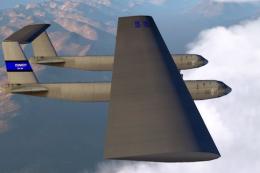
This aircraft is built to be as close to the real thing both in performance and look. The performance was designed using the original Pilot’s Handbook which can be found at http://www.il76.boom.ru. The real aircraft is still handles a little better at high weights which I am not able to reproduce in X-Plane.

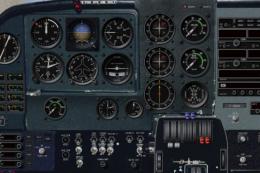
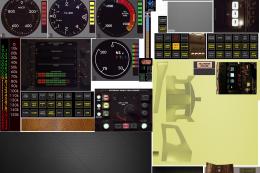
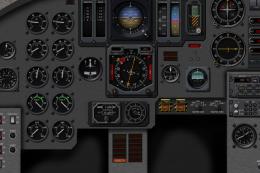
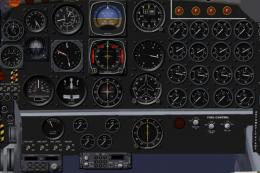
The flaps of the real aircraft are more sophisticated than in this model, and of course the real aircraft has a fixed main landing gear. The instruments were made with the help of a lot of cockpit pictures, but could not be made totally faithful to the original. The cockpit instruments are imperial, not metric like in the real aircraft.They are all labeled in Russian, though. You don’t have to speak Russian to fly this aircraft, but it helps... In any case please look at the cockpit explanation page of this .pdf  where you can find out which instrument is which.

About the real aircraft

The Il-76 was designed as both a  military and civil freighter in the Soviet Union. It is able to operate under extreme climates such as Siberian winter cold or desert heat. The aircraft is loaded via the aft ramp and has a built-in cargo crane making it independent from ground equipment.  It can be used for airdropping cargo or paratroopers.

The cockpit is divided into two decks, the top deck being the working places of pilot, first officer and flight engineer and the lower deck containing the work stations of navigator and radio operator. The glass nose makes navigating in areas with few radio navigation facilities (like Siberia) easier. Also part of the crew is a loadmaster responsible for loading, unloading and securing the freight.

Versions are the basic version (Il-76) of which only few examples were built. Then followed the version T (which is also this X-Plane aircraft) and the M version with a tail gun turret. Most M and T versions are withdrawn from service by now. Most Il-76s are of the TD and MD versions which have more powerful engines and a slightly higher maximum take-off weight. TD versions are the civil variant and the MD have gun turrets. Apart from the Soviet Union, the Il-76s flew in a number of other countries such as Cuba, North Korea, Iraq and Lybia. After the end of the Soviet Union many Il-76s were released by the Soviet Air Force and started flying for civil operators. That’s why it is not uncommon to see Il-76s flying for civil airlines that have the tail gunner cabin (but the guns removed).
Other variants of the Il-76 include air tankers (Il-78), zero-gravity cosmonaut training aircraft (MDK), AWACS aircraft (Beriev-50) or engine testbeds (LL). The latest variant of the Il-76 is the MF which is a civil aircraft with a stretched fuselage and four Aviadvigatel PS-90 engines. So far it has not found customers.

The Il-76 production plant is located at Tashkent in Uzbekistan.  Il-76s nowadays are flying mostly for cargo charter airlines. By April 2002 the Il-76s are banned from the European Union because they fail to comply with chapter three noise regulations, but before they could often be seen in Western Europe. Freight was almost anything you could imagine: machinery, cigarettes, fresh fish, flowers and from time to time also an Il-76 would be grounded because of arms trafficking. Now many aircraft (beside the area of the former Soviet Union) can be found in Arabia and Africa. Another important role of the Il-76 is relief good delivery.

Low charter costs and the ability to land almost anywhere make them a popular freighter that has recently seen service flying to Afghanistan or almost any other region of the earth where disasters like earthquakes or floods have happened. I hope this is enough inspiration for you if you are looking for some routes to fly with this machine!

All Information given in this file is intended for simulator use only and not to be used in real life aviation!

Some hints on flying

Take-offs

Take-offs (especially with maximum take-off weight) are not that easy. Set trim for climbing out and then push the nose down during the take-off run with the rudders. When airborne, immediately retract gear. Maintain a climb rate that allows you to accelerate. Slowly retract the flaps. Always let the aircraft build up speed before retracting the next notch. This is especially important before the final notch. At MTOW be careful to keep the pitch low on climb out. Aim for an Angle of Attack of 5°. At higher Angles the drag is too high for the aircraft to accelerate and maintain a positive climb rate.

Bank angle

The negative V of the wings (the wings hanging down) mean that if the aircraft is banked, it wants to bank more to the side. It is therefore very important to constantly control and adjust the bank manually. Especially if flying with full flaps you get barely enough lift to stay in the air, so if you don’t watch the bank angle, get into a too steep bank angle and loose lift, you will crash. It is very easy to destroy your aircraft if fooling around with different camera perspectives while in landing configuration. Be careful!

Balance

Use the fuel transfer system and trim to keep the aircraft in balance. If you have no payload, fill the wing tanks full so the Centre of Gravity is moved aft. If you have payload the aircraft is more or less trimmed. If you have a lot of fuel, move the Centre of Gravity about 20 inches aft in the “Weight & Balance” screen. Note that the aircraft in landing configuration requires a Centre of Gravity further forward than in clean configuration. It can happen that your Centre of Gravity is too far aft for flying an approach. This normally happens if you have payload and use up the fuel in the central tank first. If you need pitch trim down on your approach, this is a sure indication. Then transfer all remaining fuel to the central fuel tank.

Landing

Once in landing configuration, it is easiest to set an N1 (depending on the weight of the aircraft and the approach speed resulting from it) and fly the aircraft down the glideslope with the rudder. It is not uncommen for Il-76s to fly approaches with negative pitch.Flaring needs a bit of practice, the wings are mounted high so they catch the ground effect at a little lower altitude than most airliners. Expect it at about 20 feet above ground, reduce N1 to about 70% and increase pitch. You should touch down at a speed of around 110 knots.

IL79 for X-Plane version 9.

IL79 for X-Plane version 9.

The archive Ilyushin76T.zip has 120 files and directories contained within it. View them...

File Contents

Filename/Directory File Date File Size
Ilyushin76T05.26.080 B
airfoils05.05.080 B
Il76 Vstab.afl05.05.0825.23 kB
Tsagi P-151_Unrealistic.afl12.21.0711.56 kB
cockpit05.13.080 B
-PANELS-05.26.080 B
Panel.png05.26.08677.08 kB
objects05.20.080 B
CARGO_T.obj05.19.08112.93 kB
cargo_t.png07.30.07747.28 kB
E1_T.obj05.15.08377.90 kB
e1_t.png07.30.0796.55 kB
F1_T.obj05.15.08195.53 kB
f1_t.png07.30.071.49 MB
f2_L.png07.30.0769.67 kB
F2_T.obj05.15.08606.60 kB
f2_t.png05.12.082.37 MB
F3_T.obj05.15.083.51 MB
f3_t.png05.12.081.65 MB
IN1_T.obj05.15.0833.27 kB
in1_t.png07.30.0778.72 kB
IN2_T.obj05.15.0848.29 kB
in2_t.png07.30.07954 B
IN3_T.obj05.15.0846.46 kB
in3_t.png07.30.072.13 kB
IN4_T.obj05.15.0839.62 kB
in4_t.png07.30.072.89 kB
IN5_T.obj05.15.0828.14 kB
in5_t.png07.30.0725.94 kB
IN6_T.obj05.15.0815.30 kB
in6_t.png07.30.0763.89 kB
STEKLO.obj05.15.0870.88 kB
steklo.png10.25.073.12 kB
T1_T.obj05.15.08164.35 kB
t1_t.png07.30.07207.44 kB
W1_T.obj05.19.08797.19 kB
w1_t.png07.30.07551.32 kB
readmeIL76.txt05.18.081.72 kB
sounds05.05.080 B
alert05.05.080 B
alternator_off.wav01.02.0785.50 kB
altitude_alert.wav02.10.07110.04 kB
autopilot_fail.wav02.10.0780.18 kB
dash_MIDDLE.wav02.10.0715.04 kB
dash_MORSE.wav02.10.0714.10 kB
dash_OUTER.wav02.10.0714.10 kB
dot_INNER.wav02.10.076.15 kB
dot_MIDDLE.wav02.10.076.06 kB
dot_MORSE.wav02.10.075.71 kB
glideslope.wav02.10.0714.04 kB
lo_rotor.wav02.10.0734.04 kB
mini.wav08.16.0614.04 kB
pull.wav08.16.0625.07 kB
radar_lock.wav08.18.065.71 kB
seatbelt.wav02.10.07177.05 kB
tcas.WAV04.12.0631.87 kB
te_climb.wav02.10.0717.29 kB
te_descend.wav02.10.075.88 kB
TRANSONIC.wav12.18.0686.18 kB
Zitotrans 1000FT.wav01.11.02236 B
Zitotrans 100FT.wav12.02.0164.61 kB
Zitotrans 10FT.wav12.02.0121.54 kB
Zitotrans 200FT.wav12.02.0164.61 kB
Zitotrans 20FT.wav12.02.0135.78 kB
Zitotrans 300FT.wav12.02.0164.61 kB
Zitotrans 30FT.wav12.02.0134.68 kB
Zitotrans 400FT.wav12.02.0164.61 kB
Zitotrans 40FT.wav12.02.0138.90 kB
Zitotrans 500FT.wav01.11.02236 B
Zitotrans 50FT.wav12.02.0140.68 kB
Zitotrans autopilot_disco.wav01.25.0237.60 kB
Zitotrans gear_warn_1.wav11.20.027.71 kB
Zitotrans MINI.wav01.25.0241.44 kB
Zitotrans SINK.wav01.11.02236 B
Zitotrans stall.wav11.20.027.71 kB
Zitotrans WSHR.wav01.11.02236 B
contact05.05.080 B
boom1.wav08.16.0697.13 kB
boom2.wav08.16.06112.64 kB
boom3.wav08.16.06171.21 kB
boom4.wav08.16.06244.41 kB
land_water.wav08.16.06187.71 kB
roll_runway.wav08.16.06106.11 kB
skid_dry.wav08.16.0649.16 kB
skid_wet.wav08.16.0661.38 kB
Zitotrans roll_runway.wav11.18.02393.64 kB
Zitotrans skid_dry.wav11.18.02115.54 kB
engine05.05.080 B
argo02_engn1.wav12.25.07283.04 kB
ENGINE_HI_BYPASS_JET.wav08.16.06265.45 kB
ENGINE_LO_BYPASS_JET.wav08.16.06389.59 kB
REVERSE_THRUST.wav08.16.0631.04 kB
STARTER_JET.wav08.16.062.19 MB
Zitotrans ENGN1.wav05.29.02382.04 kB
Zitotrans ENGN2.wav05.29.02299.04 kB
Zitotrans ENGN3.wav05.29.02343.04 kB
Zitotrans ENGN4.wav05.29.02239.04 kB
systems05.05.080 B
APU.wav08.16.06265.45 kB
avionics.wav08.16.0697.29 kB
click.wav08.16.062.14 kB
Zitotrans FLAP.wav11.20.02144.79 kB
Zitotrans GEAR.wav11.20.02409.41 kB
weather05.05.080 B
Zitotrans WIND.wav11.19.02854.86 kB
Zitotrans MDAS.WAV11.20.029.17 kB
Zitotrans MDOT.WAV11.20.024.73 kB
Zitotrans REVT.WAV11.18.028.16 kB
Zitotrans info.pdf12.08.02703.03 kB
Zitotrans.acf05.26.082.46 MB
Zitotrans_icon.png05.26.0883.37 kB
Zitotrans_paint.png03.30.07347 B
Zitotrans_paint2.png05.16.081.19 kB
Zitotrans_panel_B.png01.05.072.38 MB
Zitotrans_panel_L.png01.05.07349.33 kB
Zitotrans_panel_LB.png01.05.071.69 MB
Zitotrans_panel_LF.png01.05.07881.93 kB
Zitotrans_panel_R.png01.05.071.73 MB
Zitotrans_panel_RB.png01.05.072.53 MB
Zitotrans_panel_RF.png01.05.071.63 MB

Rating

There are no votes yet

File Details

Download hits
98
Compatibility
X-Plane 9
Filename
Ilyushin76T.zip
File size
27.34 MB
Access to file
Free after registration
Content Rating
Everyone

Installation of Addon Aircraft/Scenery

Most of the freeware addon aircraft and scenery packages in our file library come with easy installation instructions which you can read above in the file description.  For further installation help, please see our installation help page here or view the README file contained within the download.

Search

Search for aircraft, downloads, news and even the discussion forums all from here.

Unlimited Downloads

Unlimited access to thousands of FSX, FS2004 & X-Plane flight simulator downloads including aircraft, scenery and expansions for only $5 per month. Along with many other benefits and features.

Register now

Social

 
RSS Feed iPhone App
Customer Support