FSX New FDEs For BAe GR-7 Harrier
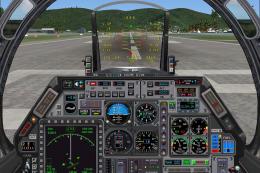
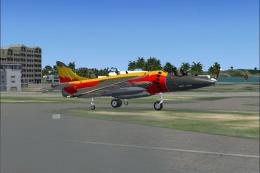
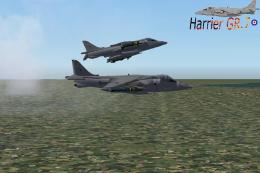
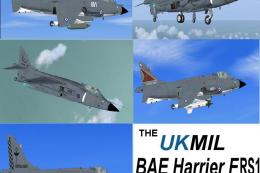
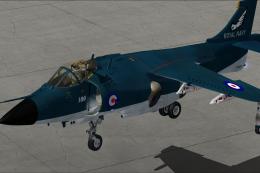
New FDEs For BAe GR-7 Harrier. Config and .air file for Adam Preece's Harrier GR-7 (APDHARR7.ZIP). Mods to FS2004 files to work in FSX. See EZfly.txt for new and simple way to fly (flys itself). Only .cfg and .air files are needed; nothing else to install. The author only included the model and t...
- Type
- Complete with Base Model
- Download hits
- 2K
- Compatibility
- Microsoft Flight Simulator X (FSX) including Steam Edition & Prepar3D (P3D)
- Filename
- harfxcb1.zip
- File size
- 25.45 KB
- Virus Scan
- Scanned 22 days ago (clean)
- Access to file
- Free (Freeware)
- Content Rating
- Everyone


New FDEs For BAe GR-7 Harrier. Config and .air file for Adam Preece's Harrier GR-7 (APDHARR7.ZIP). Mods to FS2004 files to work in FSX. See EZfly.txt for new and simple way to fly (flys itself). Only .cfg and .air files are needed; nothing else to install. The author only included the model and texture for 'clean', so you'll know not to overwrite your original cfg; back it up please. By Charles Backus.
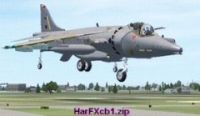
New FDEs For BAe GR-7 Harrier.
INSTALLATION:
Just drop in main folder, after you back up the original cfg and air files, as I only include the 'clean' listing in cfg.
You can add your paint, and listing from original, or you can make a new folder, if you know how, using my folder name (it's ok, it's a different name, so it's ok).
NOTICE:
I HIGHLY recommend the panel by Hans J. Altmann. SUPER panel. All the gauges work perfect in FSX, which is ONE reason to get it. The other is, you will ENJOY flying the Harrier with it. It's easily the BEST fighter panel ever offered (free or payware) for Sim, ever-Period!!
EZ FLY INSTRUCTIONS:
A. Must Do FIRST (please):
(1). DIAL IN: 10 KTS OF WIND, (World\User\Custom\Advanced).
(2). DIAL IN: FULL FLAPS, AND EXT SPOILER. (F8 and '/' )
(3). DIAL IN: 40% THROTTLE (I call it 'Vv'). (Set it and forget it - you'l see..).
(4). HEAD INTO WIND. You should be 'still' (ie: not moving-right? Right!).
(5). Retract SPOILER, and WAIT (don't TOUCH anything!. Lift off. That's it!).
B. TO LAND: Extend SPOILER, and WAIT (pull nose up, RELAX). Down. Done!

The archive harfxcb1.zip has 10 files and directories contained within it.
File Contents
This list displays the first 500 files in the package. If the package has more, you will need to download it to view them.
| Filename/Directory | File Date | File Size |
|---|---|---|
| Aircraft.cfg | 03.16.07 | 15.52 kB |
| DocsPics | 03.16.07 | 0 B |
| EZfly.txt | 03.16.07 | 5.03 kB |
| File_ID.diz | 03.16.07 | 455 B |
| thumbnail.jpg | 03.16.07 | 9.84 kB |
| HarrierGR7_check.txt | 06.04.04 | 2.33 kB |
| VTOLcbFSX.air | 02.19.07 | 13.16 kB |
| BAe Harrier GR7 FSX cb | 03.16.07 | 0 B |
| flyawaysimulation.txt | 10.29.13 | 959 B |
| Go to Fly Away Simulation.url | 01.22.16 | 52 B |

Installation Instructions
Most of the freeware add-on aircraft and scenery packages in our file library come with easy installation instructions which you can read above in the file description. For further installation help, please see our Flight School for our full range of tutorials or view the README file contained within the download. If in doubt, you may also ask a question or view existing answers in our dedicated Q&A forum.


0 comments
Leave a Response