FSX Manchester Airport Scenery
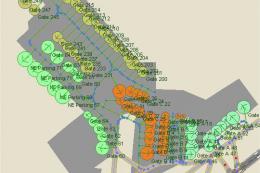
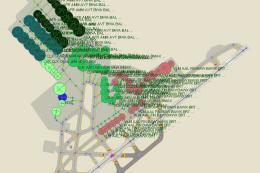
Scenery Manchester Airport (KMHT), New Hampshire (NH). This airport was designed with the latest version of ADE with two files made only for the FSX default airport: one file with the crosswind runway activated and in full operation, now activated by ADE where both runways will be used for takeof...
- Download hits
- 1.1K
- Compatibility
- Microsoft Flight Simulator X (FSX) including Steam Edition & Prepar3D (P3D)
- Filename
- kmht_ade_rs_fsx.zip
- File size
- 37.25 KB
- Virus Scan
- Scanned 24 days ago (clean)
- Access to file
- Free (Freeware)
- Content Rating
- Everyone


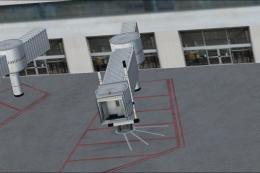
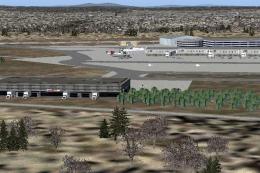
Scenery Manchester Airport (KMHT), New Hampshire (NH). This airport was designed with the latest version of ADE with two files made only for the FSX default airport: one file with the crosswind runway activated and in full operation, now activated by ADE where both runways will be used for takeoff/landing, and one file as the default runway operation. Also assigned parking with extra parking, taxiways and taxi signs updated to the latest charts, new control tower now moved to the correct location, extra fuel trucks, support vehicle roads rebuilt and many other improvements, airport views are from inside the control tower (when in tower view). By Ray Smith.

Manchester Airport Scenery.
There are 3 BGL files: KMHT_ADE_RS.BGL, KMHT_ADE_CW_RS.BGL and a KMHT_ADE_OBJ.BGL file.
The KMHT_ADE_CW_RS.BGL is with the Xwind rwy activated and in full operation.
The KMHT_ADE_RS.BGLis the same as the default runway operation.
assigned parking is the same in both.
The KMHT_ADE_OBJ.BGL is the scenery objects file and should always be used, Please make sure this goes into the correct folder.
To Install:
1. Simply take the RS.BGL file of your choice and place it into: Flight Simulator X/Addon Scenery/scenery folder.
2. Take the KMHT_ADE_OBJ.BGL file and place it into: Flight Simulator X/Scenery/Global/scenery folder.
3. Start up the Flight sim and the changes will be present.
IMPORTANT NOTE: ONLY USE ONE RS.BGL FILE AT A TIME:
ie: make sure there is only ONE KMHT.BGL FILE in the Addon Scenery/scenery folder at any time, remove/delete any other KMHT.bgl to avoid incorrect parking.
PLEASE NOTE: when using ATIS with the KMHT_ADE_CW_RS.BGL file you will hear the fake runway's as well as the airport runway's, this is the method used in activating non parallel runway's and should be ignored or if preferred use the version KMHT_ADE_RS.BGL
To Uninstall:
1. Delete/remove the BGL files and the default will then be active.
Acknowledgements:
ADE Utility (Freeware) - Jon Masterson.
Jim Vile for his Technique that activates crosswind runways.
And my ever enduring wife to put up with the hours spent making these files.
TIP: when at KMHT in tower view: go to your control settings and look for the "View track/pan Toggle" allocate a keyboard key stroke to it (i allocated a button on my controller) this will unlock the user aircraft, then you can use the hat switch to pan 360 degrees around the airport, hitting the key stroke again (in my case a button) will return you to the user aircraft position.
Enjoy and Happy flying,
Ray

The archive kmht_ade_rs_fsx.zip has 7 files and directories contained within it.
File Contents
This list displays the first 500 files in the package. If the package has more, you will need to download it to view them.
| Filename/Directory | File Date | File Size |
|---|---|---|
| KMHT_ADE_CW_RS.BGL | 05.08.10 | 36.16 kB |
| KMHT_ADE_OBJ.BGL | 05.08.10 | 20.96 kB |
| KMHT_ADE_RS.BGL | 05.08.10 | 35.75 kB |
| ReadMe.txt | 05.08.10 | 2.98 kB |
| FSX_kmht_ade_rs | 05.08.10 | 0 B |
| flyawaysimulation.txt | 10.29.13 | 959 B |
| Go to Fly Away Simulation.url | 01.22.16 | 52 B |

Installation Instructions
Most of the freeware add-on aircraft and scenery packages in our file library come with easy installation instructions which you can read above in the file description. For further installation help, please see our Flight School for our full range of tutorials or view the README file contained within the download. If in doubt, you may also ask a question or view existing answers in our dedicated Q&A forum.


2 comments
Leave a ResponseThe content of the comments below are entirely the opinions of the individual posting the comment and do not always reflect the views of Fly Away Simulation. We moderate all comments manually before they are approved.
This file will NOT download for me. Nothing like this has happened before. I am, quite puzzled.
hi I'm writing to you to let you know I like your design. this is the airport that I fly out of all the time. I have a question for you. I have been trying to do some changes to the airport like moving the taxi signs so they are off the taxi ways and all so. I have no united airlines that fly in and out of my airport [ kmht ] and I try to work on the gates because US Airways won't park at the gate us airways express does but not us airways. it shows being done on the ade when I save it then compile it but no change is made on the game. any idea what I have to do it would be greatly appreciated if you could help me out
thank you stu senter