


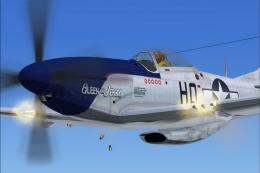
 FSX Historic & Vintage Aircraft
North American P-51D Mustang V1.1
North American P-51D Mustang v1.1. The freeware Alphasim P-51 Mustang upgrade…
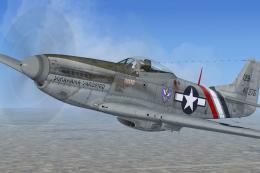
North American P-51D “Factory Stock” repaint delivers a mirror-polished natural metal finish with authentic Army Air Corps insignia, capturing the fresh-from-the-line look seen in 1944–45. Designed for the default Acceleration Mustang in Microsoft Flight Simulator X, it preserves the classic exterior character and pairs cleanly with the existing virtual cockpit.
This is a repaint of the default FSX Acceleration P-51 Mustang. It is just a mirror polished with the Army Air Corps insignia. It is painted to how a stock P-51D would look rolling off the factory floor in 1944 or 1945. By Marshall Carter.
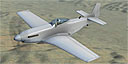
Screenshot of North American P-51D in flight.
To Install, replace the xx with the next corresponding number following the other segments:
[fltsim.xx]

title=P51 Racer Polished

sim=P51_Racer

model=

panel=

sound=

texture=polished

kb_checklists=NA_P51_check

kb_reference=NA_P51_ref

atc_id_color=0xffff0000

atc_id=N151SE

ui_manufacturer="North American"

ui_type="P-51D"

ui_variation="Factory Stock"

ui_typerole="Single Engine Prop"

ui_createdby="Microsoft Corporation"

description="This race-modified North American P-51D wrings extra performance out of one of the best-performing fighters of World War II. The racer's reduced wingspan provides better low-level maneuverability and reduced drag. But this race aircraft attacks the pylons at Reno not with guns, but with more than 3,000 horsepower. Its Rolls-Royce Merlin V-12 is tricked out to produce twice the power of the factory Merlin engine."
Thank you!
Free for all simmers · 6.04 MB · Scanned clean
Download speed: Free tier is capped at 0.5 Mbps (this file takes approximately 2 mins at the cap). PRO members download at full line speed.
SimObjects\Airplanes\, Addon Scenery\, Effects\, or Gauges\.readme.txt or README file. It tells you exactly where files go, what dependencies are needed, and any quirks specific to this add-on.The archive polip51d.zip has 11 files and directories contained within it.
This list displays the first 500 files in the package. If the package has more, you will need to download it to view them.
| Filename/Directory | File Date | File Size |
|---|---|---|
| P51_Racer_1_T.dds | 11.25.08 | 1.33 MB |
| P51_Racer_1_T_spec.dds | 08.25.07 | 1.33 MB |
| P51_Racer_2_T.dds | 11.25.08 | 1.33 MB |
| P51_Racer_2_T_spec.dds | 08.25.07 | 1.33 MB |
| texture.cfg | 08.22.07 | 137 B |
| thumbnail.bmp | 11.25.08 | 3.00 MB |
| thumbnail.jpg | 08.31.07 | 5.14 kB |
| mustang1.bmp | 11.25.08 | 3.00 MB |
| Read Me (P-51D Polished).txt | 11.25.08 | 1.31 kB |
| flyawaysimulation.txt | 10.29.13 | 959 B |
| Go to Fly Away Simulation.url | 01.22.16 | 52 B |
More FSX & P3D add-ons hand-picked based on this download.
FSX Historic & Vintage Aircraft
North American P-51D Mustang v1.1. The freeware Alphasim P-51 Mustang upgrade…
 FSX Historic & Vintage Aircraft
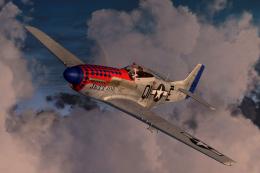
This file contains two texture sets for the Warbirdsim P-51D Mustang 'Little …
 FSX Historic & Vintage Aircraft
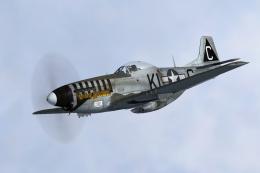
This file contains three texture sets for the Warbirdsim P-51D-5-NA Mustang, …
 FSX Historic & Vintage Aircraft
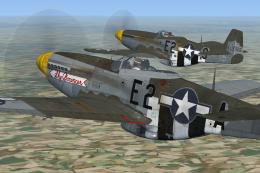
Here are two texture sets for the Warbirdsim P-51D-5-NA, depicting aircraft f…
 FSX Historic & Vintage Aircraft
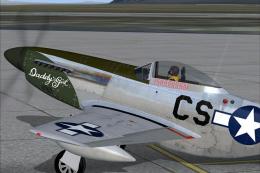
A repaint for the A2A WWII Fighters P-51D Mustang. This represents P-51D-10-N…
 FSX Historic & Vintage Aircraft
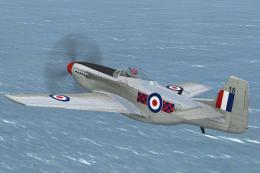
North American P-51D Mustang NZ2415. Repaint by Jon Murchison, based on David…
 FSX Historic & Vintage Aircraft
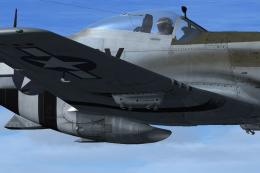
For use with DALLASDOLL.ZIP. This is a small update to the repaint of Lt. Fra…
 FSX Historic & Vintage Aircraft
This is a repaint for the Warbirdsim P-51D Mustant 'Little Friends' pack depi…
Be the first to leave a comment on this download.
Be the first to share your thoughts on this download.