


 FSX Civil Aircraft
Fedex Boeing 737-800 N917FD
A repaint of the payware PMDG 737NGX freighter version. By Steve Southey. Scr…
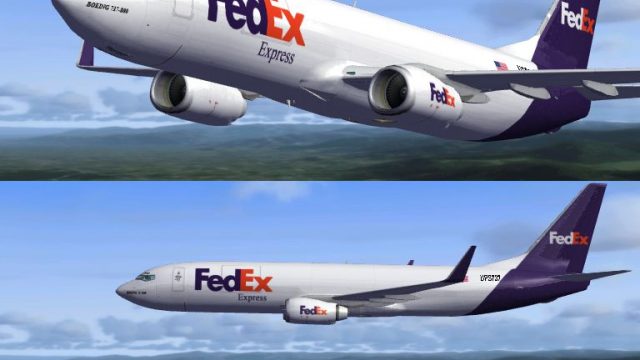
FedEx-inspired Boeing 737-800 repaint turns the default narrow-body into a convincing short- to medium-haul cargo jet in Microsoft Flight Simulator X, with accurate logos, stenciling, and winglet color continuity. Tuned alpha, specular, and bump effects add realistic sheen and panel depth, and it requires the stock FSX 737-800 model.
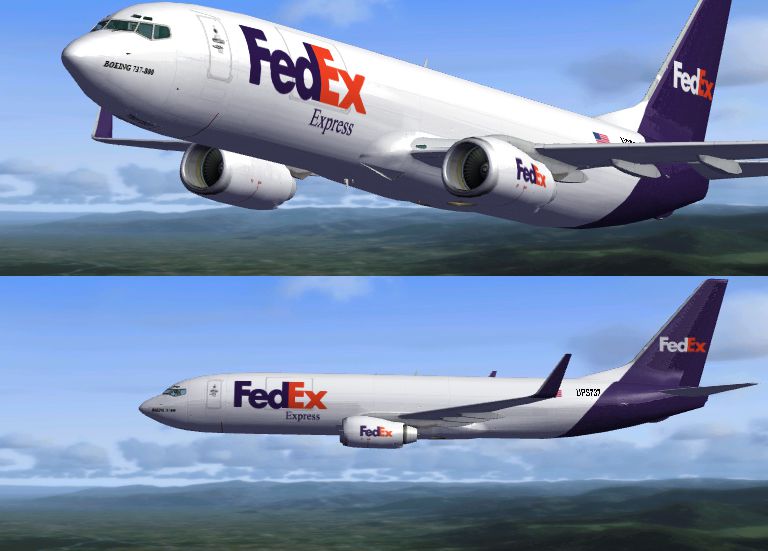
This enhanced FedEx-themed repaint brings the familiar cargo operator’s palette to the default Boeing 737-800 in Microsoft Flight Simulator X. Created by Tom Bakody, this texture set applies a unique freight-style finish and is tailored specifically for those seeking a more cargo-oriented variant of the popular narrow-body jet. Though FedEx is widely recognized for its fleet of dedicated cargo aircraft, this fictional livery adapts Boeing’s NG-series design for an engaging short- to medium-haul cargo experience.
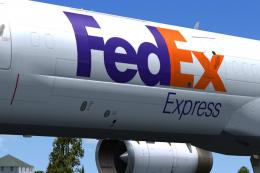
The FedEx Boeing 737-800 repaint showcases specialized markings, retaining the emblematic FedEx color scheme and logos while adapting them for a freighter role. Subtle decal work replicates service stencils and panel lining to build authenticity. Aerodynamic elements—like the blended winglets—carry the brand’s distinctive colors for added visual continuity.
One of the highlights from Tom Bakody is the integration of a carefully tuned alpha channel, which refines reflective properties on the aircraft’s surface. This customized channel interacts with specular maps (maps defining varying brightness on surfaces) and bump maps (height maps that simulate raised areas) to produce realistic metal sheens, rivet lines, and airframe panel seams.
The Boeing 737-800, positioned within Boeing’s Next Generation series, is known for reliability and efficient performance on short-to-mid range legs. By adapting the 737-800 in a FedEx-inspired scheme, sim pilots can explore various cargo routes that typically flourish in domestic or inter-regional schedules. FedEx itself operates a globally recognized air freight service, lending this fictional livery plenty of immersive context.
These textures are intended for the default B737-800 included with Microsoft Flight Simulator X. Since it is a repaint only, the base model (which is freeware) must already be installed and can be found in the Fly Away Simulation library. Once the core aircraft files are in place, simply drop the repainted files into the correct texture folder and update your aircraft configuration entries as instructed in the readme file for quick installation.

By providing a novel freight-inspired texture alignment, Tom Bakody breathes additional life into an already versatile aircraft. This repaint enables virtual pilots to operate a specialized cargo route experience, whether for domestic parcel hops or region-wide freight runs. Take advantage of its refined surface effects and detailed branding for an enriched cargo atmosphere in every journey.
Free for all simmers · 2.77 MB · Scanned clean
Download speed: Free tier is capped at 0.5 Mbps. PRO members download at full line speed.
FSX\SimObjects\Airplanes\. The folder must contain an aircraft.cfg file. Effects go into FSX\Effects\; gauges go into FSX\Gauges\.readme.txt or README file. It tells you exactly where files go, what dependencies are needed, and any quirks specific to this add-on.The archive f7378fed.zip has 14 files and directories contained within it.
This list displays the first 500 files in the package. If the package has more, you will need to download it to view them.
| Filename/Directory | File Date | File Size |
|---|---|---|
| 1.jpg | 07.27.07 | 252.82 kB |
| Texture-readme.txt | 07.28.07 | 1.12 kB |
| Read-Me.txt | 07.28.07 | 651 B |
| texture.FedEx | 07.28.07 | 0 B |
| b737_800_1_T.dds | 07.27.07 | 1.33 MB |
| b737_800_1_T_Bump.dds | 07.27.07 | 1.00 MB |
| b737_800_1_T_Specular.dds | 07.27.07 | 1.33 MB |
| b737_800_2_T.dds | 07.20.07 | 1.33 MB |
| b737_800_2_T_Specular.dds | 09.04.06 | 1.33 MB |
| Fresnel_Ramp.dds | 09.04.06 | 640 B |
| texture.cfg | 08.14.06 | 137 B |
| thumbnail.jpg | 07.27.07 | 16.93 kB |
| flyawaysimulation.txt | 10.29.13 | 959 B |
| Go to Fly Away Simulation.url | 01.22.16 | 52 B |
More FSX & P3D add-ons hand-picked based on this download.
FSX Civil Aircraft
A repaint of the payware PMDG 737NGX freighter version. By Steve Southey. Scr…
 FSX Civil Aircraft
A textures for the Project Open Sky B737-600 (posky737-600fwithvc.zip) non-wi…
 FSX Civil Aircraft
This complete freeware package merges the fictional FedEx Express livery onto…
 FSX Civil Aircraft
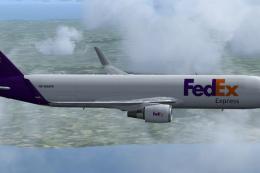
Complete package for FSX only of the Skyspirit2010 B767-300F in FedEx livery.…
 FSX Civil Aircraft
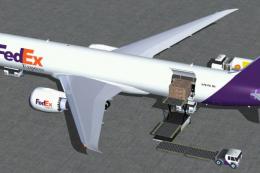
Experience a thoughtfully modified Dreamliner configured for air freight oper…
 FSX Civil Aircraft
FSX FedEx Boeing 777-223ER, registration N631FD. Textures only for the paywar…
 FSX Civil Aircraft
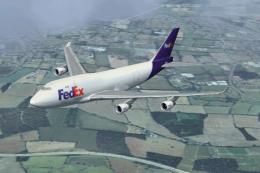
FSX FedEx Boeing B747-400F. Textures for the default Boeing B747-400 in the c…
 FSX Civil Aircraft
These textures are for the payware QualityWings 757. They depict three B757 S…
Read what other simmers think, or add your own.

Nice texture but unfortunately at night, the passenger windows become visible so it looks a bit silly.


Love the fedex, use this most of the time. Great on gamespy- multiplayer.. easy to fly great to look at..