


 United States of America
  FSX Scenery
Leeward Point Field
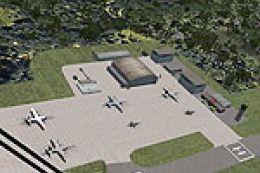
Leeward Point Field, Guantanamo Bay, Cuba (MUGM). Includes moved and replaced…
MCAS Cherry Point (KNKT) scenery refresh sharpens the North Carolina marine air station in Microsoft Flight Simulator X with reworked taxiways and aprons, expanded military parking, and a more faithful base layout using repositioned buildings, static vehicles, lots, and lighting. It relies on stock objects for smooth performance and broad compatibility.
This scenery update elevates the default MCAS Cherry Point (KNKT) environment within Microsoft Flight Simulator X by incorporating numerous improvements to accurately portray the real-world installation in North Carolina. It introduces detailed elements such as expanded parking for military aircraft, corrected taxiways, and refined aprons while preserving performance and compatibility.
Marine Corps Air Station Cherry Point rests near Havelock, NC. This version by Jim Cook reorganizes the base layout by repositioning existing buildings and inserting new structures to approximate the actual facility’s configuration. Users will find an assortment of static vehicles, parking lots, and additional light poles, each placed to enhance immersion.
Many default buildings have been either removed or replaced to remove clutter and introduce a more authentic appearance. Several Military_Cargo and Military_Combat parking spots were added so various types of military aircraft (like [military cargo aircraft] and [combat helicopters]) can operate seamlessly.
Taxiway segments and aprons underwent adjustments based on AirNav diagrams and satellite imagery. These modifications ensure navigational consistency for flight operations, including more realistic ground traffic flow. Additionally, fuel truck positions and fire station areas have been restructured to match real-world configurations where possible.
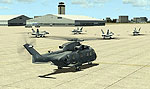
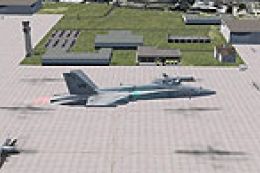
MCAS Cherry Point Scenery.
Although no additional object libraries are required, this package has been tested with Just Flight's Military Plus Packs to populate the base with specialized models. The developer also confirms compatibility with scenery enhancements like Ultimate Terrain and FSGenesis landclass, though they are optional. All enhancements rely on stock FSX items, ensuring simple integration.
Jim Cook created these improvements using Flight 1’s AFX program and Instant Scenery, which facilitate exact placement of buildings, vehicles, and lighting elements. The result is a more dynamic representation of MCAS Cherry Point that immerses virtual pilots in an operationally authentic environment.
The developer plans future military air station upgrades time permitting, thereby expanding the range of realistic training and operational areas within FSX. With these MCAS Cherry Point adjustments, pilots can now experience a more faithful environment without sacrificing system resources.
Author/Developer: Jim Cook
Free for all simmers · 26.83 KB · Scanned clean
Download speed: Free tier is capped at 0.5 Mbps. PRO members download at full line speed.
FSX\Addon Scenery\ containing scenery and texture sub-folders.readme.txt or README file. It tells you exactly where files go, what dependencies are needed, and any quirks specific to this add-on.Use these coordinates to fly directly to this location once the mod is installed.
34.90010000,-76.88000000
Launch FSX or Prepar3D and use Flights → Load to open the downloaded .pln file. Your aircraft will be positioned at this location.
The archive cherryp2.zip has 6 files and directories contained within it.
This list displays the first 500 files in the package. If the package has more, you will need to download it to view them.
| Filename/Directory | File Date | File Size |
|---|---|---|
| AFX_KNKT_JC.bgl | 05.31.08 | 47.50 kB |
| KNKT_JC.bgl | 05.31.08 | 3.62 kB |
| cherry_point_read_me.txt | 06.01.08 | 1.11 kB |
| FILE_ID.DIZ | 06.04.08 | 219 B |
| flyawaysimulation.txt | 10.29.13 | 959 B |
| Go to Fly Away Simulation.url | 01.22.16 | 52 B |
More FSX & P3D add-ons hand-picked based on this download.
FSX Scenery
Leeward Point Field, Guantanamo Bay, Cuba (MUGM). Includes moved and replaced…
 FSX Scenery
Black Point And Stanel Island, Bahamas (MYE2, MYES). FSX Gold Acceleration ne…
 FSX Scenery
Barbers Point / Electric Beach (PHJR), Hawaii (HI), v1.0. This scenery is an …
 FSX Scenery
Scenery Salmon Point (AKSP), Chenega, Alaska (AK). A fictitious airport with …
 FSX Scenery
This is the Green Point Soccer Stadium in Cape Town. This stadium was built f…
 FSX Scenery
1n 1996, The USMC abandoned the cramped quarters of MCAS El Toro and MCAS Tus…
 FSX Scenery
Miramar MCAS (KNKX), San Diego, California (CA). Adds aprons, taxiways, hanga…
 FSX Scenery
MCAS Miramar (KNKX), San Diego, California (CA). An improved version with add…
Be the first to leave a comment on this download.
Be the first to share your thoughts on this download.