

 FS2004 Propeller Aircraft
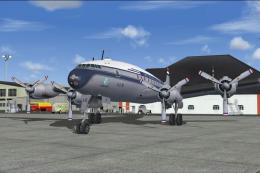
Lockheed L-749 Constellation Base Kit
Included in this sim package are seven models and five textures. Panel textur…
Lockheed L-749 Constellation paint kit for FS2004 delivers layered Photoshop master templates to build accurate custom liveries, with low-contrast metal shading suited to natural metal or painted finishes. Includes a full-size fuselage guide, alignment markers, long- and short-nose support, plus fin backgrounds for 2-stack and jetstack engines; requires Manfred Jahn and Team 749 L749.
 Rate
Rate

This paintkit contains Photoshop (psd) master templates for creating L-749 liveries suitable for the L749 by Manfred Jahn and Team 749 (LOCKHEED749.ZIP).
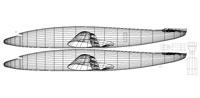
Wireframe representation of Lockheed L-749 Constellation.
The fuselage texture sheet will apply to both long-nosed and short-nosed versions (note the separate nose cone patch on the fuselage texture sheet). The metal shading of the fuselage has been kept intentionally low contrast in order to provide a suitable point of departure for both natural metal and painted surfaces. Try manipulating brightness, contrast, and alpha channel for individual effect.
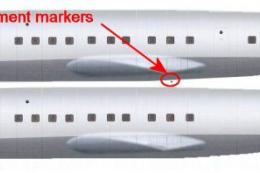
To help painting the fuselage a full-size fuselage template has been included. The idea is that you create difficult cheat lines etc. using this file for guidance, then import the result into the 1024 fuse_t sheet. Use the red alignment markers in both files to ensure that the fuselage halves split up correctly in the final 1024 texture sheet.
Note that in the fins texture template you have two BG layers, one for 2-stack engines and one for jetstack engines.
Free for all simmers · 11.68 MB · Scanned clean Oct 2026
Download speed: Free tier is capped at 0.5 Mbps (this file takes approximately 3 mins at the cap). PRO members download at full line speed.
This add-on may require the following files to function properly. If this is a repaint, the dependency below is likely the base aircraft package.
FS9\Aircraft\, FS9\Addon Scenery\, FS9\Gauges\, or FS9\Effects\.readme.txt or README file. It tells you exactly where files go, what dependencies are needed, and any quirks specific to this add-on.The archive l749_paintkit.zip has 13 files and directories contained within it.
This list displays the first 500 files in the package. If the package has more, you will need to download it to view them.
| Filename/Directory | File Date | File Size |
|---|---|---|
| texture | 12.06.09 | 0 B |
| fins_t.psd | 12.06.09 | 7.45 MB |
| fuse_1024.psd | 12.06.09 | 7.99 MB |
| fuse_full_template.bmp | 12.06.09 | 1007.19 kB |
| wings_t.psd | 12.06.09 | 5.77 MB |
| _dcal_01longnose.psd | 11.20.09 | 158.66 kB |
| _dcal_01shortnose.psd | 11.19.09 | 217.96 kB |
| file_id.diz | 12.06.09 | 191 B |
| 749_pk.gif | 12.06.09 | 3.82 kB |
| 749pk.jpg | 12.06.09 | 30.25 kB |
| README.TXT | 12.06.09 | 1.40 kB |
| flyawaysimulation.txt | 10.29.13 | 959 B |
| Go to Fly Away Simulation.url | 01.22.16 | 52 B |
Only PRO members can place votes.
More FS2004 add-ons hand-picked based on this download.
FS2004 Propeller Aircraft
Included in this sim package are seven models and five textures. Panel textur…
 FS2004 Propeller Aircraft
This paintkit is a supplement for the FS2004 Lockheed Super Constellation ser…
 FS2004 Propeller Aircraft
L-749 Constellation, registration PH-TDK "Amsterdam". Textures only to be use…
 FS2004 Propeller Aircraft
This paintkit contains Photoshop (PSD) master templates for creating addition…
 FS2004 Propeller Aircraft
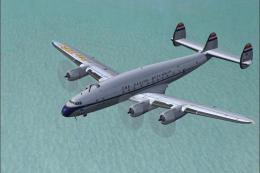
KLM was a major European operator of various models of the Lockheed Constella…
 FS2004 Propeller Aircraft
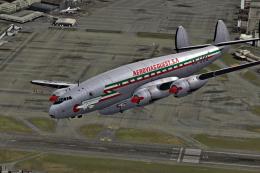
Repaint for the Lockheed L749 Constellation by Manfred Jahn. The airline "Aer…
 FS2004 Propeller Aircraft
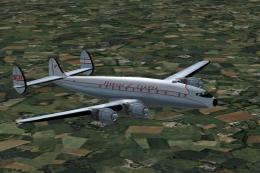
Textures for the Alphasim Lockheed L-049 Constellation. G-ALAK was built for …
 FS2004 Propeller Aircraft
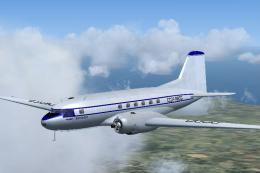
Templates (paint kit) for repainting the JBK Ilyushin IL14 (IL14_10.ZIP). Use…
Be the first to leave a comment on this download.
Be the first to share your thoughts on this download.