Basic Guide on How to Use ILS in Microsoft Flight Simulator (2020)
Using an ILS (Instrument Landing System) enhances the realism of simulated flights. It is easy when you know how to do it.
This tutorial and training guide is specifically designed for the new Microsoft Flight Simulator (MSFS) released in 2020 and provides a basic understanding and tutorial of ILS and how to use it within the simulator. It is not relevant to any previous Microsoft Flight Simulator versions such as FSX/FS2004.
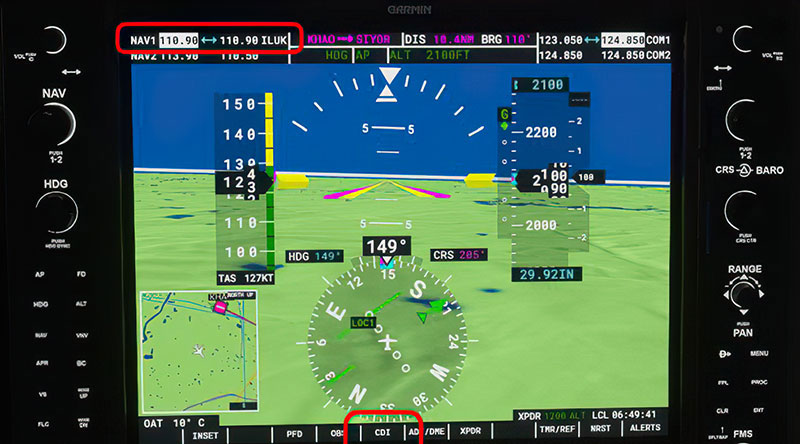
This training guide has been professionally produced and is available exclusively to PRO members.
The guide includes both a written text guide along with an instructional walkthrough video guiding you through the process.
What you will learn;
- 5-minute video explaining all of the points below;
- Basic information on how ILS works and functions in the real world.
- How you can use real-world ILS procedures directly and accurately within your simulated flights.
- Learn about the course deviation indicator (CDI).
- Understand and learn about glideslopes and how to use them to achieve the perfect landing.
- Learn about both modern primary flight displays (PFD) or old analog omnibearing indicators (OBI) so you can fly GA or heavies.
- Learn about localizer and navaids within the sim.
- Learn the basics of a circuit around an airfield and how to interact with ATC when using ILS.
- Learn the differences between a visual ILS approach and a completely automatic (autopilot) ILS approach.
 About The Author
This tutorial and walkthrough have been produced by well-known flight simulator expert and publisher Bill Stack of TopSkills.
Bill has been producing flight simulator training and tutorial content for over 15 years and his releases have been invaluable for at-home flight simulator training based on real-world aviation experience.
Unlock the full step-by-step tutorial
You've read the introduction. The complete 9-minute guide to Basic Guide on How to Use ILS in Microsoft Flight Simulator (2020) — every step, screenshot and setting — is reserved for Fly Away Simulation PRO members.
- The complete, fully-illustrated walkthrough
- Instant access to every member-only tutorial & guide
- New walkthroughs added as the Flight School grows

Create your account in under a minute to unlock this tutorial instantly.
Still stuck on this tutorial?
Ask Fly Away for an instant, step-by-step answer — installs, graphics settings, in-sim procedures and troubleshooting across MSFS, FSX, Prepar3D & X‑Plane.