FSX Cirrus Project
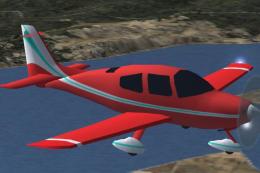
 Cirrus Project. This is a repaint of Wolfram Beckert, Guenter Kraemer and Thomas Roehl's Cirrus aircraft modified for Flight Simulator X. The SR20 and SR22 are constructed with composite construction and feature advanced aerodynamics. This design was awarded FAA type certification in 1998. with a...
- Type
- Complete with Base Model
- Download hits
- 714
- Compatibility
- Microsoft Flight Simulator X (FSX) including Steam Edition & Prepar3D (P3D)
- Filename
- fsxcpr.zip
- File size
- 14.87 MB
- Virus Scan
- Scanned 25 days ago (clean)
- Access to file
- Free (Freeware)
- Content Rating
- Everyone


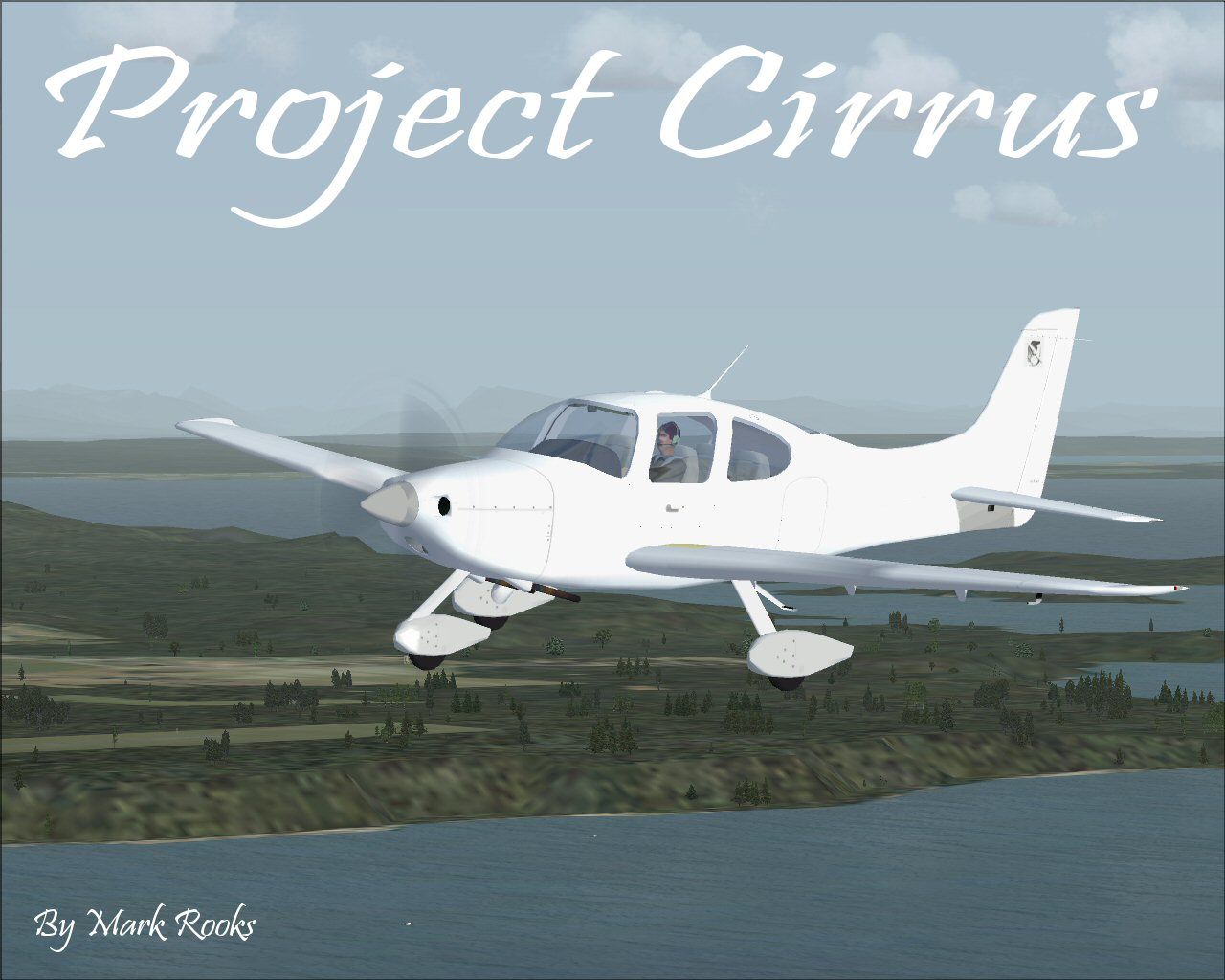
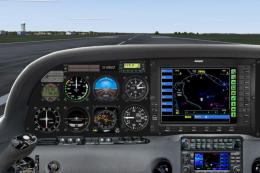
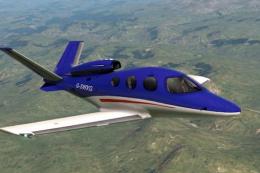
Cirrus Project. This is a repaint of Wolfram Beckert, Guenter Kraemer and Thomas Roehl's Cirrus aircraft modified for Flight Simulator X. The SR20 and SR22 are constructed with composite construction and feature advanced aerodynamics. This design was awarded FAA type certification in 1998. with a final level of protection known as the Cirrus Airframe Parachute System (CAPS). This aircraft has a working Cirrus Airframe Parachute System. This aircraft is created for projects with blank BMP textures and easy to follow instructions makes this a good starting point for any Cirrus Project. Textures and updates by Mark Rooks of RSDG.

Cirrus Project in flight.
" Cirrus Project " Support Mercy Flight near you
To install this aircraft:
As always back up any original files.
1.Unzip downloaded folders to your desktop or temporary directory of your choice.
2.Copy the " Cirrus Project " folder and paste it in the main aircraft folder.
By default the main aircraft folder is located at:
"C:\Program Files\Microsoft Games\FSX\SIM Objects /Aircraft .
3. Be sure to completely unzip all files the aircraft file when complete will Cotain 6 files the Following 6 files goes in the aircraft folder CFG Airfile Model Sound Panel Textures
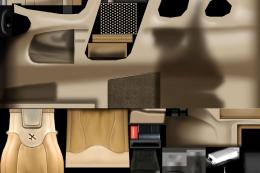
Aircraft created with easy to use bit map textures
#1 .Open with a tool like DXTBMP
#2 .Send to Editor like Paint Shop Pro or what ever you like
#3 .Paint Aircraft files
#4 . After painting File must be saved and Converted paint shop will save to Windows OS2 BMP Convert Windows OS2 BMP to FS70 DXT1BMP using MW Graphics convim BMP tool I use WindowsNT 16 Bitmap 555 Good for detail.
#5 . Don't For get to change the name of your new aircraft in the CFG file ... Change Title=________ and Variation=___________ to what you like sample Title = Cirrus ??? Variation=???? Cirrus
Made Simpler
Make sure all files are unzipped the New Plane folder should contain 6 files unzipped they are CFG Airfile Sound Model Texture Panel the New Plane folder with the 6 files goes in the game aircraft folder found at C:\Program Files\Microsoft Games\Microsoft Flight Simulator X\SimObjects\Airplanes follow the path ie open the c drive then open program files then open Microsoft Games then open Microsoft Flight Simulator X then open SimObjects then open Airplanes folder the New Plane goes in that folder.
Mark Rooks
Textures and FSX updates created by Mark "Fire Ball" Rooks.
Enjoy your new repaint. Thanks for downloading,
"Fire Ball"
Images & Screenshots

The archive fsxcpr.zip has 6 files and directories contained within it.
File Contents
This list displays the first 500 files in the package. If the package has more, you will need to download it to view them.
| Filename/Directory | File Date | File Size |
|---|---|---|
| Blank kit Read Me First.txt | 04.17.08 | 2.21 kB |
| FSX Cirrus Project.zip | 04.17.08 | 14.73 MB |
| Project Cirrus Screen.jpg | 04.17.08 | 142.62 kB |
| Reg. Text.txt | 04.17.08 | 622 B |
| flyawaysimulation.txt | 10.29.13 | 959 B |
| Go to Fly Away Simulation.url | 01.22.16 | 52 B |

Installation Instructions
Most of the freeware add-on aircraft and scenery packages in our file library come with easy installation instructions which you can read above in the file description. For further installation help, please see our Flight School for our full range of tutorials or view the README file contained within the download. If in doubt, you may also ask a question or view existing answers in our dedicated Q&A forum.





0 comments
Leave a Response