FSX L-188 HD VC Textures
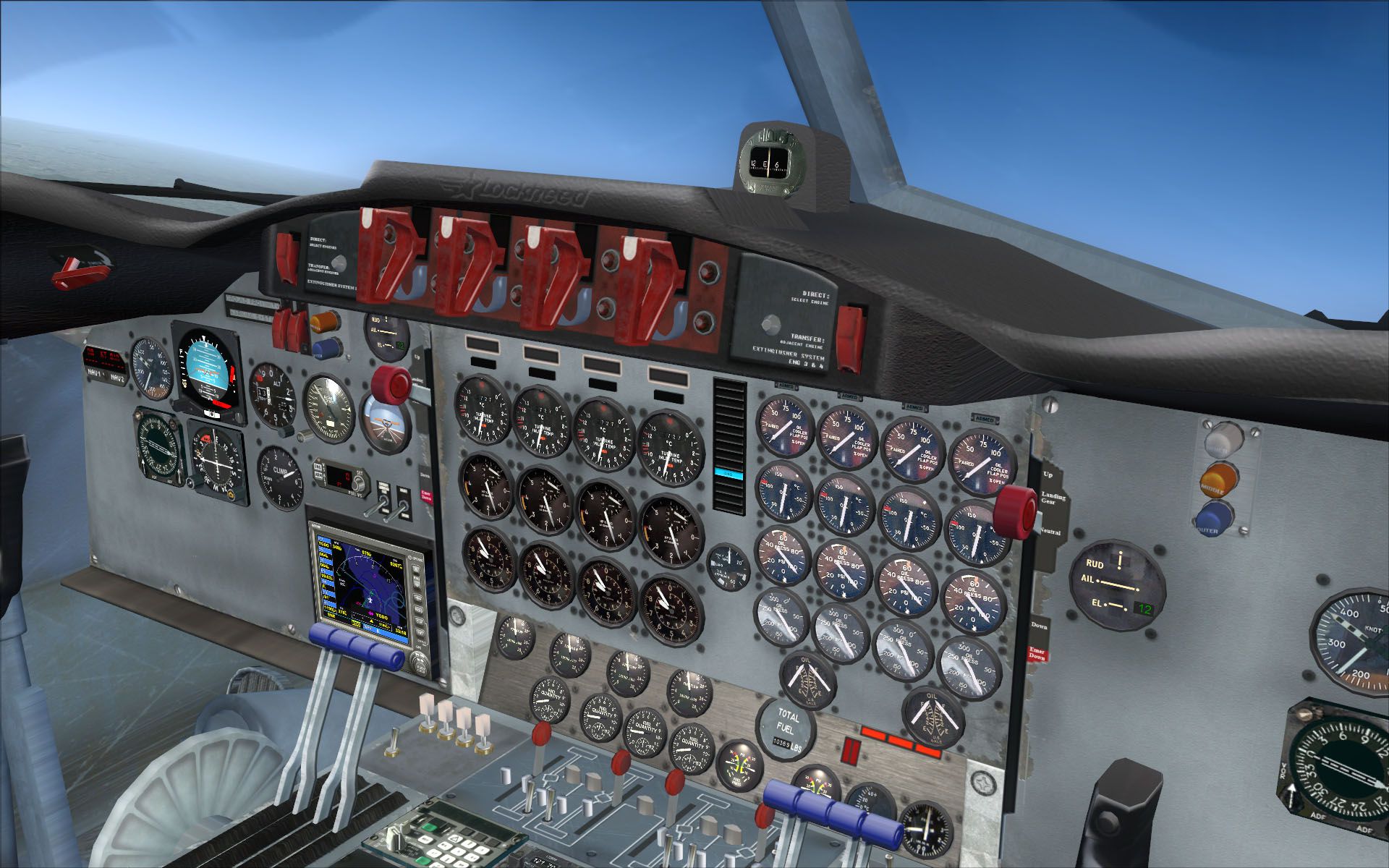
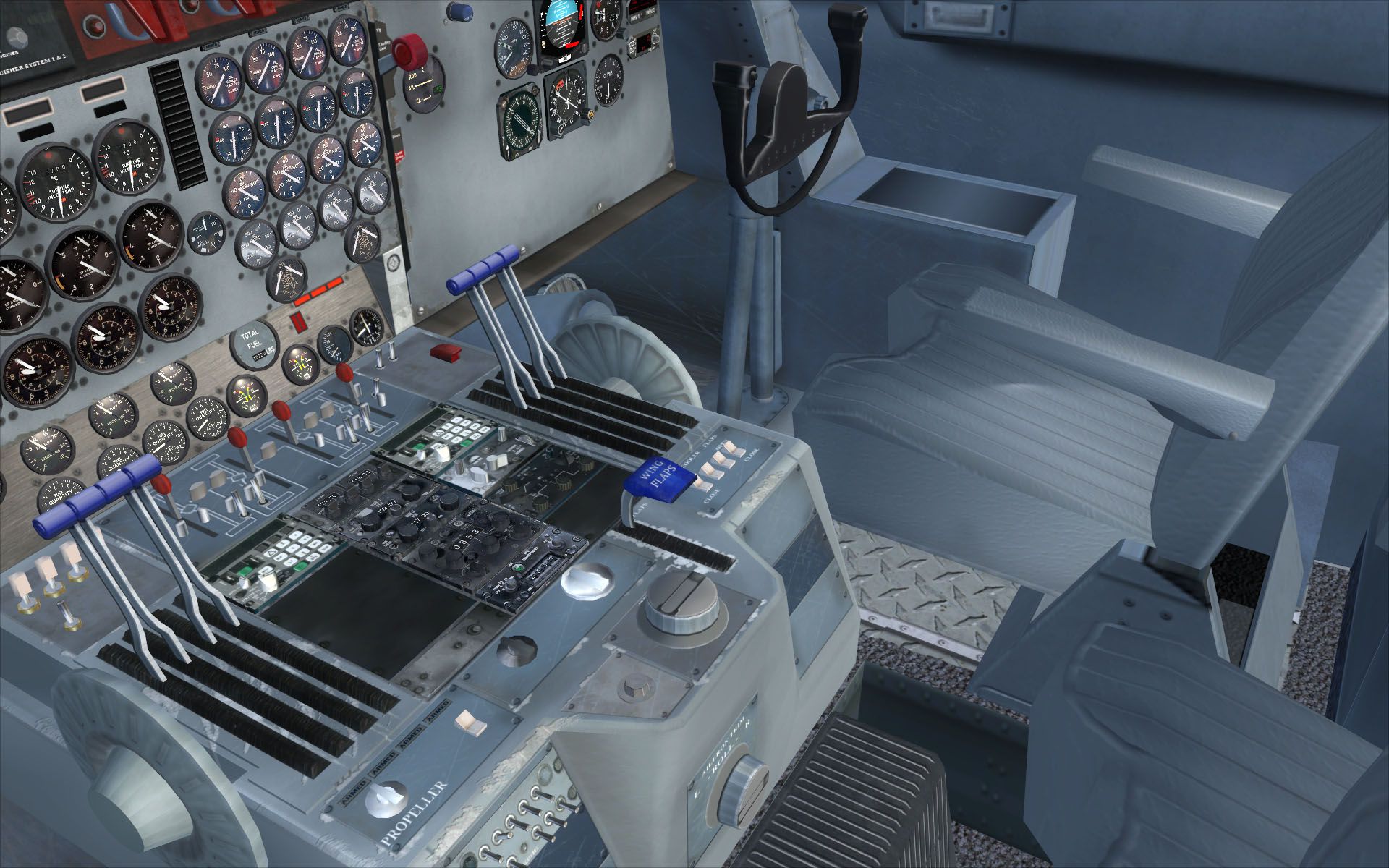
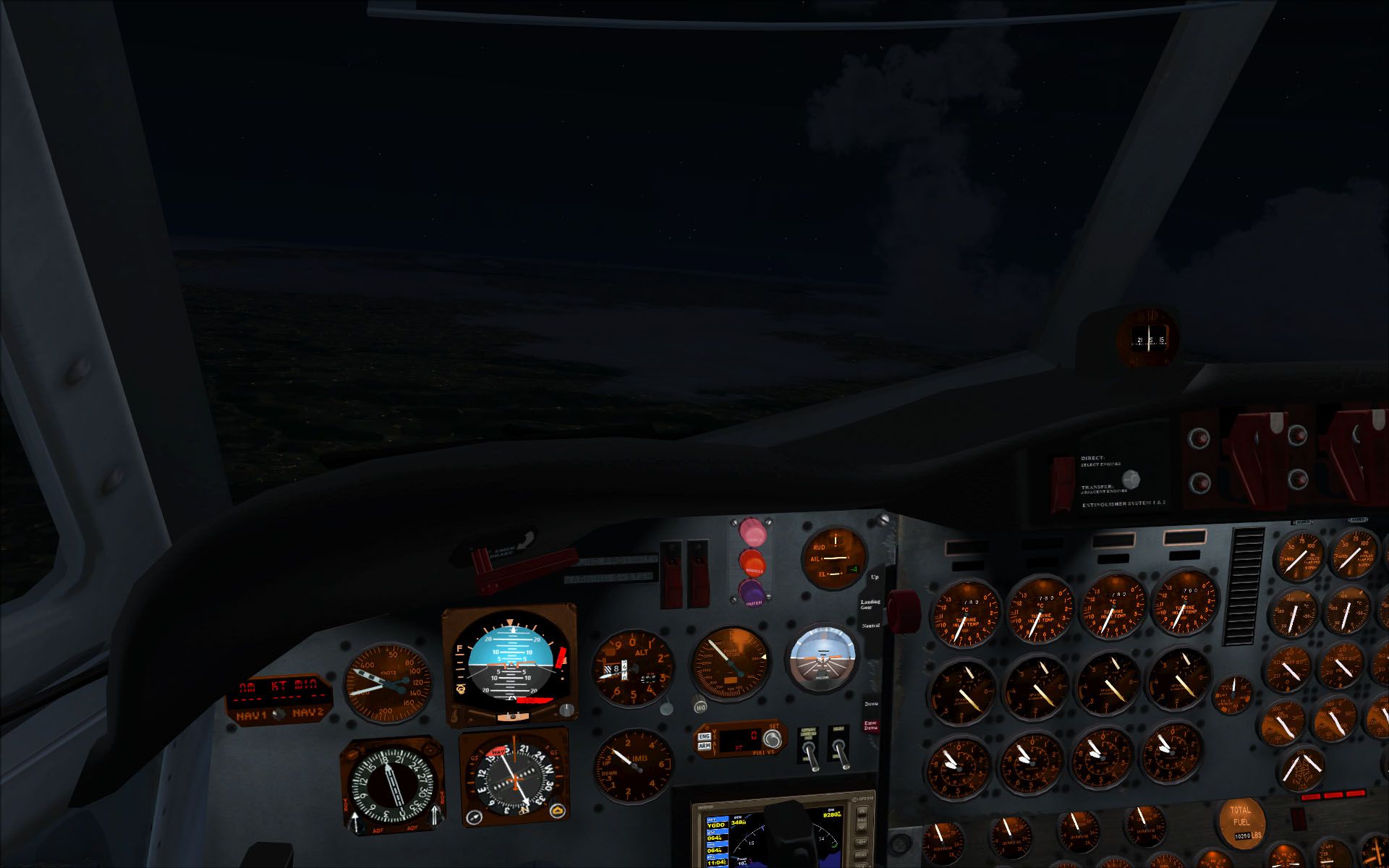
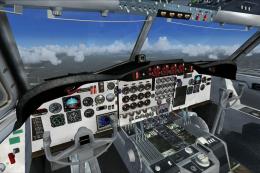
 L-188 HD VC Textures for the Team FS KBT model (L-188_ELECTRA_X.ZIP). These are replacement textures for the virtual cockpit only. They are in DXT5 format at 4096 resolution. Make sure you have your texture_max_load set accordingly. By Paul Barke.

- Download hits
- 931
- Compatibility
- Microsoft Flight Simulator X (FSX) including Steam Edition & Prepar3D (P3D)
- Filename
- hdvctexture.zip
- File size
- 46.57 MB
- Virus Scan
- Scanned 25 days ago (clean)
- Access to file
- Free (Freeware)
- Content Rating
- Everyone


L-188 HD VC Textures for the Team FS KBT model (L-188_ELECTRA_X.ZIP). These are replacement textures for the virtual cockpit only. They are in DXT5 format at 4096 resolution. Make sure you have your texture_max_load set accordingly. By Paul Barke.
L-188 HD VC Textures.
SUPER HD Virtual Cockpit Textures for the Team FS KBT L-188 Electra. DXT5 Format.
First of all, I would just like to thank the Team FS KBT guys for making such an excellent model.
INSTALLATION INSTRUCTRIONS:
Couldn't be simpler. Just put these textures into the texture folder of the individual aircraft.
For example: C:\Program Files\Microsoft Games\Microsoft Flight Simulator X\SimObjects\Airplanes\ELEC_PASS\Texture.1
-----OR-----
If you want all of your Electras to have the same cockpit textures. Put them in the default texture folder for the aircraft and replace the current ones. I.E just in:
C:\Program Files\Microsoft Games\Microsoft Flight Simulator X\SimObjects\Airplanes\ELEC_PASS\Texture
The same applies to the ELEC_CARGO variation.
I would very much suggest backing up these textures before you replace them.
-----THEN-----
Make sure that you have your texture max load set to 4096 in your FSX .cfg file. They will not display in high quality otherwise.
-----HOW?-----
Navigate to your FSX.cfg file and open it with notepad, or wordpad. Scroll down to the [ GRAPHICS ] Section. Locate where it says "TEXTURE_MAX_LOAD=XXXX* and make sure/change it to "TEXTURE_MAX_LOAD=4096"
Save the config. Fly. Bear in mind that every time you change display settings inside FSX this value is restored to 1024. You will have to change it back again every time or grab a free program that keeps it at 4096. Frostysoftware's TML editor would be a good choice.
Hope you enjoy.
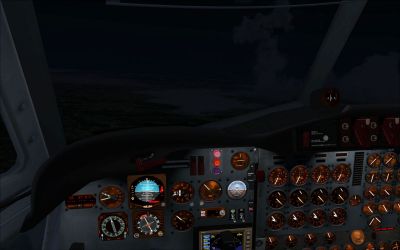
L-188 HD VC Textures.
Images & Screenshots

The archive hdvctexture.zip has 21 files and directories contained within it.
File Contents
This list displays the first 500 files in the package. If the package has more, you will need to download it to view them.
| Filename/Directory | File Date | File Size |
|---|---|---|
| Texture | 03.14.11 | 0 B |
| ELEC_VC01.bmp | 03.12.11 | 21.33 MB |
| ELEC_VC02.bmp | 03.06.11 | 21.33 MB |
| ELEC_VC03.bmp | 03.12.11 | 21.33 MB |
| ELEC_VC04.bmp | 03.12.11 | 21.33 MB |
| ELEC_VC05.bmp | 03.12.11 | 21.33 MB |
| ELEC_VC06.bmp | 03.12.11 | 21.33 MB |
| VC01_LM.bmp | 03.13.11 | 21.33 MB |
| VC02_LM.bmp | 03.13.11 | 21.33 MB |
| VC03_LM.bmp | 03.13.11 | 21.33 MB |
| VC04_LM.bmp | 03.13.11 | 21.33 MB |
| VC05_LM.bmp | 03.13.11 | 21.33 MB |
| VC06_LM.bmp | 03.13.11 | 21.33 MB |
| HDVCtexture.gif | 03.14.11 | 11.82 kB |
| Preview1.jpg | 03.13.11 | 399.71 kB |
| Preview2.jpg | 03.13.11 | 240.75 kB |
| Preview3.jpg | 03.13.11 | 252.75 kB |
| Preview4.jpg | 03.13.11 | 383.39 kB |
| README! Installation Instructions..txt | 03.14.11 | 1.53 kB |
| flyawaysimulation.txt | 10.29.13 | 959 B |
| Go to Fly Away Simulation.url | 01.22.16 | 52 B |
Complementing Files & Dependencies
This add-on mentions the following files below in its description. It may be dependent on these files in order to function properly. It's possible that this is a repaint and the dependency below is the base package.
You may also need to download the following files:

Installation Instructions
Most of the freeware add-on aircraft and scenery packages in our file library come with easy installation instructions which you can read above in the file description. For further installation help, please see our Flight School for our full range of tutorials or view the README file contained within the download. If in doubt, you may also ask a question or view existing answers in our dedicated Q&A forum.





0 comments
Leave a Response