



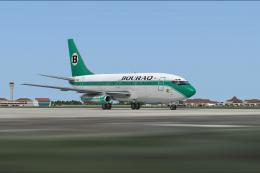
FS2004 Bayu Indonesia Boeing 737-200
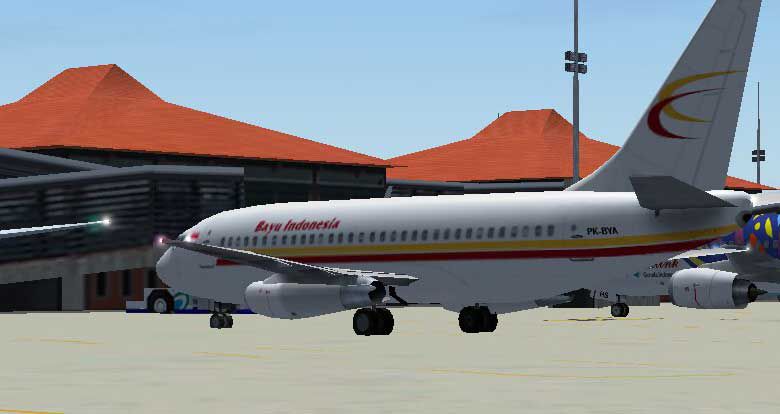
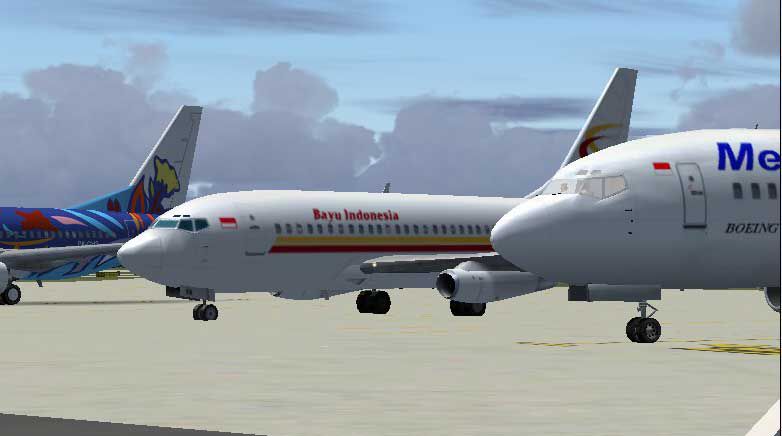
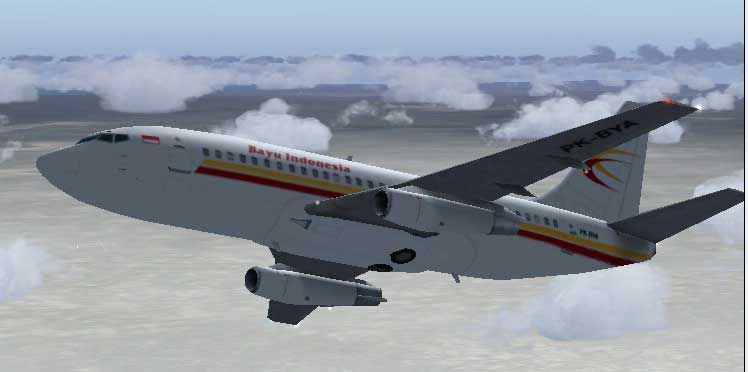
Bayu Indonesia Boeing 737-200 brings authentic airline markings to AI traffic, adding believable classic-jet movement and variety to busy schedules. Built for FS2004, it slots neatly into existing flightplans and delivers a clean external model presentation that enhances screenshots and the overall atmosphere around airports and en route.


 5/5
(1)
1.3K downloads
Microsoft Flight Simulator 2004
5/5
(1)
1.3K downloads
Microsoft Flight Simulator 2004
- Type:Complete with Base Model
- File: b732bayu.zip
- Size:552.71 KB
- Scan:
Clean (6d)

- Access:Freeware
- Content:Everyone

 Description
 Comments
 Bayu Indonesia Boeing 737-200, for AI Traffic. By Aswandana.
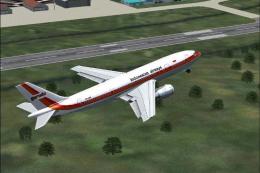
Screenshot of Bayu Indonesia Boeing 737-200 in flight.
Simply unzip the file B732bayu.zip into folder: \Aircraft.
Have a nice flight.
Images & Screenshots

The archive b732bayu.zip has 20 files and directories contained within it.
File Contents
This list displays the first 500 files in the package. If the package has more, you will need to download it to view them.
| Filename/Directory | File Date | File Size |
|---|---|---|
| aia_737_200.air | 05.09.03 | 9.62 kB |
| Aircraft.cfg | 12.16.04 | 10.81 kB |
| readme.txt | 12.17.04 | 165 B |
| about me.txt | 12.16.04 | 1.20 kB |
| FILE_ID.DIZ | 12.16.04 | 65 B |
| model | 12.16.04 | 0 B |
| aia_737_200.mdl | 05.20.03 | 324.18 kB |
| model.cfg | 04.08.03 | 28 B |
| texture.bayu | 12.16.04 | 0 B |
| AIA_737_200_l.bmp | 12.02.04 | 1.00 MB |
| Thumbs.db | 12.04.04 | 82.00 kB |
| AIA_737_200_t.BMP | 12.16.04 | 1.00 MB |
| Image_041216_155157.jpg | 12.16.04 | 24.94 kB |
| Image_041216_155139.jpg | 12.16.04 | 22.56 kB |
| Image_041216_154756.jpg | 12.16.04 | 20.73 kB |
| Image_041216_154710.jpg | 12.16.04 | 18.87 kB |
| Image_041216_154609.jpg | 12.16.04 | 32.14 kB |
| B732Bayu | 12.16.04 | 0 B |
| flyawaysimulation.txt | 10.29.13 | 959 B |
| Go to Fly Away Simulation.url | 01.22.16 | 52 B |

Installation Instructions
Most of the freeware add-on aircraft and scenery packages in our file library come with easy installation instructions which you can read above in the file description. For further installation help, please see our Flight School for our full range of tutorials or view the README file contained within the download. If in doubt, you may also ask a question or view existing answers in our dedicated Q&A forum.






0 comments
Leave a Response