

 FSX Military Aircraft
US Navy F/A-18C Jolly Rogers CAG
This package offers a refined livery showcasing the US Navy F/A-18C Hornet fr…
US Navy VFA-14 “Top Hatters” CAG markings bring bold tail art, crisp squadron insignia, and authentic fleet style to the default F/A-18C Hornet, highlighting the jet’s sleek lines for carrier-borne operations. Built for Microsoft Flight Simulator X Acceleration, it requires the stock Acceleration F/A-18C model.
 Rate
Rate
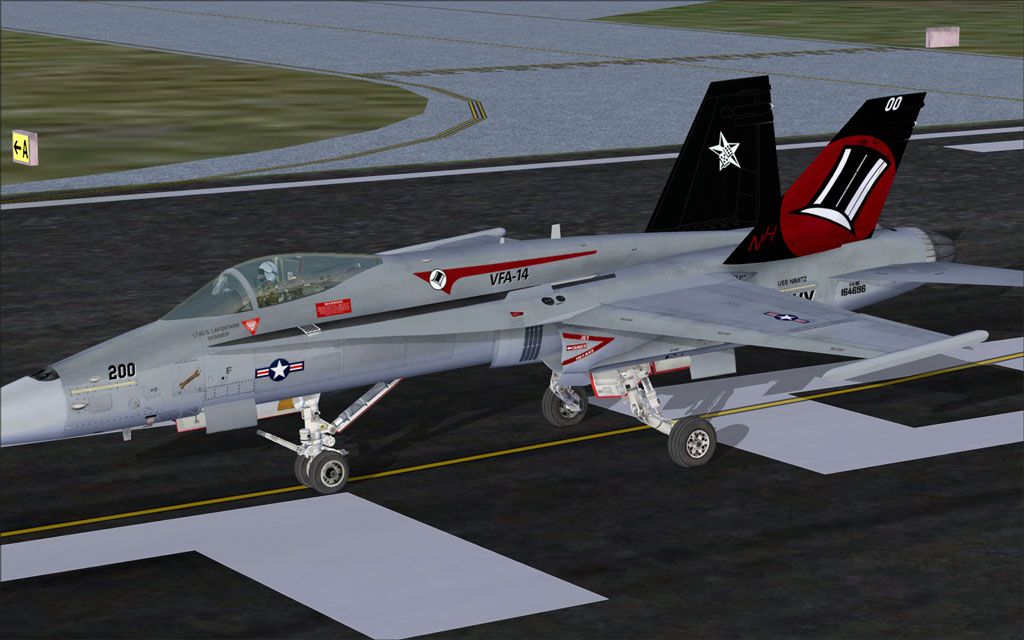
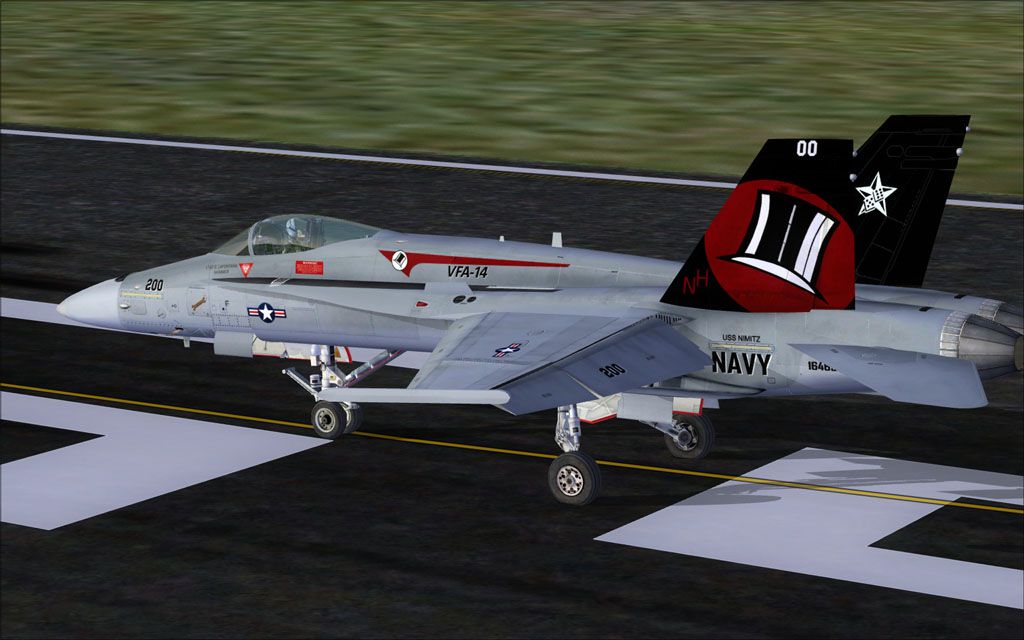
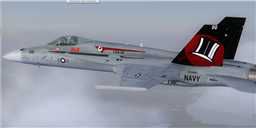
This freeware repaint offers a detailed rendition of the VFA-14 Top Hatters CAG markings for the default F/A-18C Hornet in Microsoft Flight Simulator X Acceleration. The included textures are crafted by Ray Gagnon, showcasing vibrant squadron insignia and recognizable “Top Hatters” branding. Enthusiasts will find this repaint a faithful representation of the famous US Navy Strike Fighter Squadron, which has a storied operational history dating back to the earliest days of naval aviation, while emphasizing the Hornet’s iconic aerodynamic design features.
VFA-14 Top Hatters, often recognized for their distinctive top hat insignia, has long operated carrier-based aircraft including various iterations of the Hornet. This repaint reflects those unit markings across the vertical stabilizers, nose, and fuselage. Additionally, the textures highlight the CAG (Commander, Air Group) motif, which is traditionally more colorful than standard fleet line jets. The default F/A-18C from the Acceleration expansion accurately depicts the single-seat fighter’s defined lines and swept wings that enable powerful performance during high-AoA (angle-of-attack) maneuvers.

US Navy F/A-18C Top Hatters CAG in flight.
In order to implement this custom artwork, you will need the stock Acceleration F/A-18 Hornet already installed. Follow the steps below to integrate the texture pack properly:
Use the following information to declare the repaint entry:
[fltsim.XX]

title=FA-18 Top Hatters CAG

sim=FA-18

model=

panel=

sound=

texture=TopHatters CAG

kb_checklists=boeing_FA18_check

kb_reference=boeing_FA18_ref

atc_id=200

atc_airline=Navy

atc_flight_number=200

ui_manufacturer="Boeing"

ui_type="F/A-18"

ui_variation="Top Hatters CAG"

ui_typerole=Carrier Based

ui_createdby=repaint by Ray Gagnon

description="The Hornet combines the ruggedness required of carrier-borne aircraft with speed and superior agility, especially at high angles of attack. Its powerful engines, canted vertical stabilizers, horizontal stabilators, large leading- and trailing-edge flaps, and sophisticated flight control system all contribute to a level of performance that makes the Hornet a versatile front-line fighter in several air forces around the world."

US Navy F/A-18C Top Hatters CAG on runway.
This repaint pack does not include the default FSX Acceleration F/A-18 model. Users must obtain the base Hornet, which is part of the Microsoft Flight Simulator X Acceleration expansion. If your library does not have this aircraft available, consult the Fly Away Simulation mod library for the correct files.
Ray Gagnon has meticulously created these textures to showcase the renowned Top Hatters CAG livery, capturing the unmistakable style and spirit of the US Navy’s most senior active fighter squadron. From the bold tail art to the squadron’s call sign, every detail has been accounted for, ensuring a faithful tribute to naval aviation heritage.
Free for all simmers · 2.94 MB · Scanned clean Oct 2026
Download speed: Free tier is capped at 0.5 Mbps. PRO members download at full line speed.
texture.{airline}) inside FSX\SimObjects\Airplanes\{base-aircraft}\.aircraft.cfg in Notepad. Add a new [fltsim.X] section per the readme.readme.txt or README file. It tells you exactly where files go, what dependencies are needed, and any quirks specific to this add-on.The archive vfa-14tophatterscag.zip has 16 files and directories contained within it.
This list displays the first 500 files in the package. If the package has more, you will need to download it to view them.
| Filename/Directory | File Date | File Size |
|---|---|---|
| FILE_ID.DIZ | 05.25.10 | 153 B |
| readme!.txt | 06.17.10 | 2.89 kB |
| texture.tophatters CAG | 06.17.10 | 0 B |
| F-18_Main01_T.dds | 05.25.10 | 1.33 MB |
| F-18_Main02_T.dds | 05.25.10 | 1.33 MB |
| F-18_Main03_T.dds | 05.25.10 | 1.33 MB |
| F-18_Main04_T.dds | 05.25.10 | 1.33 MB |
| F-18_Main05_T.dds | 08.18.09 | 1.33 MB |
| F-18_Wingl_T.dds | 05.25.10 | 1.33 MB |
| F-18_WingR_T.dds | 05.25.10 | 1.33 MB |
| texture.cfg | 08.22.07 | 162 B |
| thumbnail.jpg | 05.25.10 | 3.46 kB |
| VFA-14 Top Hatters Front.jpg | 05.25.10 | 129.99 kB |
| VFA-14 Top Hatters Rear.jpg | 05.25.10 | 121.83 kB |
| flyawaysimulation.txt | 10.29.13 | 959 B |
| Go to Fly Away Simulation.url | 01.22.16 | 52 B |
Only PRO members can place votes.
More FSX & P3D add-ons hand-picked based on this download.
FSX Military Aircraft
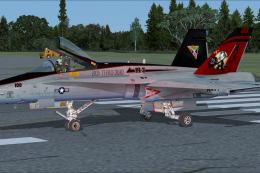
This package offers a refined livery showcasing the US Navy F/A-18C Hornet fr…
 FSX Military Aircraft
This free add-on provides a precision-crafted repaint of the default F/A-18C …
 FSX Military Aircraft
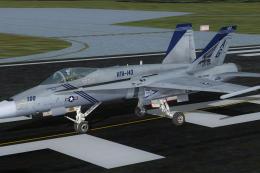
US Navy F/A-18C Pukin' Dogs CAG. Repaint of VFA-143 Pukin' Dogs CAG. F/A-18C …
 FSX Military Aircraft
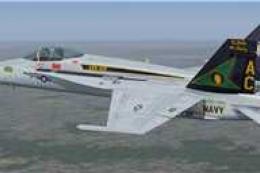
Experience a refined take on the celebrated F/A-18C Hornet in Microsoft Fligh…
 FSX Military Aircraft
US Marines F/A-18C Silver Eagles CAG. Repaint of VMFA-115 Silver Eagles CAG. …
 FSX Military Aircraft
VFA-192 Dambusters CAG bird, BuNo. 164905 for the default Acceleration F/A-18…
 FSX Military Aircraft
This repaint set provides a distinctive VAQ-132 “Scorpions” CAG livery for th…
 FSX Military Aircraft
Enhance your military aviation roster in Microsoft Flight Simulator X with th…
Be the first to leave a comment on this download.
Be the first to share your thoughts on this download.