

 FSX Military Aircraft
US Navy FA-18 Fighting Omars Blue
This new texture set offers a distinctive “Fighting Omars” livery for the def…
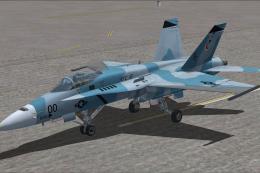
US Navy VFC-12 “Fighting Omars” repaint delivers distinctive adversary-style markings for the F/A-18C Hornet, enhancing immersion for aggressor training, dogfight practice, and carrier operations in Microsoft Flight Simulator X. It requires the default Acceleration F/A-18 model and includes crisp textures that capture the squadron’s recognizable camouflage character.
 Rate
Rate
This repaint brings the distinctive “Fighting Omars” markings to the default Acceleration F/A-18 in Microsoft Flight Simulator X. These textures, created by Ray Gagnon, replicate the livery of the US Navy’s VFC-12 detachment, known for their adversary training role and eye-catching camouflage schemes.
F/A-18C Hornet (Fighting Omars Variant) uses a naval fighter design that incorporates robust landing gear, reinforced structures, and carrier-compatible systems. The US Navy’s VFC-12 squadron employs these jets to simulate potential enemy aircraft in aggressor training. This particular scheme highlights the operational realism enthusiasts expect during advanced dogfight exercises.
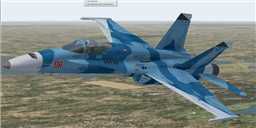
US Navy F/A-18C Fighting Omars in flight.
[fltsim.XX]
title=FA-18 Hornet omars
sim=FA-18
model=
panel=
sound=
texture=omars
kb_checklists=boeing_FA18_check
kb_reference=boeing_FA18_ref
atc_airline=NAVY
atc_id=06
atc_flight_number=06
ui_manufacturer="Boeing"
ui_type="F/A-18"
ui_variation=Fighting Omars
ui_typerole=Aggressor Squadron
ui_createdby=Ray Gagnon
description="The Hornet combines the ruggedness required of carrier-borne aircraft with speed and superior agility, especially at high angles of attack. Its powerful engines, canted vertical stabilizers, horizontal stabilators, large leading- and trailing-edge flaps, and sophisticated flight control system all contribute to a level of performance that makes the Hornet a versatile front-line fighter in several air forces around the world."
This vivid set of textures for the US Navy F/A-18C (Fighting Omars) is the product of Ray Gagnon’s creative work. By applying these carefully constructed markings, you can dive deeper into naval aviation’s aggressor training environment and experience a new level of immersion within Microsoft Flight Simulator X. Enjoy the thrill of simulated aerial engagements and carrier operations with this freeware addition.
Free for all simmers · 3.67 MB · Scanned clean Oct 2026
Download speed: Free tier is capped at 0.5 Mbps (this file takes approximately 1 min at the cap). PRO members download at full line speed.
texture.{airline}) inside FSX\SimObjects\Airplanes\{base-aircraft}\.aircraft.cfg in Notepad. Add a new [fltsim.X] section per the readme.readme.txt or README file. It tells you exactly where files go, what dependencies are needed, and any quirks specific to this add-on.The archive vfc-12fightingomars.zip has 18 files and directories contained within it.
This list displays the first 500 files in the package. If the package has more, you will need to download it to view them.
| Filename/Directory | File Date | File Size |
|---|---|---|
| Fighting Omars 1.bmp | 08.21.09 | 562.55 kB |
| Fighting Omars 2.bmp | 08.21.09 | 562.55 kB |
| Fighting Omars 3.bmp | 08.21.09 | 421.93 kB |
| fighting omars web thumb.gif | 08.21.09 | 10.80 kB |
| FILE_ID.DIZ | 08.21.09 | 150 B |
| readme!.txt | 08.21.09 | 2.73 kB |
| texture.omars | 08.19.09 | 0 B |
| F-18_Main01_T.dds | 08.13.09 | 1.33 MB |
| F-18_Main02_T.dds | 08.14.09 | 1.33 MB |
| F-18_Main03_T.dds | 08.12.09 | 1.33 MB |
| F-18_Main04_T.dds | 08.14.09 | 1.33 MB |
| F-18_Main05_T.dds | 08.18.09 | 1.33 MB |
| F-18_Wingl_T.dds | 08.13.09 | 1.33 MB |
| F-18_WingR_T.dds | 08.12.09 | 1.33 MB |
| texture.cfg | 08.22.07 | 162 B |
| thumbnail.jpg | 08.18.09 | 5.02 kB |
| flyawaysimulation.txt | 10.29.13 | 959 B |
| Go to Fly Away Simulation.url | 01.22.16 | 52 B |
Only PRO members can place votes.
More FSX & P3D add-ons hand-picked based on this download.
FSX Military Aircraft
This new texture set offers a distinctive “Fighting Omars” livery for the def…
 FSX Military Aircraft
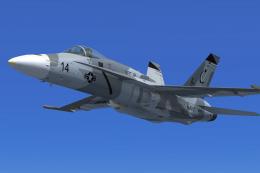
This specialized repaint package features the famous “Shades of Grey” adversa…
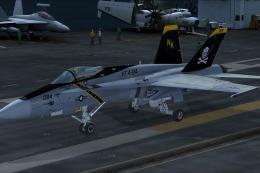 FSX Military Aircraft
This package offers a refined livery showcasing the US Navy F/A-18C Hornet fr…
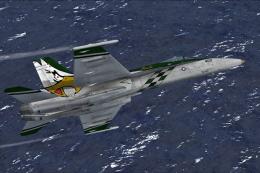 FSX Military Aircraft
VFA-192 Dambusters CAG bird, BuNo. 164905 for the default Acceleration F/A-18…
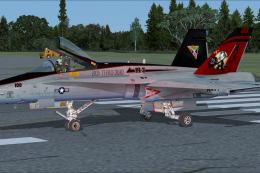 FSX Military Aircraft
This free add-on provides a precision-crafted repaint of the default F/A-18C …
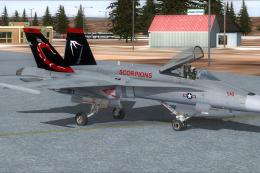 FSX Military Aircraft
This repaint set provides a distinctive VAQ-132 “Scorpions” CAG livery for th…
 FSX Military Aircraft
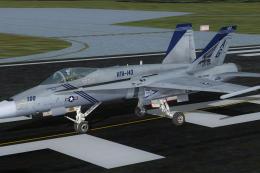
US Navy F/A-18C Pukin' Dogs CAG. Repaint of VFA-143 Pukin' Dogs CAG. F/A-18C …
 FSX Military Aircraft
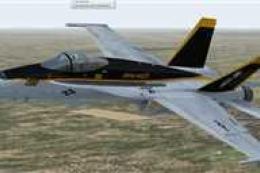
Enhance your military aviation roster in Microsoft Flight Simulator X with th…
Be the first to leave a comment on this download.
Be the first to share your thoughts on this download.