


 FSX Missions
He Went Fishing In The Swamps (Update) Mission
Update To He Went Fishing In The Swamps, for use with FFFFISH.ZIP. This is an…
Glacier Park Fishing Trip delivers a relaxed bush-flying challenge in FSX, piloting an included Grumman Goose “Fishing Edition” from Glacier Park International (KFCA) to Lake McDonald and back with a fresh catch. Expect a tabbed briefing with charts and kneeboard, extra scenery, theme music, rewards, and randomized outcomes for replayable group contests.
 Rate
Rate
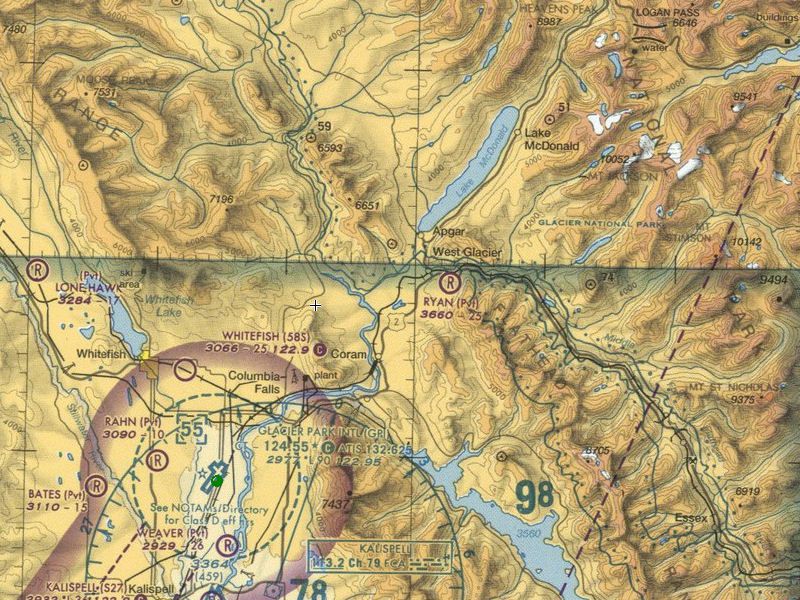
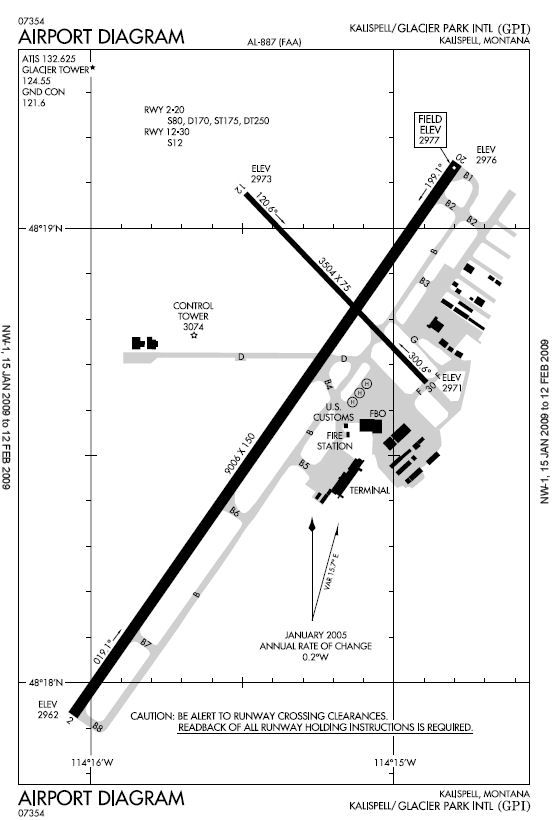
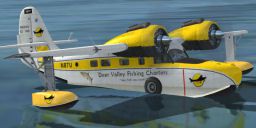
MissionGlacier Park Fishing Trip. Fly your Grumman Goose 'Fishing Edition' (included) to Lake McDonald in beautiful Glacier National Park and do some fishing for lake trout and perch. Fly back to Glacier Park International (KFCA) to drop off your fish. Features a full tabbed briefing with charts, kneeboard, extra scenery, theme music, a reward, and a special 'random' factor that means the mission is never the same twice. Fly this mission with friends and have fishing contests and poker hands for even more fun. By Mike Lanza.
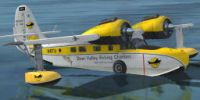
Glacier Park Fishing Trip Mission.
* This zip file is for FSX use only - it will not work in FS9.
SETTINGS NOTES:
- Make sure your 'Airport vehicle density' slider is turned up to Low or higher under 'Traffic Settings.'.
- Make sure your 'Show captions' box is checked under 'General Settings.'
Installation:
1. Unzip the file into a temporary folder. This will create 3 folders: Missions, Rewards, & SimObjects.
2. In the 'Missions' folder there will be a sub-folder called 'The Good Life.' Copy or move the folder inside the 'The Good Life' folder called 'Glacier_Park' into your Missions/The Good Life folder in your FSX directory.
3. Inside the 'Rewards' folder is a file called 'glacier_park.RWD.' Copy or move this file to the 'Rewards' folder in your FSX directory.
4. In the 'SimObjects' folder is a sub-folder called 'Airplanes.' Copy or move the folder inside the 'Airplanes' folder called 'Grumman_Goose_G21A_Fish' to your simobjects/airplanes folder in your FSX directory.
5. Start FSX and go to Missions. The Mission will appear in 'The Good Life' Mission category as "Glacier Park Fishing Trip" as a 'Beginner' mission. Choose the mission and click the 'Go To Briefing' button.
6. PLEASE read the briefing carefully as it expains exactly how the fishing mission works. When you are ready, simply click the 'Fly' button and the mission will begin. You will hear an introduction right away and this will indicate that the mission is working.
Author: Mike Lanza
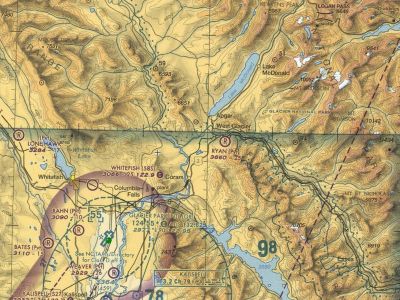
Glacier Park Fishing Trip Mission.
Free for all simmers · 3.59 MB · Scanned clean Oct 2026
Download speed: Free tier is capped at 0.5 Mbps. PRO members download at full line speed.
FSX\Missions\ as a sub-folder. The folder must contain an XML file describing the mission.readme.txt or README file. It tells you exactly where files go, what dependencies are needed, and any quirks specific to this add-on.The archive glacpark.zip has 58 files and directories contained within it.
This list displays the first 500 files in the package. If the package has more, you will need to download it to view them.
| Filename/Directory | File Date | File Size |
|---|---|---|
| Readme.txt | 01.18.09 | 2.63 kB |
| The Good Life | 01.18.09 | 0 B |
| Glacier_Park | 01.18.09 | 0 B |
| Charts.htm | 01.18.09 | 944 B |
| Charts_Tab.htm | 05.03.08 | 5.43 kB |
| Details.htm | 01.18.09 | 1.63 kB |
| Details_Tab.htm | 05.03.08 | 5.43 kB |
| Glacier Park Fishing Trip.FLT | 02.08.08 | 10.00 kB |
| Glacier Park Fishing Trip.WX | 02.08.08 | 151.70 kB |
| Glacier.htm | 01.18.09 | 4.71 kB |
| GlacierPark.spb | 01.18.09 | 48.06 kB |
| images | 01.18.09 | 0 B |
| Charts_01.jpg | 02.08.08 | 191.36 kB |
| Charts_02.jpg | 01.18.09 | 68.33 kB |
| Overview_01.jpg | 02.11.08 | 6.88 kB |
| mission_complete.bmp | 02.11.08 | 87.15 kB |
| mission_incomplete.bmp | 02.11.08 | 87.15 kB |
| Overview.htm | 01.18.09 | 4.80 kB |
| Overview_Tab.htm | 02.08.08 | 5.43 kB |
| sound | 01.18.09 | 0 B |
| 20th_century_fox.wav | 07.23.03 | 133.76 kB |
| ahcrap.wav | 07.04.01 | 3.84 kB |
| cat.wav | 02.11.08 | 54.56 kB |
| fishingreel.wav | 08.18.06 | 17.19 kB |
| h2ojump.wav | 08.18.06 | 64.29 kB |
| intro.wav | 10.02.07 | 68.55 kB |
| reelgo.wav | 08.18.06 | 31.17 kB |
| glacier_park.RWD | 02.12.08 | 13.26 kB |
| Airplanes | 01.18.09 | 0 B |
| Grumman_Goose_G21A_Fish | 01.18.09 | 0 B |
| aircraft.cfg | 02.11.08 | 22.19 kB |
| Grumman_Goose_G21A.air | 09.04.06 | 7.31 kB |
| GrummanGooseG21A_check.htm | 07.28.06 | 49.94 kB |
| GrummanGooseG21A_ref.htm | 06.19.06 | 3.51 kB |
| model | 01.18.09 | 0 B |
| model.cfg | 02.18.08 | 119 B |
| panel | 01.18.09 | 0 B |
| panel.BackupXGaugeWizard.cfg | 08.03.06 | 9.19 kB |
| PANEL.CFG | 02.18.08 | 9.35 kB |
| panel.XGaugeWizard.cfg | 10.01.07 | 9.31 kB |
| sound | 01.18.09 | 0 B |
| SOUND.CFG | 02.08.08 | 40 B |
| sound_backup.CFG | 02.08.08 | 40 B |
| soundai | 01.18.09 | 0 B |
| SOUNDai.CFG | 02.08.08 | 42 B |
| Texture.FISH | 01.18.09 | 0 B |
| Fresnel_Ramp.dds | 10.01.07 | 640 B |
| grumman_goose_g21a_4_C.dds | 02.09.08 | 1.33 MB |
| grumman_goose_g21a_4_night_C.dds | 09.04.06 | 682.79 kB |
| Grumman_Goose_G21A1_T.dds | 02.09.08 | 1.33 MB |
| Grumman_Goose_G21A1_T_spec.dds | 02.09.08 | 1.33 MB |
| Grumman_Goose_G21A2_T.dds | 02.09.08 | 341.48 kB |
| Grumman_Goose_G21A2_T_spec.dds | 02.09.08 | 341.48 kB |
| Prop_Goose.dds | 10.01.07 | 341.46 kB |
| texture.cfg | 02.18.08 | 159 B |
| thumbnail.jpg | 02.09.08 | 10.19 kB |
| flyawaysimulation.txt | 10.29.13 | 959 B |
| Go to Fly Away Simulation.url | 01.22.16 | 52 B |
Only PRO members can place votes.
More FSX & P3D add-ons hand-picked based on this download.
FSX Missions
Update To He Went Fishing In The Swamps, for use with FFFFISH.ZIP. This is an…
 FSX Missions
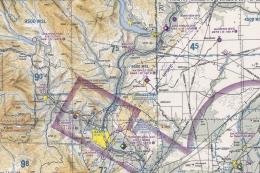
Welcome. See if you can get from Pangborn Memorial to a local airport by air.…
 FSX Missions
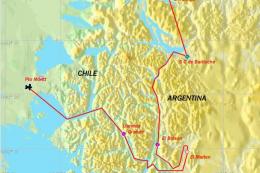
Argentine Ski Trip. You operate a charter and delivery service out of Puerto …
 FSX Missions
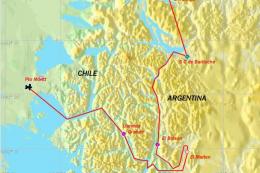
Ski Trip. You've been chartered to fly two skiers from Pto. Montt, Chile to a…
 FSX Missions
You are Jack Sparrow, a young guy camping on Shaw Island. You decide to take …
FSX Missions
A real-world trip round eight European countries as described by Dr Peter Bar…
 FSX Missions
Madagascar Mission. The Madagascarian Military pays you for a transport fligh…
 FSX Missions
Experience a daring alpine approach with this immersive mission set amid the …
Read what other simmers think, or add your own.

Mission loaded just fine, music was good. Instructions were visible on screen (I had the captions turned on). However, I'm not sure the mission worked as intended. I flew to the lake, landed on the lake, cut the engines, then got the "Mission success!" notice. No fishing. No hauling loads back to the airport. Maybe I'm missing something. Fun/beautiful place to fly, I'll definitely try it again to see if there's more to it. But overall a solid 3+* rating for me.

Exactly the same problem as Jack...I don't think the program initiates as per the instructions, so no start up music or sounds, also no messages in kneeboard. Great to fly around in Glacier park though.

I got the mission and plane to load ok, but the plane has no guages. What did I do wrong. Any help would be appreciated. Thank in advance. edmeister

I agree with Jack above. I can't find any fishing spots. I've stuck close to shore, gone to the middle of the lake, zig zagged from shore to shore, and nothing. This sounds like a great mission, but I'm tired of using my floatplane as a glorified bass boat.
Can we at least get a hint as to where/how to find the fish?

What a fun mission. Worked flawlessly in Steam. This will be one I go back and fly a few times. Starting to like the float planes.

Had difficulties finding where to fish in Lake McDonald. Tried dozens of spots in the lake never heard the fishing reel casting out sound (Sound Files copied into correct FSX sub-folder) or splash sounds (?) Nor received any above mentioned text messages. Also don't know whether to shut down engines or not after coming to a stop on the lake; tried both ways. Anyone have success with this simple mission ?

Basically a nicely set up scenario. I give it a 3.5 stars actually. Very good idea, but like real fishing, you spend a lot of time here doing nothing. Speeding up to x8 works, over that not (regarding fish catching and filling up/dropping off your fish). A superb seaplane is included - first-class model in and out. A good one to practice take offs and landings, mixed sea and land.