

 FS2004 Civil Jet Aircraft
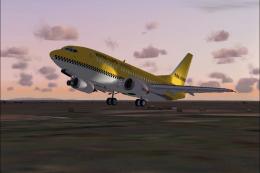
Hapag-Lloyd Express Boeing 737-500
Hapag-Lloyd Express is a wholly-owned subsidiary of TUI AG, the world's large…
Hapag-Lloyd Express Boeing 737-700 AI textures bring HLX’s bold bright-yellow “taxi” livery to busy traffic scenes in FS2004, reflecting the carrier’s leased -700 workhorse. Based on the official ARNZ paintkit, this repaint targets Jon Murchinson’s 737NG AIS model and requires the 737NG base pack.
 Rate
Rate
Hapag Lloyd Express Boeing 737-700 for AI. HLX is a rather new low-cost division of Hapag Lloyd Flug/TUI. Currently on lease from Germania, HLX's B737-700 fleet is their main workhorse. Their distinctive bright yellow "taxi" color scheme makes them stand out in any crowd of jets. This archive contains textures only for Jon Murchinson's 737NG with AIS package (AIS737BB.ZIP). Repaint in HLX colours by Torsten Meyrowitz.
Repaint based on official ARNZ paintkit. Textures only, You will need to have the 737NG base pack installed.
Original model '737 NEXT GENERATION with Animated inbuilt scenery' by Jon Murchinson (ARNZ).
Disclaimer:
In addition to the legal paragraph by ARNZ, I also accept no responsibility for any harm You or Your system may take while, after or due to installation of these textures. Use at Your own risk!
Installation:
Unzip this archive with "create folders" option into Your '737NG_AIS'-folder or where You have installed the base pack. Included is a text file for easy addition into Your AIS-AI fleet. Copy & paste its content to the aircraft.cfg file and adjust the texture number to the next available.
Free for all simmers · 119.95 KB · Scanned clean Oct 2026
Download speed: Free tier is capped at 0.5 Mbps. PRO members download at full line speed.
FS9\Aircraft\, FS9\Addon Scenery\, FS9\Gauges\, or FS9\Effects\.readme.txt or README file. It tells you exactly where files go, what dependencies are needed, and any quirks specific to this add-on.The archive hlx737ai.zip has 8 files and directories contained within it.
This list displays the first 500 files in the package. If the package has more, you will need to download it to view them.
| Filename/Directory | File Date | File Size |
|---|---|---|
| 73X_AI.bmp | 12.23.03 | 1.00 MB |
| 73X_AI_L.bmp | 07.03.03 | 256.07 kB |
| 8.ICO | 10.30.03 | 17.13 kB |
| HLX.txt | 12.23.03 | 373 B |
| texture.737_HLX | 12.23.03 | 0 B |
| readme.txt | 12.22.03 | 1.64 kB |
| flyawaysimulation.txt | 10.29.13 | 959 B |
| Go to Fly Away Simulation.url | 01.22.16 | 52 B |
Only PRO members can place votes.
More FS2004 add-ons hand-picked based on this download.
FS2004 Civil Jet Aircraft
Hapag-Lloyd Express is a wholly-owned subsidiary of TUI AG, the world's large…
 FS2004 Civil Jet Aircraft
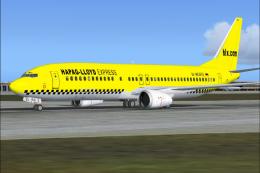
Textures only for the default B737. By M. Schindler. Screenshot of Hapag Lloy…
 FS2004 Civil Jet Aircraft
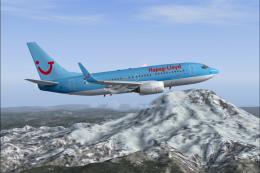
Hapag Lloyd Boeing 737-700 with winglets. Textures only, requires PMDG B737-7…
 FS2004 Civil Jet Aircraft
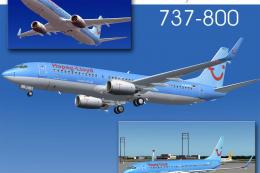
Kittyhawk Productions presents the all new b737-800 in regular and winglet mo…
 FS2004 Civil Jet Aircraft
Boeing 737-800 "TUI". Textures only for the AIS-AI B737-800 "NG in HLF-TUI li…
 FS2004 Civil Jet Aircraft
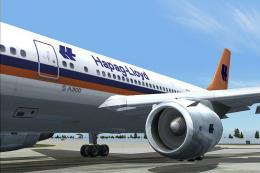
This freeware release features the Federal Hapag-Lloyd A300B4-200 for FS2004,…
 FS2004 Civil Jet Aircraft
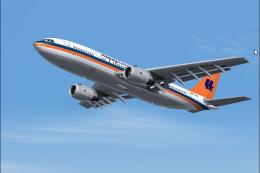
Hapag Lloyd Airbus A300B4-200, registration D-AMAX. Model by SGA. Screenshot …
 FS2004 Civil Jet Aircraft
Model by Kittyhawk Studios. Repaint by Tom van der Elst. Screenshot of Evergr…
Be the first to leave a comment on this download.
Be the first to share your thoughts on this download.