

 FSX General Aviation Aircraft
Robin R2160/Alpha 160A
Robin R2160/Alpha 160A. The Robin R2160 and Alpha 160A are identical, all met…
Alpha 160A brings an all-metal aerobatic trainer to FSX SP2, powered by a 160 hp Lycoming O-320 and tuned for both general flying and precision aerobatics. The package includes a custom panel and virtual cockpit, fully animated details, Garmin GNS430 avionics with documentation, plus three authentic UK and New Zealand liveries.
 Rate
Rate
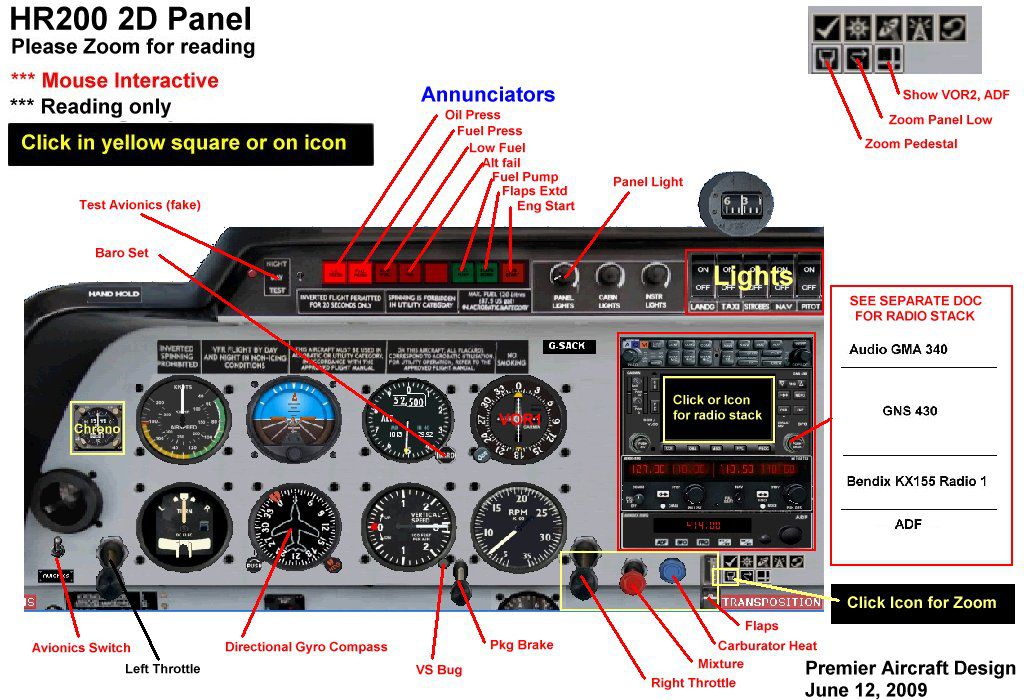
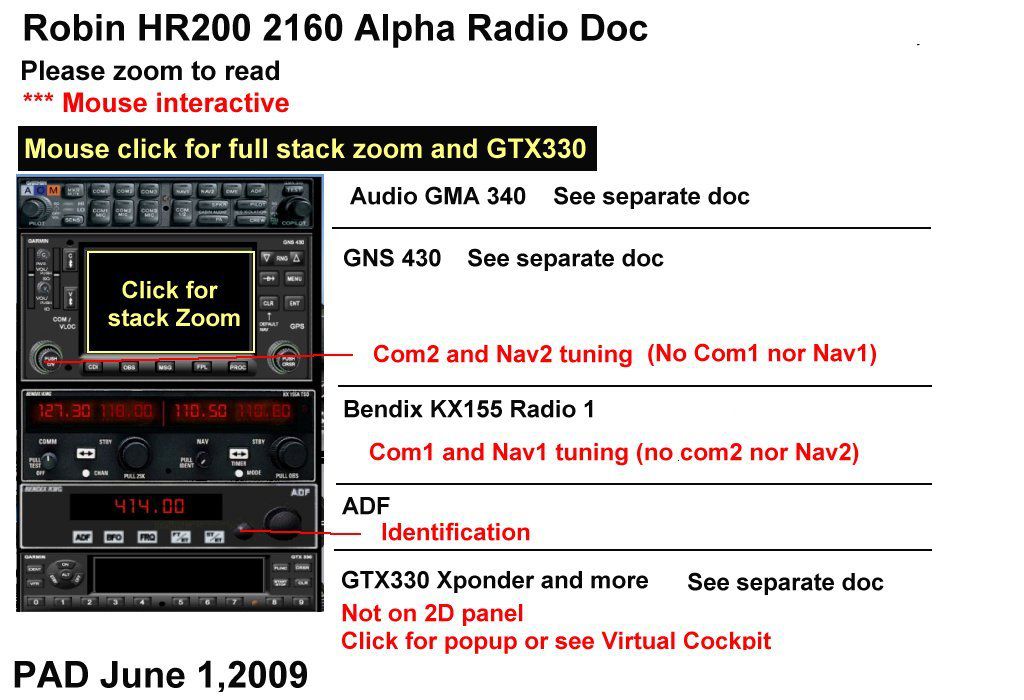
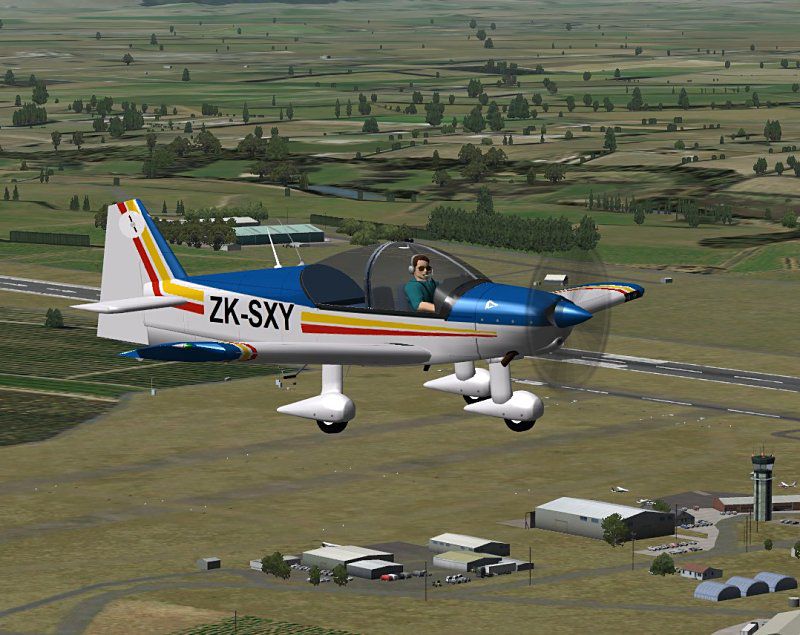
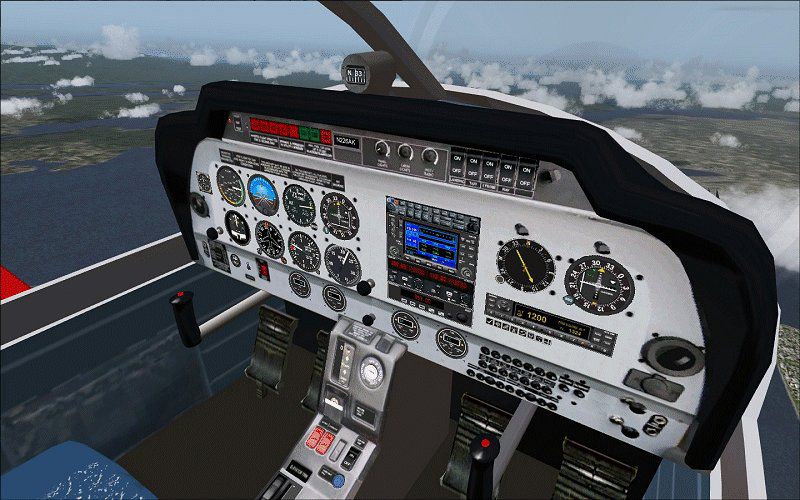
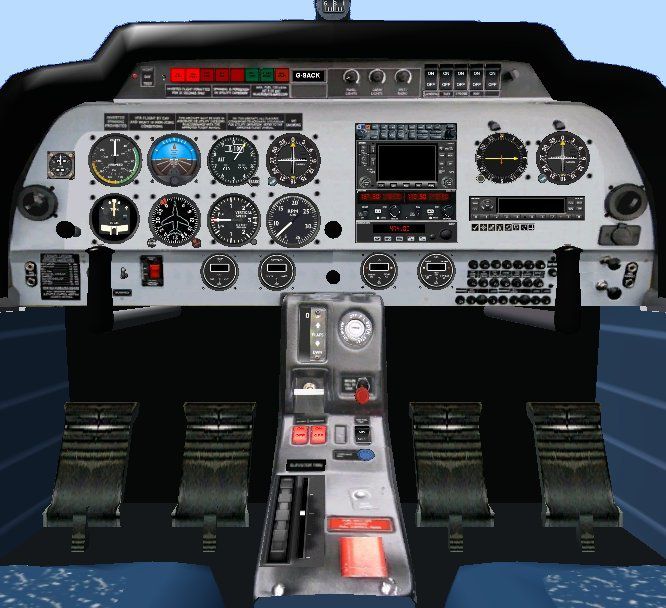
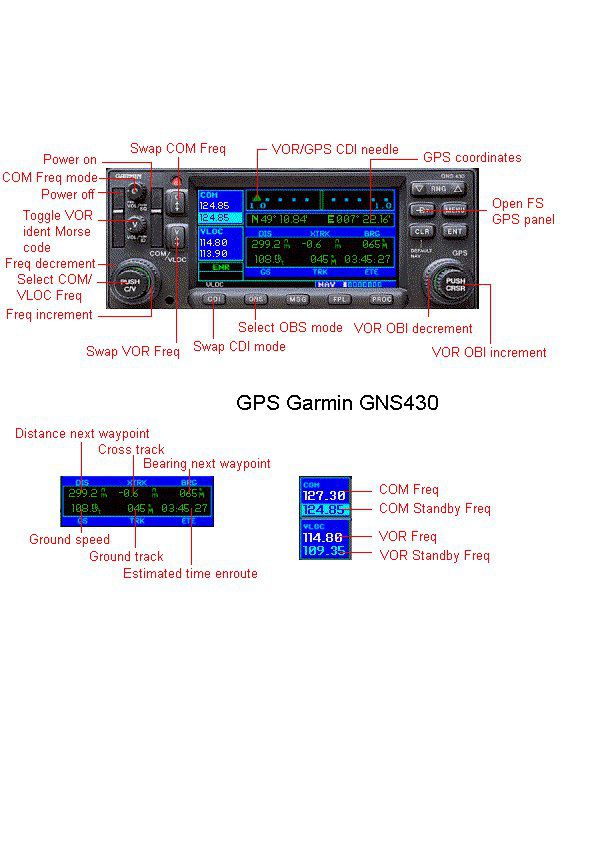
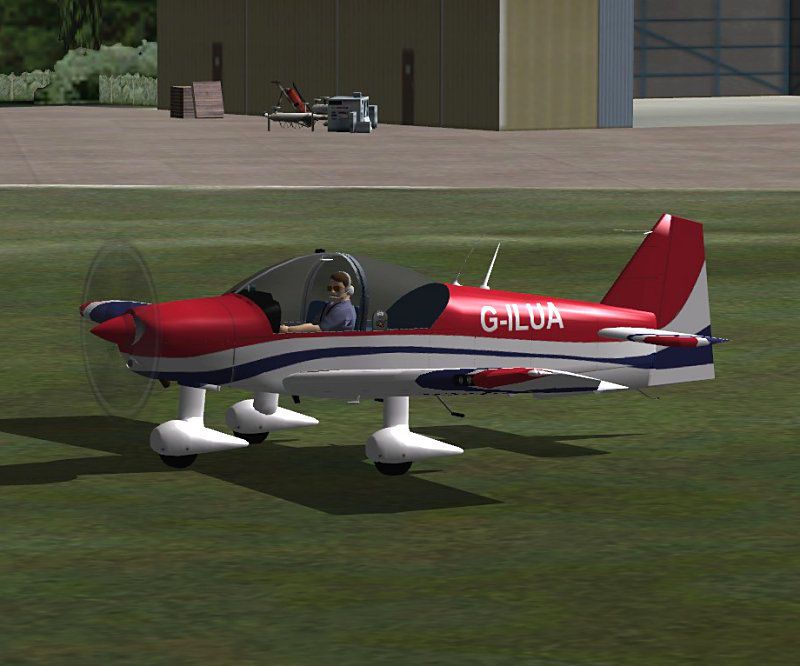

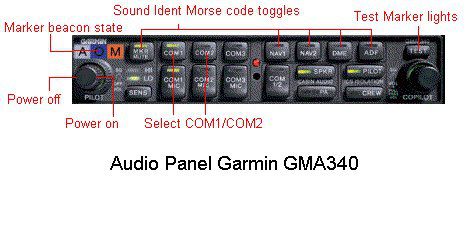
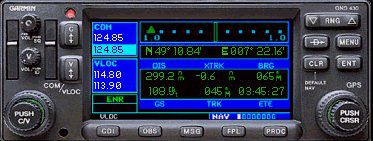
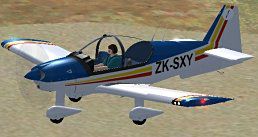
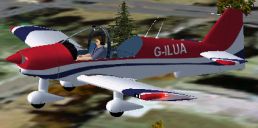
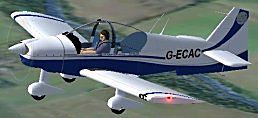
The Alpha 160A is an all metal, aerobatic trainer with a 160 hp Lycoming O-320-D2A engine. The aircraft was originally designed and built by Avions Robin in France but in 2004 production moved to Alpha Aviation in New Zealand. Full package for FSX/SP2 with custom panel and VC and fully animated parts. Garmin GNS430 avionics. Full avionics documentation included, together with aircraft check and ref lists. Three real life liveries included from Great Britain and New Zealand painted by Stephanie Lawton. The package also includes upgraded panel and VC by Ed Wells. Great fun for aerobatics or general flying. By Jean-Pierre Brisard and Bob May - Premier Aircraft Design.
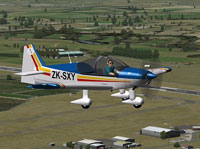
Screenshot of Alpha 160A in flight.
Installation:
Extract ALL (Repeat ...*ALL*) the files into the FSX MAIN Folder. New folders will be created and all files automatically installed. Vista and Win7 users may need to temporarily disable the UAC (User Account Control) to enable automatic creation of new folders.
Here's how by the numbers:
Operating Tips:
Free for all simmers · 9.15 MB · Scanned clean Oct 2026
Download speed: Free tier is capped at 0.5 Mbps (this file takes approximately 3 mins at the cap). PRO members download at full line speed.
SimObjects\Airplanes\, Addon Scenery\, Effects\, or Gauges\.readme.txt or README file. It tells you exactly where files go, what dependencies are needed, and any quirks specific to this add-on.The archive alpha160a_3_uknz_x.zip has 108 files and directories contained within it.
This list displays the first 500 files in the package. If the package has more, you will need to download it to view them.
| Filename/Directory | File Date | File Size |
|---|---|---|
| airplanes | 09.19.12 | 0 B |
| alpha160A_3_NZUK_x | 09.19.12 | 0 B |
| aircraft.cfg | 09.19.12 | 11.75 kB |
| alpha160A_G-ECAC_800.jpg | 09.18.12 | 63.70 kB |
| alpha160A_G-ILUA_800.jpg | 09.18.12 | 73.40 kB |
| alpha160A_ZK-SXY_800.jpg | 09.18.12 | 109.93 kB |
| FILE_ID.diz | 09.18.12 | 1.36 kB |
| MANUAL | 09.19.12 | 0 B |
| Flying_Tips.txt | 09.18.12 | 7.06 kB |
| R2160_PanelDocs | 09.19.12 | 0 B |
| HR200_2D_panel.jpg | 06.12.09 | 180.88 kB |
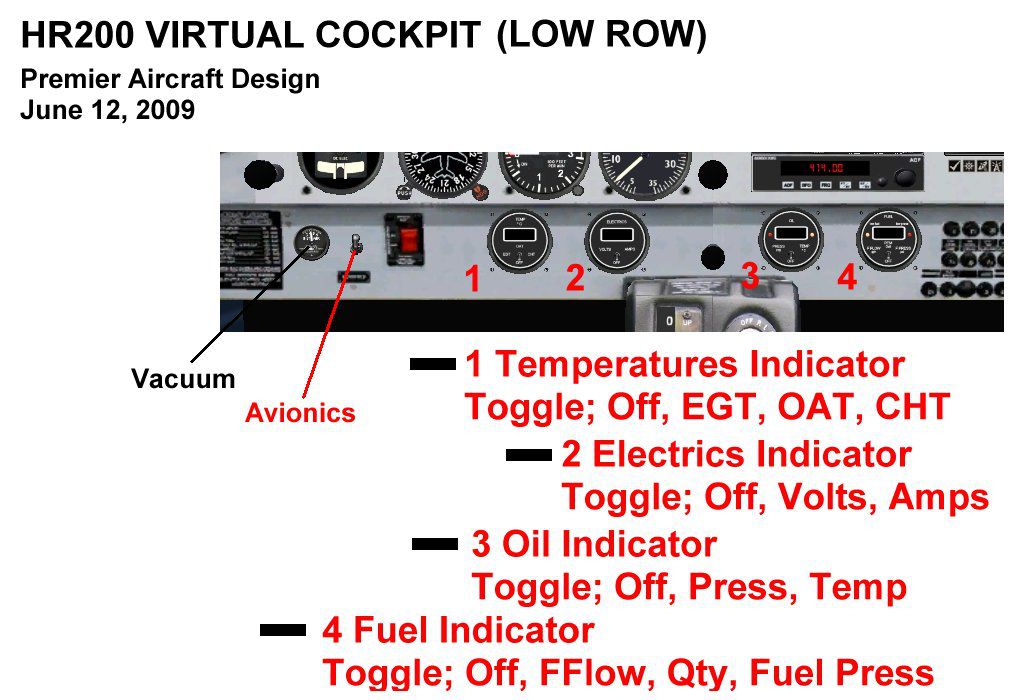
| HR200_LowRow.jpg | 06.12.09 | 125.22 kB |
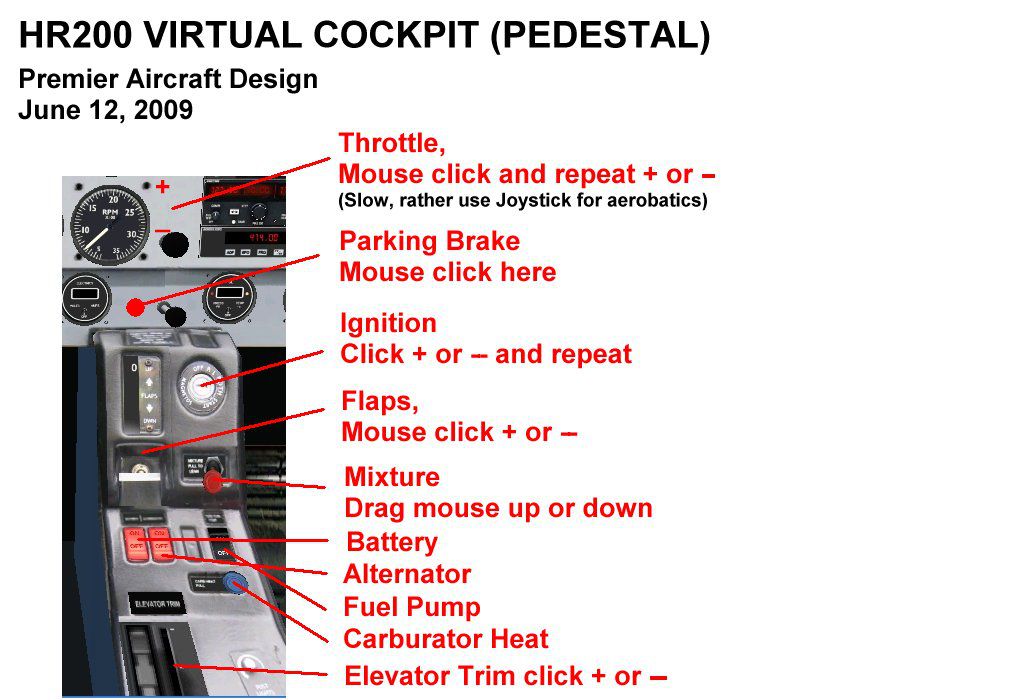
| HR200_pedestal.jpg | 06.12.09 | 112.13 kB |
| HR200_VirtualCockpit.jpg | 06.12.09 | 87.17 kB |
| R2160_RadioDocs | 09.19.12 | 0 B |
| Garmin GNS430 | 09.19.12 | 0 B |
| ExplGNS430.jpg | 05.31.09 | 79.53 kB |
| GNS430.jpg | 05.31.09 | 22.26 kB |
| GNS430.txt | 11.11.02 | 5.41 kB |
| Thumbs.db | 06.12.09 | 5.50 kB |
| gma340_audio | 09.19.12 | 0 B |
| ExplGMA340.jpg | 05.31.09 | 26.40 kB |
| GMA340.txt | 11.11.02 | 4.93 kB |
| Thumbs.db | 06.12.09 | 5.00 kB |
| Radio Doc.jpg | 05.31.09 | 125.35 kB |
| Thumbs.db | 06.12.09 | 5.50 kB |
| Robin_check.htm | 06.23.09 | 43.08 kB |
| Robin_ref.htm | 06.23.09 | 7.01 kB |
| Model | 09.19.12 | 0 B |
| Model.cfg | 06.17.09 | 32 B |
| Robin200_fix8.mdl | 06.17.09 | 1.48 MB |
| Panel.EW | 09.19.12 | 0 B |
| AUD_Garmin_GMA340.gau | 11.08.02 | 187.00 kB |
| FS9Garmin.cab | 10.17.03 | 263.48 kB |
| hr200.CAB | 06.30.09 | 835.91 kB |
| hr200_annun.CAB | 05.28.09 | 20.10 kB |
| hr200_clock.CAB | 05.30.08 | 51.63 kB |
| hr200_inst.CAB | 05.31.09 | 260.61 kB |
| hr200_sw.CAB | 05.31.09 | 108.35 kB |
| Panel.cfg | 01.30.10 | 9.44 kB |
| PanelEngines.bmp | 05.30.09 | 395.56 kB |
| panelMain.bmp | 07.17.10 | 2.25 MB |
| Pedestal.bmp | 05.28.09 | 346.93 kB |
| README FIRST.txt | 09.18.12 | 3.84 kB |
| robin.air | 09.18.12 | 10.51 kB |
| Robin_check.htm | 06.23.09 | 43.08 kB |
| Robin_ref.htm | 06.23.09 | 7.01 kB |
| robin_VC_800.jpg | 09.18.12 | 102.54 kB |
| sound.0 | 09.19.12 | 0 B |
| sound.CFG | 09.18.12 | 28 B |
| texture.G-ECAC | 09.19.12 | 0 B |
| chrome.bmp | 08.05.06 | 64.07 kB |
| Elevator.bmp | 09.17.12 | 256.07 kB |
| Interiors.bmp | 09.17.12 | 1.00 MB |
| lights.bmp | 09.17.12 | 64.07 kB |
| lights_L.bmp | 09.17.12 | 64.07 kB |
| Panel.bmp | 09.17.12 | 1.00 MB |
| PanelVCL.bmp | 01.30.10 | 1.00 MB |
| PanelVCR.bmp | 01.30.10 | 1.00 MB |
| Panel_VC.bmp | 05.22.09 | 512.07 kB |
| pilote.bmp | 09.17.12 | 16.07 kB |
| prop2_TBX.bmp | 09.17.12 | 256.07 kB |
| Rob_fuse.bmp | 09.17.12 | 1.00 MB |
| roue2.bmp | 09.17.12 | 64.07 kB |
| Thumbnail.jpg | 09.18.12 | 9.78 kB |
| Wing_Left.bmp | 09.17.12 | 1.00 MB |
| Wing_Right.bmp | 09.17.12 | 1.00 MB |
| texture.G-ILUA | 09.19.12 | 0 B |
| chrome.bmp | 08.05.06 | 64.07 kB |
| Elevator.bmp | 09.17.12 | 256.07 kB |
| Interiors.bmp | 09.17.12 | 1.00 MB |
| lights.bmp | 09.17.12 | 64.07 kB |
| lights_L.bmp | 09.17.12 | 64.07 kB |
| Panel.bmp | 09.17.12 | 1.00 MB |
| PanelVCL.bmp | 01.30.10 | 1.00 MB |
| PanelVCR.bmp | 01.30.10 | 1.00 MB |
| Panel_VC.bmp | 05.22.09 | 512.07 kB |
| pilote.bmp | 09.17.12 | 16.07 kB |
| prop2_TBX.bmp | 09.17.12 | 256.07 kB |
| Rob_fuse.bmp | 09.17.12 | 1.00 MB |
| roue2.bmp | 09.17.12 | 64.07 kB |
| thumbnail.jpg | 09.17.12 | 32.64 kB |
| Wing_Left.bmp | 09.17.12 | 1.00 MB |
| Wing_Right.bmp | 09.17.12 | 1.00 MB |
| texture.ZK-SXY | 09.19.12 | 0 B |
| chrome.bmp | 08.05.06 | 64.07 kB |
| Elevator.bmp | 09.17.12 | 256.07 kB |
| Interiors.bmp | 09.17.12 | 1.00 MB |
| lights.bmp | 09.17.12 | 64.07 kB |
| lights_L.bmp | 09.17.12 | 64.07 kB |
| Panel.bmp | 09.17.12 | 1.00 MB |
| PanelVCL.bmp | 01.30.10 | 16.00 MB |
| PanelVCR.bmp | 01.29.10 | 16.00 MB |
| Panel_VC.bmp | 05.22.09 | 512.07 kB |
| pilote.bmp | 09.17.12 | 16.07 kB |
| prop2_TBX.bmp | 09.17.12 | 256.07 kB |
| Rob_fuse.bmp | 09.17.12 | 1.00 MB |
| roue2.bmp | 09.17.12 | 64.07 kB |
| thumbnail.jpg | 09.18.12 | 10.77 kB |
| Wing_Left.bmp | 09.17.12 | 1.00 MB |
| Wing_Right.bmp | 09.17.12 | 1.00 MB |
| simobjects | 08.16.12 | 0 B |
| fx_PADbeaconh.fx | 09.02.06 | 4.75 kB |
| fx_PADwater2.fx | 07.30.06 | 2.03 kB |
| fx_turbo_exhaust.fx | 01.28.09 | 1.47 kB |
| effects | 08.24.12 | 0 B |
| flyawaysimulation.txt | 10.29.13 | 959 B |
| Go to Fly Away Simulation.url | 01.22.16 | 52 B |
Only PRO members can place votes.
More FSX & P3D add-ons hand-picked based on this download.
FSX General Aviation Aircraft
Robin R2160/Alpha 160A. The Robin R2160 and Alpha 160A are identical, all met…
 FSX General Aviation Aircraft
After publishing my FSX AI Carrier package, I had several people contact me a…
 FSX General Aviation Aircraft
Christen Eagle Gauge Fix For FSX SP2. This is one small file to improve the w…
 FSX General Aviation Aircraft
Extra 300s For FSX DTT. This is a repaint of the default Extra 300S for a new…
 FSX General Aviation Aircraft
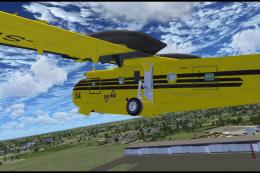
Canadair CL215 v3.0X Multirole amphibious aircraft. Tested with FSX SP1 but w…
 FSX General Aviation Aircraft
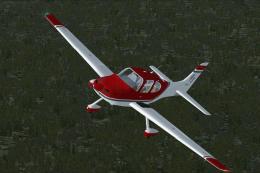
Cirrus SR22-GTS Turbo G3. This is Wolfram Beckert and Guenter Kraemer's Cirru…
 FSX General Aviation Aircraft
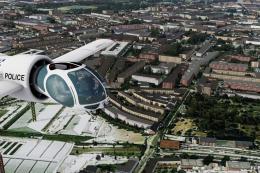
The Edgley EA-7 Optica, designed by John Edgley and built by Brooklands Aeros…
 FSX General Aviation Aircraft
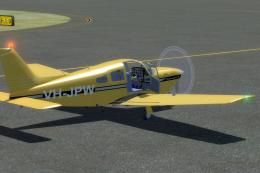
Explore the skies with the meticulously crafted Piper Arrow III Pack, a premi…
Read what other simmers think, or add your own.
