

 FSX General Aviation Aircraft
Robin R2160
Robin R2160. This is a repaint of the Robin R2160/Alpha 160A Package by Premi…
Robin R2160/Alpha 160A brings a responsive, all-metal aerobatic trainer to FSX, powered by a 160 hp Lycoming O-320-D2A for crisp handling in general flying or precision aerobatics. It includes a custom panel and virtual cockpit, fully animated details, Garmin GNS430 and GTX330 avionics, documentation, and three real-world liveries from the U.S., Great Britain, and New Zealand.
 Rate
Rate
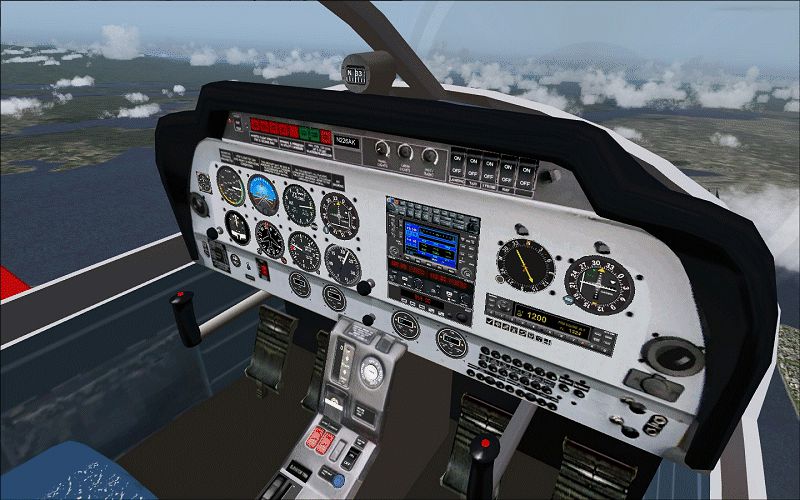
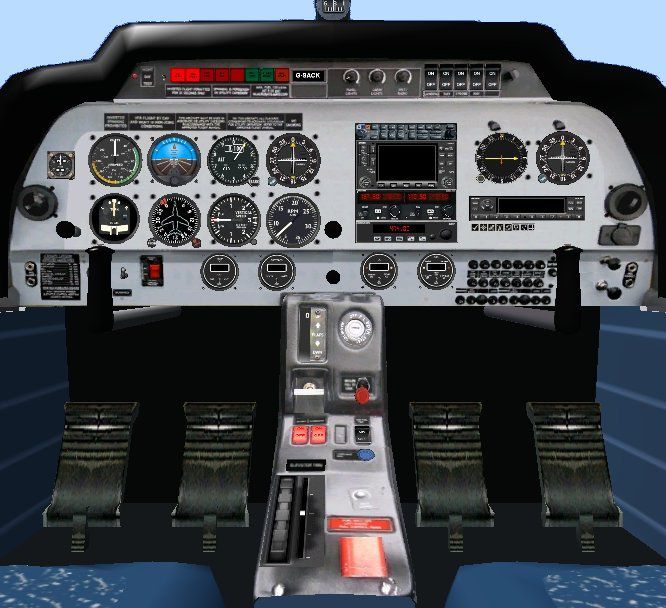
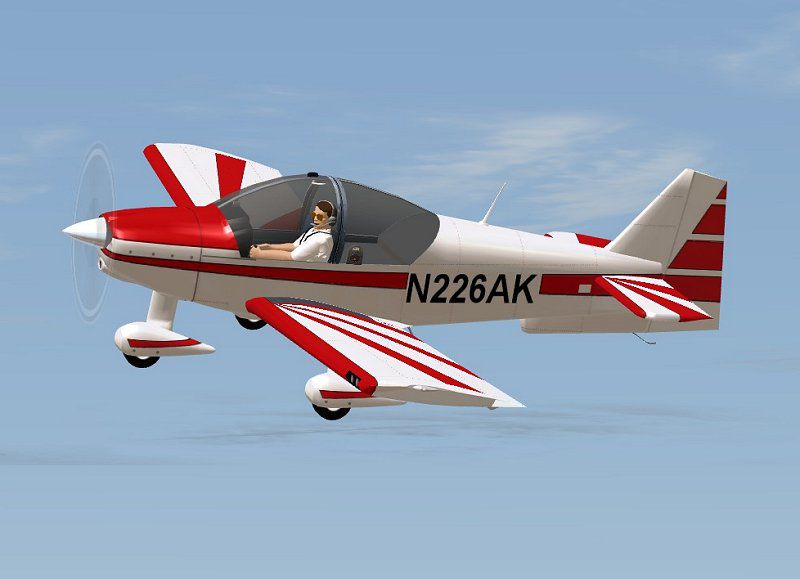
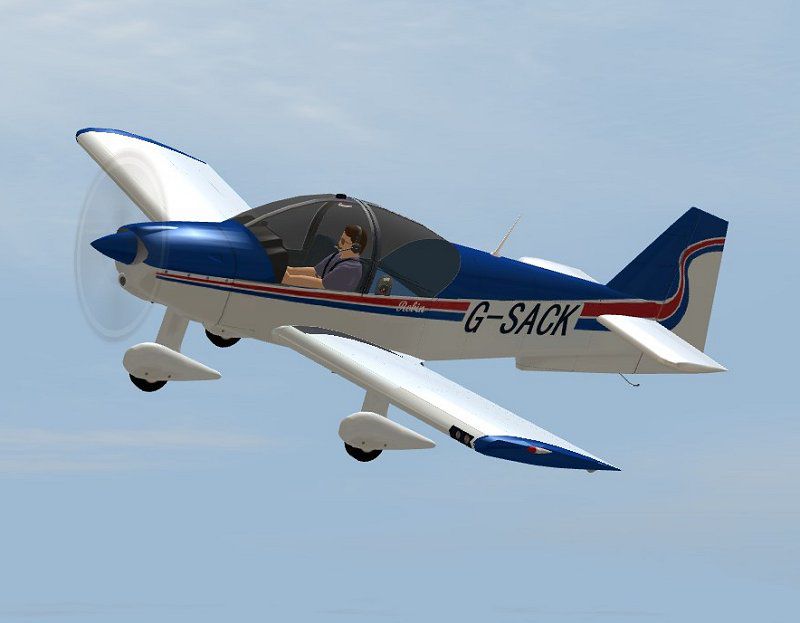
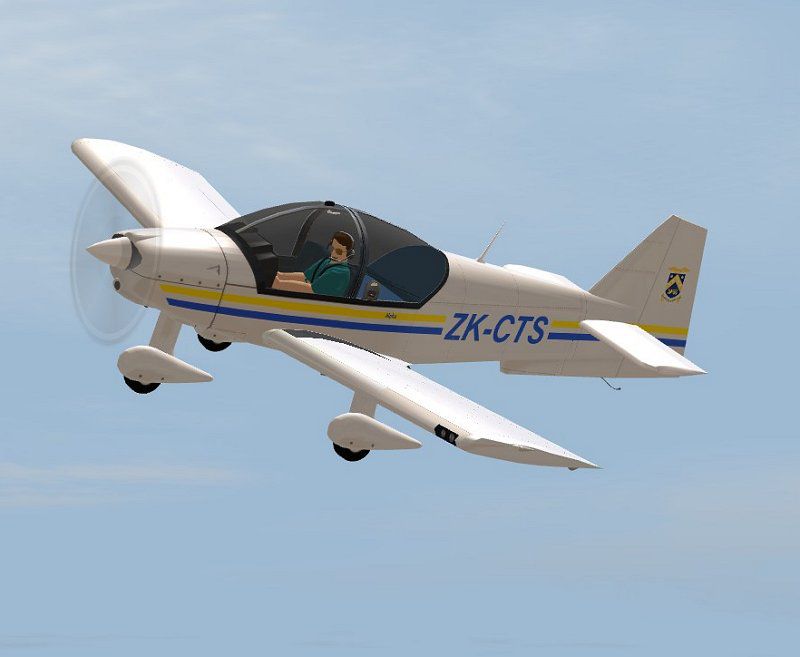
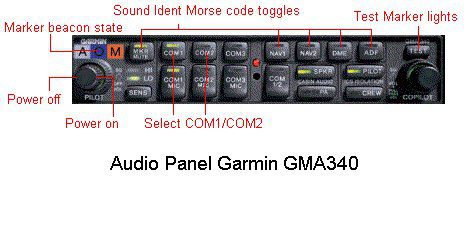
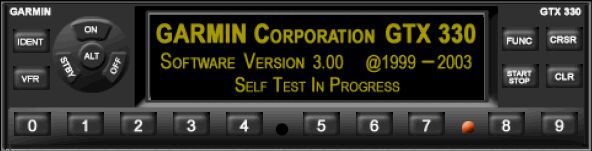
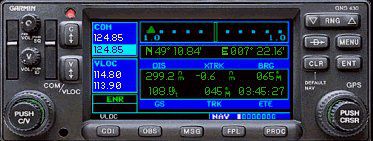
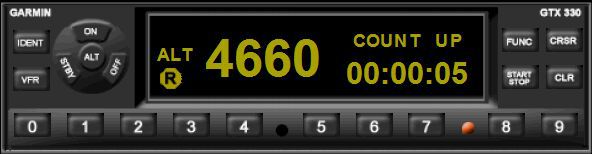
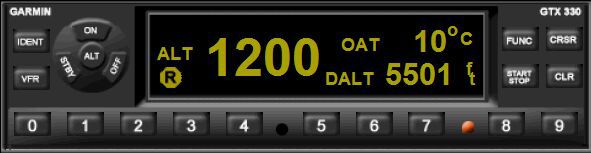
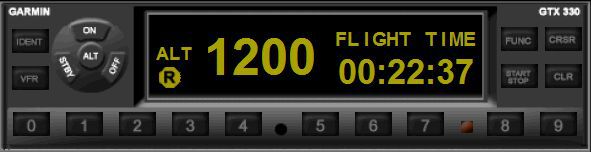
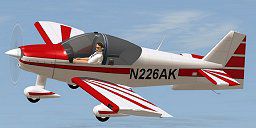
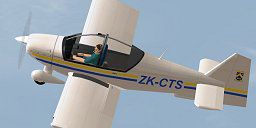
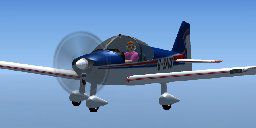
Robin R2160/Alpha 160A. The Robin R2160 and Alpha 160A are identical, all metal, aerobatic trainers with a 160 hp Lycoming O-320-D2A engine. The Robin was originally designed and built in France but in 2004 production moved to Alpha Aviation in New Zealand. Full package for FSX/SP2 (DX9 graphics) with custom panel and VC and fully animated parts. Garmin GNS430 and GTX330 avionics. Full avionics documentation included, together with aircraft check and ref lists. Three real life liveries included, U.S., Great Britain and New Zealand. Great fun for aerobatics or general flying. By Jean-Pierre Brisard and Bob May - Premier Aircraft Design.
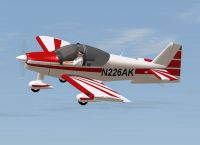
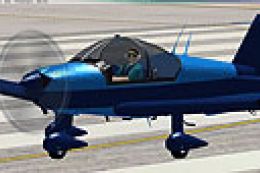
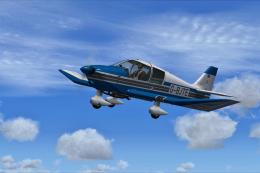
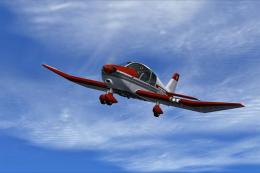
Robin AK 800 in flight.
PREMIER AIRCRAFT DESIGN
ROBIN R2160/ALPHA 160A FOR FSX/SP2
Aircraft, panel and sound package including dynamic VC with custom gauges.
For more information look inside the MANUALS folder :
Flying tips.txt (ESSENTIAL READING)
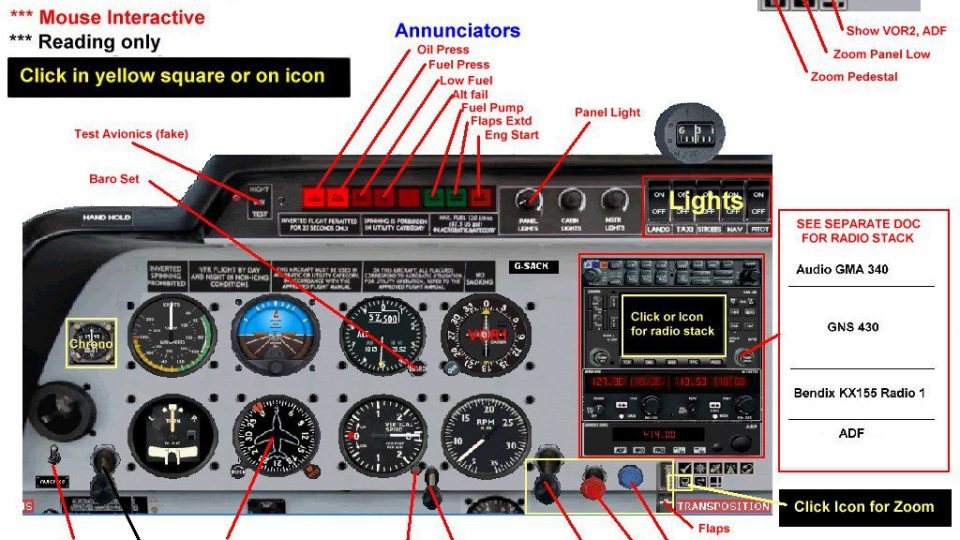
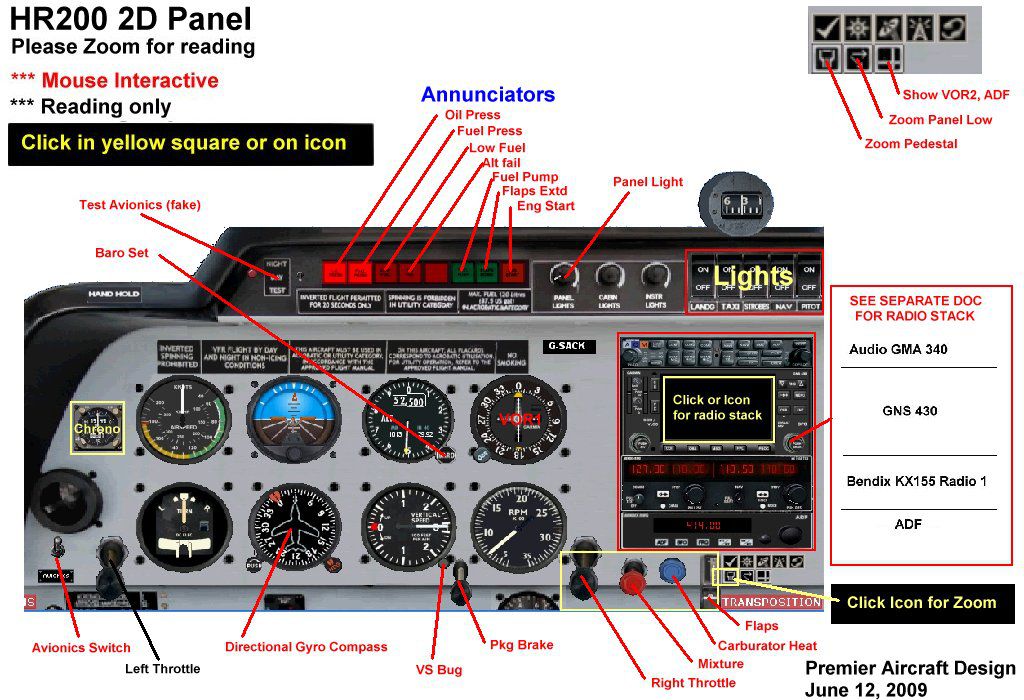
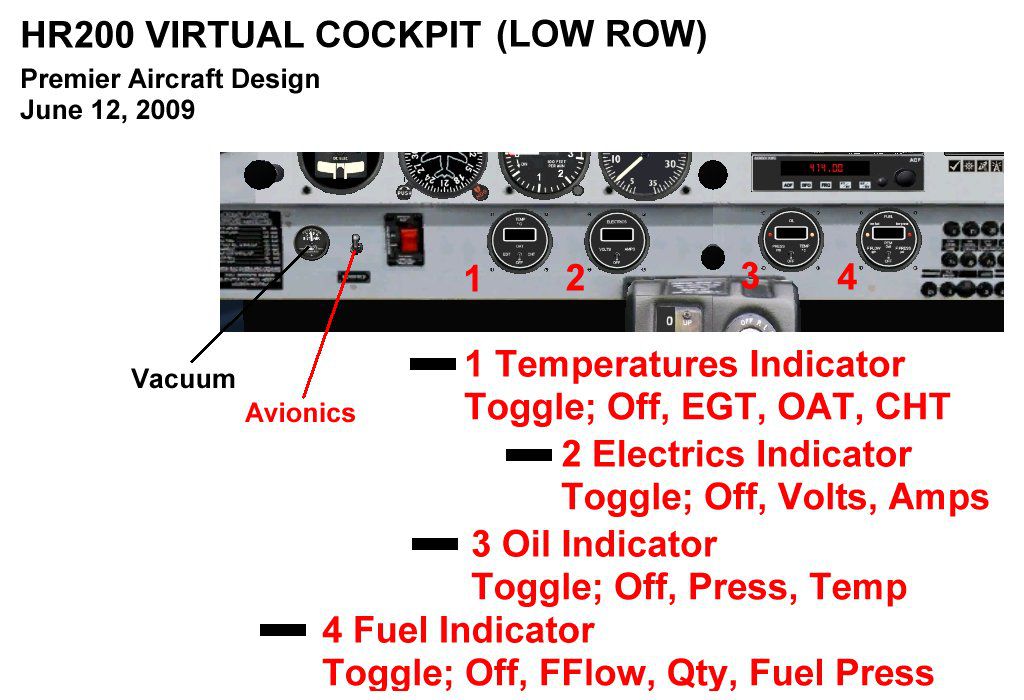
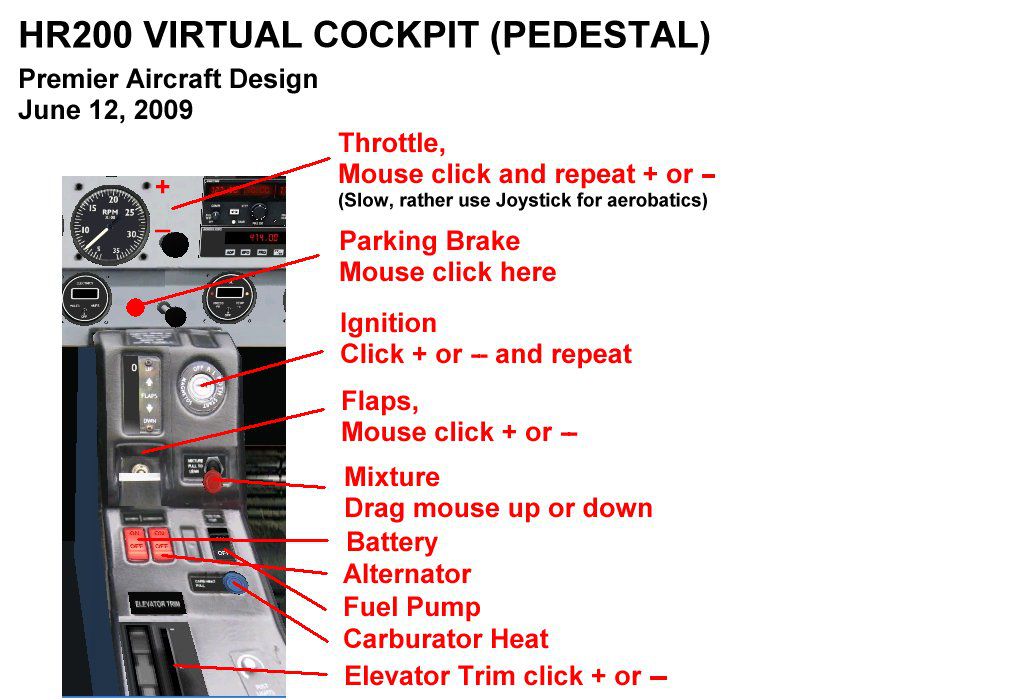
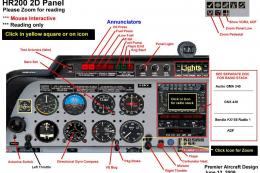
hr200_PanelDocs (Panel diagrams)
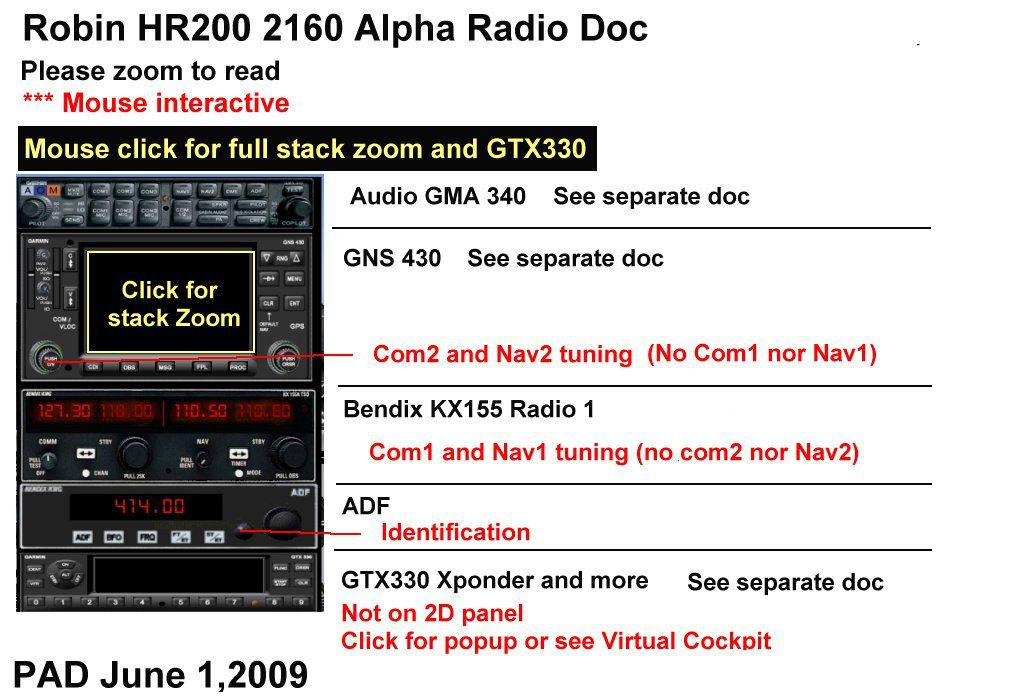
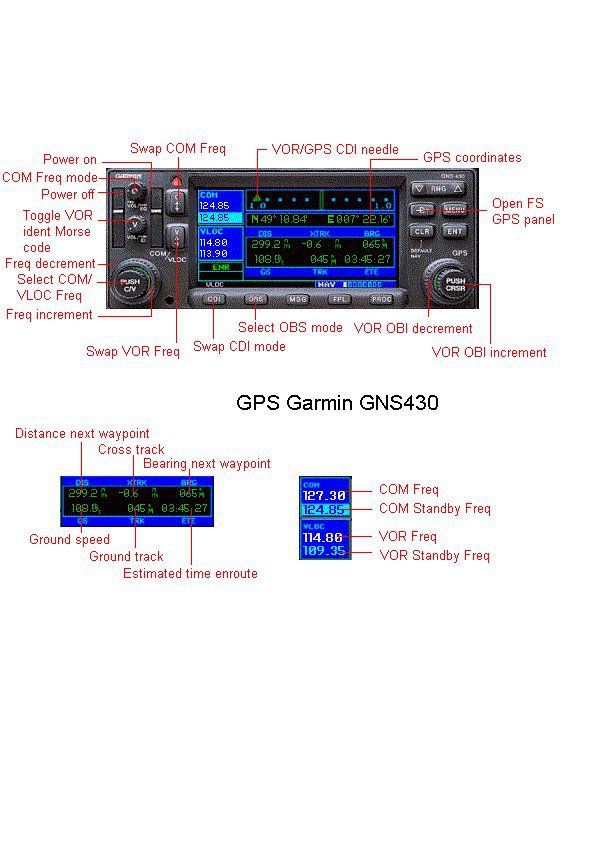
hr200_RadioDocs (Garmin manuals)
=====================================================================
MAIN CREDITS
Model & Master Textures: Jean-Pierre Brisard
Panel design and XML gauge programming Jean-Pierre Brisard
Paint & Flight dynamics : Bob May
Garmin GNS430 & GTX330 Avionics: Don Kuhn
Additional gauges Pierre Fasseaux
Data collection and photo assistance: Phil McColl (New Zealand)
Beta testers: Phil McColl,Danny "Chief" Crance, Piran Smith,
Rob Hewitson.
============================================================
PACKAGE INSTALLATION:
Extract ALL (Repeat ...*ALL*) the files into the FSX MAIN Folder using WINZIP in Classic Mode...Do not use the Wizard...
Make sure the "Use Folder names" BOX is checked in WINZIP.
New folders will be created and all files automatically installed.
Vista users may need to temporarily disable the UAC (User Account Control) to enable automatic creation of new folders.
-------------------------------------------------------------
Here's how by the numbers...
1. Navigate to where you downloaded the zip file
2. Double click with your mouse on the zip file.
3. WINZIP should open and show all the files inside the zip.
4. Press 'CTRL A' and this will select ALL the files.
5. Click on upper 'Extract' Button in the Main Tool Bar above.
6. Type in your path in the dialog box, the default location is C:\program files\microsoft games\microsoft flight simulator x
or Browse to your FSX Location...Open the FSX main folder.
7. Now Click on the 'Extract' button in the upper right.....you're done...go flying.
=============================================================
OPERATING TIPS
1. Turn on Tool Tips....Lots of panel information available. Go to Options - Settings - General....Click the "Show Tool Tips" box.)
2. SHIFT E opens/closes the canopy. The canopy will not open in flight.
3. SHIFT-E2 removes/replaces the engine cowling.
4. To raise your seat higher press SHIFT-ENTER (VC only)
5. Read the "Flying Tips" document enclosed with this download.
6. In the VC, Ctrl-W toggles stick on/off
---------------------------------------------------------------------
Quick Reference - VC EYEPOINT KEY COMMANDS :
Zoom views in and out in VC cockpit with + and - keys
Move Eyepoint Down
SHIFT+BACKSPACE
Move Eyepoint Forward
CTRL+BACKSPACE
Move Eyepoint Left
CTRL+SHIFT+BACKSPACE
Move Eyepoint Right
CTRL+SHIFT+ENTER
Move Eyepoint Up
SHIFT+ENTER
Reset Eyepoint
SPACE
=======================================================================
Premier Aircraft Design
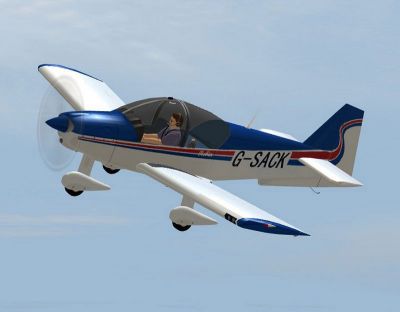
Robin SACK 800 in flight.
Free for all simmers · 6.75 MB · Scanned clean Oct 2026
Download speed: Free tier is capped at 0.5 Mbps (this file takes approximately 2 mins at the cap). PRO members download at full line speed.
SimObjects\Airplanes\, Addon Scenery\, Effects\, or Gauges\.readme.txt or README file. It tells you exactly where files go, what dependencies are needed, and any quirks specific to this add-on.The archive robin_3x2.zip has 127 files and directories contained within it.
This list displays the first 500 files in the package. If the package has more, you will need to download it to view them.
| Filename/Directory | File Date | File Size |
|---|---|---|
| airplanes | 06.30.09 | 0 B |
| robin_3x | 06.30.09 | 0 B |
| aircraft.cfg | 06.23.09 | 16.00 kB |
| FILE_ID.diz | 06.23.09 | 1.27 kB |
| MANUAL | 06.30.09 | 0 B |
| Flying_Tips.txt | 06.23.09 | 6.76 kB |
| hr200_PanelDocs | 06.30.09 | 0 B |
| HR200_2D_panel.jpg | 06.12.09 | 180.88 kB |
| HR200_LowRow.jpg | 06.12.09 | 125.22 kB |
| HR200_pedestal.jpg | 06.12.09 | 112.13 kB |
| HR200_VirtualCockpit.jpg | 06.12.09 | 87.17 kB |
| hr200_RadioDocs | 06.30.09 | 0 B |
| Garmin GNS430 | 06.30.09 | 0 B |
| ExplGNS430.jpg | 05.31.09 | 79.53 kB |
| GNS430.jpg | 05.31.09 | 22.26 kB |
| GNS430.txt | 11.11.02 | 5.41 kB |
| Thumbs.db | 06.12.09 | 5.50 kB |
| Garmin GTX330 | 06.30.09 | 0 B |
| File_id.diz | 12.07.03 | 410 B |
| GTX 330 documents | 06.30.09 | 0 B |
| GTX 330 AltMon.doc | 12.07.03 | 130.50 kB |
| GTX 330 CUTime.doc | 12.07.03 | 131.00 kB |
| GTX 330 DenAlt.doc | 12.07.03 | 132.00 kB |
| GTX 330 FlTime.doc | 12.07.03 | 130.00 kB |
| GTX 330 PrAlt.doc | 12.07.03 | 133.00 kB |
| Manual Instructions.doc | 12.08.03 | 49.50 kB |
| Self-Test Page.doc | 12.07.03 | 116.00 kB |
| gtx330-AltMon.jpg | 12.07.03 | 17.69 kB |
| gtx330-CUTime.jpg | 12.07.03 | 17.98 kB |
| gtx330-DenAlt.jpg | 12.07.03 | 17.34 kB |
| gtx330-FlTime.jpg | 12.07.03 | 17.96 kB |
| gtx330-ID.jpg | 12.07.03 | 17.74 kB |
| gtx330-Lited.jpg | 12.07.03 | 16.62 kB |
| gtx330-PrAlt.jpg | 12.07.03 | 17.67 kB |
| gtx330-SelfTest.jpg | 12.06.03 | 18.67 kB |
| Intro and Directions.txt | 12.07.03 | 2.49 kB |
| ReadFirst!.txt | 12.07.03 | 1.03 kB |
| Thumbs.db | 06.12.09 | 6.00 kB |
| gma340_audio | 06.30.09 | 0 B |
| ExplGMA340.jpg | 05.31.09 | 26.40 kB |
| GMA340.txt | 11.11.02 | 4.93 kB |
| Thumbs.db | 06.12.09 | 5.00 kB |
| Radio Doc.jpg | 05.31.09 | 125.35 kB |
| Thumbs.db | 06.12.09 | 5.50 kB |
| Robin_check.htm | 06.23.09 | 43.08 kB |
| Robin_ref.htm | 06.23.09 | 7.01 kB |
| Model | 06.30.09 | 0 B |
| Model.cfg | 06.17.09 | 32 B |
| Robin200_fix8.mdl | 06.17.09 | 1.48 MB |
| panel.rob200 | 06.30.09 | 0 B |
| AUD_Garmin_GMA340.gau | 11.08.02 | 187.00 kB |
| FS9Garmin.cab | 10.17.03 | 263.48 kB |
| FS9garmin330.CAB | 05.27.09 | 50.14 kB |
| hr200.CAB | 06.14.09 | 804.31 kB |
| hr200_annun.CAB | 05.28.09 | 20.10 kB |
| hr200_clock.CAB | 05.30.08 | 51.63 kB |
| hr200_inst.CAB | 05.31.09 | 260.61 kB |
| hr200_sw.CAB | 05.31.09 | 108.35 kB |
| panel.cfg | 06.14.09 | 9.35 kB |
| PanelEngines.bmp | 05.30.09 | 395.56 kB |
| PanelMain.bmp | 06.17.09 | 2.25 MB |
| Pedestal.bmp | 05.28.09 | 346.93 kB |
| README FIRST.txt | 06.23.09 | 4.32 kB |
| robin.air | 06.23.09 | 10.52 kB |
| robin_AK_800.jpg | 06.14.09 | 44.21 kB |
| Robin_check.htm | 06.23.09 | 43.08 kB |
| robin_CTS_800.jpg | 06.14.09 | 38.76 kB |
| Robin_ref.htm | 06.23.09 | 7.01 kB |
| robin_SACK_800.jpg | 06.14.09 | 40.81 kB |
| robin_VC_800.gif | 06.22.09 | 227.19 kB |
| sound.0 | 06.30.09 | 0 B |
| sound.CFG | 06.14.09 | 28 B |
| texture.CTC | 06.30.09 | 0 B |
| chrome.bmp | 08.05.06 | 64.07 kB |
| Elevator.bmp | 06.09.09 | 256.07 kB |
| Interiors.bmp | 06.10.09 | 512.07 kB |
| lights.bmp | 11.17.07 | 32.07 kB |
| lights_L.bmp | 05.16.08 | 65.05 kB |
| Panel.bmp | 06.07.09 | 512.07 kB |
| PanelVCL.bmp | 06.11.09 | 512.07 kB |
| PanelVCR.bmp | 06.11.09 | 512.07 kB |
| Panel_VC.bmp | 05.22.09 | 512.07 kB |
| pilote.bmp | 06.09.09 | 8.07 kB |
| prop2_TBX.bmp | 10.25.08 | 1.00 MB |
| Rob_fuse.bmp | 06.09.09 | 1.00 MB |
| roue2.bmp | 05.19.09 | 65.07 kB |
| thumbnail.jpg | 06.10.09 | 6.63 kB |
| Wing_Left.bmp | 06.09.09 | 1.00 MB |
| Wing_Right.bmp | 06.09.09 | 1.00 MB |
| texture.G-SACK | 06.30.09 | 0 B |
| chrome.bmp | 08.05.06 | 64.07 kB |
| Elevator.bmp | 06.08.09 | 128.07 kB |
| Interiors.bmp | 06.10.09 | 512.07 kB |
| lights.bmp | 11.17.07 | 32.07 kB |
| lights_L.bmp | 05.16.08 | 65.05 kB |
| Panel.bmp | 06.07.09 | 512.07 kB |
| PanelVCL.bmp | 06.11.09 | 512.07 kB |
| PanelVCR.bmp | 06.11.09 | 512.07 kB |
| Panel_VC.bmp | 05.22.09 | 512.07 kB |
| pilote.bmp | 06.09.09 | 8.07 kB |
| prop2_TBX.bmp | 10.25.08 | 1.00 MB |
| Rob_fuse.bmp | 06.14.09 | 1.00 MB |
| roue2.bmp | 05.19.09 | 65.07 kB |
| Thumbnail.jpg | 06.07.09 | 6.00 kB |
| Wing_Left.bmp | 06.10.09 | 1.00 MB |
| Wing_Right.bmp | 06.09.09 | 1.00 MB |
| texture.N226AK | 06.30.09 | 0 B |
| chrome.bmp | 08.05.06 | 64.07 kB |
| Elevator.bmp | 06.12.09 | 256.07 kB |
| Interiors.bmp | 06.12.09 | 512.07 kB |
| lights.bmp | 11.17.07 | 32.07 kB |
| lights_L.bmp | 05.16.08 | 65.05 kB |
| Panel.bmp | 06.07.09 | 512.07 kB |
| PanelVCL.bmp | 06.11.09 | 512.07 kB |
| PanelVCR.bmp | 06.11.09 | 512.07 kB |
| Panel_VC.bmp | 05.22.09 | 512.07 kB |
| pilote.bmp | 06.12.09 | 8.07 kB |
| prop2_TBX.bmp | 10.25.08 | 1.00 MB |
| Rob_fuse.bmp | 06.12.09 | 1.00 MB |
| roue2.bmp | 05.19.09 | 65.07 kB |
| thumbnail.jpg | 06.14.09 | 9.40 kB |
| Wing_Left.bmp | 06.12.09 | 1.00 MB |
| Wing_Right.bmp | 06.12.09 | 1.00 MB |
| simobjects | 08.31.08 | 0 B |
| FILE_ID.diz | 06.23.09 | 1.27 kB |
| flyawaysimulation.txt | 10.29.13 | 959 B |
| Go to Fly Away Simulation.url | 01.22.16 | 52 B |
Only PRO members can place votes.
More FSX & P3D add-ons hand-picked based on this download.
FSX General Aviation Aircraft
Robin R2160. This is a repaint of the Robin R2160/Alpha 160A Package by Premi…
 FSX General Aviation Aircraft
The Alpha 160A is an all metal, aerobatic trainer with a 160 hp Lycoming O-32…
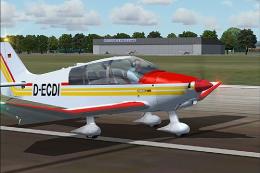 FSX General Aviation Aircraft
Robin 135 CDI with TAE-Centurion 1.7 motor. Original model is the DR400 by Ya…
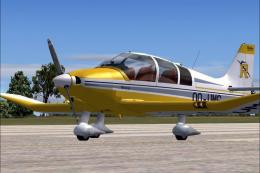 FSX General Aviation Aircraft
DR400 Robin, OO-VMS. Textures only; requires DR400V1.ZIP. Model by Yannick La…
 FSX General Aviation Aircraft
DR400 Robin, G-BZIJ. Textures only; requires DR400V1.ZIP. Model by Yannick La…
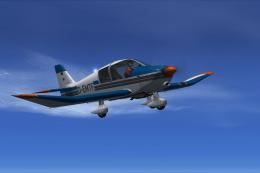 FSX General Aviation Aircraft
This freeware repaint for the Aerosoft Robin DR 400 X introduces a fictional …
 FSX General Aviation Aircraft
This repaint provides a specialized visual update for the Aerosoft Robin DR 4…
 FSX General Aviation Aircraft
This repaint brings a distinctive Swiss flavor to the Aerosoft Robin DR400 X …
Read what other simmers think, or add your own.

This is great, thanks.
The panel and controls are very accurate. Not sure if it's just something to do with my setup, but the parking brake seemed to be reversed (it should be pulled out for ON).
This is easily fixed by modifying the ParkingBrake.XML file in hr200.cab: just swap the names "PBrake_On.bmp" and "PBrake_Off.bmp".

Hi, I recently set up MSFS 2020 and am keen to integrate an R2160. Could you please let me know if this download will work with this MSFS version?
