

 FS2004 Propeller Aircraft
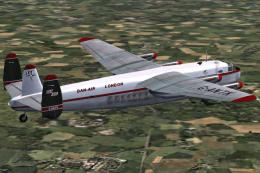
1960's Dan-Air Avro 685 York C1 G-ANTK
Experience the fascination of the authentic 1960s Dan-Air Avro 685 York C1, m…
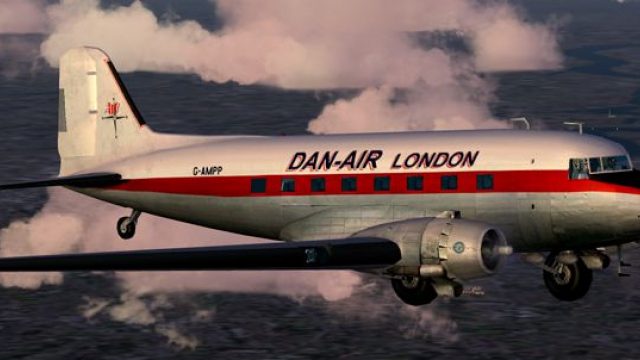
Dan-Air London’s classic livery comes to the default Douglas DC-3 with carefully aligned stripes, period-correct titles, and authentic airline markings that suit the aircraft’s curves. Built for Microsoft Flight Simulator 2004, the repaint requires the included freeware DC-3 base model and delivers a faithful mid-century British look.
 Rate
Rate

This repaint offers an authentic Dan-Air London finish for the default Douglas DC-3 found in Microsoft Flight Simulator 2004. Created with precision by Ed Knapp, it captures the airline’s classic color scheme as accurately as possible within the texture-mapping confines of this simulator. Dan-Air, a notable British operator established in the mid-20th century, flew various fleets across domestic and international routes, and its iconic liveries remain memorable among aviation enthusiasts.
Fuselage Alignment: Each fuselage stripe and logo has been carefully adjusted to fit the DC-3’s curves, but minor misalignments may arise due to how the texture templates wrap around the model.
Historic Markings: The repaint incorporates essential Dan-Air branding elements on both sides, paying homage to this classic airline’s original lettering and distinctive detailing.
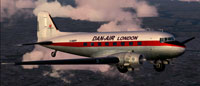
Dan-Air Douglas DC-3 showcasing its classic paintwork while airborne.
Adapting the Dan-Air designs to this default model often proves tricky. Certain fuselage segments align unexpectedly across texture boundaries, which means a delicate approach is essential when painting. Ed Knapp devoted a great deal of care to match these details on each side, resulting in a faithful representation of the airline’s iconic scheme.
The Douglas DC-3 redefined commercial aviation in the 1930s and 1940s by combining efficiency, longevity, and capacity in a single airframe. Many airlines of that era, including Dan-Air, favored this sturdy twin-prop airplane for short- to medium-range routes. Its revolutionary on-board amenities—like heated cabins and running water—made passenger comfort a priority, and this exceptional aircraft continues to operate in limited service worldwide.
This repaint only supplies the updated liveries. To fly the aircraft properly, you must have the freeware DC-3 base model included with Microsoft Flight Simulator 2004. Alternatively, if additional base variations are required, they might be located in the Fly Away Simulation library, ensuring you can quickly assemble a complete package.
[fltsim.x]
title=Douglas DC-3 Dan Air
sim=Douglas_DC3
model=
panel=
sound=
texture=danair
kb_checklists=Douglas_DC3_check
kb_reference=Douglas_DC3_ref
atc_id_color=
ui_manufacturer=Douglas
ui_type="DC-3
ui_variation="Dan Air"
description="The Douglas DC-3 revolutionized air transportation and airline service during the 1930s and 1940s. It was a luxury airliner that boasted cabin heat and running water in its on-board lavatory. With the right balance of efficiency, range, speed, and payload, the DC-3 was the first aircraft to earn a profit for its owners just by carrying passengers. The hero of early airlines, a handful of DC-3s are still at work today."
Replace the “x” in “[fltsim.x]” with the correct sequential number. For example, if this is your third livery, you would write “[fltsim.3]”. Once this step is complete, the Dan-Air livery will be selectable in your simulator.
All repaint work was meticulously carried out by Ed Knapp, who spent considerable time ensuring that the Dan-Air branding appears correctly on every surface. This is a freeware offering for Microsoft Flight Simulator 2004, and the principal materials drawn from the default DC-3 are not included.
Free for all simmers · 1.78 MB · Scanned clean Oct 2026
Download speed: Free tier is capped at 0.5 Mbps. PRO members download at full line speed.
FS9\Aircraft\, FS9\Addon Scenery\, FS9\Gauges\, or FS9\Effects\.readme.txt or README file. It tells you exactly where files go, what dependencies are needed, and any quirks specific to this add-on.The archive dan_dc3.zip has 15 files and directories contained within it.
This list displays the first 500 files in the package. If the package has more, you will need to download it to view them.
| Filename/Directory | File Date | File Size |
|---|---|---|
| read me.txt | 10.10.03 | 1.97 kB |
| Douglas_DC3_1_C.bmp | 04.29.03 | 682.74 kB |
| Douglas_DC3_1_D.bmp | 04.12.03 | 682.74 kB |
| Douglas_DC3_1_T.bmp | 10.12.03 | 1.00 MB |
| Douglas_DC3_2_C.bmp | 04.29.03 | 170.74 kB |
| Douglas_DC3_2_T.bmp | 04.28.03 | 341.40 kB |
| Douglas_DC3_3_C.bmp | 04.29.03 | 42.74 kB |
| Prop_DC3.bmp | 10.06.03 | 85.43 kB |
| Thumbs.db | 09.24.03 | 5.00 kB |
| texture.danair | 10.15.03 | 0 B |
| dan.gif | 10.10.03 | 5.73 kB |
| dan.jpg | 10.10.03 | 149.58 kB |
| File_id.diz | 10.10.03 | 130 B |
| flyawaysimulation.txt | 10.29.13 | 959 B |
| Go to Fly Away Simulation.url | 01.22.16 | 52 B |
Only PRO members can place votes.
More FS2004 add-ons hand-picked based on this download.
FS2004 Propeller Aircraft
Experience the fascination of the authentic 1960s Dan-Air Avro 685 York C1, m…
 FS2004 Propeller Aircraft
A rare Dan Air London color scheme from the early 1970's. This aircraft was a…
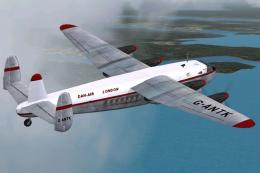 FS2004 Propeller Aircraft
This complete freeware package brings the Dan-Air Avro 685 York C1 (registrat…
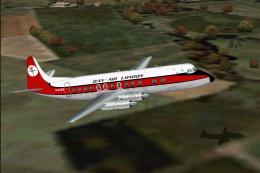 FS2004 Propeller Aircraft
Dan Air never owned Viscounts but they operated many of various types under l…
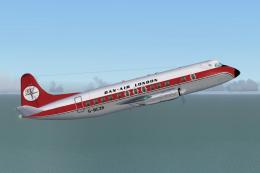 FS2004 Propeller Aircraft
Viscount 838 (earlier livery). Built originally for Ghana Airways this aircra…
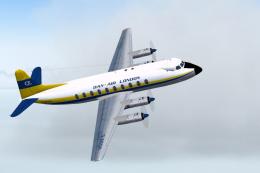 FS2004 Propeller Aircraft
Dan Air Viscount 708 (Alidair livery). Twice leased to Dan Air during the per…
 FS2004 Propeller Aircraft
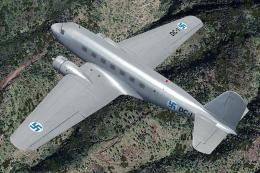
This repaint showcases a distinctive Finnish Air Force Douglas DC-2 “DC-1,” a…
 FS2004 Propeller Aircraft
These layered PSD files can be used in Paint Shop Pro or Photoshop to allow e…
Be the first to leave a comment on this download.
Be the first to share your thoughts on this download.