

 FS98-FS2000
FS2000 Canadian Pacific Airlines Boeing 737-400
"Empress of Regina". Re-Designed by Frank Di Candia, paint by Frank Di Candia…
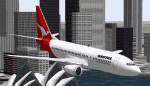
Qantas livery repaint for the default Boeing 737-400 brings a sharper, more authentic airline look to Microsoft Flight Simulator 2000, complete with the classic red tail and kangaroo emblem. Realigned doors and windows improve fuselage mapping for cleaner lines and better close-up visuals, requiring the stock 737-400 model.
 Rate
Rate
Immerse yourself in a refreshed airline appearance with this freeware add-on for Microsoft Flight Simulator 2000, featuring a specialized Qantas livery for the default Boeing 737-400. This repaint, created by Christoph Krause, revitalizes the well-known narrow-body twinjet with distinctive door and window realignments that more closely resemble the actual aircraft. Below, you will find technical notes as well as installation steps, ensuring a straightforward update to your virtual hangar.
The included texture applies Qantas’s red tail and kangaroo emblem across the fuselage of the Boeing 737-400—a member of Boeing’s popular short- to medium-haul family of aircraft. Known for reliable operations on domestic and regional routes, this model gains an extra level of visual realism when paired with the authentic livery. Qantas, Australia’s flag carrier, has long utilized the 737 series, making this repaint ideal for those seeking realistic route simulations in and around Oceania.
In this repaint, the door and window layout has been carefully readjusted, ensuring alignment with the real aircraft’s exterior configuration. The high-fidelity 737-400_t1.bmp file takes into account the aircraft’s fuselage landmarks, minimizing any texture distortions and creating a more immersive flying experience. Whether you fly from busy international hubs or smaller regional airstrips, these improvements will be particularly noticeable during close visual inspection and cinematic flybys.
...\fs2000\aircraft\B737_400\texture folder.After installation, the visual overhaul should appear immediately, reflecting Qantas colors and emblematic details during daylight and evening conditions. This substitution process is designed to be non-disruptive, so no additional configuration steps are required to enjoy the new paint scheme.
This freeware add-on is available courtesy of Christoph Krause. Released under copyright (c) 1999 by the author, it is provided for personal flight simulation use only. All rights remain reserved, ensuring the unique texture modifications retain their fidelity and authenticity. Aviation enthusiasts looking to augment their Boeing fleets can experience this Qantas livery while respecting the original creator’s rights.
Free for all simmers · 37.3 KB · Scanned clean Oct 2026
Download speed: Free tier is capped at 0.5 Mbps. PRO members download at full line speed.
readme.txt or README file. It tells you exactly where files go, what dependencies are needed, and any quirks specific to this add-on.The archive 734qf.zip has 5 files and directories contained within it.
This list displays the first 500 files in the package. If the package has more, you will need to download it to view them.
| Filename/Directory | File Date | File Size |
|---|---|---|
| FILE_ID.DIZ | 11.08.99 | 95 B |
| Readme.txt | 11.08.99 | 413 B |
| 737-400_t1.bmp | 11.08.99 | 257.05 kB |
| flyawaysimulation.txt | 10.29.13 | 959 B |
| Go to Fly Away Simulation.url | 01.22.16 | 52 B |
Only PRO members can place votes.
Hand-picked add-ons similar to this download.
FS98-FS2000
"Empress of Regina". Re-Designed by Frank Di Candia, paint by Frank Di Candia…
 FS98-FS2000
48-sided based Variable-Sided Fuelage (POSKY Original Technique). Moving flap…
 FS98-FS2000
FS2000 United Boeing 737, new colors. Repaint of the default. 737-400 United …
 FS98-FS2000
Pacific Wave Tribute no.2 to mark the end of the era of the 200 series with A…
 FS98-FS2000
(ProMax2000) This aircraft is modify to be compatible for both FS2000 and FS9…
 FS98-FS2000
FS2000 Continental Boeing 777-200 Features maximum moving parts, maximum 3D p…
 FS98-FS2000
This model of a Boeing 777-200 was created for Microsoft Flight Simulator 200…
 FS98-FS2000
Repaint of the default 777-300 in the old twin globe TWA Airlines colors
Be the first to leave a comment on this download.
Be the first to share your thoughts on this download.