

 FSX Scenery
Bournemouth (EGHH)
Thank you for downloading my Bournemouth scenery. I've spent the last 2 month…
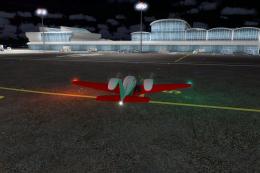
Bournemouth International Airport (EGHH) scenery brings FSX a refreshed airfield with new terminal and hangar buildings, expanded GA and dedicated cargo parking, and layout detail based on 2005 charts. It blends smoothly with default terrain and Just Flight VFR, includes optional RWY12 object support, and provides AI plans for FRA Falcon operations.
 Rate
Rate
 United Kingdom
Bournemouth International (EGHH), UK. Mainly new buildings and plenty of parking. Blends with default or Just Flight's VFR scenery. AI flight plans for FRA traffic are included but require some downloads. Some Rwy12 objects used but not essential. By Tony Adams.
Bournemouth International Scenery.
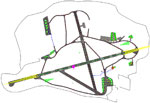
This is my first attempt at an airport for FSX. It is Bournemouth International Airport- EGHH. It's taken from charts for 24th Nov 2005. It has been a long job as I've had to learn everything as I went along. I've made is as accurate as I can, but used a little 'artistic licence' in places. As I am unable to visit the airfield due to mobility problems I've had to rely on what information I could get from the internet and books. My son, Simon, who works on the airfield supplied some photos and details, especially of the hangars on the north side. The majority of the scenery is my own and does not purport to be accurate but just to give a 'feel' of the airfield. I've added a lot more GA parking, plus FRA dedicated parking adjacent to their hangars. Some 'Hold Short' points on taxiways have had to be moved to suit FSX. I have Just Flight's VFR scenery installed and have set it up to blend with the default scenery as well.
Installation.
BASIC INSTALL
Copy, or drag and drop the 'Addon Scenery' folder to your main FSX folder.
Copy, or drag and drop the 'Scenery' folder to your main FSX folder.
ACTIVATE
Start FSX and on the main menu select SETTINGS.
Click on Scenery Library then click Add Area.
Navigate to Scenery/EGHH and click on the folder, the title box should show EGHH, click OK.
Navigate to Add On Scenery/Static Objects Library and click on the folder. The title box should show STATIC OBJECTS LIBRARY, click OK.
Make sure that both these new areas are ticked.
Click OK, let it load and go to free flight and select Bournemouth as your airport.
EXTRA RUNWAY 12 OBJECTS
I've used a couple of static objects from the RWY12 libraries. These are purely 'eye candy' and not essential. Many of you may already have them installed. If not you can get them from various Flightsim sites. N.B You do not need the RWY placement utility, just the libraries.
AI FRA Falcons
To have these operating, and I recommend you do, you'll need to download and install the following files:-
(1) ameristar_cargo_f20.zip OR aif20jbs.zip.
(You do not need both files) Install as normal.
(2) fra_f20.zip.
Add the liveries to which ever file you installed in (1) renumbering the entries as instucted in the download readme file.
DO NOT INSTALL the Traffic_FRA_Falcons.bgl file from the download (2), it's for FS9 and won't work here. Instead copy, or drag and drop the FSX_FRA_AI.bgl file into your Scenery/World/Scenery folder.
Free for all simmers · 4.13 MB · Scanned clean Oct 2026
Download speed: Free tier is capped at 0.5 Mbps (this file takes approximately 1 min at the cap). PRO members download at full line speed.
FSX\Addon Scenery\ containing scenery and texture sub-folders.readme.txt or README file. It tells you exactly where files go, what dependencies are needed, and any quirks specific to this add-on.Use these coordinates to fly directly to this location once the mod is installed.
50.78000000,-1.84000000
Launch FSX or Prepar3D and use Flights → Load to open the downloaded .pln file. Your aircraft will be positioned at this location.
The archive eghh3.zip has 75 files and directories contained within it.
This list displays the first 500 files in the package. If the package has more, you will need to download it to view them.
| Filename/Directory | File Date | File Size |
|---|---|---|
| EGHH.gif | 07.22.08 | 6.66 kB |
| Static Objects Library | 07.22.08 | 0 B |
| Scenery | 07.22.08 | 0 B |
| EGHH_Obj.bgl | 07.15.08 | 382.60 kB |
| texture | 07.22.08 | 0 B |
| EGHH_ATC.BMP | 05.29.08 | 256.07 kB |
| EGHH_ATC_LM.bmp | 06.09.08 | 256.07 kB |
| EGHH_ATC2.BMP | 05.29.08 | 256.07 kB |
| EGHH_ATC2_LM.bmp | 06.09.08 | 256.07 kB |
| EGHH_BAM.BMP | 05.29.08 | 256.07 kB |
| EGHH_BAM_LM.bmp | 05.29.08 | 256.07 kB |
| EGHH_BAS.BMP | 05.29.08 | 256.07 kB |
| EGHH_BAS_LM.bmp | 05.29.08 | 256.07 kB |
| EGHH_Blue.BMP | 05.29.08 | 256.07 kB |
| EGHH_Blue_LM.bmp | 05.29.08 | 256.07 kB |
| EGHH_Brick.bmp | 05.29.08 | 64.07 kB |
| EGHH_Brick_LM.bmp | 06.09.08 | 64.07 kB |
| EGHH_CSE.BMP | 05.29.08 | 256.07 kB |
| EGHH_CSE_LM.BMP | 06.09.08 | 256.07 kB |
| EGHH_CT.bmp | 05.29.08 | 256.07 kB |
| EGHH_CT_LM.bmp | 05.29.08 | 256.07 kB |
| EGHH_Fly.BMP | 07.15.08 | 128.07 kB |
| EGHH_Fly_LM.bmp | 07.15.08 | 128.07 kB |
| EGHH_FOAM.BMP | 07.15.08 | 128.07 kB |
| EGHH_FOAM_LM.bmp | 07.15.08 | 128.07 kB |
| EGHH_FRA.BMP | 05.29.08 | 256.07 kB |
| EGHH_FRA_lm.BMP | 05.29.08 | 256.07 kB |
| EGHH_FRA2.BMP | 05.29.08 | 256.07 kB |
| EGHH_FRA2_lm.BMP | 05.29.08 | 256.07 kB |
| EGHH_FUEL.BMP | 06.19.08 | 128.07 kB |
| EGHH_FUEL_LM.bmp | 06.19.08 | 128.07 kB |
| EGHH_Grey.BMP | 05.29.08 | 256.07 kB |
| EGHH_Grey_LM.bmp | 05.29.08 | 256.07 kB |
| EGHH_HDG.BMP | 06.08.08 | 128.07 kB |
| EGHH_HDG_LM.bmp | 06.08.08 | 128.07 kB |
| EGHH_LGH.bmp | 05.29.08 | 256.07 kB |
| EGHH_LGH_LM.bmp | 05.29.08 | 256.07 kB |
| EGHH_LIG.BMP | 06.08.08 | 128.07 kB |
| EGHH_LIG_LM.bmp | 06.08.08 | 128.07 kB |
| EGHH_Masts.BMP | 06.06.08 | 128.07 kB |
| EGHH_Masts_LM.BMP | 06.09.08 | 128.07 kB |
| EGHH_RAD.bmp | 06.16.08 | 32.07 kB |
| EGHH_RAD_LM.bmp | 06.16.08 | 32.07 kB |
| EGHH_SMB.bmp | 06.07.08 | 256.07 kB |
| EGHH_SMB_LM.bmp | 06.09.08 | 256.07 kB |
| EGHH_SMB2.bmp | 06.07.08 | 256.07 kB |
| EGHH_SMB2_LM.bmp | 06.09.08 | 256.07 kB |
| EGHH_STOR.bmp | 05.29.08 | 256.07 kB |
| EGHH_STOR_LM.bmp | 05.29.08 | 256.07 kB |
| EGHH_TER1.BMP | 06.13.08 | 256.07 kB |
| EGHH_TER1_LM.bmp | 06.13.08 | 256.07 kB |
| EGHH_TER2.bmp | 06.13.08 | 256.07 kB |
| EGHH_TER2_LM.bmp | 06.13.08 | 256.07 kB |
| EGHH_Tile.BMP | 05.29.08 | 256.07 kB |
| EGHH_Tile_LM.bmp | 05.29.08 | 256.07 kB |
| EGHH_Twr.BMP | 06.05.08 | 128.07 kB |
| EGHH_Twr_LM.bmp | 06.09.08 | 128.07 kB |
| EGHH_VLH.bmp | 05.29.08 | 256.07 kB |
| EGHH_VLH_LM.bmp | 05.29.08 | 256.07 kB |
| EGHH | 07.22.08 | 0 B |
| Scenery | 07.22.08 | 0 B |
| 000_EGHH.BGL | 04.03.08 | 112 B |
| CVX_EGHH.BGL | 06.09.08 | 1.67 kB |
| EGHH.bgl | 06.19.08 | 21.92 kB |
| EGHH_Obj.BGL | 07.16.08 | 3.46 kB |
| EGHH_ObjX.BGL | 06.18.08 | 236 B |
| EGHH_OBX.BGL | 06.19.08 | 3.15 kB |
| EGHH_Photo_Apt.bgl | 06.09.08 | 3.24 MB |
| Texture | 07.22.08 | 0 B |
| FILE_ID.DIZ | 07.22.08 | 310 B |
| EGHH.txt | 07.22.08 | 1.85 kB |
| FSX_FRA_AI.bgl | 04.13.08 | 95.89 kB |
| EGHH_Install.txt | 07.22.08 | 1.59 kB |
| flyawaysimulation.txt | 10.29.13 | 959 B |
| Go to Fly Away Simulation.url | 01.22.16 | 52 B |
Only PRO members can place votes.
More FSX & P3D add-ons hand-picked based on this download.
FSX Scenery
Thank you for downloading my Bournemouth scenery. I've spent the last 2 month…
 FSX Scenery
Princess Juliana International Airport (TNCM) in Saint Marteen, Netherlands A…
 FSX Scenery
Barbados International Airport (TBPB). Grantley Adams International Airport f…
 FSX Scenery
Dubai International Airport (OMDB), Dubai. Includes a new passenger terminal …
 FSX Scenery
Soekarno-Hatta International Airport (WIII), Jakarta, Indonesia. An update to…
 FSX Scenery
San Diego International Airport, California (CA), USA. This photoreal scenery…
 FSX Scenery
Suvarnabhumi International Airport (VTBS), Bangkok, Thailand, v1.1. Includes …
 FSX Scenery
Scenery Miami International Airport (KMIA), Florida (FL). Includes updated ta…
Be the first to leave a comment on this download.
Be the first to share your thoughts on this download.