


 Colombia
  FSX Scenery
Rafael Nunez International Airport Update
Scenery Rafael Nunez International Airport. Updated Rafael Nunez Airport in C…
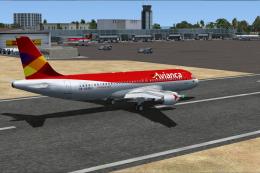
Rafael Núñez International Airport (SKCG) in Cartagena, Colombia gets a refreshed layout with corrected parking based on Google Earth references, plus added general aviation parking for smoother ground operations. Designed for FSX, the scenery enhances ramp flow and airport usability while keeping the field recognizable for airline and GA traffic.
Scenery Rafael Nunez International Airport. Upgraded Rafael Nunez International Airport (SKCG) in Cartagena, Colombia using Google Earth for the correct parking and added GA parking. By Shanard Letang.
Rafael Nunez International Airport Scenery.
Free for all simmers · 4.65 MB · Scanned clean Oct 2026
Download speed: Free tier is capped at 0.5 Mbps (this file takes approximately 1 min at the cap). PRO members download at full line speed.
FSX\Addon Scenery\ containing scenery and texture sub-folders.readme.txt or README file. It tells you exactly where files go, what dependencies are needed, and any quirks specific to this add-on.Use these coordinates to fly directly to this location once the mod is installed.
10.44200000,-75.51300000
Launch FSX or Prepar3D and use Flights → Load to open the downloaded .pln file. Your aircraft will be positioned at this location.
The archive rafaelnunezinternational.zip has 5 files and directories contained within it.
This list displays the first 500 files in the package. If the package has more, you will need to download it to view them.
| Filename/Directory | File Date | File Size |
|---|---|---|
| SKBO_ADEX_SEL.BGL | 04.11.10 | 40.62 kB |
| 2010-4-11_22-28-35-250.BMP | 04.11.10 | 4.94 MB |
| 2010-4-11_22-1-37-31.BMP | 04.11.10 | 4.94 MB |
| flyawaysimulation.txt | 10.29.13 | 959 B |
| Go to Fly Away Simulation.url | 01.22.16 | 52 B |
Only PRO members can place votes.
More FSX & P3D add-ons hand-picked based on this download.
FSX Scenery
Scenery Rafael Nunez International Airport. Updated Rafael Nunez Airport in C…
 FSX Scenery
Princess Juliana International Airport (TNCM) in Saint Marteen, Netherlands A…
 FSX Scenery
Barbados International Airport (TBPB). Grantley Adams International Airport f…
 FSX Scenery
Dubai International Airport (OMDB), Dubai. Includes a new passenger terminal …
 FSX Scenery
Soekarno-Hatta International Airport (WIII), Jakarta, Indonesia. An update to…
 FSX Scenery
San Diego International Airport, California (CA), USA. This photoreal scenery…
 FSX Scenery
Suvarnabhumi International Airport (VTBS), Bangkok, Thailand, v1.1. Includes …
 FSX Scenery
Scenery Miami International Airport (KMIA), Florida (FL). Includes updated ta…
Read what other simmers think, or add your own.


Downloaded this SKCG scenery and installed it in P3Dv4.4 in D:Addon ScenerySKCG Cartagena Colombia. Then fired up P3D and activated it in the scenery library. I checked the scenery.cfg and my AivlaSoft EFB and it looks to be active. But... The airport layout shows, but not one jetway and other stuff I see on the pictures are showing. When I try to modify the parking position in GSX2, I can see that only the default P3D bgl is active and not the downloaded SKCG bgl. My conclusion: THIS SCENERY IS NOT P3Dv4.4 COMPATIBLE!!