

 FSX Turboprops
ATR 42-500 Base Pack
The ATR 42-500 Base Pack for Microsoft Flight Simulator X brings a compact tw…
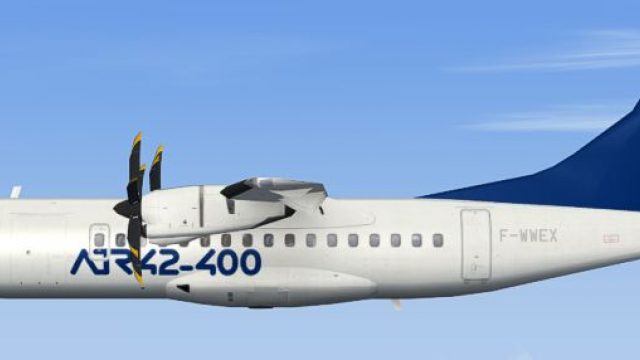
ATR 42-400 Base Pack brings efficient regional turboprop traffic to Microsoft Flight Simulator X with an AI-focused model, smooth external visuals, and a carefully tuned flight dynamics set. Animated flaps, compressing landing gear, and a turning nose wheel add realism, while multiple LODs keep busy schedules performance-friendly and support FS2004 repaints.
 Rate
Rate
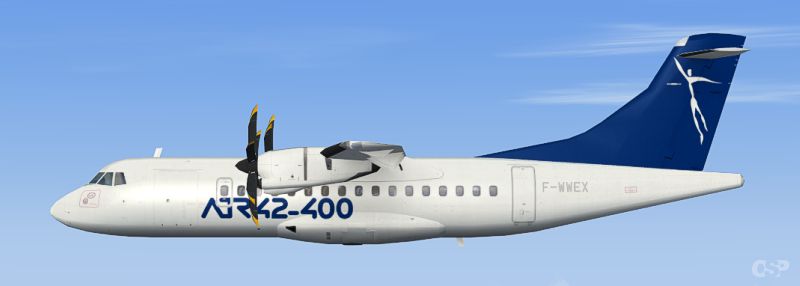
Designed for Microsoft Flight Simulator X, this freeware base package by Oskari Syynimaa offers a robust ATR 42-400 model intended primarily for AI traffic use. It features a meticulously crafted FDE (Flight Dynamics Engine) with responsive flight characteristics and a detailed external visualization that showcases the ATR house livery for reference. The real-world ATR 42 platform, widely recognized for its short-haul capabilities, is known for its efficient twin turboprop layout and reliable regional performance, making it a fascinating choice both in reality and within the simulation environment.
This AI-optimized model was created using FS9 tools, yet it displays smooth and functional animations within FSX. You will find animated flaps that accurately reflect takeoff and landing configurations, as well as compressing landing gear that moves in a realistic manner. A turning nose gear has also been incorporated, a unique feature for AI aircraft that enhances the sense of authenticity when taxiing. The package includes six LOD variations to maintain performance efficiency while offering an impressive visual standard from various viewing distances.
Screenshot of ATR 42-400 Base Pack in flight.
Because ATR aircraft frequently operate on short intercity routes around the globe, this rendition is an especially suitable addition if you want realistic regional airline activity in your traffic schedules. The frame-friendly design, optimized for multiple AI instances, helps maintain respectable performance levels even in busy virtual skies. Repaints originally designed for Microsoft Flight Simulator 2004 can be used seamlessly with this model, enabling a wider variety of liveries that depict real-world operators or fictional schemes.
1. Extract the osp_atr_42_400 folder into the main Aircraft directory of your simulator.
2. Because this package is built for AI traffic, it will not appear in the default aircraft selection menu within FSX. If you need to modify or create custom flight plans, do so with your AI traffic utility of choice.
An optional paint kit is offered (file name: osp_atr_42_paintkit.zip), allowing you to create or adapt additional liveries for both fictional and real-world ATR 42-400 operators. This template will guide you in aligning details correctly and maintaining consistent finishes across the fuselage.
The model, FDE, and textures were developed by Oskari Syynimaa and are released under a freeware license. All included components can be utilized without cost, and repaints can be freely distributed provided that appropriate author recognition is maintained.
Free for all simmers · 674.94 KB · Scanned clean Oct 2026
Download speed: Free tier is capped at 0.5 Mbps. PRO members download at full line speed.
SimObjects\Airplanes\, Addon Scenery\, Effects\, or Gauges\.readme.txt or README file. It tells you exactly where files go, what dependencies are needed, and any quirks specific to this add-on.The archive osp_atr_42_400x_base.zip has 15 files and directories contained within it.
This list displays the first 500 files in the package. If the package has more, you will need to download it to view them.
| Filename/Directory | File Date | File Size |
|---|---|---|
| osp_atr_42_400x_base.gif | 08.15.09 | 5.20 kB |
| Readme!.txt | 08.16.09 | 2.34 kB |
| osp_atr_prop_1.bmp | 06.17.09 | 16.07 kB |
| Readme!.txt | 08.15.09 | 360 B |
| aircraft.cfg | 08.16.09 | 7.48 kB |
| ATR42.air | 08.13.09 | 13.69 kB |
| 42_400.mdl | 08.02.09 | 399.35 kB |
| Model.cfg | 08.02.09 | 25 B |
| soundai.cfg | 05.12.06 | 63 B |
| osp_atr_42_400_l.bmp | 07.15.09 | 256.07 kB |
| osp_atr_42_400_t.bmp | 07.14.09 | 1.00 MB |
| osp_atr_prop_1.bmp | 06.17.09 | 64.07 kB |
| atr424_base.PNG | 07.14.09 | 156.45 kB |
| flyawaysimulation.txt | 10.29.13 | 959 B |
| Go to Fly Away Simulation.url | 01.22.16 | 52 B |
Only PRO members can place votes.
More FSX & P3D add-ons hand-picked based on this download.
FSX Turboprops
The ATR 42-500 Base Pack for Microsoft Flight Simulator X brings a compact tw…
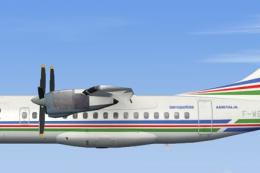 FSX Turboprops
This freeware ATR 42-300 package for Microsoft Flight Simulator X has been ca…
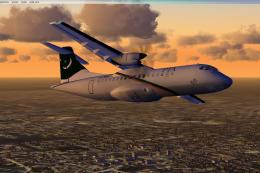 FSX Turboprops
Pakistan International Airlines Aerospatiale ATR 42-500, AP-BHO wearing the n…
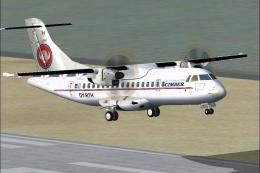 FSX Turboprops
Cimber Air (Cimber Sterling) ATR 42-500. This is the ISDT ATR 42-500 in the c…
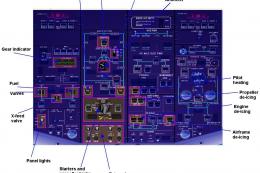 FSX Turboprops
PIA Cargo ATR 42-500F, registration AP-VAD. Pakistan International Airlines (…
 FSX Turboprops
TWE ATR 42-500 with panel, v1.0. Repaint of Francisco Sanchez-Castaner's ATR4…
 FSX Turboprops
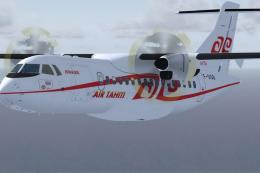
Air Tahiti ATR 42-500, registration F-OHJJ and F-OIQB. Textures only for the …
 FSX Turboprops
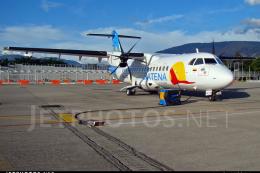
Enhance your regional flying experience with this freeware repaint of the SAT…
Be the first to leave a comment on this download.
Be the first to share your thoughts on this download.