

 FSX Turboprops
ATR 42-500 Base Pack
The ATR 42-500 Base Pack for Microsoft Flight Simulator X brings a compact tw…
ATR 42-300 base pack brings efficient, smooth-running AI regional traffic to Microsoft Flight Simulator X with an optimized multi-LOD model, authentic turboprop flight dynamics, and convincing animations including flaps, compressing retractable gear, and a fully turning nose wheel. It includes a prototype-inspired house livery and supports many FS2004-era repaints for easy fleet variety.
 Rate
Rate

This freeware ATR 42-300 package for Microsoft Flight Simulator X has been carefully engineered for AI traffic scenarios, featuring an optimized model, flight dynamics, and a distinctive house livery adapted from the ATR 42-200 prototype. Developed by Oskari Syynimaa, the add-on delivers smooth performance and preserves significant design elements such as retracting gear, turning nose wheel, and functional flaps, all while maintaining compatibility with older repaints from Microsoft Flight Simulator 2004 for practical versatility.
The ATR 42 (a twin turboprop regional airliner produced by a French-Italian consortium) emphasizes short-haul capability and is known for its dependable flight envelope in a variety of operating conditions. This AI-focused rendition showcases:
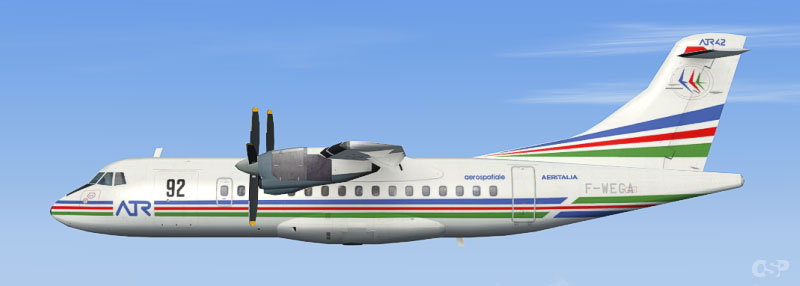
Screenshot of ATR 42-300 in flight.
A refined FDE (Flight Dynamics Engine) helps replicate the ATR 42’s turboprop behavior, simulating lift, drag, power handling, and speed control over short commuter trips. The model is constructed to integrate seamlessly with AI flight paths, ensuring that your traffic files benefit from enhanced accuracy on approach and departure patterns. The overall size and weight representation in the simulator remain faithful to typical ATR 42 operational characteristics, including regional flight profiles.
The developer provides a dedicated paint kit (osp_atr_42_paintkit.zip) for customizing liveries. This allows enthusiasts or virtual airlines to create personalized artwork. By utilizing the original layered files, repainters can incorporate accurate color schemes or tailor them to their fictional or real-world airline preferences.
The entire model, FDE, and included texture sets are the creations of Oskari Syynimaa. This release is freeware, meaning no payment or license is required for personal use. It has been optimized for AI traffic but retains enough detail to look convincing while preserving system resources. Many repainters find the ATR 42-300’s fuselage layout straightforward to update if they choose to add more schemes.
All included files may be used without additional cost, reflecting the dedication of the author to support the Microsoft Flight Simulator community and enthusiasts who enjoy populating skies with realistic commercial traffic.
Free for all simmers · 680.94 KB · Scanned clean Oct 2026
Download speed: Free tier is capped at 0.5 Mbps. PRO members download at full line speed.
SimObjects\Airplanes\, Addon Scenery\, Effects\, or Gauges\.readme.txt or README file. It tells you exactly where files go, what dependencies are needed, and any quirks specific to this add-on.The archive osp_atr_42_300x_base.zip has 15 files and directories contained within it.
This list displays the first 500 files in the package. If the package has more, you will need to download it to view them.
| Filename/Directory | File Date | File Size |
|---|---|---|
| atr423_base.PNG | 07.14.09 | 168.38 kB |
| osp_atr_42_300x_base.gif | 08.15.09 | 5.08 kB |
| osp_atr_prop_423.bmp | 06.17.09 | 16.07 kB |
| Readme!.txt | 08.15.09 | 360 B |
| aircraft.cfg | 08.16.09 | 7.48 kB |
| ATR42.air | 08.13.09 | 13.69 kB |
| 42_300.mdl | 08.02.09 | 396.36 kB |
| Model.cfg | 08.02.09 | 25 B |
| soundai.cfg | 05.12.06 | 63 B |
| osp_atr_42_300_l.bmp | 07.15.09 | 256.07 kB |
| osp_atr_42_300_t.bmp | 07.14.09 | 1.00 MB |
| osp_atr_prop_423.bmp | 06.17.09 | 64.07 kB |
| Readme!.txt | 08.16.09 | 2.35 kB |
| flyawaysimulation.txt | 10.29.13 | 959 B |
| Go to Fly Away Simulation.url | 01.22.16 | 52 B |
Only PRO members can place votes.
More FSX & P3D add-ons hand-picked based on this download.
FSX Turboprops
The ATR 42-500 Base Pack for Microsoft Flight Simulator X brings a compact tw…
 FSX Turboprops
Designed for Microsoft Flight Simulator X, this freeware base package by Oska…
 FSX Turboprops
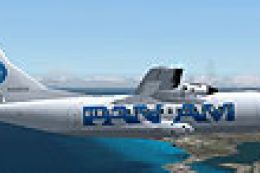
This freeware release pairs a classic Pan American World Airways theme with a…
 FSX Turboprops
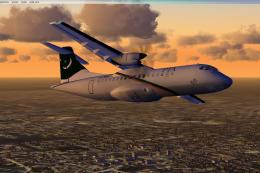
Pakistan International Airlines Aerospatiale ATR 42-500, AP-BHO wearing the n…
 FSX Turboprops
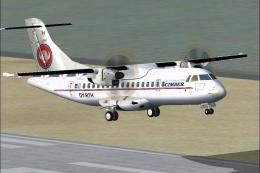
Cimber Air (Cimber Sterling) ATR 42-500. This is the ISDT ATR 42-500 in the c…
 FSX Turboprops
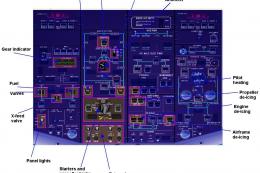
PIA Cargo ATR 42-500F, registration AP-VAD. Pakistan International Airlines (…
 FSX Turboprops
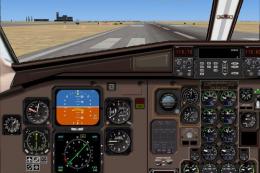
TWE ATR 42-500 with panel, v1.0. Repaint of Francisco Sanchez-Castaner's ATR4…
 FSX Turboprops
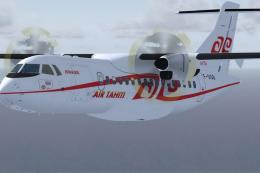
Air Tahiti ATR 42-500, registration F-OHJJ and F-OIQB. Textures only for the …
Be the first to leave a comment on this download.
Be the first to share your thoughts on this download.