FSX Smoke System Adjustment For Dassault Falcon 50
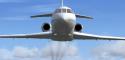 Smoke System Adjustment For Dassault Falcon 50 version 1.1 (2011) by Yannick Lavigne, Fred Banting, Rob Young, Eric Dantes, Andre, Ludovic, Gilles, Loic, Philippe Wallaert, Don Bodenstedt (and probably others as well). This adjustment moves the three smoke trails to the proper locations at the...
- Type
- Patch
- Download hits
- 1.2K
- Compatibility
- Microsoft Flight Simulator X (FSX) including Steam Edition & Prepar3D (P3D)
- Filename
- dassault_falcon_50_smoke_adjustment.zip
- File size
- 36.62 KB
- Virus Scan
- Scanned 25 days ago (clean)
- Access to file
- Free (Freeware)
- Content Rating
- Everyone

Rated 5 out of 5 stars by 1 PRO members.


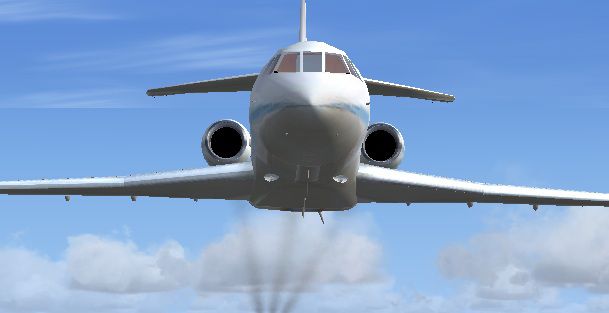
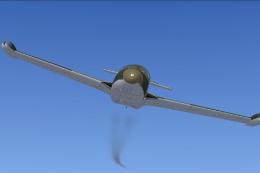
Smoke System Adjustment For Dassault Falcon 50 version 1.1 (2011) by Yannick Lavigne, Fred Banting, Rob Young, Eric Dantes, Andre, Ludovic, Gilles, Loic, Philippe Wallaert, Don Bodenstedt (and probably others as well). This adjustment moves the three smoke trails to the proper locations at the three engines' exhaust ports. By Tom Tiedman.
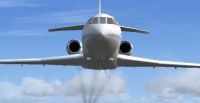
Smoke System Adjustment For Dassault Falcon 50.
CREDITS: All those mentioned above.
Tom Tiedman
INSTALLATION:
1.) Open your Falcon 50 "aircraft.cfg" file,scroll down to the [Smokesystem] entry, and erase it.
2.) Copy and paste the enclosed [Smokesystem] info. found below back into your "aircraft.cfg" file, replacing what you just erased. The new smoke will now display at the engine exhaust ports. No need to press your "I" key, because the smoke will automatically appear as you advance your throttles.
3.) Have a smokin' good flight!
[Smokesystem]

	smoke.0=-13.00, -5.01, 1.00, fx_smoke_f6

	smoke.1=-26.00, 0.00, 1.00, fx_smoke_f6

	smoke.2=-13.00, 5.01, 1.00, fx_smoke_f6
Images & Screenshots

The archive dassault_falcon_50_smoke_adjustment.zip has 5 files and directories contained within it.
File Contents
This list displays the first 500 files in the package. If the package has more, you will need to download it to view them.
| Filename/Directory | File Date | File Size |
|---|---|---|
| file_id.diz | 10.13.11 | 546 B |
| READ ME and INSTALLATION.txt | 10.13.11 | 1.23 kB |
| Screenshot.jpg | 10.13.11 | 35.04 kB |
| flyawaysimulation.txt | 10.29.13 | 959 B |
| Go to Fly Away Simulation.url | 01.22.16 | 52 B |

Installation Instructions
Most of the freeware add-on aircraft and scenery packages in our file library come with easy installation instructions which you can read above in the file description. For further installation help, please see our Flight School for our full range of tutorials or view the README file contained within the download. If in doubt, you may also ask a question or view existing answers in our dedicated Q&A forum.



0 comments
Leave a Response