

 FSX Turboprops
Wagair Beech 99
Repaint only for the Premier Aircraft Design Beechcraft model 99 (C99) in Wag…
Beechcraft Model 99 brings a classic 17-seat twin-turboprop commuter and freighter to Microsoft Flight Simulator X with passenger and cargo variants, four detailed liveries, and an accurate virtual cockpit featuring custom gauges. The package includes a ground handling gauge suite for smoother pushback and taxi control.
 Rate
Rate
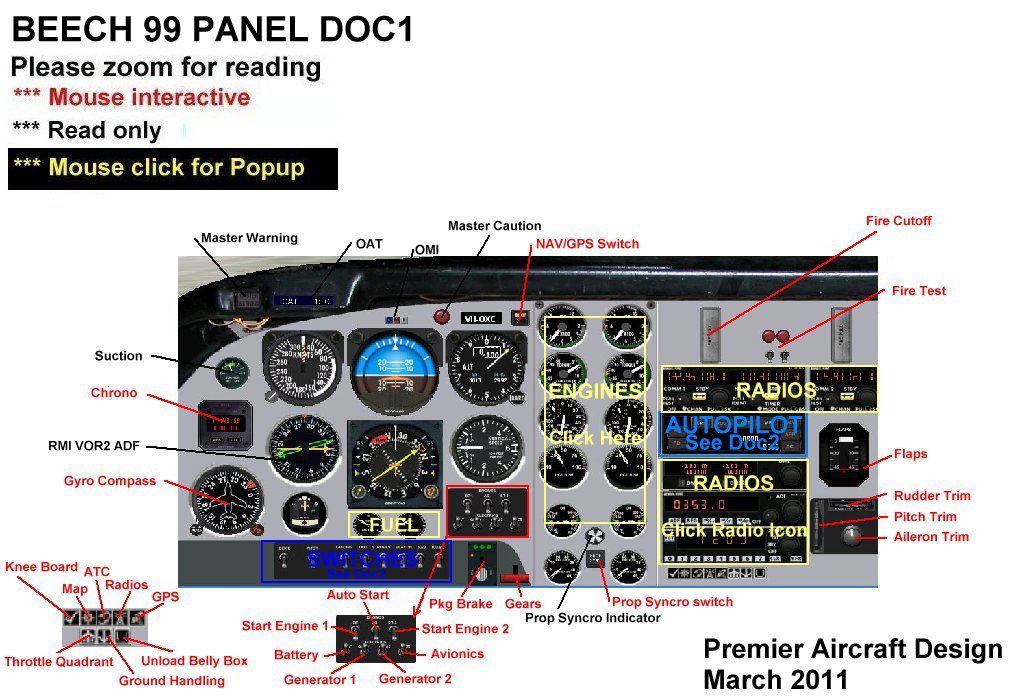
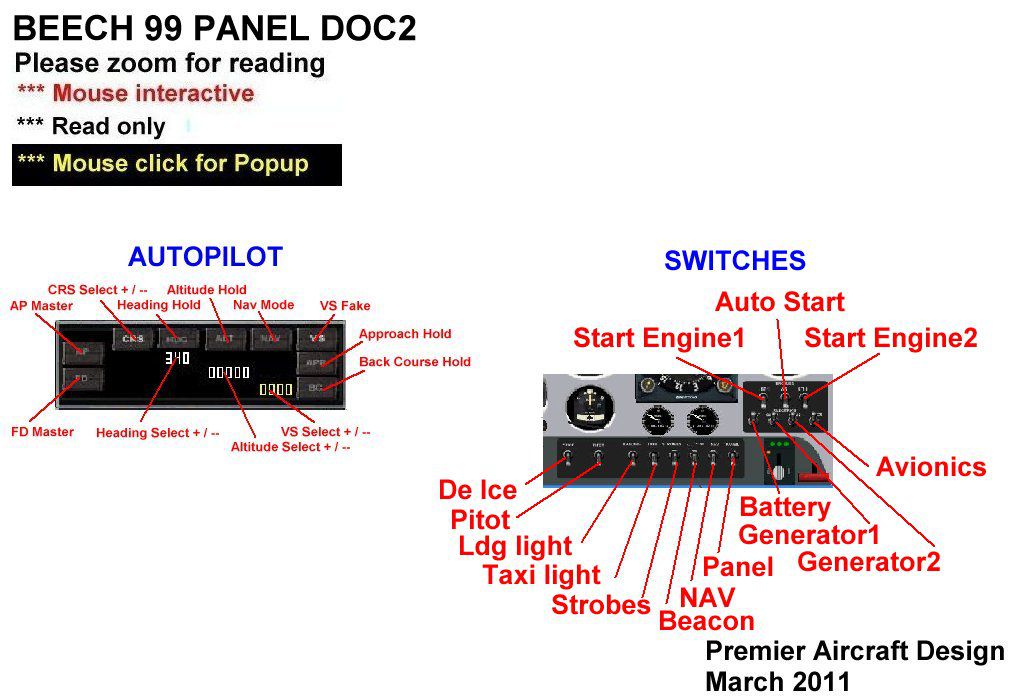
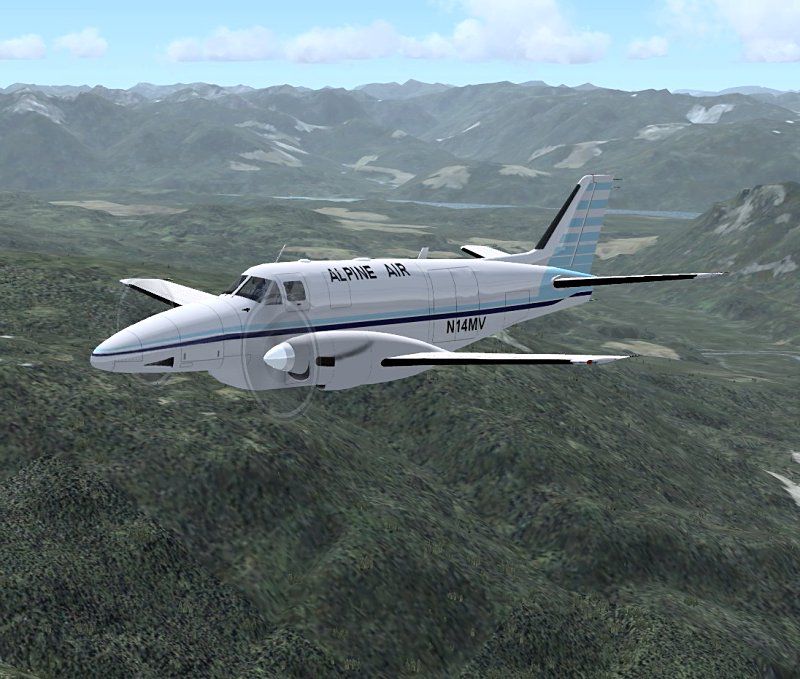
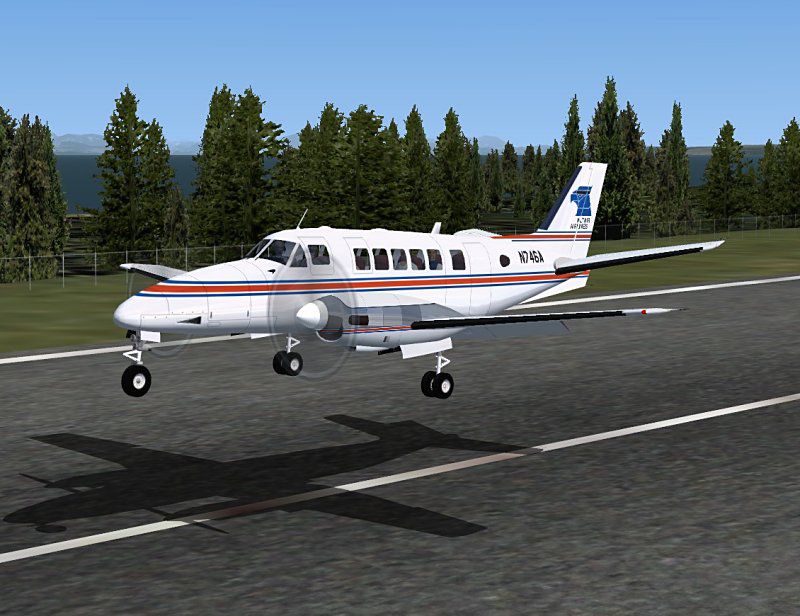
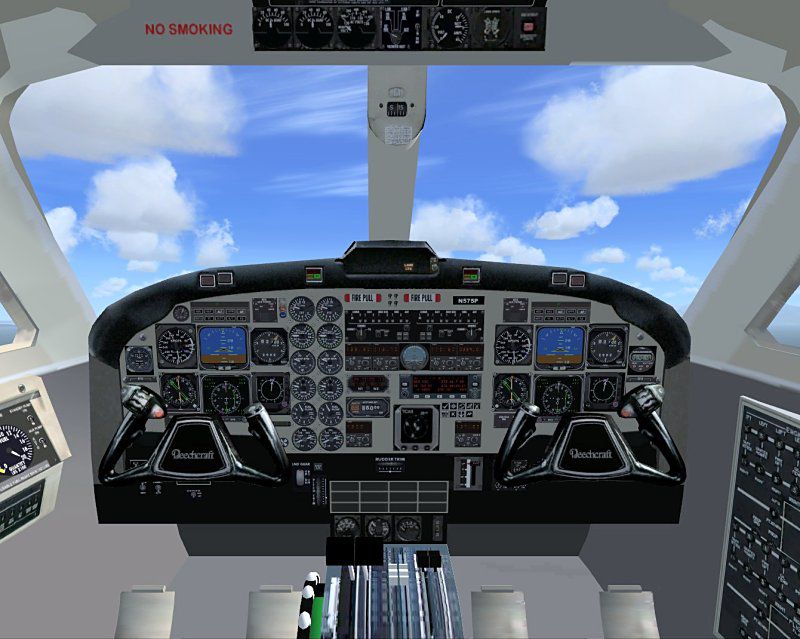
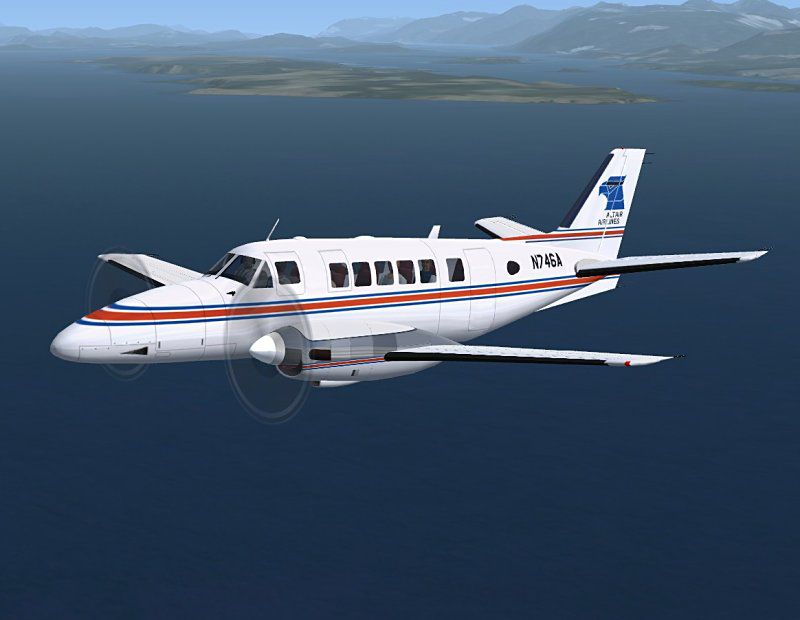
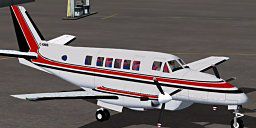
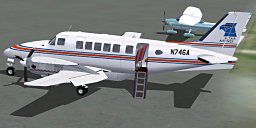
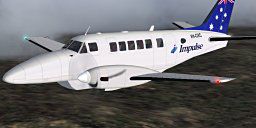
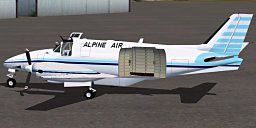
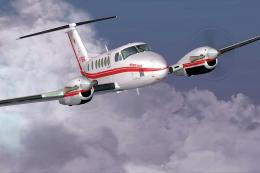
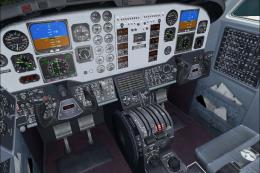
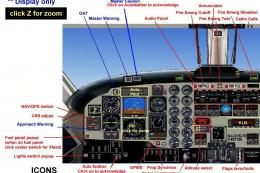
This freeware release of the twin-engined Beechcraft Model 99 (sometimes referred to as the Commuter 99 or Beech 99 Airliner) brings a robust turboprop to enthusiasts of Microsoft Flight Simulator X. Developed by Jean-Pierre Brisard and Bob May from Premier Aircraft Design, this complete package includes multiple liveries, distinct passenger and cargo configurations, and an accurate virtual cockpit that highlights the functional layout of this unpressurized 17-seat aircraft. Many operators use the real-world Model 99 for freight operations, making this variant an essential inclusion.
The actual Beech Model 99 draws inspiration from the earlier King Air and Queen Air airframes. Although it accommodates up to 15 passengers, numerous real-world carriers outfit this aircraft primarily for short flights or rural hops. In many of today’s fleets, well over half of these turboprops have evolved into dedicated transport liners for cargo. From its inception, Beech Aircraft Corporation (now under Hawker Beechcraft) engineered the Model 99 for performance and reliability. Its twin turboprop engines maintain balanced thrust, ensuring steady handling and a manageable cockpit workload.
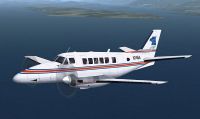
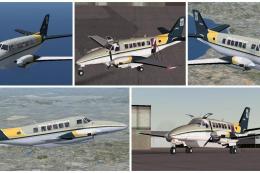
Screenshot showcasing a Beechcraft Model 99 on a test flight.
All instructions refer to the primary Microsoft Flight Simulator X directory (often located by default in “C:\Program Files\Microsoft Games\Microsoft Flight Simulator X\”). Extract the provided package to a temporary folder, then follow these specific steps:
Once positioned, these files integrate an enhanced ground handling system into your aircraft panel. The gauge file (signed by Doug Dawson) may prompt an alert in FSX; simply allow it to run and check the option to always trust gauges from this publisher if prompted.
Open the panel.cfg for your Beechcraft Model 99 or other aircraft where you wish to install these gauges. This file usually resides in: FSX\SimObjects\Airplanes\[Your Aircraft]\Panel\. It is advised to create a backup of panel.cfg before making edits.
In the [Window Titles] section, insert the following line, substituting ** for your next available window number:
Window**=Groundhandling
Then, create the panel window block in the same file, again replacing ** with that same number:
[Window**] size_mm=204,65 visible=0 window_size=0.20,0.09 window_pos=0.0,0.05 background_color=16,16,16 gauge00=RCB_Groundhandling5!PushbackDisplay, 2,2,74,61 gauge01=RCB_Groundhandling5!PushbackStates, 0,0 gauge02=RCB_Groundhandling5!Taxispeed, 79,2,64,61 //gauge03=RCB_Groundhandling5!UseToebrakePedals, 0,0 gauge04=RCB_Groundhandling5!Brakes, 146,2,56,61 gauge05=RCB_Groundhandling5_Sound!dsd_xml_sound3, 0,0,0,0, ./Sound/Groundhandling5/Sound.ini
For flight decks equipped with proportional toe brakes (like CH Pro Pedals), activate the line for UseToebrakePedals by removing “//” from the beginning. This setting interprets scaled pedal input for more refined braking.
You can access the Groundhandling panel from the simulator menu in any view. If you prefer to keep it visible while switching views, right-click the window and select “Undock” so that it remains open.
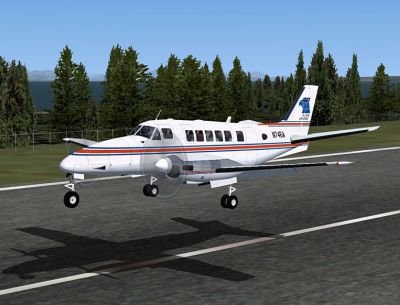
Illustration of the Beechcraft Model 99 lifting off on a short-haul route.
All components of this freeware add-on have been carefully produced by Jean-Pierre Brisard and Bob May under the Premier Aircraft Design label. They have ensured functional gauges, realistic liveries, and a seamless user experience by refining core elements specific to the Beechcraft Model 99 while reflecting the aircraft’s real-world freight and commuter roles.
Free for all simmers · 17.04 MB · Scanned clean Oct 2026
Download speed: Free tier is capped at 0.5 Mbps (this file takes approximately 5 mins at the cap). PRO members download at full line speed.
SimObjects\Airplanes\, Addon Scenery\, Effects\, or Gauges\.readme.txt or README file. It tells you exactly where files go, what dependencies are needed, and any quirks specific to this add-on.The archive beech99_4_x.zip has 221 files and directories contained within it.
This list displays the first 500 files in the package. If the package has more, you will need to download it to view them.
| Filename/Directory | File Date | File Size |
|---|---|---|
| airplanes | 05.02.11 | 0 B |
| beech99_4_x | 05.02.11 | 0 B |
| aircraft.cfg | 04.28.11 | 15.63 kB |
| b99_800-1.jpg | 05.02.11 | 44.87 kB |
| b99_800-2.jpg | 05.02.11 | 95.92 kB |
| b99_800-3.jpg | 05.02.11 | 105.86 kB |
| b99_VC_800.jpg | 05.02.11 | 94.42 kB |
| beechcraft_C99_READ_ME.pdf | 04.25.11 | 190.68 kB |
| Beech_C99_check.htm | 04.20.11 | 52.68 kB |
| Beech_C99_ref.htm | 04.20.11 | 10.05 kB |
| File_ID.diz | 05.02.11 | 672 B |
| MANUALS | 05.02.11 | 0 B |
| Beech99_doc1.jpg | 04.03.11 | 160.62 kB |
| Beech99_doc2.jpg | 04.03.11 | 113.11 kB |
| groundhandling-read_me.txt | 04.21.11 | 21.04 kB |
| model.cargo | 05.02.11 | 0 B |
| BeechC99_fix16cargo_up.mdl | 04.25.11 | 2.20 MB |
| model.cfg | 04.25.11 | 41 B |
| model.pax | 05.02.11 | 0 B |
| BeechC99_fix16_up.mdl | 04.25.11 | 2.71 MB |
| model.cfg | 04.25.11 | 36 B |
| PAD_B99.air | 03.30.11 | 15.06 kB |
| panel.beech99_x | 05.02.11 | 0 B |
| BK_Radio.gau | 08.31.06 | 296.00 kB |
| C99.CAB | 04.03.11 | 950.25 kB |
| c99_autopilot.CAB | 03.20.11 | 110.36 kB |
| c99_inst.CAB | 03.18.11 | 477.19 kB |
| c99_quadrant.CAB | 03.21.11 | 203.13 kB |
| c99_sw.CAB | 04.05.11 | 94.55 kB |
| clock.CAB | 09.02.10 | 14.67 kB |
| GH_Sound.gau | 04.15.05 | 80.00 kB |
| panel.cfg | 04.25.11 | 13.10 kB |
| PanelMain1_C99_1024.bmp | 04.08.11 | 2.25 MB |
| panel_backup001.cfg | 04.19.11 | 12.97 kB |
| Quadrant.bmp | 03.25.11 | 349.25 kB |
| rcb-gauges.CAB | 12.05.07 | 27.06 kB |
| RCB_Groundhandling5.CAB | 10.20.06 | 26.63 kB |
| RCB_Groundhandling5_Sound.dll | 10.19.06 | 96.80 kB |
| Thumbs.db | 09.30.06 | 15.50 kB |
| Xfs9gps.cab | 06.12.03 | 296.71 kB |
| sound.padturbo | 05.02.11 | 0 B |
| Kan11.wav | 02.02.01 | 365.35 kB |
| Kan12.wav | 02.02.01 | 335.29 kB |
| Kan13.wav | 02.02.01 | 409.37 kB |
| Kan14.wav | 02.02.01 | 366.30 kB |
| Kan1shut.wav | 09.16.99 | 213.75 kB |
| Kan1strt.wav | 09.16.99 | 153.75 kB |
| Kan2shut.wav | 06.16.00 | 195.17 kB |
| Kan2strt.wav | 06.16.00 | 65.17 kB |
| kap1a.wav | 04.17.01 | 60.75 kB |
| kap1b.wav | 04.17.01 | 62.75 kB |
| kap1c.wav | 04.17.01 | 34.75 kB |
| kap1d.wav | 04.17.01 | 34.75 kB |
| kap2a.wav | 04.17.01 | 68.25 kB |
| kap2b.wav | 04.17.01 | 73.25 kB |
| kapr.wav | 04.17.01 | 37.31 kB |
| kbn1shut.wav | 09.16.99 | 207.75 kB |
| kbn1strt.wav | 09.16.99 | 158.25 kB |
| kbn2shut.wav | 06.16.00 | 195.17 kB |
| kbn2strt.wav | 06.16.00 | 65.17 kB |
| kbp1a.wav | 04.17.01 | 65.25 kB |
| kbp1b.wav | 04.17.01 | 60.75 kB |
| kbp1c.wav | 04.17.01 | 32.75 kB |
| kbp1d.wav | 04.17.01 | 32.75 kB |
| kbp2a.wav | 04.17.01 | 65.25 kB |
| kbp2b.wav | 04.17.01 | 73.75 kB |
| kbpr.wav | 04.17.01 | 24.31 kB |
| sound.cfg | 12.13.05 | 17.54 kB |
| twot_apd.wav | 04.17.01 | 13.69 kB |
| twot_door_close.wav | 04.09.03 | 131.81 kB |
| twot_door_open.wav | 04.09.03 | 945.71 kB |
| twot_flap.wav | 08.15.01 | 274.34 kB |
| twot_ovr.wav | 02.20.03 | 22.23 kB |
| twot_stall.wav | 04.17.01 | 105.28 kB |
| twot_wind.wav | 06.18.00 | 516.98 kB |
| Xkan11.wav | 02.02.01 | 340.25 kB |
| Xkan12.wav | 02.02.01 | 335.28 kB |
| Xkan13.wav | 02.02.01 | 495.51 kB |
| Xkan14.wav | 06.18.00 | 469.24 kB |
| xkan1shut.wav | 09.16.99 | 207.75 kB |
| xkan1strt.wav | 09.16.99 | 152.75 kB |
| xkan2shut.wav | 06.16.00 | 195.17 kB |
| xkan2strt.wav | 06.16.00 | 65.17 kB |
| xkap1a.wav | 04.17.01 | 60.75 kB |
| xkap1b.wav | 04.17.01 | 62.75 kB |
| xkap1c.wav | 04.17.01 | 34.75 kB |
| xkap1d.wav | 04.17.01 | 34.75 kB |
| xkap2a.wav | 04.17.01 | 68.25 kB |
| xkap2b.wav | 04.17.01 | 73.25 kB |
| xkapr.wav | 04.17.01 | 37.31 kB |
| xkbn1shut.wav | 09.16.99 | 189.75 kB |
| xkbn1strt.wav | 09.16.99 | 160.25 kB |
| xkbn2shut.wav | 06.16.00 | 195.17 kB |
| xkbn2strt.wav | 06.16.00 | 65.17 kB |
| xkbp1a.wav | 04.17.01 | 65.25 kB |
| xkbp1b.wav | 04.17.01 | 60.75 kB |
| xkbp1c.wav | 04.17.01 | 32.75 kB |
| xkbp1d.wav | 04.17.01 | 32.75 kB |
| xkbp2a.wav | 04.17.01 | 65.25 kB |
| xkbp2b.wav | 04.17.01 | 73.75 kB |
| xkbpr.wav | 04.17.01 | 35.81 kB |
| texture.alpine | 05.02.11 | 0 B |
| c99_Elevators.bmp | 03.25.11 | 256.07 kB |
| c99_engines.bmp | 04.05.11 | 1.00 MB |
| c99_fuse.bmp | 04.20.11 | 1.00 MB |
| c99_Interiors.bmp | 04.20.11 | 1.00 MB |
| chrome_brown.bmp | 09.16.06 | 64.07 kB |
| Cockpit.bmp | 04.20.11 | 1.00 MB |
| Glass.bmp | 04.24.11 | 64.07 kB |
| lights.bmp | 08.05.10 | 32.07 kB |
| lights_L.bmp | 08.05.10 | 65.05 kB |
| PanelSpot.bmp | 03.28.11 | 1.00 MB |
| Pass1.bmp | 04.03.11 | 256.07 kB |
| Pass2.bmp | 04.03.11 | 256.07 kB |
| Pass3.bmp | 04.03.11 | 256.07 kB |
| pilots.bmp | 04.02.11 | 256.07 kB |
| pilots_L.bmp | 10.06.05 | 257.05 kB |
| prop2_TBX.bmp | 10.25.08 | 1.00 MB |
| quadBeech350.bmp | 03.23.11 | 117.82 kB |
| roue2.bmp | 01.10.07 | 65.05 kB |
| thumbnail.jpg | 04.14.11 | 8.56 kB |
| Thumbs.db | 03.28.11 | 51.00 kB |
| VC_PanelL.bmp | 04.09.11 | 1.00 MB |
| VC_PanelR.bmp | 04.09.11 | 1.00 MB |
| Wings.bmp | 03.25.11 | 1.00 MB |
| YOKE.bmp | 04.22.08 | 512.07 kB |
| texture.altair | 05.02.11 | 0 B |
| c99_Elevators.bmp | 04.02.11 | 256.07 kB |
| c99_engines.bmp | 04.08.11 | 1.00 MB |
| c99_fuse.bmp | 04.08.11 | 1.00 MB |
| c99_Interiors.bmp | 04.20.11 | 1.00 MB |
| chrome_brown.bmp | 09.16.06 | 64.07 kB |
| Cockpit.bmp | 04.20.11 | 1.00 MB |
| Glass.bmp | 04.24.11 | 64.07 kB |
| lights.bmp | 08.05.10 | 32.07 kB |
| lights_L.bmp | 08.05.10 | 65.05 kB |
| PanelSpot.bmp | 03.28.11 | 1.00 MB |
| Pass1.bmp | 04.03.11 | 256.07 kB |
| Pass2.bmp | 04.03.11 | 256.07 kB |
| Pass3.bmp | 04.03.11 | 256.07 kB |
| pilots.bmp | 04.02.11 | 256.07 kB |
| pilots_L.bmp | 10.06.05 | 257.05 kB |
| prop2_TBX.bmp | 10.25.08 | 1.00 MB |
| quadBeech350.bmp | 03.23.11 | 117.82 kB |
| roue2.bmp | 01.10.07 | 65.05 kB |
| thumbnail.jpg | 04.14.11 | 9.06 kB |
| Thumbs.db | 03.16.11 | 18.00 kB |
| VC_PanelL.bmp | 04.09.11 | 1.00 MB |
| VC_PanelR.bmp | 04.09.11 | 1.00 MB |
| Wings.bmp | 04.02.11 | 1.00 MB |
| YOKE.bmp | 04.22.08 | 512.07 kB |
| texture.C-GKKB | 05.02.11 | 0 B |
| c99_Elevators.bmp | 04.02.11 | 256.07 kB |
| c99_engines.bmp | 04.02.11 | 1.00 MB |
| c99_fuse.bmp | 04.02.11 | 1.00 MB |
| c99_Interiors.bmp | 04.20.11 | 1.00 MB |
| chrome_brown.bmp | 09.16.06 | 64.07 kB |
| Cockpit.bmp | 04.05.11 | 4.00 MB |
| Glass.bmp | 04.24.11 | 64.07 kB |
| lights.bmp | 08.05.10 | 32.07 kB |
| lights_L.bmp | 08.05.10 | 65.05 kB |
| PanelSpot.bmp | 03.28.11 | 1.00 MB |
| Pass1.bmp | 04.03.11 | 256.07 kB |
| Pass2.bmp | 04.03.11 | 256.07 kB |
| Pass3.bmp | 04.03.11 | 256.07 kB |
| pilots.bmp | 04.02.11 | 256.07 kB |
| pilots_L.bmp | 10.06.05 | 257.05 kB |
| prop2_TBX.bmp | 10.25.08 | 1.00 MB |
| quadBeech350.bmp | 03.23.11 | 117.82 kB |
| roue2.bmp | 01.10.07 | 65.05 kB |
| thumbnail.jpg | 04.14.11 | 9.96 kB |
| Thumbs.db | 03.16.11 | 18.00 kB |
| VC_PanelL.bmp | 04.09.11 | 1.00 MB |
| VC_PanelR.bmp | 04.09.11 | 1.00 MB |
| Wings.bmp | 04.02.11 | 1.00 MB |
| YOKE.bmp | 04.22.08 | 512.07 kB |
| texture.impulse | 05.02.11 | 0 B |
| c99_Elevators.bmp | 03.25.11 | 256.07 kB |
| c99_engines.bmp | 04.05.11 | 1.00 MB |
| c99_fuse.bmp | 04.05.11 | 1.00 MB |
| c99_Interiors.bmp | 04.20.11 | 1.00 MB |
| chrome_brown.bmp | 09.16.06 | 64.07 kB |
| Cockpit.bmp | 04.20.11 | 1.00 MB |
| Glass.bmp | 04.24.11 | 64.07 kB |
| lights.bmp | 08.05.10 | 32.07 kB |
| lights_L.bmp | 08.05.10 | 65.05 kB |
| PanelSpot.bmp | 03.28.11 | 1.00 MB |
| Pass1.bmp | 04.03.11 | 256.07 kB |
| Pass2.bmp | 04.03.11 | 256.07 kB |
| Pass3.bmp | 04.03.11 | 256.07 kB |
| pilots.bmp | 04.03.11 | 256.07 kB |
| pilots_L.bmp | 10.06.05 | 257.05 kB |
| prop2_TBX.bmp | 10.25.08 | 1.00 MB |
| quadBeech350.bmp | 03.23.11 | 117.82 kB |
| roue2.bmp | 01.10.07 | 65.05 kB |
| thumbnail.jpg | 04.14.11 | 8.70 kB |
| Thumbs.db | 03.16.11 | 18.00 kB |
| VC_PanelL.bmp | 04.09.11 | 1.00 MB |
| VC_PanelR.bmp | 04.09.11 | 1.00 MB |
| Wings.bmp | 03.26.11 | 1.00 MB |
| YOKE.bmp | 04.22.08 | 512.07 kB |
| Simobjects | 12.22.09 | 0 B |
| Groundhandling | 10.08.09 | 0 B |
| Groundhandling5 | 10.08.09 | 0 B |
| GH01_Conversation1.wav | 10.26.03 | 188.92 kB |
| GH02_Conversation2.wav | 10.30.03 | 76.44 kB |
| GH03_Conversation3.wav | 11.04.03 | 55.39 kB |
| GH04_Conversation4A.wav | 10.14.06 | 114.56 kB |
| GH05_Conversation5.wav | 10.30.03 | 134.51 kB |
| GH06_SoftClick.wav | 03.07.05 | 551 B |
| GH07_Error.wav | 10.26.03 | 8.75 kB |
| GH08_PushbackRoll.wav | 05.11.05 | 44.58 kB |
| GH09_Conversation4B.wav | 10.14.06 | 67.76 kB |
| GH10_Attention.wav | 10.14.06 | 21.57 kB |
| GH11_Brakes.wav | 11.06.03 | 29.74 kB |
| Sound.ini | 03.20.07 | 925 B |
| sound | 06.19.10 | 0 B |
| fx_PADbeaconh.fx | 09.02.06 | 4.75 kB |
| effects | 01.06.11 | 0 B |
| flyawaysimulation.txt | 10.29.13 | 959 B |
| Go to Fly Away Simulation.url | 01.22.16 | 52 B |
Only PRO members can place votes.
More FSX & P3D add-ons hand-picked based on this download.
FSX Turboprops
Repaint only for the Premier Aircraft Design Beechcraft model 99 (C99) in Wag…
 FSX Turboprops
The B1900 is designed to carry passengers in all weather conditions from airp…
 FSX Turboprops
Beechcraft B1900D Regional Airliner. 19 seat regional airliners of U.S. Airwa…
 FSX Turboprops
Securite Civile Beechcraft King Air 200, registration F-ZBFK and F-ZBFJ. Mode…
 FSX Turboprops
This texture revision for the Beechcraft King Air 350 provides a direct solut…
 FSX Turboprops
A repaint of the Premier Aircraft Design Beech B1900 model. Repaint by Frans …
 FSX Turboprops
The Beechcraft B1900D featured here stands as a complete freeware package des…
 FSX Turboprops
Discover a finely detailed rendition of ERA Aviation’s 19-seat Beechcraft B19…
Be the first to leave a comment on this download.
Be the first to share your thoughts on this download.