

 FSX Turboprops
Beechcraft Model 99 Package
This freeware release of the twin-engined Beechcraft Model 99 (sometimes refe…
Beechcraft B1900C brings authentic 19-seat regional flying to FSX with a full aircraft package, custom panel, and a detailed virtual cockpit. Passenger and freight variants support short-runway operations and all-weather missions, matching the type’s real-world roles from commuter airlines to cargo and corporate transport.
 Rate
Rate
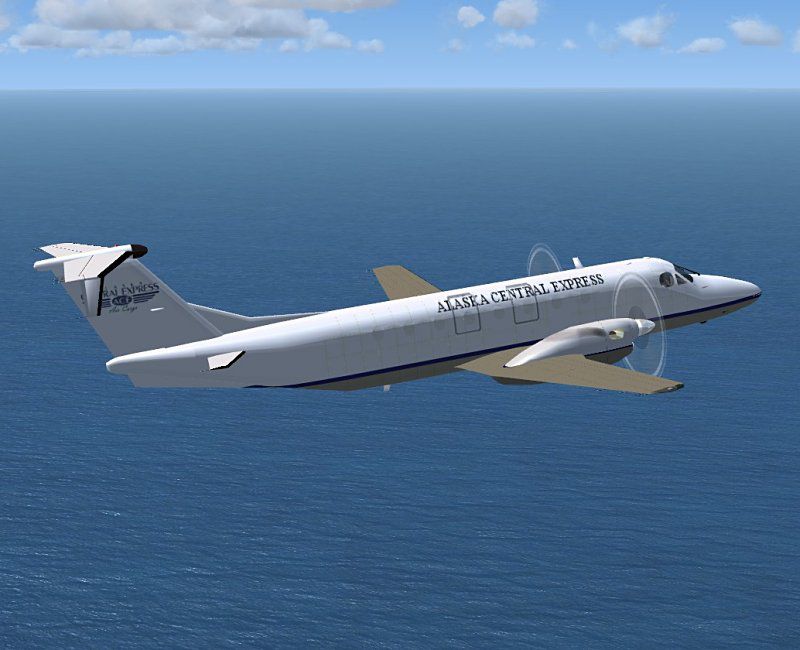
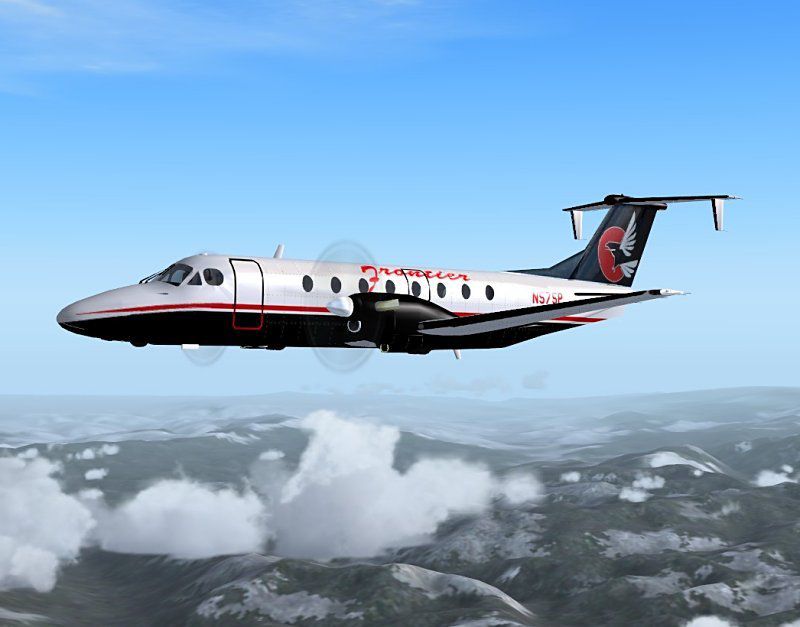
The B1900 is designed to carry passengers in all weather conditions from airports with relatively short runways. It is capable of flying in excess of 600 miles (970 km), although few operators use its full-fuel range. In terms of the number of aircraft built and its continued use by many passenger airlines and other users, it is one of the most popular 19-passenger airliners in history. It was designed, and is primarily used, as a regional airliner. It is also used as a freight aircraft, corporate transport, and by the United States military and other governments. Full Beech 1900 package with custom panel and VC. Passenger and freight version included. By Jean-Pierre Brisard and Bob May - Premier Aircraft Design.
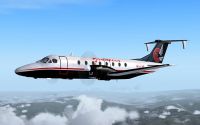
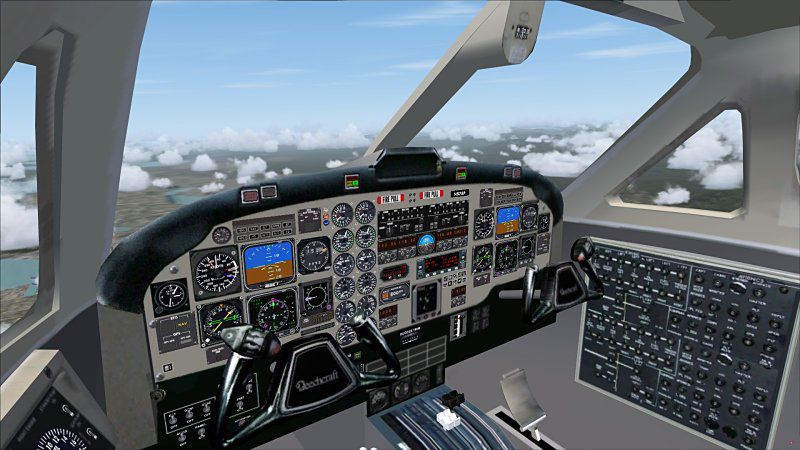
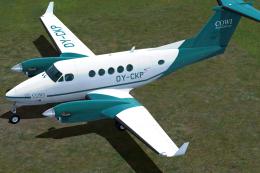
Screenshot of Beechcraft B1900C in flight.
BEECHCRAFT B1900C FOR FSX Installation:
*Extract ALL the files in the zip to the main FSX folder*
Do not extract to the airplanes folder or the simobjects folder. The zip file will automatically create new sub folders and populate them. If you extract the zip to a temporary folder and then move the files some functions will not work.
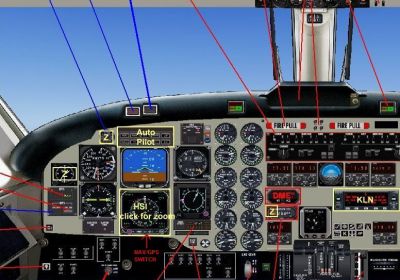
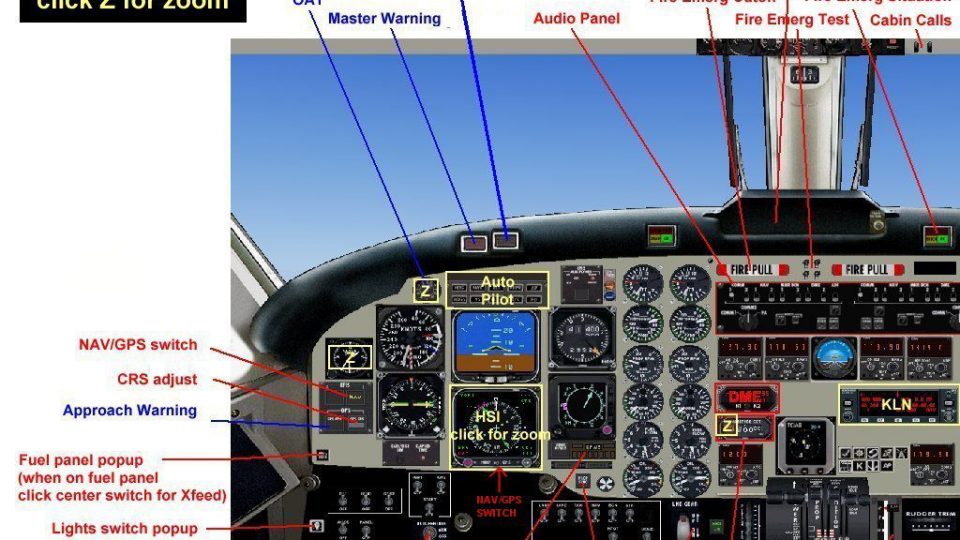
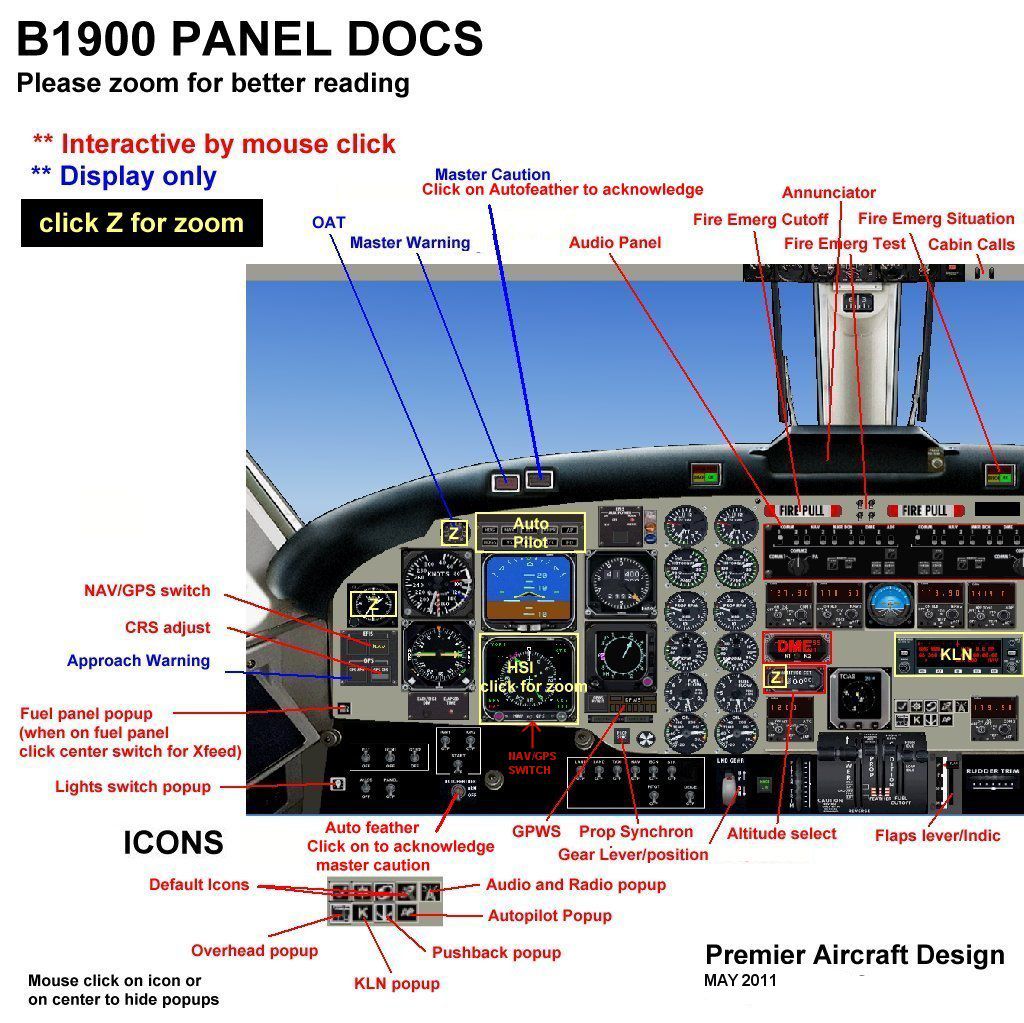
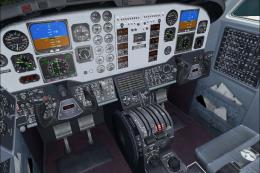
Screenshot of Beechcraft B1900C main panel.
Free for all simmers · 15.27 MB · Scanned clean Oct 2026
Download speed: Free tier is capped at 0.5 Mbps (this file takes approximately 4 mins at the cap). PRO members download at full line speed.
SimObjects\Airplanes\, Addon Scenery\, Effects\, or Gauges\.readme.txt or README file. It tells you exactly where files go, what dependencies are needed, and any quirks specific to this add-on.The archive b1900c_2_x.zip has 173 files and directories contained within it.
This list displays the first 500 files in the package. If the package has more, you will need to download it to view them.
| Filename/Directory | File Date | File Size |
|---|---|---|
| airplanes | 05.13.11 | 0 B |
| B1900C_2_X | 05.13.11 | 0 B |
| aircraft.cfg | 05.05.11 | 17.05 kB |
| b1900c_ACE_800.jpg | 05.13.11 | 68.68 kB |
| b1900c_frontier_800.jpg | 05.13.11 | 54.68 kB |
| B1900C_Installation.txt | 04.30.11 | 387 B |
| b1900c_VC_800.jpg | 05.13.11 | 83.42 kB |
| beechcraft_B1900C_READ_ME.pdf | 04.30.11 | 218.04 kB |
| Beech_B1900.air | 04.29.11 | 14.90 kB |
| Beech_B1900_check.htm | 05.26.08 | 58.05 kB |
| Beech_B1900_ref.htm | 05.26.08 | 11.59 kB |
| File_ID.diz | 05.13.11 | 748 B |
| MANUALS | 05.13.11 | 0 B |
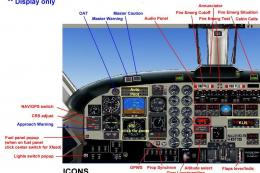
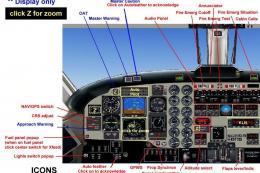
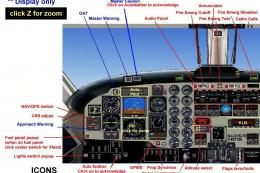
| B1900 Panel Docs.jpg | 04.30.11 | 228.39 kB |
| TAXISPEED_README.txt | 04.30.11 | 37.40 kB |
| model.cargo | 05.13.11 | 0 B |
| B1900CC_fix3_up.mdl | 05.02.11 | 1.71 MB |
| model.cfg | 05.02.11 | 34 B |
| model.pax | 05.13.11 | 0 B |
| B1900C_fix3_up.mdl | 05.01.11 | 2.09 MB |
| model.cfg | 05.02.11 | 33 B |
| panel.b1900xx | 05.13.11 | 0 B |
| b1900.CAB | 05.28.08 | 523.31 kB |
| B1900D.bmp | 05.04.11 | 2.25 MB |
| b1900_annun.CAB | 05.10.08 | 28.69 kB |
| B1900_sw.CAB | 04.26.11 | 305.07 kB |
| cad_kln90brored.gau | 07.19.02 | 144.00 kB |
| cad_kln90brored1.gau | 07.19.02 | 144.00 kB |
| cad_kln90brored2.gau | 07.19.02 | 144.00 kB |
| Copie de panel.cfg | 04.30.11 | 18.04 kB |
| FUELPANEL.bmp | 03.27.08 | 437.75 kB |
| GH_Sound.gau | 04.15.05 | 80.00 kB |
| GPWS_Sound.gau | 01.03.05 | 76.00 kB |
| king9.gau | 03.25.08 | 2.47 MB |
| overhead.bmp | 04.10.08 | 1.57 MB |
| panel.cfg | 05.04.11 | 17.60 kB |
| panel_backup001.cfg | 05.04.11 | 18.18 kB |
| pspbrwse.jbf | 04.30.11 | 8.50 kB |
| rcb-gauges.CAB | 12.05.07 | 27.06 kB |
| RCB_Groundhandling5.CAB | 10.20.06 | 26.63 kB |
| RCB_Groundhandling5_Sound.dll | 10.19.06 | 96.80 kB |
| README Groundhandling5_01.txt | 10.22.06 | 20.75 kB |
| Switches.bmp | 03.26.08 | 49.17 kB |
| Xfs9gps.cab | 06.12.03 | 296.71 kB |
| sound.padturbo | 05.13.11 | 0 B |
| Kan11.wav | 02.02.01 | 365.35 kB |
| Kan12.wav | 02.02.01 | 335.29 kB |
| Kan13.wav | 02.02.01 | 409.37 kB |
| Kan14.wav | 02.02.01 | 366.30 kB |
| Kan1shut.wav | 09.16.99 | 213.75 kB |
| Kan1strt.wav | 09.16.99 | 153.75 kB |
| Kan2shut.wav | 06.16.00 | 195.17 kB |
| Kan2strt.wav | 06.16.00 | 65.17 kB |
| kap1a.wav | 04.17.01 | 60.75 kB |
| kap1b.wav | 04.17.01 | 62.75 kB |
| kap1c.wav | 04.17.01 | 34.75 kB |
| kap1d.wav | 04.17.01 | 34.75 kB |
| kap2a.wav | 04.17.01 | 68.25 kB |
| kap2b.wav | 04.17.01 | 73.25 kB |
| kapr.wav | 04.17.01 | 37.31 kB |
| kbn1shut.wav | 09.16.99 | 207.75 kB |
| kbn1strt.wav | 09.16.99 | 158.25 kB |
| kbn2shut.wav | 06.16.00 | 195.17 kB |
| kbn2strt.wav | 06.16.00 | 65.17 kB |
| kbp1a.wav | 04.17.01 | 65.25 kB |
| kbp1b.wav | 04.17.01 | 60.75 kB |
| kbp1c.wav | 04.17.01 | 32.75 kB |
| kbp1d.wav | 04.17.01 | 32.75 kB |
| kbp2a.wav | 04.17.01 | 65.25 kB |
| kbp2b.wav | 04.17.01 | 73.75 kB |
| kbpr.wav | 04.17.01 | 24.31 kB |
| sound.cfg | 05.22.08 | 17.63 kB |
| twot_apd.wav | 04.17.01 | 13.69 kB |
| twot_door_close.wav | 04.09.03 | 131.81 kB |
| twot_door_open.wav | 04.09.03 | 945.71 kB |
| twot_flap.wav | 08.15.01 | 274.34 kB |
| twot_ovr.wav | 02.20.03 | 22.23 kB |
| twot_stall.wav | 04.17.01 | 105.28 kB |
| twot_wind.wav | 06.18.00 | 516.98 kB |
| Xkan11.wav | 02.02.01 | 340.25 kB |
| Xkan12.wav | 02.02.01 | 335.28 kB |
| Xkan13.wav | 02.02.01 | 495.51 kB |
| Xkan14.wav | 06.18.00 | 469.24 kB |
| xkan1shut.wav | 09.16.99 | 207.75 kB |
| xkan1strt.wav | 09.16.99 | 152.75 kB |
| xkan2shut.wav | 06.16.00 | 195.17 kB |
| xkan2strt.wav | 06.16.00 | 65.17 kB |
| xkap1a.wav | 04.17.01 | 60.75 kB |
| xkap1b.wav | 04.17.01 | 62.75 kB |
| xkap1c.wav | 04.17.01 | 34.75 kB |
| xkap1d.wav | 04.17.01 | 34.75 kB |
| xkap2a.wav | 04.17.01 | 68.25 kB |
| xkap2b.wav | 04.17.01 | 73.25 kB |
| xkapr.wav | 04.17.01 | 37.31 kB |
| xkbn1shut.wav | 09.16.99 | 189.75 kB |
| xkbn1strt.wav | 09.16.99 | 160.25 kB |
| xkbn2shut.wav | 06.16.00 | 195.17 kB |
| xkbn2strt.wav | 06.16.00 | 65.17 kB |
| xkbp1a.wav | 04.17.01 | 65.25 kB |
| xkbp1b.wav | 04.17.01 | 60.75 kB |
| xkbp1c.wav | 04.17.01 | 32.75 kB |
| xkbp1d.wav | 04.17.01 | 32.75 kB |
| xkbp2a.wav | 04.17.01 | 65.25 kB |
| xkbp2b.wav | 04.17.01 | 73.75 kB |
| xkbpr.wav | 04.17.01 | 35.81 kB |
| texture.ace | 05.13.11 | 0 B |
| B1900D_fuse.bmp | 04.27.11 | 1.00 MB |
| B1900_Engines.bmp | 04.27.11 | 1.00 MB |
| B1900_Enginesldg.bmp | 04.27.11 | 1.00 MB |
| B1900_Enginesldg_L.bmp | 02.09.07 | 512.07 kB |
| chrome_brown.bmp | 09.16.06 | 64.07 kB |
| Decals.bmp | 01.31.07 | 512.07 kB |
| elevator.bmp | 04.27.11 | 1.00 MB |
| Glass.bmp | 04.24.11 | 64.07 kB |
| inter_B1900.bmp | 04.14.08 | 512.07 kB |
| lights.bmp | 11.17.07 | 32.07 kB |
| lights_L.bmp | 05.16.08 | 65.05 kB |
| miscell.bmp | 04.14.08 | 512.07 kB |
| Ovhd.bmp | 04.01.08 | 512.07 kB |
| panel3.bmp | 04.22.08 | 512.07 kB |
| pilots.bmp | 10.05.05 | 257.05 kB |
| pilots_L.bmp | 10.06.05 | 257.05 kB |
| prop2_TBX.bmp | 10.25.08 | 1.00 MB |
| roue2.bmp | 01.10.07 | 65.05 kB |
| SEATS.bmp | 01.22.07 | 1.00 MB |
| thumbnail.jpg | 04.30.11 | 11.49 kB |
| Thumbs.db | 04.26.11 | 8.50 kB |
| Wings_B1900.bmp | 04.27.11 | 1.00 MB |
| YOKE.bmp | 04.22.08 | 512.07 kB |
| texture.frontier | 05.13.11 | 0 B |
| B1900D_fuse.bmp | 04.29.11 | 1.00 MB |
| B1900_Engines.bmp | 04.29.11 | 1.00 MB |
| B1900_Enginesldg.bmp | 04.29.11 | 1.00 MB |
| B1900_Enginesldg_L.bmp | 02.09.07 | 512.07 kB |
| chrome_brown.bmp | 09.16.06 | 64.07 kB |
| Decals.bmp | 01.31.07 | 512.07 kB |
| elevator.bmp | 04.22.11 | 1.00 MB |
| Glass.bmp | 04.24.11 | 64.07 kB |
| inter_B1900.bmp | 04.14.08 | 512.07 kB |
| lights.bmp | 11.17.07 | 32.07 kB |
| lights_L.bmp | 05.16.08 | 65.05 kB |
| miscell.bmp | 04.14.08 | 512.07 kB |
| Ovhd.bmp | 04.01.08 | 512.07 kB |
| panel3.bmp | 04.22.08 | 512.07 kB |
| pilots.bmp | 10.05.05 | 257.05 kB |
| pilots_L.bmp | 10.06.05 | 257.05 kB |
| prop2_TBX.bmp | 10.25.08 | 1.00 MB |
| roue2.bmp | 01.10.07 | 65.05 kB |
| SEATS.bmp | 01.22.07 | 1.00 MB |
| thumbnail.jpg | 04.30.11 | 10.54 kB |
| Thumbs.db | 04.26.11 | 8.50 kB |
| Wings_B1900.bmp | 04.29.11 | 1.00 MB |
| YOKE.bmp | 04.22.08 | 512.07 kB |
| Simobjects | 12.22.09 | 0 B |
| Groundhandling | 10.08.09 | 0 B |
| Groundhandling5 | 10.08.09 | 0 B |
| GH01_Conversation1.wav | 10.26.03 | 188.92 kB |
| GH02_Conversation2.wav | 10.30.03 | 76.44 kB |
| GH03_Conversation3.wav | 11.04.03 | 55.39 kB |
| GH04_Conversation4A.wav | 10.14.06 | 114.56 kB |
| GH05_Conversation5.wav | 10.30.03 | 134.51 kB |
| GH06_SoftClick.wav | 03.07.05 | 551 B |
| GH07_Error.wav | 10.26.03 | 8.75 kB |
| GH08_PushbackRoll.wav | 05.11.05 | 44.58 kB |
| GH09_Conversation4B.wav | 10.14.06 | 67.76 kB |
| GH10_Attention.wav | 10.14.06 | 21.57 kB |
| GH11_Brakes.wav | 11.06.03 | 29.74 kB |
| Sound.ini | 03.20.07 | 925 B |
| sound | 06.19.10 | 0 B |
| fx_PADbeaconh.fx | 09.02.06 | 4.75 kB |
| effects | 01.06.11 | 0 B |
| flyawaysimulation.txt | 10.29.13 | 959 B |
| Go to Fly Away Simulation.url | 01.22.16 | 52 B |
Only PRO members can place votes.
More FSX & P3D add-ons hand-picked based on this download.
FSX Turboprops
This freeware release of the twin-engined Beechcraft Model 99 (sometimes refe…
 FSX Turboprops
Beechcraft B1900D Regional Airliner. 19 seat regional airliners of U.S. Airwa…
 FSX Turboprops
Securite Civile Beechcraft King Air 200, registration F-ZBFK and F-ZBFJ. Mode…
 FSX Turboprops
This texture revision for the Beechcraft King Air 350 provides a direct solut…
 FSX Turboprops
A repaint of the Premier Aircraft Design Beech B1900 model. Repaint by Frans …
 FSX Turboprops
The Beechcraft B1900D featured here stands as a complete freeware package des…
 FSX Turboprops
Discover a finely detailed rendition of ERA Aviation’s 19-seat Beechcraft B19…
 FSX Turboprops
A complete pack of over 50 freeware repaints for the payware Beechcraft King …
Read what other simmers think, or add your own.


I love this aircraft. Thank you Jean-Pierre Brisard and Bob May - Premier Aircraft Design!

What a little gem. Looks good and great to fly. If you don't have it get it now and it's free.
This is an absolutely flawless B1900C that I love to fly on FSX SE. Everything works great and is perhaps my favourite aircraft. Thank You!

This is the best looking free version of this plane I have found no flaws at all, and a relatively small download size.