

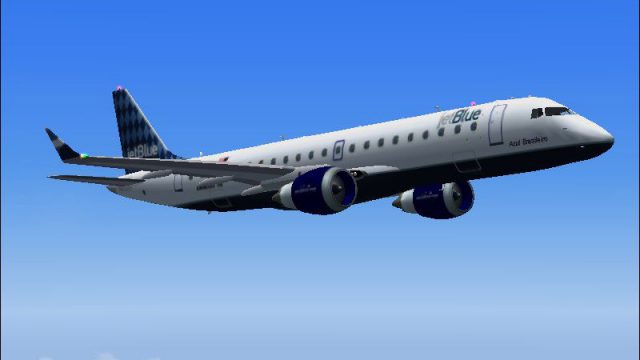
 FS2004 Civil Jet Aircraft
jetBlue Embraer 170
Enhance your Microsoft Flight Simulator 2004 hangar with this carefully craft…
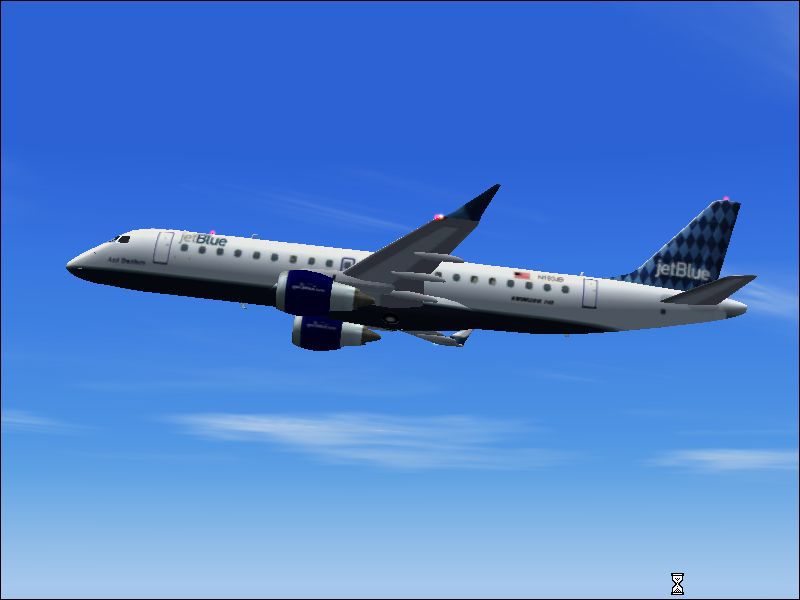
JetBlue colors bring the Embraer ERJ-190 to life with a clean, airline-accurate repaint tailored for FS2004, commemorating the carrier’s 2005 entry into the type. The package refreshes exterior textures for a convincing ramp presence and in-flight look, and requires the Air Canada Embraer 190 model.
 Rate
Rate

Free for all simmers · 988.75 KB · Scanned clean Oct 2026
Download speed: Free tier is capped at 0.5 Mbps. PRO members download at full line speed.
FS9\Aircraft\, FS9\Addon Scenery\, FS9\Gauges\, or FS9\Effects\.readme.txt or README file. It tells you exactly where files go, what dependencies are needed, and any quirks specific to this add-on.The archive erj190jb.zip has 36 files and directories contained within it.
This list displays the first 500 files in the package. If the package has more, you will need to download it to view them.
| Filename/Directory | File Date | File Size |
|---|---|---|
| Aircraft.cfg | 10.31.05 | 7.80 kB |
| E190AC.air | 01.02.02 | 8.28 kB |
| model | 10.29.05 | 0 B |
| E190AC.mdl | 02.18.04 | 993.27 kB |
| Model.cfg | 02.10.04 | 25 B |
| panel | 10.29.05 | 0 B |
| panel.cfg | 12.19.03 | 30 B |
| sound | 10.29.05 | 0 B |
| sound.cfg | 12.19.03 | 30 B |
| texture.JBU | 10.30.05 | 0 B |
| Civil Pilot.bmp | 01.31.03 | 65.05 kB |
| EMB190Asas.bmp | 10.30.05 | 512.07 kB |
| EMB190Asas_L.bmp | 02.18.04 | 1.33 MB |
| EMB190EV.bmp | 10.30.05 | 256.07 kB |
| EMB190EV_LM.bmp | 04.21.04 | 512.07 kB |
| EMB190Fan.bmp | 02.11.04 | 65.04 kB |
| EMB190FanH.bmp | 02.12.04 | 65.05 kB |
| EMB190Map.bmp | 10.30.05 | 256.07 kB |
| EMB190Map_L.bmp | 02.18.04 | 682.78 kB |
| EMB190Misc.bmp | 10.30.05 | 128.07 kB |
| EMB190Misc_L.bmp | 02.18.04 | 341.43 kB |
| EMB190Painel.bmp | 02.17.04 | 257.05 kB |
| EMB190Tire.bmp | 02.14.04 | 65.05 kB |
| EMB190Turb.bmp | 10.30.05 | 128.07 kB |
| EMB190TurbSupo.bmp | 02.18.04 | 170.78 kB |
| EMB190TurbSupo_L.bmp | 02.18.04 | 170.78 kB |
| EMB190Turb_L.bmp | 02.18.04 | 341.43 kB |
| Janelas.bmp | 04.21.04 | 512.07 kB |
| Seat.bmp | 01.31.03 | 65.05 kB |
| Thumbs.db | 04.21.04 | 40.50 kB |
| Embraer ERJ 190 JetBlue | 10.31.05 | 0 B |
| EMB 190 JetBlue.jpg | 10.31.05 | 39.54 kB |
| Readme.txt | 10.31.05 | 702 B |
| JetBlue ERJ 190.jpg | 10.31.05 | 29.81 kB |
| flyawaysimulation.txt | 10.29.13 | 959 B |
| Go to Fly Away Simulation.url | 01.22.16 | 52 B |
Only PRO members can place votes.
More FS2004 add-ons hand-picked based on this download.
FS2004 Civil Jet Aircraft
Enhance your Microsoft Flight Simulator 2004 hangar with this carefully craft…
 FS2004 Civil Jet Aircraft
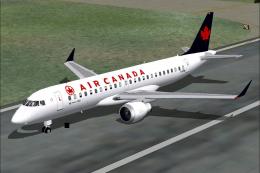
Repainted by Rene Bruun. Model by J.R. Lucariny. Screenshot of Aer Arann Embr…
 FS2004 Civil Jet Aircraft
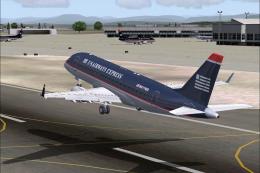
These paint fixes are for the J. R. Lucariny Embraer 190 Air Canada and Forca…
 FS2004 Civil Jet Aircraft
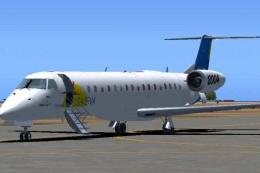
Features DXT3 textures with alpha reflections. Model by Dreamwings. Repaint b…
 FS2004 Civil Jet Aircraft
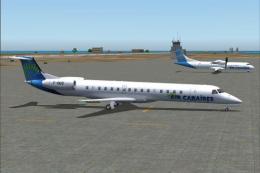
Satena actually uses two ERJ 145, covering some Colombian regional destinatio…
 FS2004 Civil Jet Aircraft
Textures only, requires Dreamwings ERJ-145 base package. Repaint by Olivier G…
 FS2004 Civil Jet Aircraft
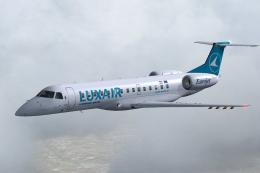
DreamWings ERJ-135 in Luxair livery (anticipated), registration LX-LHA. Textu…
 FS2004 Civil Jet Aircraft
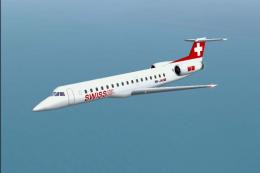
This repaint and flight model package features the Swiss-registered Embraer E…
Read what other simmers think, or add your own.


The Premier Aircraft Design model of this jet is the best I've ever seen. Check out the Web site and see.

The paint job is fine but repainting someone else's work while losing original details is not fair to the original designer. The cockpit is the default FS9 737. Only one side of the radio stack functions and the GW is set so high that any entry for payload creates overweight so you have to substantially reduce Fuel. The download has no details as to flying characteristics or flap speed settings. This is a careless job and not worth downloading unless you now how to correct the errors.