

 FS2004 Civil Jet Aircraft
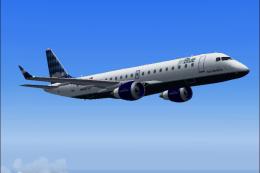
Embraer ERJ-190, JetBlue
Repaint of Air Canada Embraer 190 model in Jet Blue colors to celebrate JetBl…
jetBlue’s crisp branding and detailed surface texturing bring the Dreamwings Embraer 170 to life with authentic registrations, refined rivet lines, and clean fuselage artwork. Built for Microsoft Flight Simulator 2004, this repaint requires the Dreamwings Embraer 170 Version 3 base model and adds a recognizable regional-jet look for modern airline operations.
 Rate
Rate
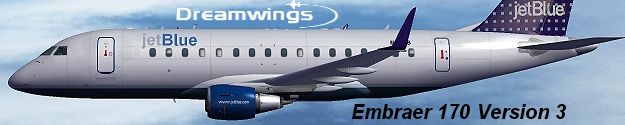
Enhance your Microsoft Flight Simulator 2004 hangar with this carefully crafted jetBlue Embraer 170 repaint. Embraer’s twin-engine E-Jet series is known for efficient aerodynamics and comfortable passenger amenities, which aligns perfectly with jetBlue’s distinctive in-cabin experience. Created by Dreamwings, this texture set showcases realistic surface details and airline branding, bringing a highly recognizable livery to virtual skies. Developed by AJ Nikoley and the Dreamwings team, these textures reflect both authenticity and close attention to detail.
In-flight image showing the vivid jetBlue livery on the Embraer 170.
This repaint is formatted strictly for Dreamwings’ Embraer 170 Version 3 (DW170BAS.ZIP) and does not include the requisite base model. It is incompatible with earlier Dreamwings E-Jet packages (Version 1 or Version 2). Those earlier variants differ structurally, making these textures unusable with anything but the new release.
aircraft.cfg file and insert the supplementary [fltsim.x] entry as normally required for new textures in Microsoft Flight Simulator 2004.When everything is placed correctly, you can select the jetBlue Embraer 170 repaint in your aircraft library. You’ll then be able to immerse yourself in a recognizable livery that resonates with jetBlue’s real-world operations. As always, verify that you have the entire Dreamwings E-Jet Version 3 framework installed before installing these textures, since the repaint relies on that specific model geometry.
Free for all simmers · 3.9 MB · Scanned clean Oct 2026
Download speed: Free tier is capped at 0.5 Mbps (this file takes approximately 1 min at the cap). PRO members download at full line speed.
This file is a repaint — the package below is the base model it paints onto. Install it first, or the textures will have nothing to load onto.
FS9\Aircraft\, FS9\Addon Scenery\, FS9\Gauges\, or FS9\Effects\.readme.txt or README file. It tells you exactly where files go, what dependencies are needed, and any quirks specific to this add-on.The archive jblue170.zip has 29 files and directories contained within it.
This list displays the first 500 files in the package. If the package has more, you will need to download it to view them.
| Filename/Directory | File Date | File Size |
|---|---|---|
| Civil Pilot.bmp | 01.31.03 | 65.05 kB |
| Engine.bmp | 05.04.04 | 4.00 MB |
| Engine_l.bmp | 01.18.04 | 1.00 MB |
| fuse_part.bmp | 05.04.04 | 512.07 kB |
| fuse_part_l.bmp | 05.04.04 | 512.05 kB |
| Fuselage.bmp | 05.04.04 | 4.00 MB |
| Fuselage_l.bmp | 01.24.04 | 1.00 MB |
| Misc.bmp | 05.04.04 | 4.00 MB |
| Misc_l.bmp | 05.04.04 | 4.00 MB |
| Ny mapp | 02.29.04 | 0 B |
| Tail_elevator.bmp | 02.29.04 | 4.00 MB |
| Tail_elevator_l.bmp | 01.09.04 | 1.00 MB |
| Thumbs.db | 05.04.04 | 121.50 kB |
| vcabin.bmp | 05.04.04 | 4.00 MB |
| vcabinfb.bmp | 05.04.04 | 256.07 kB |
| window.bmp | 01.25.04 | 256.07 kB |
| window_l.bmp | 01.25.04 | 256.07 kB |
| Wing_bottom_left.bmp | 03.01.04 | 4.00 MB |
| Wing_bottom_left_l.bmp | 01.09.04 | 1.00 MB |
| Wing_bottom_right.bmp | 03.01.04 | 4.00 MB |
| Wing_bottom_right_l.bmp | 01.09.04 | 1.00 MB |
| Wing_top_left.bmp | 03.01.04 | 4.00 MB |
| Wing_top_left_l.bmp | 01.24.04 | 1.00 MB |
| Wing_top_right.bmp | 03.01.04 | 4.00 MB |
| Wing_top_right_l.bmp | 01.24.04 | 1.00 MB |
| READ!!!IMPORTANT.txt | 05.04.04 | 1.64 kB |
| jb_dr.jpg | 05.04.04 | 47.10 kB |
| flyawaysimulation.txt | 10.29.13 | 959 B |
| Go to Fly Away Simulation.url | 01.22.16 | 52 B |
Only PRO members can place votes.
More FS2004 add-ons hand-picked based on this download.
FS2004 Civil Jet Aircraft
Repaint of Air Canada Embraer 190 model in Jet Blue colors to celebrate JetBl…
 FS2004 Civil Jet Aircraft
Presenting the new Embraer 170 version 3. New model, new textures, animated f…
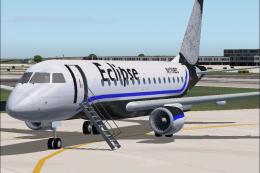 FS2004 Civil Jet Aircraft
A repaint of the fantastic Embraer 170 by Dreamwings! Repainted for the Virtu…
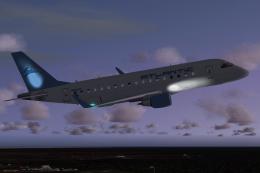 FS2004 Civil Jet Aircraft
This repaint is for Atlantic Aviation Virtual Airlines (AAAV). This model cre…
 FS2004 Civil Jet Aircraft
Embraer 170 with GE CF34-8E engines. By Carl Selin, Tommy Hansson, John Cilli…
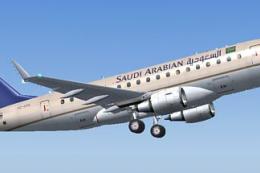 FS2004 Civil Jet Aircraft
A fictional Saudi Arabian Embraer 170 repaint using the Dreamwings model (v3)…
 FS2004 Civil Jet Aircraft
Repainted by Patrick Morrison. Screenshot of Air Canada 2004 Embraer 170 in f…
 FS2004 Civil Jet Aircraft
Features DXT3 textures with alpha reflections. Model by Dreamwings. Repaint b…
Be the first to leave a comment on this download.
Be the first to share your thoughts on this download.