

 FS2004 Civil Jet Aircraft
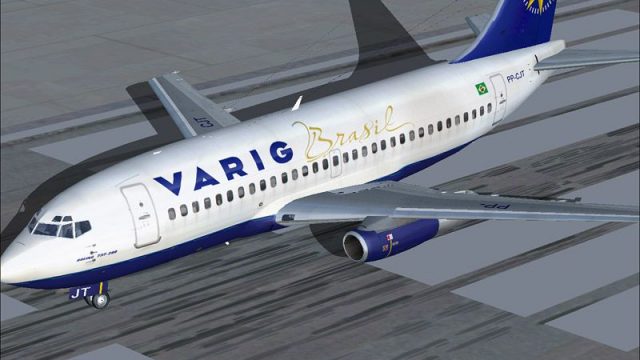
Varig Boeing 737-200 PP-VME
This freeware package for Microsoft Flight Simulator 2004 showcases a classic…
Varig’s PP-CJT Boeing 737-200 comes to life with crisp 32-bit textures, accurate markings, and a classic narrow-body silhouette, paired with tuned flight dynamics that match JT8D-17R-era performance. Built for Microsoft Flight Simulator 2004, it also includes SMOKE_JT8D effects to capture the signature early-jet exhaust look.
 Rate
Rate
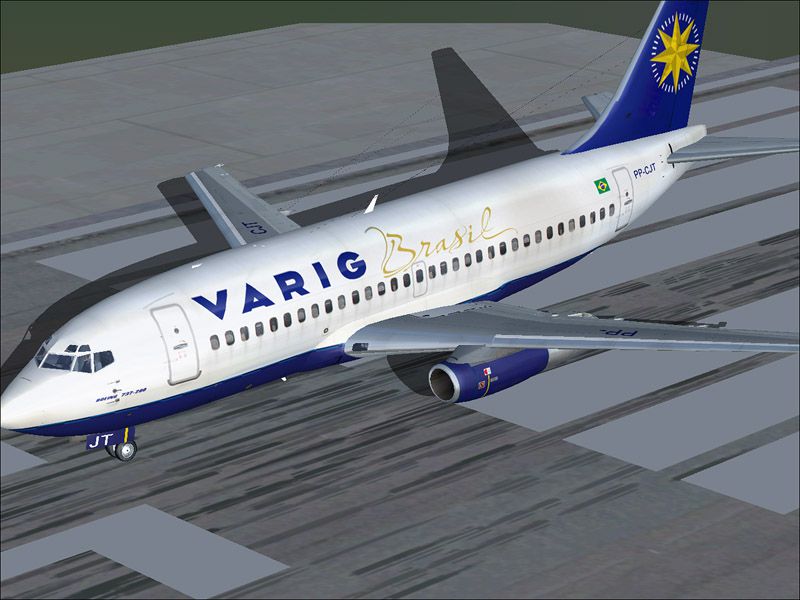

This freeware package features a lovingly crafted Boeing 737-200 in Varig colors, meticulously developed for Microsoft Flight Simulator 2004. It showcases detailed 32-bit textures, clean lines on the fuselage, and carefully reproduced elements that reflect the classic look of Varig’s “PP-CJT” registration. Created by Erick Cantu (model) and Mike Baumann (FDE), with a custom paint job by Adriano Martoni, this add-on faithfully represents the characteristics of the original aircraft.
The Boeing 737-200 emerged as a formidable narrow-body jet powered by twin JT8D engines. Its proven design served many airlines worldwide, including Varig, which flew short-haul routes across Brazil and South America. This model incorporates the hallmark JT8D-17R performance, and the designers integrated an array of animation details. Additionally, the package comes with specialized smoke effects (defined as SMOKE_JT8D) to replicate distinctive exhaust output from early-generation 737 engines.
Varig’s livery on “PP-CJT” set a standard for memorable branding, and the add-on team has embedded these intricate markings in the texture files. These 32-bit high-resolution textures are hand-drawn to deliver clear window outlines, crisp lettering, and realistic weathering. Moreover, interior and exterior finishes balance fidelity and performance to ensure smooth operation within Microsoft Flight Simulator 2004.
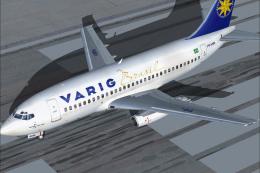
Varig Boeing 737-200 poised on the runway.
The aircraft’s configuration file incorporates the [fltsim.0] section shown below. It properly identifies Boeing as the manufacturer, references the panel and sound defaults, and includes an editable description line:
[fltsim.0]
title=Boeing 737-200 Varig
sim=cf732v2004
model=
panel=
sound=
texture=varig
kb_checklists=Boeing737-400_check
kb_reference=Boeing737-400_ref
atc_type=Boeing
atc_id_enable=1
atc_id=PP-CJT
atc_id_color=0xffffffff
editable=0
visual_damage=1
ui_manufacturer=Boeing
ui_type=737-200
ui_variation=Varig
description="The Boeing 737-200 is the most successful commercial jet airliner ever built. A total of 1,114 were built between 1967 and 1988
2x JT8D-17R's at 16,400 lbs thrust
FS2004 FDE v1.00 for FFX/SGA Models
Charles Fox" - Boeing 737-200 Varig painted by Martoni.
atc_airline=Varig
This package stands as a complete freeware ensemble on Fly Away Simulation. Enthusiasts seeking a heritage Boeing platform will appreciate the close attention to historical and operational detail that defines this Varig Boeing 737-200. The combined efforts of Erick Cantu, Mike Baumann, and Adriano Martoni ensure that every element operates smoothly, providing a balanced classic jet experience in Microsoft Flight Simulator 2004.
Free for all simmers · 3.73 MB · Scanned clean Oct 2026
Download speed: Free tier is capped at 0.5 Mbps (this file takes approximately 1 min at the cap). PRO members download at full line speed.
FS9\Aircraft\, FS9\Addon Scenery\, FS9\Gauges\, or FS9\Effects\.readme.txt or README file. It tells you exactly where files go, what dependencies are needed, and any quirks specific to this add-on.The archive b732_cjt.zip has 32 files and directories contained within it.
This list displays the first 500 files in the package. If the package has more, you will need to download it to view them.
| Filename/Directory | File Date | File Size |
|---|---|---|
| SMOKE_JT8D.fx | 02.23.04 | 1.87 kB |
| Effects | 04.08.04 | 0 B |
| B737_200.mdl | 02.21.04 | 1.31 MB |
| MODEL.CFG | 02.08.03 | 25 B |
| Model | 04.08.04 | 0 B |
| panel.cfg | 03.16.03 | 30 B |
| panel | 04.08.04 | 0 B |
| sound.cfg | 04.17.01 | 32 B |
| sound | 04.08.04 | 0 B |
| 732_B_T.BMP | 03.06.04 | 1.00 MB |
| 737INTERIOR_T.BMP | 02.27.04 | 1.00 MB |
| B732FUSE_L.BMP | 04.24.04 | 1.00 MB |
| B732FUSE_T.BMP | 04.24.04 | 4.00 MB |
| B737TAIL_L.BMP | 04.17.04 | 256.07 kB |
| B737TAIL_T.bmp | 04.24.04 | 1.00 MB |
| ENGINES_L.BMP | 02.23.04 | 64.07 kB |
| ENGINES_T.BMP | 04.24.04 | 1.00 MB |
| MISC_L.BMP | 02.23.04 | 4.07 kB |
| MISC_T.BMP | 04.24.04 | 1.00 MB |
| WINGS_L.BMP | 02.23.04 | 256.07 kB |
| WINGS_T.BMP | 03.27.04 | 4.00 MB |
| Texture.varig | 04.19.04 | 0 B |
| AIRCRAFT.CFG | 04.24.04 | 12.22 kB |
| cf732v2004.air | 04.20.04 | 8.17 kB |
| file_id.txt | 04.24.04 | 251 B |
| Leiame.txt | 04.24.04 | 1.44 kB |
| Readme.txt | 04.24.04 | 983 B |
| varig_blue.gif | 04.24.04 | 11.57 kB |
| varigB.jpg | 04.24.04 | 115.06 kB |
| varigB_N.jpg | 04.24.04 | 101.22 kB |
| flyawaysimulation.txt | 10.29.13 | 959 B |
| Go to Fly Away Simulation.url | 01.22.16 | 52 B |
Only PRO members can place votes.
More FS2004 add-ons hand-picked based on this download.
FS2004 Civil Jet Aircraft
This freeware package for Microsoft Flight Simulator 2004 showcases a classic…
 FS2004 Civil Jet Aircraft
This freeware add-on enriches Microsoft Flight Simulator 2004 with a meticulo…
 FS2004 Civil Jet Aircraft
A repaint of the default B737. By Anders Grandjean-Thomsen. Screenshot of Var…
 FS2004 Civil Jet Aircraft
For use with Just Flight Traffic 2004. Repaint and flight model by Daniel Nol…
 FS2004 Civil Jet Aircraft
For use with Just Flight Traffic 2004. Repaint and flight model by Daniel Nol…
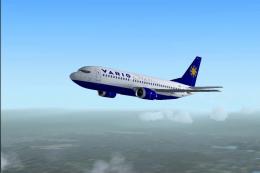 FS2004 Civil Jet Aircraft
This freeware release features a faithful recreation of Varig’s Boeing 737-33…
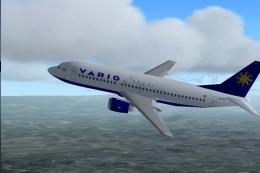 FS2004 Civil Jet Aircraft
Immerse yourself in a highly detailed rendition of the Varig Boeing 737-33R, …
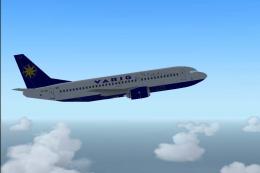 FS2004 Civil Jet Aircraft
Give your Microsoft Flight Simulator 2004 library a detailed Brazilian touch …
Be the first to leave a comment on this download.
Be the first to share your thoughts on this download.