

 FSX Scenery
Bristol International Airport
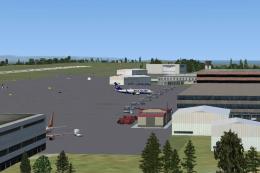
Scenery Bristol International Airport. Make over of EGGD Bristol Internationa…
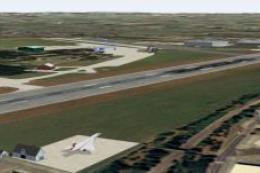
Bristol International Airport (EGGD) brings the UK gateway to life in FSX with a detailed terminal, accurate taxiways and gates, photoreal runway textures, and lively apron ambience via static aircraft and 2D passengers and ground staff. Assigned airline parking supports traffic programs for more authentic operations and smoother AI flow.
 Rate
Rate
 United Kingdom
(EGGD), UK This rendition of Bristol international airport was made using Gmax for the buildings, ADE9X for taxiways and gates and samm for the static aircraft. In this package you will receive: static aircraft, static 2D people (passengers and ground staff), the beautiful terminal building, photoreal runway textures plus if you possess a traffic program, then there are assigned parking gates for certain airlines. By Harry Patten.
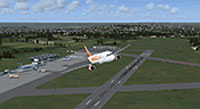
Screenshot of plane flying over Bristol International Airport.
For a quick and easy installation, simply run the auto install prior to activating "BristolX" in your scenery library.
Alternatively, place the "BristolX" folder in your addon scenery directory prior to activating it in your scenery library.
Free for all simmers · 29.13 MB · Scanned clean Oct 2026
Download speed: Free tier is capped at 0.5 Mbps (this file takes approximately 8 mins at the cap). PRO members download at full line speed.
FSX\Addon Scenery\ containing scenery and texture sub-folders.readme.txt or README file. It tells you exactly where files go, what dependencies are needed, and any quirks specific to this add-on.Use these coordinates to fly directly to this location once the mod is installed.
51.38270000,-2.71910000
Launch FSX or Prepar3D and use Flights → Load to open the downloaded .pln file. Your aircraft will be positioned at this location.
The archive bristol_x_.zip has 31 files and directories contained within it.
This list displays the first 500 files in the package. If the package has more, you will need to download it to view them.
| Filename/Directory | File Date | File Size |
|---|---|---|
| Scenery | 12.27.12 | 0 B |
| bristol1.BGL | 12.27.12 | 24.28 kB |
| bristol2.BGL | 02.03.11 | 23.88 MB |
| Texture | 12.27.12 | 0 B |
| eggd_tex1_lm.bmp | 01.19.11 | 682.74 kB |
| eggd_tex2_lm.bmp | 01.19.11 | 170.74 kB |
| eggd_tex4_lm.bmp | 01.19.11 | 4.00 MB |
| eggd_tex5_lm.bmp | 01.19.11 | 682.74 kB |
| eggd_tex6_lm.BMP | 01.19.11 | 2.67 MB |
| eggd_v3_tex2.bmp | 01.19.11 | 170.74 kB |
| eggd_v3_tex2_lm.bmp | 01.19.11 | 170.74 kB |
| eggd_v3_tex3.BMP | 01.19.11 | 5.33 MB |
| eggd1.bmp | 01.19.11 | 682.74 kB |
| eggd2.bmp | 01.19.11 | 256.07 kB |
| eggd3.bmp | 01.19.11 | 2.67 MB |
| eggd4.bmp | 01.19.11 | 682.74 kB |
| eggd6.BMP | 01.19.11 | 682.73 kB |
| eggd7 (2).BMP | 01.19.11 | 2.67 MB |
| eggd7.BMP | 01.19.11 | 682.73 kB |
| lightRGBW_lm.bmp | 12.06.10 | 336.07 kB |
| mark.BMP | 01.19.11 | 672.07 kB |
| mark2.bmp | 01.19.11 | 672.07 kB |
| mark3.BMP | 01.19.11 | 168.07 kB |
| s3_generic3.BMP | 01.19.11 | 1.31 MB |
| wetterrain.BMP | 12.11.10 | 85.40 kB |
| README.txt | 12.27.12 | 272 B |
| FSX Bristol Installer.exe | 12.27.12 | 13.31 MB |
| 2012-12-27_17-19-11-551.BMP | 12.27.12 | 3.00 MB |
| 2012-12-27_17-18-59-659.BMP | 12.27.12 | 3.00 MB |
| flyawaysimulation.txt | 10.29.13 | 959 B |
| Go to Fly Away Simulation.url | 01.22.16 | 52 B |
Only PRO members can place votes.
More FSX & P3D add-ons hand-picked based on this download.
FSX Scenery
Scenery Bristol International Airport. Make over of EGGD Bristol Internationa…
 FSX Scenery
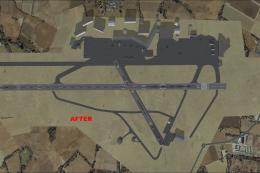
Bristol Airport Scenery (EGGD) UK. This is a complete re-work of Bristol Airp…
 FSX Scenery
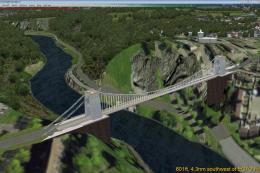
UK, v1.0. This scenery adds the Clifton Suspension Bridge & Observatory to OR…
 FSX Scenery
Bristol Filton Airfield (EGTG), UK. Designed to blend with Horizon GenX photo…
 FSX Scenery
Princess Juliana International Airport (TNCM) in Saint Marteen, Netherlands A…
 FSX Scenery
Barbados International Airport (TBPB). Grantley Adams International Airport f…
 FSX Scenery
Dubai International Airport (OMDB), Dubai. Includes a new passenger terminal …
 FSX Scenery
Soekarno-Hatta International Airport (WIII), Jakarta, Indonesia. An update to…
Read what other simmers think, or add your own.


Yes, same here. Missing texture(s), Library or an error by another scenery developer maybe.


I've tested the scenery, but unfortunately all the buildings appear black. Are perhaps some textures missing? Moreover the parking spots don't have tee-offset. Any suggestion?