

 FS2004 Propeller Aircraft
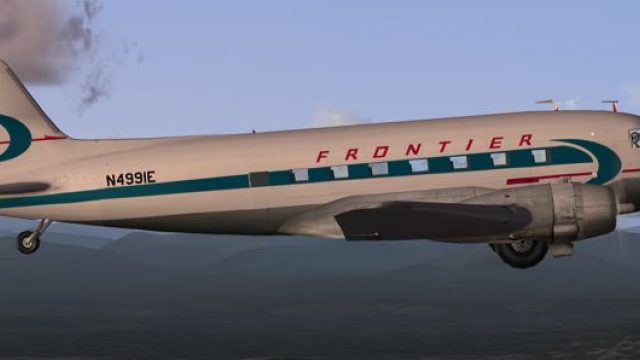
Frontier Airlines Douglas DC-3 N65276
In Frontier's first livery from the early 1950's. Textures only for the MAAM-…
Frontier Airlines colors bring the default Douglas DC-3 to life with a period-accurate, mid-century look that suits vintage routes and classic scenery. Designed for Microsoft Flight Simulator 2004, the repaint focuses on authentic markings and a cohesive exterior finish, and requires the stock DC-3 base aircraft.
 Rate
Rate
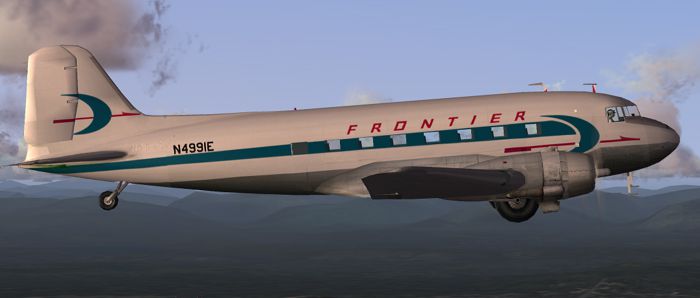
This repaint package offers a classic Frontier Airlines finish for the default DC-3 in Microsoft Flight Simulator 2004. Created by Ed Knapp, these textures replicate the look of an iconic airline that once cultivated a lasting impact on regional aviation. Expect a historically inspired appearance that delivers an authentic travel experience aboard a revered twin-prop airliner known for its dependable performance and timeless design.
The Douglas DC-3 served as a pioneering passenger aircraft throughout the mid-20th century, and Frontier Airlines utilized its robust construction to unite smaller cities with larger transport hubs. This repaint draws attention to the distinctive color scheme that was once a fixture on flights crossing the American heartland. Although meticulous care has been taken, the default texture mapping for this classic taildragger limits perfect alignment, making certain design elements inherently challenging to match on each side. Nonetheless, the end result closely represents the original Frontier aesthetic without sacrificing overall fidelity.
Screenshot of Frontier Airlines Douglas DC-3 cruising at altitude.
This aircraft revolutionized commercial travel by offering improved efficiency, range, and passenger comfort. Originally emerging in the 1930s, the DC-3 introduced cabin heating and running water for an onboard lavatory, setting higher standards for airborne convenience. With strong radial engines and a durable airframe, this design managed to operate profitably on passenger revenue alone. Many DC-3 airframes remain airborne today, further demonstrating just how influential it was for both aviation enthusiasts and real-world carriers like Frontier Airlines.
[fltsim.x]

title=Douglas DC-3 Frontier

sim=Douglas_DC3

model=

panel=

sound=

texture=frontier

kb_checklists=Douglas_DC3_check

kb_reference=Douglas_DC3_ref

atc_id=N4991E

atc_id_color=

ui_manufacturer=Douglas

ui_type="DC-3"

ui_variation="Frontier"

description="The Douglas DC-3 revolutionized air transportation and airline service during the 1930s and 1940s. It was a luxury airliner that boasted cabin heat and running water in its on-board lavatory. With the right balance of efficiency, range, speed, and payload, the DC-3 was the first aircraft to earn a profit for its owners just by carrying passengers. The hero of early airlines, a handful of DC-3s are still at work today."
The underlying DC-3 model is part of the default aircraft included with Microsoft Flight Simulator 2004. Alternatively, a freeware base package may also be located in the Fly Away Simulation mod library if needed. Note that this download contains textures only and does not supply the original model files.
These vivid textures were meticulously prepared by Ed Knapp. While the texture alignment poses occasional challenges, this Frontier Airlines repaint aims to replicate the carrier’s esteemed branding as closely as possible. Enjoy flying a piece of early airline history across vintage or modern virtual routes. For best results, confirm you have the default DC-3 fully installed in your simulator prior to adding this repaint.
Free for all simmers · 1.72 MB · Scanned clean Oct 2026
Download speed: Free tier is capped at 0.5 Mbps. PRO members download at full line speed.
FS9\Aircraft\, FS9\Addon Scenery\, FS9\Gauges\, or FS9\Effects\.readme.txt or README file. It tells you exactly where files go, what dependencies are needed, and any quirks specific to this add-on.The archive frt_dc3.zip has 14 files and directories contained within it.
This list displays the first 500 files in the package. If the package has more, you will need to download it to view them.
| Filename/Directory | File Date | File Size |
|---|---|---|
| Douglas_DC3_1_C.bmp | 04.29.03 | 682.74 kB |
| Douglas_DC3_1_D.bmp | 04.12.03 | 682.74 kB |
| Douglas_DC3_1_T.bmp | 09.20.03 | 1.00 MB |
| Douglas_DC3_2_C.bmp | 04.29.03 | 170.74 kB |
| Douglas_DC3_2_T.bmp | 04.28.03 | 341.40 kB |
| Douglas_DC3_3_C.bmp | 04.29.03 | 42.74 kB |
| Prop_DC3.bmp | 03.09.03 | 341.40 kB |
| texture.frontier | 09.20.03 | 0 B |
| File_id.diz | 09.19.03 | 142 B |
| front.gif | 09.19.03 | 4.06 kB |
| front.jpg | 09.19.03 | 99.32 kB |
| read me.txt | 09.19.03 | 2.00 kB |
| flyawaysimulation.txt | 10.29.13 | 959 B |
| Go to Fly Away Simulation.url | 01.22.16 | 52 B |
Only PRO members can place votes.
More FS2004 add-ons hand-picked based on this download.
FS2004 Propeller Aircraft
In Frontier's first livery from the early 1950's. Textures only for the MAAM-…
 FS2004 Propeller Aircraft
These layered PSD files can be used in Paint Shop Pro or Photoshop to allow e…
 FS2004 Propeller Aircraft
DC-3 Airways Douglas DC-3 classic and 1940's liveries. Based on the default D…
 FS2004 Propeller Aircraft
"City of Boston", in bare metal scheme. Original model by Arik Hohmeyer and F…
 FS2004 Propeller Aircraft
DC-3 Airways Douglas DC-2 bare metal livery. A repaint for the virtual airlin…
 FS2004 Propeller Aircraft
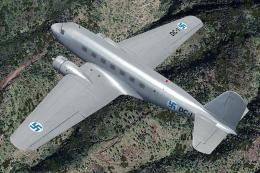
This repaint showcases a distinctive Finnish Air Force Douglas DC-2 “DC-1,” a…
 FS2004 Propeller Aircraft
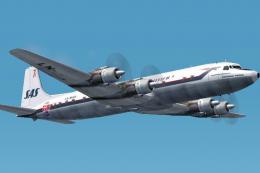
The DC-7C's of SAS became famous for opening the polar route from Europe to J…
 FS2004 Propeller Aircraft
DC-3 Airways Douglas DC-3 N18560, in bare metal livery. A rework of the defau…
Be the first to leave a comment on this download.
Be the first to share your thoughts on this download.