

 FS2004 Propeller Aircraft
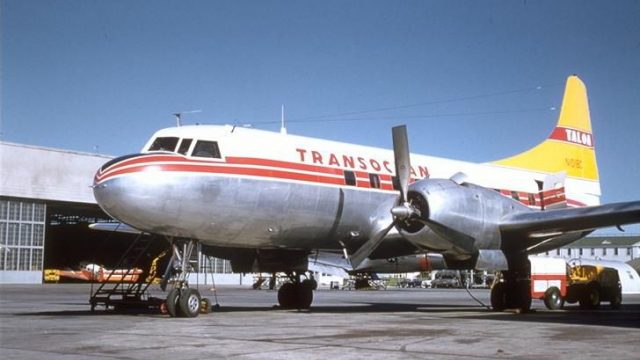
Mohawk Airlines Convair CV240
Textures for the VBF Convair 240 by Hans Hermann and team CV-240. Textures by…
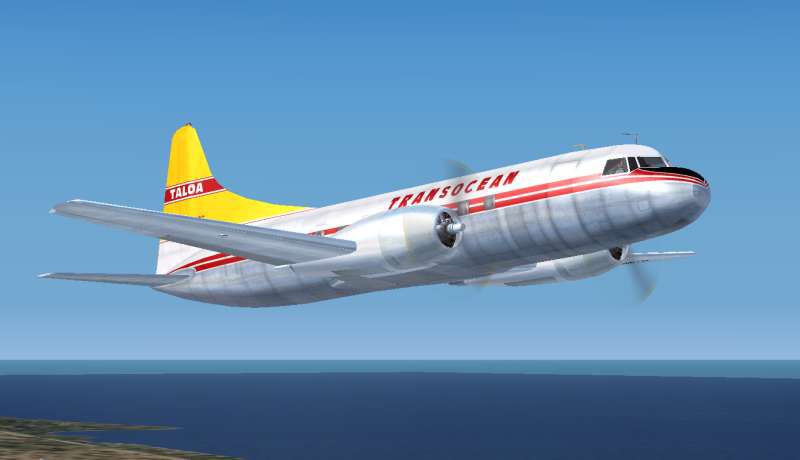
Transocean Airlines livery for the Convair CV-240 brings a classic 1956–57 lease-era look to FS2004, complete with accurate airline markings and period-appropriate styling for screenshots and vintage route flying. Requires the Virtual Birds Factory Convair 240 base pack (CV240VBFCB16_BASEPACK_010) and integrates cleanly via a standard aircraft.cfg entry.
 Rate
Rate
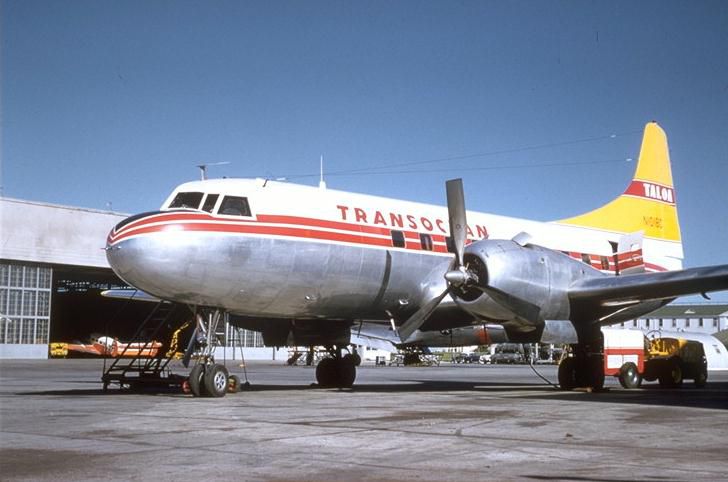
Textures for the VBF Convair 240 by Hans Hermann and team CV-240 (CV240VBFCB16_BASEPACK_010.ZIP). Textures by Dave McQueen.
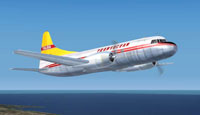
Screenshot of Transocean Airlines Convair CV240 in flight.
Copy the text below and paste in your aircraft config. file substituting your next consecutive [flightsim.__] number for "xx".
[fltsim.XX]

title=CV-240 Transocean

sim=cv240

model=cv240_side

panel=

sound=

texture=tal

kb_checklists=

kb_reference=CV240_ref

ui_manufacturer=Convair

ui_type=CV-240 VBF CA-18

ui_variation=Convair CV-240 Transocean

description=Convair CV-240 in Transocean Airlines colors. TAL leased two of Mohawk Airlines CV240s for six months during 1956 and 1957. \n\nOriginal by Greg Pepper & Tom Gibson, upgraded by Georg Hauzenberger (model) and Hans Hermann (textures) Virtual Birds Factory, August 2010

atc_heavy=0

atc_id=N1018C

atc_airline=Transocean

atc_flight_number=24

atc_parking_types=GATE

prop_anim_ratio=0.9
Many thanks to Hans Hermann and team CV-240 as well as Tom Gibson, Greg Pepper, Alan Jennings, FSaviator and Steve Mathis for this fine aircraft.
Free for all simmers · 2.71 MB · Scanned clean Oct 2026
Download speed: Free tier is capped at 0.5 Mbps. PRO members download at full line speed.
This file is a repaint — the package below is the base model it paints onto. Install it first, or the textures will have nothing to load onto.
FS9\Aircraft\, FS9\Addon Scenery\, FS9\Gauges\, or FS9\Effects\.readme.txt or README file. It tells you exactly where files go, what dependencies are needed, and any quirks specific to this add-on.The archive talcv240-1.zip has 30 files and directories contained within it.
This list displays the first 500 files in the package. If the package has more, you will need to download it to view them.
| Filename/Directory | File Date | File Size |
|---|---|---|
| cockpit.bmp | 09.08.10 | 1.00 MB |
| cv240cowl_L.bmp | 09.07.10 | 256.07 kB |
| cv240cowl_t.bmp | 10.22.10 | 256.07 kB |
| cv240leftaft_L.bmp | 09.08.10 | 1.00 MB |
| cv240leftaft_t.bmp | 10.22.10 | 1.00 MB |
| cv240leftfwd_L.bmp | 09.08.10 | 1.00 MB |
| cv240leftfwd_t.bmp | 10.22.10 | 1.00 MB |
| cv240rightaft_L.bmp | 09.08.10 | 1.00 MB |
| cv240rightaft_t.bmp | 10.22.10 | 1.00 MB |
| cv240rightfwd_L.bmp | 09.08.10 | 1.00 MB |
| cv240rightfwd_t.bmp | 10.22.10 | 1.00 MB |
| Glass.bmp | 09.08.10 | 4.07 kB |
| Metallic_L.bmp | 09.08.10 | 64.07 kB |
| Metallic_T.bmp | 09.08.10 | 64.07 kB |
| pan1_L.bmp | 09.08.10 | 1.00 MB |
| pan2_L.bmp | 09.08.10 | 1.00 MB |
| spin_prop.bmp | 09.08.10 | 256.07 kB |
| t29interiors.bmp | 09.08.10 | 1.00 MB |
| t29interiors_L.bmp | 09.08.10 | 1.00 MB |
| t29parts_L.bmp | 09.08.10 | 1.07 kB |
| t29parts_t.bmp | 09.08.10 | 1.00 MB |
| TALCV240.JPG | 01.06.06 | 47.21 kB |
| VClightmap_L.bmp | 09.08.10 | 64.07 kB |
| virtual cockpit 1.bmp | 09.08.10 | 1.00 MB |
| virtual cockpit 2.bmp | 09.08.10 | 1.33 MB |
| texture.tal | 10.22.10 | 0 B |
| TALCV240a.jpg | 11.01.10 | 19.35 kB |
| Readme.txt | 11.01.10 | 1.11 kB |
| flyawaysimulation.txt | 10.29.13 | 959 B |
| Go to Fly Away Simulation.url | 01.22.16 | 52 B |
Only PRO members can place votes.
More FS2004 add-ons hand-picked based on this download.
FS2004 Propeller Aircraft
Textures for the VBF Convair 240 by Hans Hermann and team CV-240. Textures by…
 FS2004 Propeller Aircraft
Continental Airlines textures for the FS2004 VBF Convair 240 by Hans Hermann …
 FS2004 Propeller Aircraft
This repaint showcases Transocean Airlines markings adapted specifically for …
 FS2004 Propeller Aircraft
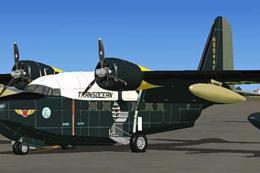
The original aircraft was bought from Mohawk Airlines and used by Transocean …
 FS2004 Propeller Aircraft
This refined repaint package features Transocean Air Lines’ unique color sche…
 FS2004 Propeller Aircraft
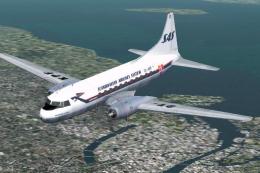
SAS used 20 CV-440's in 1956-76. Three liveries (early, middle and late) incl…
 FS2004 Propeller Aircraft
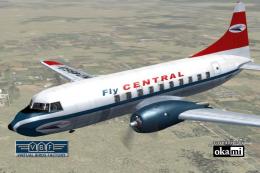
This freeware repaint showcases the Central Airlines Convair CV-240 (VBF CA-1…
 FS2004 Propeller Aircraft
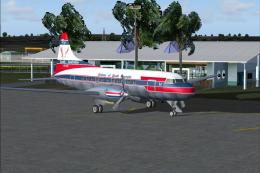
A repaint (textures and model only) of Greg Pepper's and Tom Gibson's CV-340.…
Be the first to leave a comment on this download.
Be the first to share your thoughts on this download.