

 FS2004 AFCAD Files
New York LGA AFCAD 2005
Immerse yourself in an accurately crafted rendition of LaGuardia Airport for …
Seattle–Tacoma International (KSEA) gets a 2005-accurate AFCAD refresh for Microsoft Flight Simulator 2004, matching real airline gate assignments and separating passenger and cargo parking for believable ramp activity. Crosswind runway logic keeps parallel and intersecting surfaces active to spread AI arrivals and departures and maintain smoother traffic flow across the field.
 Rate
Rate
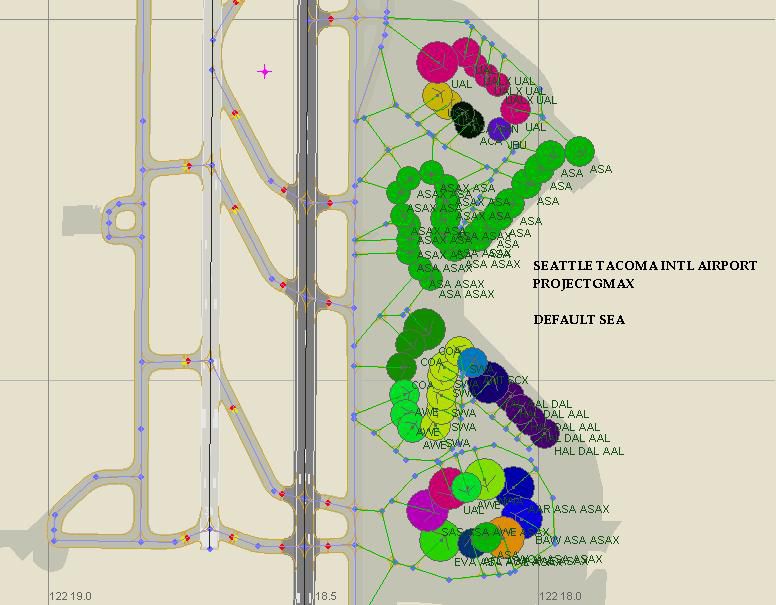
This refined AFCAD configuration for Seattle?Tacoma International Airport (KSEA) in Microsoft Flight Simulator 2004 aligns actual airline gate placements with realistic operations, ensuring cargo carriers and passenger aircraft follow their appropriate parking positions. Designed by projectgmax – Jason Landuyt, this update leverages crosswind runways so multiple runway surfaces remain active, resulting in balanced traffic dispersion throughout the airport.
Seattle?Tacoma International serves as a central hub in the Pacific Northwest, featuring an extensive network of domestic and international flights. This AFCAD file reworks the airport’s structure to accommodate detailed airliner and cargo activity. It reflects the most up-to-date gate and terminal assignments from 2005, which helps recreate the dynamic flows of the real-world KSEA.
One standout detail is the specific assignment of parking spots per operator. Each major airline has unique gates determined by real-world references. Cargo airlines are allocated to specialized ramps and hangar bays for further authenticity, ensuring ground traffic matches the typical scene at Seattle?Tacoma International.
All runways, including the parallel and crosswind arrangements, remain in use. This setup allows multiple flight paths to run simultaneously, reducing taxi times and preventing stagnation of AI traffic. The result is an engaging, more lifelike atmosphere as arrivals and departures flow with minimal interference.
To install, unpack the provided AFCAD file into the ADD-ON Scenery/Scenery folder within your FS2004 directory. Launch Microsoft Flight Simulator 2004, and the adjustments will immediately take effect. No extra steps or manual modifications are required.
High-level view highlighting crucial gates, taxiways, and runways.
Crafted with attention to real-world operations, this freeware modification by projectgmax – Jason Landuyt enriches Microsoft Flight Simulator 2004 by enabling faithful airline gate utilization and realistic cargo deployment throughout KSEA. This release brings a deeply authentic touch to the Pacific Northwest region.
Free for all simmers · 75.06 KB · Scanned clean Oct 2026
Download speed: Free tier is capped at 0.5 Mbps. PRO members download at full line speed.
FS9\Aircraft\, FS9\Addon Scenery\, FS9\Gauges\, or FS9\Effects\.readme.txt or README file. It tells you exactly where files go, what dependencies are needed, and any quirks specific to this add-on.The archive sea2005.zip has 5 files and directories contained within it.
This list displays the first 500 files in the package. If the package has more, you will need to download it to view them.
| Filename/Directory | File Date | File Size |
|---|---|---|
| SEA 2005.JPG | 02.12.05 | 68.67 kB |
| AFCAD Readme.txt | 02.12.05 | 2.45 kB |
| PG_KSEA.bgl | 02.12.05 | 23.49 kB |
| flyawaysimulation.txt | 10.29.13 | 959 B |
| Go to Fly Away Simulation.url | 01.22.16 | 52 B |
Only PRO members can place votes.
More FS2004 add-ons hand-picked based on this download.
FS2004 AFCAD Files
Immerse yourself in an accurately crafted rendition of LaGuardia Airport for …
 FS2004 AFCAD Files
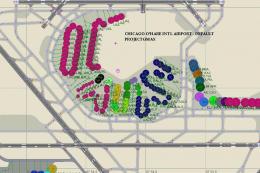
This AFCAD2 file represents Chicago O'Hare Airport (KORD), Illinois (IL) as o…
 FS2004 AFCAD Files
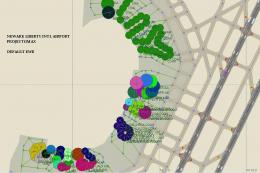
Experience a highly refined virtual representation of Newark Liberty Int’l Ai…
 FS2004 AFCAD Files
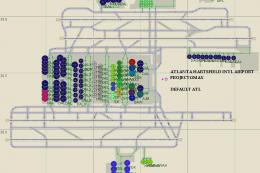
This AFCAD2 files includes the most recent gate and terminal assignments for …
 FS2004 AFCAD Files
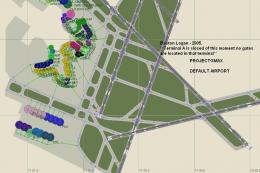
This free release by projectgmax delivers a 2005-era update for KBOS, often r…
 FS2004 AFCAD Files
Experience enhanced realism at Reagan-Washington National Airport (KDCA) in M…
 FS2004 AFCAD Files
A detailed airport file for Microsoft Flight Simulator 2004 brings accurate 2…
 FS2004 AFCAD Files
Enhance your Microsoft Flight Simulator 2004 setup with a finely tuned AFCAD …
Be the first to leave a comment on this download.
Be the first to share your thoughts on this download.