

 FSX General Aviation Aircraft
Carmonair Piper Seneca II TI-ALH
This repaint package depicts the Carmonair Air Charter Piper Seneca II (tail …
Carmonair Air Charter’s Costa Rican livery for the Piper Seneca II brings registration TI-API to life with crisp logos, accurate markings, and a clean charter-and-training look tied to ECDEA Flight School. Designed for Microsoft Flight Simulator X, it requires the payware Carenado Seneca II and slots neatly into a twin-engine fleet.
 Rate
Rate

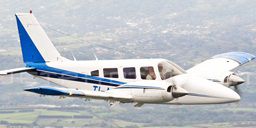
This freeware repaint offers a detailed Carmonair Air Charter livery for the payware Carenado Piper Seneca II. It depicts registration TI-API, which also operates under ECDEA Flight School. Created by developer Luis Jimenez Trejos, this add-on seamlessly integrates with Microsoft Flight Simulator X, enhancing your twin-engine fleet with a Costa Rican flair.
The Piper Seneca II is a six-seat, twin-engine light aircraft produced by Piper Aircraft. Known for its dependable performance and counter-rotating propellers, it stands out in multi-engine flight training programs around the world. Carmonair Air Charter leverages the aircraft’s spacious cabin for regional charter services, while ECDEA Flight School appreciates its reliable tools for IFR instruction. This paint scheme elegantly reproduces TI-API’s markings so you can explore simulated skies in true Carmonair style.
To use this texture package, you will need to own the payware Carenado Piper Seneca II model. Make sure the Carenado model is properly installed before integrating these freeware liveries. Once you install them, you can enjoy the realism of Carmonair’s actual charter aircraft within your simulator environment.
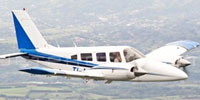
Depiction of the Carmonair Piper Seneca II in-flight, displaying Costa Rican registration.
After downloading the texture files, place the folder in your SimObjects/Airplanes directory under the corresponding Carenado Seneca II folder. Then, locate your aircraft configuration file (aircraft.cfg) and add the following entry. Ensure you replace xx with the next available sequence number:
[fltsim.xx] title=PA-34 SENECA II TI-ALH sim=Seneca_Carenado model= panel= sound= texture=TI-ALH kb_checklists=seneca_check kb_reference=seneca_ref atc_id=TI-ALH ui_manufacturer="Carenado" ui_type="Seneca" ui_variation="Carmonair TI-ALH" ui_typerole="Twin Engine Prop" ui_createdby="Carenado" description="The Seneca is made since 1970 and some 4500 were made since then. It has six seats in a pretty large cabin, two turbocharged counterrotating engines producing 200hp up to 12,000 ft. Certification for flights into known icing conditions and the nice single engine behaviour made the Seneca a popular multi engine trainer." visual_damage=1 ui_thumbnailfile=
This repaint does not include the payware Piper Seneca II by Carenado; a separate purchase is required from outlets such as SimShack. Once acquired, installing these textures offers an effortless way to expand your Microsoft Flight Simulator X collection with authentic Costa Rican charter and training operations.
Free for all simmers · 10.22 MB · Scanned clean Oct 2026
Download speed: Free tier is capped at 0.5 Mbps (this file takes approximately 3 mins at the cap). PRO members download at full line speed.
texture.{airline}) inside FSX\SimObjects\Airplanes\{base-aircraft}\.aircraft.cfg in Notepad. Add a new [fltsim.X] section per the readme.readme.txt or README file. It tells you exactly where files go, what dependencies are needed, and any quirks specific to this add-on.The archive tico_sim_carenado_seneca_ii_ti-api.zip has 55 files and directories contained within it.
This list displays the first 500 files in the package. If the package has more, you will need to download it to view them.
| Filename/Directory | File Date | File Size |
|---|---|---|
| Carenado PA-34 Seneca II | 11.30.13 | 0 B |
| Facebook.jpg | 09.11.13 | 766.14 kB |
| Leame.txt | 11.30.13 | 1.00 kB |
| lr.JPG | 02.28.12 | 9.49 kB |
| texture.TI-API | 11.30.13 | 0 B |
| Alabeo152_WindowsA.bmp | 12.23.12 | 16.07 kB |
| Alabeo152_WindowsA_spec.bmp | 05.06.08 | 16.07 kB |
| CarenadoPA-34a_T.bmp | 12.23.12 | 1.00 MB |
| CarenadoPA-34a_T_bump.bmp | 06.25.09 | 1.00 MB |
| CarenadoPA-34a_T_spec.bmp | 06.24.09 | 256.07 kB |
| CarenadoPA-34b_T.bmp | 12.23.12 | 1.00 MB |
| CarenadoPA-34b_T_bump.bmp | 06.25.09 | 1.00 MB |
| CarenadoPA-34b_T_spec.bmp | 06.24.09 | 256.07 kB |
| CarenadoPA-34c_T.bmp | 12.23.12 | 1.00 MB |
| CarenadoPA-34c_T_bump.bmp | 06.23.09 | 1.00 MB |
| CarenadoPA-34c_T_spec.bmp | 06.24.09 | 256.07 kB |
| CarenadoPA-34d_T.bmp | 12.23.12 | 1.00 MB |
| CarenadoPA-34d_T_bump.bmp | 06.23.09 | 1.00 MB |
| CarenadoPA-34d_T_spec.bmp | 06.24.09 | 256.07 kB |
| CarenadoPA-34e_T.bmp | 12.23.12 | 1.00 MB |
| CarenadoPA-34e_T_bump.bmp | 06.23.09 | 1.00 MB |
| CarenadoPA-34e_T_spec.bmp | 06.24.09 | 256.07 kB |
| CarenadoPA-34f_T.bmp | 12.23.12 | 1.00 MB |
| CarenadoPA-34f_T_bump.bmp | 06.23.09 | 1.00 MB |
| CarenadoPA-34f_T_spec.bmp | 06.24.09 | 256.07 kB |
| CarenadoPA-34g_T.bmp | 12.23.12 | 1.00 MB |
| CarenadoPA-34g_T_bump.bmp | 06.23.09 | 1.00 MB |
| CarenadoPA-34g_T_spec.bmp | 06.24.09 | 256.07 kB |
| Carenadosenecaprop.bmp | 05.18.09 | 4.00 MB |
| CarInteriorPA-34a_T.bmp | 07.17.13 | 1.00 MB |
| CarInteriorPA-34b_T.bmp | 07.17.13 | 1.00 MB |
| CarInteriorPA-34c_T.bmp | 07.17.13 | 1.00 MB |
| CarInteriorPA-34d_T.bmp | 07.17.13 | 1.00 MB |
| CarInteriorPA-34e_T.bmp | 07.17.13 | 1.00 MB |
| CarInteriorPA-34f_T.bmp | 07.17.13 | 1.00 MB |
| CarInteriorPA-34g_T.bmp | 07.29.09 | 1.00 MB |
| CarInteriorPA-34h_T.bmp | 07.29.09 | 1.00 MB |
| CarInteriorPA-34i_T.bmp | 07.29.09 | 1.00 MB |
| CarInteriorPA-34j_T.bmp | 07.29.09 | 1.00 MB |
| CarInteriorPA-34k_T.bmp | 07.29.09 | 256.07 kB |
| Lights.bmp | 06.24.09 | 256.07 kB |
| Lights_night.bmp | 07.20.09 | 341.40 kB |
| Panel_seneca_1_L.bmp | 07.25.09 | 1.00 MB |
| Panel_seneca_2_L.bmp | 07.25.09 | 1.00 MB |
| Panel_seneca_3_L.bmp | 07.25.09 | 1.00 MB |
| Pilot.bmp | 11.30.13 | 1.00 MB |
| seneca1_light.bmp | 06.24.09 | 128.07 kB |
| seneca2_light.bmp | 06.24.09 | 128.07 kB |
| seneca3_light.bmp | 06.24.09 | 128.07 kB |
| thumbnail.jpg | 11.30.13 | 37.92 kB |
| Thumbs.db | 12.23.12 | 107.00 kB |
| thumbnail.jpg | 11.30.13 | 37.92 kB |
| Tico Sim logo.jpg | 06.01.13 | 35.11 kB |
| flyawaysimulation.txt | 10.29.13 | 959 B |
| Go to Fly Away Simulation.url | 01.22.16 | 52 B |
Only PRO members can place votes.
More FSX & P3D add-ons hand-picked based on this download.
FSX General Aviation Aircraft
This repaint package depicts the Carmonair Air Charter Piper Seneca II (tail …
 FSX General Aviation Aircraft
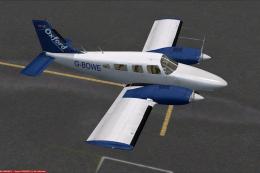
Private Piper Seneca II PT-EBM. Textures only for the Carenado Seneca II. By …
 FSX General Aviation Aircraft
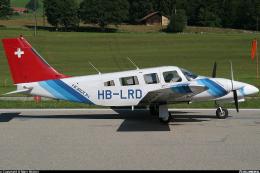
A repaint for the payware Carenado Piper Seneca. Based on the Piper Seneca II…
 FSX General Aviation Aircraft
This is a repaint of the payware Carenado Piper PA34 Seneca II. Textures only…
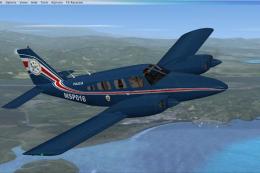 FSX General Aviation Aircraft
Textures for the payware Carenado Seneca from S.V.A. Servicio de Vigilancia A…
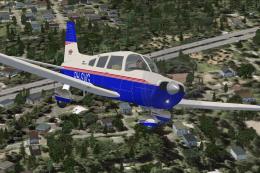 FSX General Aviation Aircraft
Piper Warrior II PA28-161 Version for FSX with SP2. A Gmax model that feature…
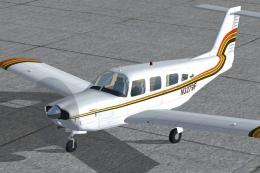 FSX General Aviation Aircraft
Repaint textures for a brown, gold, and orange striped on white Lance II. For…
 FSX General Aviation Aircraft
Swiss texture files for the payware Carenado Piper PA28-181 Archer II. This o…
Be the first to leave a comment on this download.
Be the first to share your thoughts on this download.