

 FSX General Aviation Aircraft
Carmonair Piper Seneca II
This freeware repaint offers a detailed Carmonair Air Charter livery for the …
Carmonair Air Charter’s Piper Seneca II TI-ALH livery brings crisp, high-resolution exterior textures, authentic logos, and subtle shading to the Carenado Seneca for realistic charter and training operations tied to ECDEA Flight School in Microsoft Flight Simulator X. Requires the payware Carenado Piper Seneca I base model.
 Rate
Rate

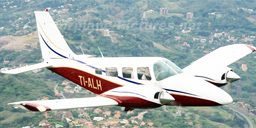
This repaint package depicts the Carmonair Air Charter Piper Seneca II (tail number TI-ALH) for the payware Carenado Piper Seneca I series, plus it reflects the airframe’s role at ECDEA Flight School. It showcases high-fidelity textures by Luis Jimenez Trejos, meticulously crafted to bring a realistic visual representation into Microsoft Flight Simulator X. Enthusiasts who enjoy twin-engine general aviation aircraft will appreciate the authenticity reflected in this paint scheme.
The Piper Seneca II is a light twin-engine aircraft that originated from the earlier Piper Seneca line introduced in the 1970s. Its two turbocharged engines, each sporting counter-rotating propellers, generate a combined power suitable for both training operations and charter flights. The spacious cabin accommodates up to six occupants, including a flight instructor or crew. Carmonair Air Charter, a well-known operator in Latin America, uses the TI-ALH extensively for short-haul services and flight training, while ECDEA Flight School capitalizes on its stable handling and efficient fuel usage.
The included textures replicate the exterior paint job commonly seen on TI-ALH as it operates out of regional airports. These high-resolution files capture fine details such as logos, registration marks, and subtle shading on the fuselage. Designed to seamlessly integrate with the payware Carenado Piper Seneca I model, these textures offer a realistic aesthetic that complements the model’s intricate 3D cockpit and flight characteristics.
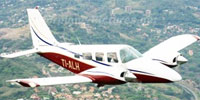
True-to-life Carmonair Piper Seneca II TI-ALH livery on display.
Below is the recommended configuration for adding this repaint to your aircraft library. Insert these lines into your aircraft.cfg file, ensuring “xx” is replaced by the next sequential number:
[fltsim.xx]
title=PA-34 SENECA II TI-ALH
sim=Seneca_Carenado
model=
panel=
sound=
texture=TI-ALH
kb_checklists=seneca_check
kb_reference=seneca_ref
atc_id=TI-ALH
ui_manufacturer="Carenado"
ui_type="Seneca"
ui_variation="Carmonair TI-ALH"
ui_typerole="Twin Engine Prop"
ui_createdby="Carenado"
description="The Seneca is made since 1970 and some 4500 were made since then. It has six seats in a pretty large cabin, two turbocharged counterrotating engines producing 200hp up to 12,000 ft. Certification for flights into known icing conditions and the nice single engine behaviour made the Seneca a popular multi engine trainer."
visual_damage=1
ui_thumbnailfile=
This package includes the texture repaint files only. You must already own the payware Carenado Piper Seneca I product to utilize these textures in your simulator. If you do not possess the base model, it can be acquired from a reputable addon store such as SimShack.
[fltsim.xx] data into your aircraft.cfg file.[fltsim.xx] to the next available number in the sequence.This high-detail repaint is developed by Luis Jimenez Trejos. He has accurately represented the real-world TI-ALH color scheme with attention to detail evident throughout the fuselage markings. Enjoy the combination of style and performance this repaint brings to your virtual hangar.
Free for all simmers · 10.5 MB · Scanned clean Oct 2026
Download speed: Free tier is capped at 0.5 Mbps (this file takes approximately 3 mins at the cap). PRO members download at full line speed.
texture.{airline}) inside FSX\SimObjects\Airplanes\{base-aircraft}\.aircraft.cfg in Notepad. Add a new [fltsim.X] section per the readme.readme.txt or README file. It tells you exactly where files go, what dependencies are needed, and any quirks specific to this add-on.The archive tico_sim_aviones_tico_sim_carenado_seneca_ii_ti-alh.zip has 55 files and directories contained within it.
This list displays the first 500 files in the package. If the package has more, you will need to download it to view them.
| Filename/Directory | File Date | File Size |
|---|---|---|
| Carenado PA-34 Seneca II | 11.30.13 | 0 B |
| Facebook.jpg | 09.11.13 | 766.14 kB |
| Leame.txt | 11.30.13 | 1.00 kB |
| lr.JPG | 02.28.12 | 9.49 kB |
| texture.TI-ALH | 11.30.13 | 0 B |
| Alabeo152_WindowsA.bmp | 07.29.09 | 16.07 kB |
| Alabeo152_WindowsA_spec.bmp | 05.06.08 | 16.07 kB |
| CarenadoPA-34a_T.bmp | 11.30.13 | 1.00 MB |
| CarenadoPA-34a_T_bump.bmp | 06.25.09 | 1.00 MB |
| CarenadoPA-34a_T_spec.bmp | 06.24.09 | 256.07 kB |
| CarenadoPA-34b_T.bmp | 11.30.13 | 1.00 MB |
| CarenadoPA-34b_T_bump.bmp | 06.25.09 | 1.00 MB |
| CarenadoPA-34b_T_spec.bmp | 06.24.09 | 256.07 kB |
| CarenadoPA-34c_T.bmp | 11.30.13 | 1.00 MB |
| CarenadoPA-34c_T_bump.bmp | 06.23.09 | 1.00 MB |
| CarenadoPA-34c_T_spec.bmp | 06.24.09 | 256.07 kB |
| CarenadoPA-34d_T.bmp | 11.30.13 | 1.00 MB |
| CarenadoPA-34d_T_bump.bmp | 06.23.09 | 1.00 MB |
| CarenadoPA-34d_T_spec.bmp | 06.24.09 | 256.07 kB |
| CarenadoPA-34e_T.bmp | 11.30.13 | 1.00 MB |
| CarenadoPA-34e_T_bump.bmp | 06.23.09 | 1.00 MB |
| CarenadoPA-34e_T_spec.bmp | 06.24.09 | 256.07 kB |
| CarenadoPA-34f_T.bmp | 11.30.13 | 1.00 MB |
| CarenadoPA-34f_T_bump.bmp | 06.23.09 | 1.00 MB |
| CarenadoPA-34f_T_spec.bmp | 06.24.09 | 256.07 kB |
| CarenadoPA-34g_T.bmp | 11.30.13 | 1.00 MB |
| CarenadoPA-34g_T_bump.bmp | 06.23.09 | 1.00 MB |
| CarenadoPA-34g_T_spec.bmp | 06.24.09 | 256.07 kB |
| Carenadosenecaprop.bmp | 07.17.13 | 1.00 MB |
| CarInteriorPA-34a_T.bmp | 07.17.13 | 1.00 MB |
| CarInteriorPA-34b_T.bmp | 07.17.13 | 1.00 MB |
| CarInteriorPA-34c_T.bmp | 07.17.13 | 1.00 MB |
| CarInteriorPA-34d_T.bmp | 07.17.13 | 1.00 MB |
| CarInteriorPA-34e_T.bmp | 07.17.13 | 1.00 MB |
| CarInteriorPA-34f_T.bmp | 07.17.13 | 1.00 MB |
| CarInteriorPA-34g_T.bmp | 07.29.09 | 1.00 MB |
| CarInteriorPA-34h_T.bmp | 07.29.09 | 1.00 MB |
| CarInteriorPA-34i_T.bmp | 07.29.09 | 1.00 MB |
| CarInteriorPA-34j_T.bmp | 07.29.09 | 1.00 MB |
| CarInteriorPA-34k_T.bmp | 07.29.09 | 256.07 kB |
| Lights.bmp | 06.24.09 | 256.07 kB |
| Lights_night.bmp | 07.20.09 | 341.40 kB |
| Panel_seneca_1_L.bmp | 07.25.09 | 1.00 MB |
| Panel_seneca_2_L.bmp | 07.25.09 | 1.00 MB |
| Panel_seneca_3_L.bmp | 07.25.09 | 1.00 MB |
| Pilot.bmp | 11.30.13 | 1.00 MB |
| seneca1_light.bmp | 06.24.09 | 128.07 kB |
| seneca2_light.bmp | 06.24.09 | 128.07 kB |
| seneca3_light.bmp | 06.24.09 | 128.07 kB |
| thumbnail.jpg | 11.30.13 | 44.03 kB |
| Thumbs.db | 12.25.12 | 102.50 kB |
| thumbnail.jpg | 11.30.13 | 44.03 kB |
| Tico Sim logo.jpg | 06.01.13 | 35.11 kB |
| flyawaysimulation.txt | 10.29.13 | 959 B |
| Go to Fly Away Simulation.url | 01.22.16 | 52 B |
Only PRO members can place votes.
More FSX & P3D add-ons hand-picked based on this download.
FSX General Aviation Aircraft
This freeware repaint offers a detailed Carmonair Air Charter livery for the …
 FSX General Aviation Aircraft
Private Piper Seneca II PT-EBM. Textures only for the Carenado Seneca II. By …
 FSX General Aviation Aircraft
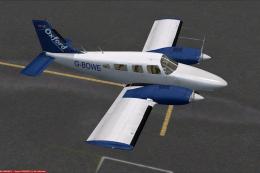
A repaint for the payware Carenado Piper Seneca. Based on the Piper Seneca II…
 FSX General Aviation Aircraft
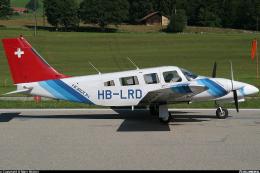
This is a repaint of the payware Carenado Piper PA34 Seneca II. Textures only…
 FSX General Aviation Aircraft
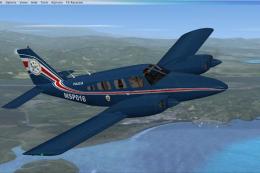
Textures for the payware Carenado Seneca from S.V.A. Servicio de Vigilancia A…
 FSX General Aviation Aircraft
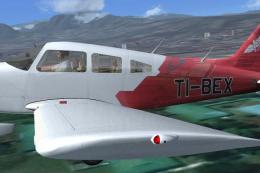
A repaint of the payware Carenado Piper Archer. Aerotica is an flight school …
 FSX General Aviation Aircraft
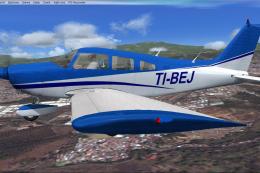
This repaint brings the distinctive CPEA Flight School registration, TI-BEJ, …
 FSX General Aviation Aircraft
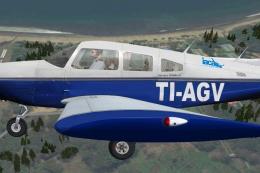
The payware Carenado Archer II painted as TI-AGV from IACA Flight School. By …
Be the first to leave a comment on this download.
Be the first to share your thoughts on this download.