


 United States of America
  FSX Scenery
FreeMeshX USA LOD12 Mesh Add-on
This is the open beta for FreeMeshX USA at LOD12 depth. The current stock me…
USA 10 m Terrain Project v1.1 upgrades western United States elevation detail for Microsoft Flight Simulator X, replacing coarse 38 m mesh with sharper 10 m NED-based terrain for more convincing ridgelines, valleys, and approaches. It bundles all six coverage parts plus a patch that refines problem areas and smooths reported spikes.
Usa 10 M terrains Project - West Coast Version 1.1. This package includes all parts 1-6 and the patch fix.
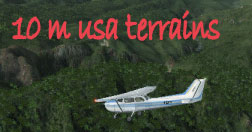
10m USA terrain scenery.
New and Updated Version 1.1 - FSX Usa 10 M terrains Project is a freeware mesh terrains addon for FSX. It is designed to replace elevations all over the united States - enhancing terrains from the 38 m to 10 m - providing you a far more detailed terrain to fly over. It is designed using the Latest Ned 10 m elevation models and compiled using multilod and a slight compression to keep files to a reasonable size.
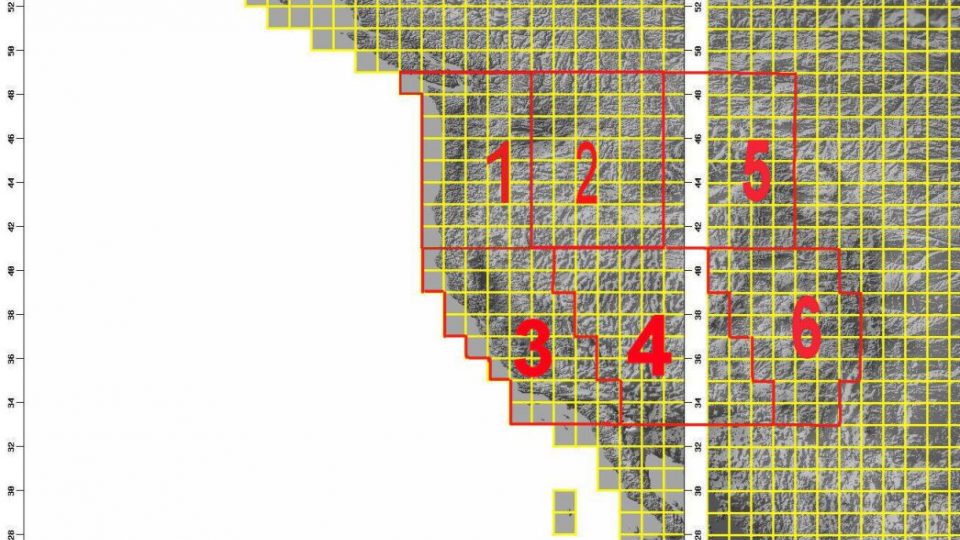
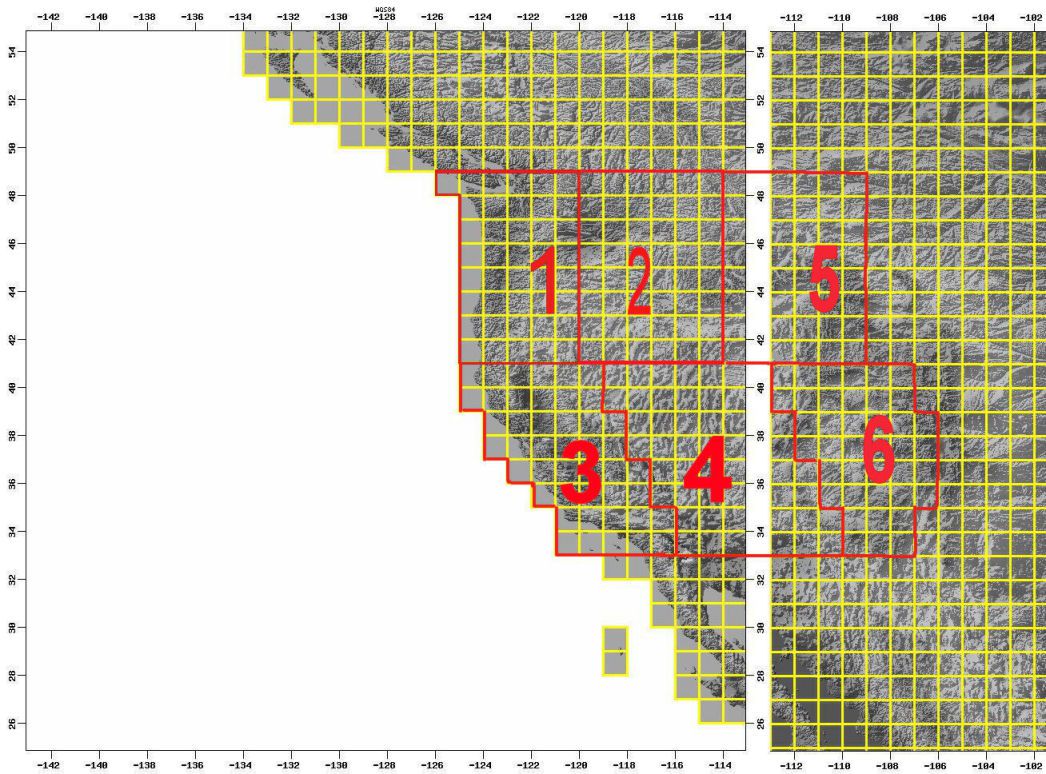
Please see also 10 m West coast map coverage for each of the zip - If you look at the map you will notice that it is divided into 6 areas - using numbers: 1 2 3 4 5 6
Version 1.1 fixed problems reported in Version 1.
by Raimondo Taburet
You will install this mesh (all .bgl files) in any activated scenery directory as for example:
C:\Program Files\Microsoft Games\Microsoft Flight Simulator X\Addon Scenery\scenery
In the interest of the flight sim community, I Therefore declare this scenery in the Public Domain.
Also includes the patch file:
This is a replacement files for the version 1.1 of the USA 10 m terrain mesh project. Few spikes were reported around the area of Palm Sping International airport in south California.
Free for all simmers · 1.98 GB · Scanned clean Oct 2026
Download speed: Free tier is capped at 2 Mbps (this file takes approximately 2h 22m at the cap). PRO members download at full line speed.
FSX\Addon Scenery\ containing scenery and texture sub-folders.readme.txt or README file. It tells you exactly where files go, what dependencies are needed, and any quirks specific to this add-on.Use these coordinates to fly directly to this location once the mod is installed.
38.90720000,-77.03690000
Launch FSX or Prepar3D and use Flights → Load to open the downloaded .pln file. Your aircraft will be positioned at this location.
The archive usa9x.zip has 51 files and directories contained within it.
This list displays the first 500 files in the package. If the package has more, you will need to download it to view them.
| Filename/Directory | File Date | File Size |
|---|---|---|
| coverage_west_coast.jpg | 10.17.06 | 232.04 kB |
| README.txt | 04.23.13 | 1.45 kB |
| usa10.gif | 10.17.06 | 22.56 kB |
| usa10_1a.bgl | 02.05.07 | 10.06 MB |
| usa10_1b.bgl | 02.05.07 | 50.77 MB |
| usa10_1c.bgl | 02.05.07 | 31.91 MB |
| usa10_1d.bgl | 02.05.07 | 18.98 MB |
| usa10_1e.bgl | 02.05.07 | 69.67 MB |
| usa10_1f.bgl | 02.05.07 | 53.25 MB |
| usa10_1g.bgl | 02.05.07 | 58.92 MB |
| usa10_1h.bgl | 02.05.07 | 39.15 MB |
| usa10_2a.bgl | 02.05.07 | 52.19 MB |
| usa10_2b.bgl | 02.05.07 | 58.60 MB |
| usa10_2c.bgl | 02.05.07 | 57.76 MB |
| usa10_2d.bgl | 02.05.07 | 44.28 MB |
| usa10_2e.bgl | 02.05.07 | 65.49 MB |
| usa10_2f.bgl | 02.05.07 | 83.63 MB |
| usa10_2g.bgl | 02.05.07 | 74.06 MB |
| usa10_2h.bgl | 02.05.07 | 48.82 MB |
| usa10_3a.bgl | 02.05.07 | 56.21 MB |
| usa10_3b.bgl | 02.05.07 | 55.14 MB |
| usa10_3c.bgl | 02.05.07 | 37.50 MB |
| usa10_3d.bgl | 02.05.07 | 66.37 MB |
| usa10_3e.bgl | 02.05.07 | 36.28 MB |
| usa10_3f.bgl | 02.09.07 | 57.68 MB |
| usa10_3g.bgl | 02.06.07 | 48.53 MB |
| usa10_3h.bgl | 02.15.07 | 25.85 MB |
| usa10_4a.bgl | 02.06.07 | 50.24 MB |
| usa10_4b.bgl | 02.06.07 | 46.68 MB |
| usa10_4c.bgl | 02.06.07 | 57.31 MB |
| usa10_4d.bgl | 02.06.07 | 60.63 MB |
| usa10_4e.bgl | 02.09.07 | 56.65 MB |
| usa10_4f.bgl | 02.06.07 | 60.54 MB |
| usa10_4g.bgl | 02.15.07 | 50.79 MB |
| usa10_4h.bgl | 02.09.07 | 59.04 MB |
| usa10_5a.bgl | 02.06.07 | 49.33 MB |
| usa10_5b.bgl | 02.06.07 | 63.01 MB |
| usa10_5c.bgl | 02.06.07 | 54.58 MB |
| usa10_5d.bgl | 02.06.07 | 48.79 MB |
| usa10_5e.bgl | 02.09.07 | 43.77 MB |
| usa10_5f.bgl | 02.06.07 | 83.60 MB |
| usa10_5g.bgl | 02.06.07 | 36.77 MB |
| usa10_6a.bgl | 02.06.07 | 61.56 MB |
| usa10_6b.bgl | 02.06.07 | 74.49 MB |
| usa10_6c.bgl | 02.06.07 | 17.44 MB |
| usa10_6d.bgl | 02.06.07 | 70.27 MB |
| usa10_6e.bgl | 02.07.07 | 58.08 MB |
| usa10_6f.bgl | 02.07.07 | 37.36 MB |
| usa10_6g.bgl | 02.07.07 | 30.53 MB |
| flyawaysimulation.txt | 10.29.13 | 959 B |
| Go to Fly Away Simulation.url | 01.22.16 | 52 B |
Only PRO members can place votes.
More FSX & P3D add-ons hand-picked based on this download.
FSX Scenery
This is the open beta for FreeMeshX USA at LOD12 depth. The current stock me…
 FSX Scenery
Modified replacement ground textures for the USA and Europe including all par…
 FSX Scenery
Added a texture swap for the Southwestern USA, Region C. Three texture groups…
 FSX Scenery
For users of Flight Simulator X (and FSX: Steam Edition) and/or Prepar3D, ter…
 FSX Scenery
Oceania - Asia SRTM Terrain Mesh. Covers Australia, New Zealand (including Au…
 FSX Scenery
This freeware scenery enhances the German landscape in FSX by incorporating d…
 FSX Scenery
Alaska 38 Terrain Mesh Part 1 & 2. FSX Alaska 38 Terrain Mesh Replacement ter…
 FSX Scenery
New Zealand Terrain Mesh. These files have had extensive work done on them to…
Read what other simmers think, or add your own.


this terrain and scenery is the best that i have found thanks very much.for this site of down loads for my flight simulator FSX