

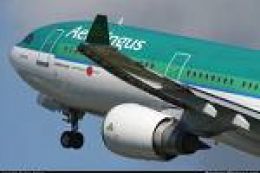
 FSX Civil Aircraft
Aer Lingus Airbus A330-300
Aer Lingus Airbus A330-300. Textures for the Airbus A330-300 model by Thomas …
Aer Lingus Airbus A330-300 texture update refines Thomas Ruth’s A333 repaint for FSX, removing engine black marks and tuning the green window stripe to a truer shade. It also updates the aircraft name to “St. Patrick” while keeping registration EI-ELA, and requires the Thomas Ruth A330-300 model.
 Rate
Rate
Aer Lingus Airbus A330-300 Update. This is an update for the Aer Lingus texture for Thomas Ruth's A330-300 model (A333AL.ZIP) tHIS file removes the black marks on the engines and changes the green strip on the windows to a more accurate color. The name has also been changed to 'St. Patrick' and the registration remains as EI-ELA. By Cillian Coleman.
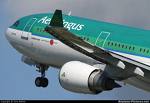
Aer Lingus Airbus A330-300.
Just copy and paste this file into your origional texture.AL folder, and except any overwrites when they pop up.
This update fixes the black marks on the engines and also changes the colour of the green strip along the windows to a much more accurate colour. The name has also been changed to 'St. Patrick' and the regestration remains as 'EI-ELA'
Thanks for downloading.....
Cillian Coleman
Free for all simmers · 564.39 KB · Scanned clean Oct 2026
Download speed: Free tier is capped at 0.5 Mbps. PRO members download at full line speed.
This file is a repaint — the package below is the base model it paints onto. Install it first, or the textures will have nothing to load onto.
texture.{airline}) inside FSX\SimObjects\Airplanes\{base-aircraft}\.aircraft.cfg in Notepad. Add a new [fltsim.X] section per the readme.readme.txt or README file. It tells you exactly where files go, what dependencies are needed, and any quirks specific to this add-on.The archive al_a333_update.zip has 5 files and directories contained within it.
This list displays the first 500 files in the package. If the package has more, you will need to download it to view them.
| Filename/Directory | File Date | File Size |
|---|---|---|
| main.dds | 05.01.10 | 2.00 MB |
| readme.txt | 05.02.10 | 420 B |
| thumbnail.jpg | 04.23.10 | 3.72 kB |
| flyawaysimulation.txt | 10.29.13 | 959 B |
| Go to Fly Away Simulation.url | 01.22.16 | 52 B |
Only PRO members can place votes.
More FSX & P3D add-ons hand-picked based on this download.
FSX Civil Aircraft
Aer Lingus Airbus A330-300. Textures for the Airbus A330-300 model by Thomas …
 FSX Civil Aircraft
Textures only package for use with the Thomas Ruth A330-300 model (TOMA333B-1…
 FSX Civil Aircraft
Textures only package for use with the Thomas Ruth A330-200 model (TOMA332B.Z…
 FSX Civil Aircraft
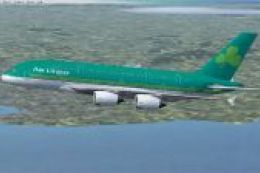
Aer Lingus Airbus A380-800 Update. This is an update to the textures of the A…
 FSX Civil Aircraft
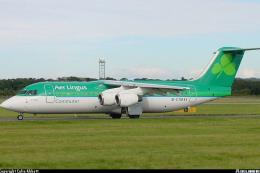
A BAe 146-300 / Avro RJ100 aircraft in new Aer Lingus Commuter livery. Model …
 FSX Civil Aircraft
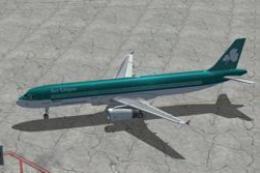
Textures for the default A321
 FSX Civil Aircraft
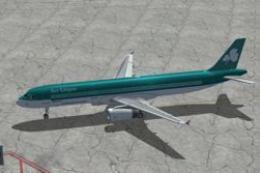
Textures only for the default A321. Screenshot of Aer Lingus Airbus A321 on t…
 FSX Civil Aircraft
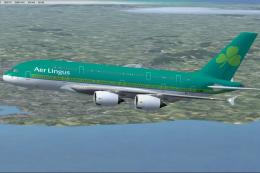
This fictional repaint showcases the Aer Lingus livery on a Project Airbus A3…
Be the first to leave a comment on this download.
Be the first to share your thoughts on this download.