

 FSX Turboprops
Cayman Airways Express Twin Otter
Cayman Airways Express DeHavilland DHC6-300 Twin Otter, registration VP-CXA. …
Cayman Airways Express DHC6-300 Twin Otter VP-CXA brings Caribbean island-hopping to FSX with a 2008 airline livery, a detailed virtual cockpit and refined flight dynamics tuned for short-field operations. The full aircraft package supports Acceleration and SP2 and includes wheel and float variants for flexible regional and inter-island routes.
 Rate
Rate

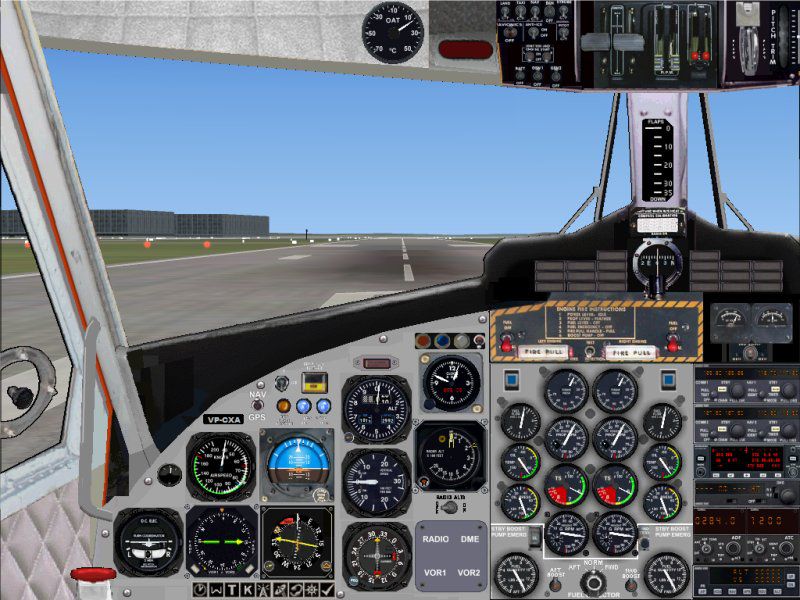
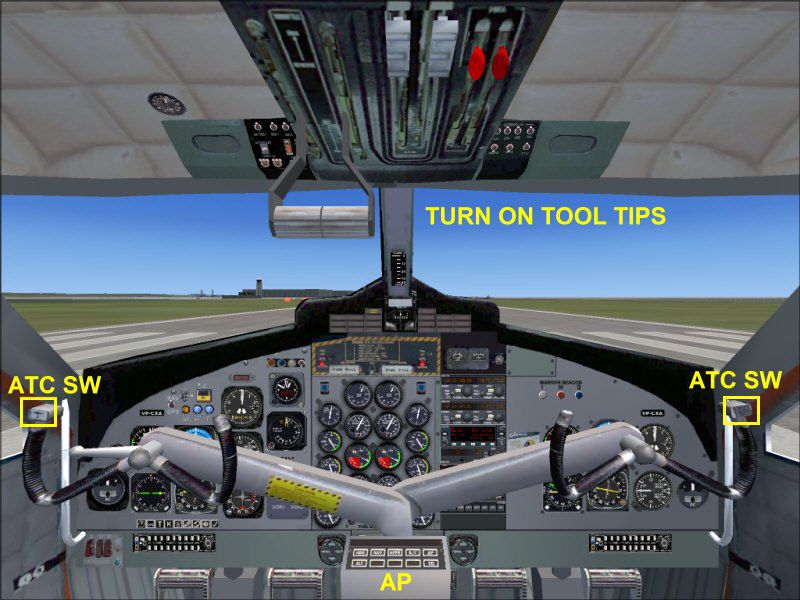
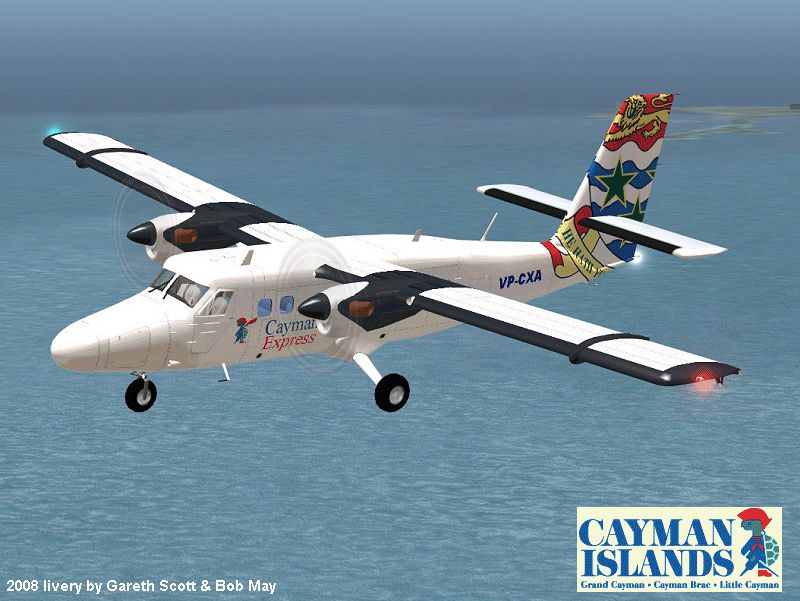
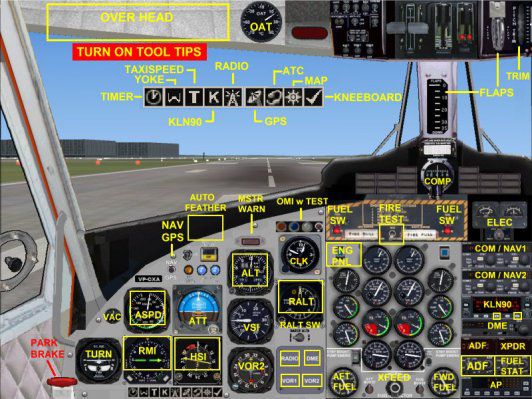

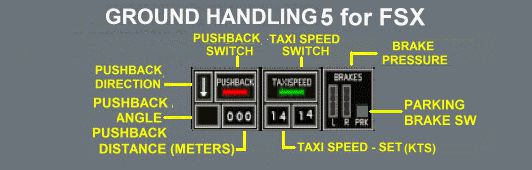
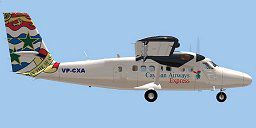
Cayman Airways Express DeHavilland DHC6-300 Twin Otter, registration VP-CXA. This Twin Otter operates regular services in the Cayman Islands of the Caribbean. Full package for FSX. Updated 2008 Cayman Airways livery plus improved flight dynamics. Compatible with Acceleration/SP2. By Jean-Pierre Brisard, Barry Blaisdell, Bob May and Kevin Pardy - Premier Aircraft Design.
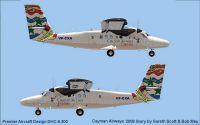
Screenshot of Cayman Airways Express DHC6-300.
COMPATIBILITY:
This Twin Otter is a Full Package Package for FSX.
* Compatible with Acceration/SP2.
* Not compatible with DX10 graphics.
* Not backward compatible for FS2004.
Install the ZIP files per the Instructions Below.
ALSO SEE THE DH6_Install_Help.jpg IN THIS FOLDER.
INSTALLATION:
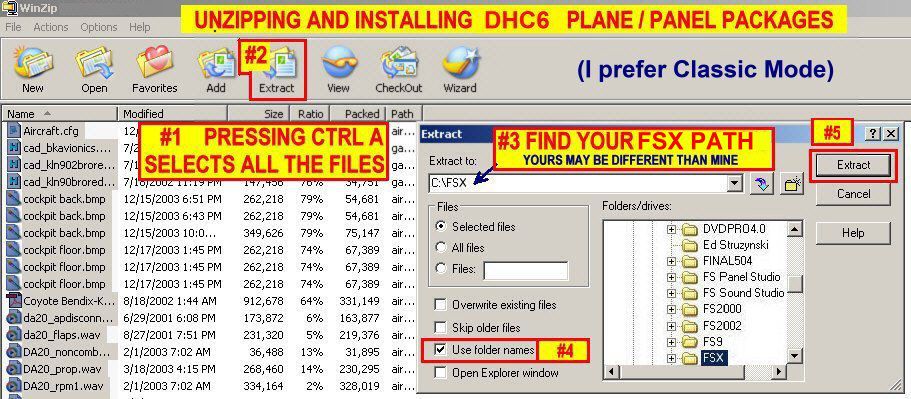
Extract all files into the FSX MAIN Folder using WINZIP or similar utility.
Make sure the " Use Folder Names " BOX is checked IN WINZIP. New folders will be created and all files installed.
1. Navigate to ZIP file (I use the "My Computer Icon" on the Desk Top.
2. Double click with your mouse on the ZIP file.
3. WINZIP should Open and show all the files inside the zip.
4. Press CTRL A and this will select all the files.
5. Click on Extract in the Main Tool Bar above. (Make sure the "Use folder names" box is checked)
6. type in your path in the dialogue box..THE DEFAULT PATH IS C:\program files\microsoft games\microsoft flight simulator x.
Or Browse to your FSX Location.
7. Now Click on the Extract Button in the upper right (If it askes to overwrite...Say YES to all).....You're Done.
FLYING TIPS:
* Open the Panel_Docs folder for information on operating this aircraft.
* Help is also available in the REF List of the KneeBoard during flight.
* Use Shift E to open the Pax Door / Airstair & Luggage Door.
* Use Shift E +2 to open the Pilot Doors & Aux Door.
(Sequence may be different, depending on the model)
*To hear the Exit Door sounds....It has to be quiet in the cockpit. Do it before starting engines or after Engine Shutdown.
* When cruising reduce the prop pitch a little ( CTRL-F2) to see the spinning props effect in spot view.
* To Raise your seat higher in the VC - press SHIFT-ENTER
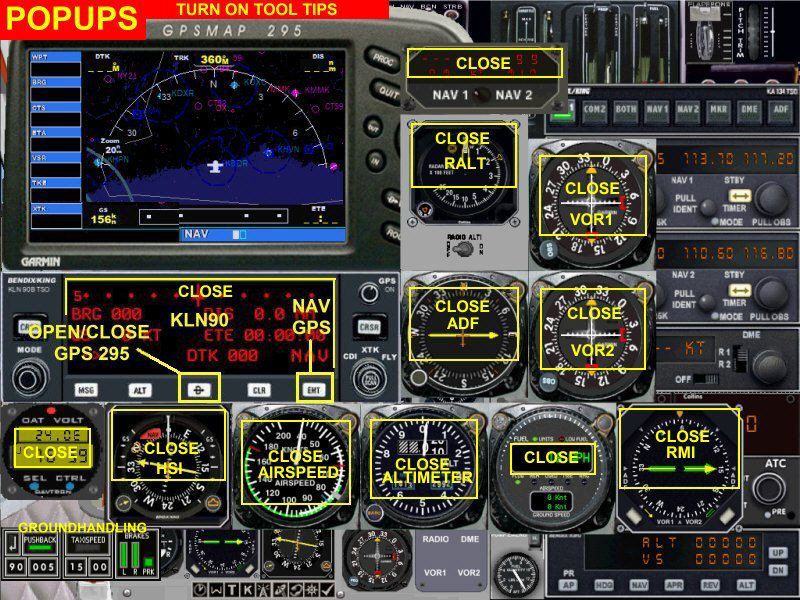
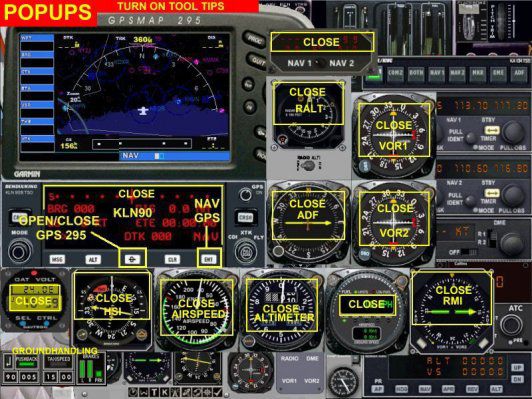
* For Best Frame Rates...Keep pop-up windows closed when not in use.
* A few clicks of nose up trim is recommended for take off in FSX...
* Important... If using AUTOSTART.... Check to make sure the Generators are switched to ON in the Overhead Panel after engine start.
DHC6 Wheel/Float ver Aircraft Data:
Wingspan: 65 ft - 3 in
Length : 51 ft - 9in
Height : 19 ft - 6 in
Weight (Wheel ver) : Empty: 7,415 lbs / Maximum Take off 12,500 lbs
Weight (Float ver) : Empty: 7,645 lbs / Maximum Take off 11,600 lbs
Speeds : Normal Cruise 150-160 Kts KIAS ).
Stall
Speed : Clean - 74 Kts
Dirty - 58 Kts ( with full Flaps )
Power : Two 652 SHP P&W Canada PT6-A27 Turboshaft Engines
driving Hartzell 3 blade 8'-4" Dia Propellers.
Fuel : 400 Gal Max
Range : 500-700 Nautical Miles approx.
Rate of Climb: 800-1,200 FPM normal
Ceiling : Approx. 21,000 ft (Oxygen required above 10,000 ft)
Normal Cruise Altitude: 5,000-8,000 feet.
Premier Aircraft Design
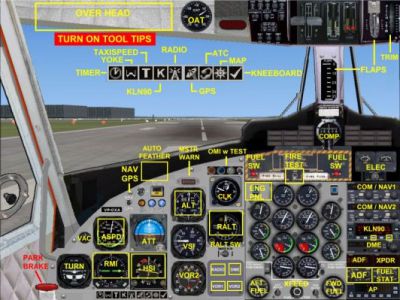
Cayman Airways Express DHC6-300 panel.
Free for all simmers · 17.89 MB · Scanned clean Sep 2026
Download speed: Free tier is capped at 0.5 Mbps (this file takes approximately 5 mins at the cap). PRO members download at full line speed.
SimObjects\Airplanes\, Addon Scenery\, Effects\, or Gauges\.readme.txt or README file. It tells you exactly where files go, what dependencies are needed, and any quirks specific to this add-on.The archive dh6cayx.zip has 151 files and directories contained within it.
This list displays the first 500 files in the package. If the package has more, you will need to download it to view them.
| Filename/Directory | File Date | File Size |
|---|---|---|
| airplanes | 10.12.08 | 0 B |
| dh6cayx | 10.12.08 | 0 B |
| Aircraft.cfg | 10.12.08 | 17.04 kB |
| dh6cayx-1.jpg | 10.09.08 | 54.21 kB |
| dh6cayx-150.gif | 10.09.08 | 9.40 kB |
| dh6cayx-800.gif | 10.10.08 | 235.23 kB |
| DHC6W_FSX.air | 02.10.07 | 15.30 kB |
| DHC6W_REF.htm | 02.23.07 | 14.54 kB |
| DHC6_CHECK.htm | 02.20.07 | 57.00 kB |
| Effects | 10.12.08 | 0 B |
| fx_PADbeaconh.fx | 09.02.06 | 4.75 kB |
| fx_vclightwhite.fx | 05.12.06 | 1.31 kB |
| file_id.diz | 10.10.08 | 379 B |
| Install_Help.jpg | 12.24.06 | 163.48 kB |
| model | 10.12.08 | 0 B |
| DHC6_Xa54.mdl | 10.31.07 | 1.81 MB |
| model.cfg | 03.04.08 | 28 B |
| panel.300ap | 10.12.08 | 0 B |
| 300apw.bmp | 02.17.07 | 2.25 MB |
| BK_Radio.gau | 08.31.06 | 296.00 kB |
| cad_kln901brored.gau | 07.18.02 | 144.00 kB |
| cad_kln902brored.gau | 07.19.02 | 144.00 kB |
| cad_kln903brored.gau | 07.18.02 | 144.00 kB |
| cad_kln90brored.gau | 07.18.02 | 144.00 kB |
| d6engpnl.bmp | 10.04.02 | 737.16 kB |
| D6OVERHD.bmp | 11.11.03 | 783.05 kB |
| DHC6-Engine.gau | 07.21.03 | 1.35 MB |
| DHC6-Instr.gau | 02.15.07 | 4.83 MB |
| Dhc6-Instruments.gau | 07.22.03 | 2.62 MB |
| Dhc6_Instruments.gau | 02.11.07 | 2.62 MB |
| dhc6_sw1.cab | 03.13.06 | 210.63 kB |
| dhc6_sw2.cab | 12.30.05 | 686.83 kB |
| dhc6_wap.CAB | 02.17.07 | 292.01 kB |
| firetest.bmp | 08.27.03 | 426.22 kB |
| frame3.bmp | 09.25.03 | 155.48 kB |
| hsi.bmp | 08.25.03 | 87.15 kB |
| pad_avi.gau | 06.12.03 | 456.00 kB |
| pad_inst.gau | 12.21.06 | 2.45 MB |
| panel.cfg | 02.23.07 | 22.32 kB |
| RCB_Groundhandling5.CAB | 10.20.06 | 26.63 kB |
| RCB_Groundhandling5_Sound.dll | 10.19.06 | 96.80 kB |
| twotyoke.bmp | 08.15.05 | 769.05 kB |
| Xfs9gps.cab | 06.12.03 | 296.71 kB |
| Panel_Docs | 10.12.08 | 0 B |
| DavtronM803.doc | 08.26.02 | 57.00 kB |
| Gauge Credits.txt | 01.24.07 | 2.08 kB |
| GH5.gif | 11.07.06 | 27.62 kB |
| Hotspots.jpg | 02.20.07 | 195.76 kB |
| kln90bgpsreadout.pdf | 07.07.02 | 59.29 kB |
| Panel.jpg | 02.20.07 | 73.46 kB |
| Panel2.jpg | 02.23.07 | 80.68 kB |
| PCXA2D.jpg | 02.19.07 | 120.49 kB |
| Popups.jpg | 02.23.07 | 205.11 kB |
| README Groundhandling5_01.txt | 10.22.06 | 20.75 kB |
| RKG_Fuelstat_readme.txt | 08.01.02 | 13.27 kB |
| Thumbs.db | 03.07.04 | 20.50 kB |
| vc.jpg | 02.20.07 | 118.24 kB |
| ReadMe_First.txt | 10.10.08 | 4.62 kB |
| sound | 10.12.08 | 0 B |
| Kan11.wav | 02.02.01 | 365.35 kB |
| Kan12.wav | 02.02.01 | 335.29 kB |
| Kan13.wav | 02.02.01 | 409.37 kB |
| Kan14.wav | 02.02.01 | 366.30 kB |
| Kan1shut.wav | 09.16.99 | 213.75 kB |
| Kan1strt.wav | 09.16.99 | 153.75 kB |
| Kan2shut.wav | 06.16.00 | 195.17 kB |
| Kan2strt.wav | 06.16.00 | 65.17 kB |
| kap1a.wav | 04.17.01 | 60.75 kB |
| kap1b.wav | 04.17.01 | 62.75 kB |
| kap1c.wav | 04.17.01 | 34.75 kB |
| kap1d.wav | 04.17.01 | 34.75 kB |
| kap2a.wav | 04.17.01 | 68.25 kB |
| kap2b.wav | 04.17.01 | 73.25 kB |
| kapr.wav | 04.17.01 | 37.31 kB |
| kbn1shut.wav | 09.16.99 | 207.75 kB |
| kbn1strt.wav | 09.16.99 | 158.25 kB |
| kbn2shut.wav | 06.16.00 | 195.17 kB |
| kbn2strt.wav | 06.16.00 | 65.17 kB |
| kbp1a.wav | 04.17.01 | 65.25 kB |
| kbp1b.wav | 04.17.01 | 60.75 kB |
| kbp1c.wav | 04.17.01 | 32.75 kB |
| kbp1d.wav | 04.17.01 | 32.75 kB |
| kbp2a.wav | 04.17.01 | 65.25 kB |
| kbp2b.wav | 04.17.01 | 73.75 kB |
| kbpr.wav | 04.17.01 | 24.31 kB |
| sound.CFG | 12.13.05 | 17.54 kB |
| twot_apd.wav | 04.17.01 | 13.69 kB |
| twot_door_close.wav | 04.09.03 | 131.81 kB |
| twot_door_open.wav | 04.09.03 | 945.71 kB |
| twot_flap.wav | 08.15.01 | 274.34 kB |
| twot_ovr.wav | 02.20.03 | 22.23 kB |
| twot_stall.wav | 04.17.01 | 105.28 kB |
| twot_wind.wav | 06.18.00 | 516.98 kB |
| Xkan11.wav | 02.02.01 | 340.25 kB |
| Xkan12.wav | 02.02.01 | 335.28 kB |
| Xkan13.wav | 02.02.01 | 495.51 kB |
| Xkan14.wav | 06.18.00 | 469.24 kB |
| xkan1shut.wav | 09.16.99 | 207.75 kB |
| xkan1strt.wav | 09.16.99 | 152.75 kB |
| xkan2shut.wav | 06.16.00 | 195.17 kB |
| xkan2strt.wav | 06.16.00 | 65.17 kB |
| xkap1a.wav | 04.17.01 | 60.75 kB |
| xkap1b.wav | 04.17.01 | 62.75 kB |
| xkap1c.wav | 04.17.01 | 34.75 kB |
| xkap1d.wav | 04.17.01 | 34.75 kB |
| xkap2a.wav | 04.17.01 | 68.25 kB |
| xkap2b.wav | 04.17.01 | 73.25 kB |
| xkapr.wav | 04.17.01 | 37.31 kB |
| xkbn1shut.wav | 09.16.99 | 189.75 kB |
| xkbn1strt.wav | 09.16.99 | 160.25 kB |
| xkbn2shut.wav | 06.16.00 | 195.17 kB |
| xkbn2strt.wav | 06.16.00 | 65.17 kB |
| xkbp1a.wav | 04.17.01 | 65.25 kB |
| xkbp1b.wav | 04.17.01 | 60.75 kB |
| xkbp1c.wav | 04.17.01 | 32.75 kB |
| xkbp1d.wav | 04.17.01 | 32.75 kB |
| xkbp2a.wav | 04.17.01 | 65.25 kB |
| xkbp2b.wav | 04.17.01 | 73.75 kB |
| xkbpr.wav | 04.17.01 | 35.81 kB |
| texture.CXAnew | 10.12.08 | 0 B |
| chrome.bmp | 10.13.05 | 64.07 kB |
| details.bmp | 02.22.07 | 512.07 kB |
| DHC6_LFuse.bmp | 10.09.08 | 1.00 MB |
| DHC6_RFuse.bmp | 10.09.08 | 1.00 MB |
| elevator.bmp | 02.14.06 | 341.43 kB |
| interiors.bmp | 02.22.07 | 512.07 kB |
| misc.bmp | 02.22.07 | 512.07 kB |
| others.bmp | 12.25.06 | 1.00 MB |
| pilots.bmp | 10.05.05 | 257.05 kB |
| pilots_L.bmp | 10.06.05 | 257.05 kB |
| prop.bmp | 04.22.08 | 1.00 MB |
| seat_VP-CXA.bmp | 02.20.07 | 128.07 kB |
| thumbnail.jpg | 10.09.08 | 6.47 kB |
| twinwings.bmp | 10.09.08 | 1.00 MB |
| Twin_engine.bmp | 10.09.08 | 1.00 MB |
| Twin_enginelanding.bmp | 10.09.08 | 1.00 MB |
| Twin_enginelanding_L.bmp | 02.22.07 | 1.00 MB |
| VCpan.bmp | 02.18.07 | 1.00 MB |
| wheeltwin.bmp | 07.06.05 | 256.07 kB |
| simobjects | 08.31.08 | 0 B |
| fx_PADbeaconh.fx | 09.02.06 | 4.75 kB |
| fx_PADnavgre.fx | 09.01.06 | 4.56 kB |
| fx_PADnavred.fx | 09.01.06 | 4.56 kB |
| fx_PADnavwhi.fx | 09.01.06 | 3.05 kB |
| fx_PADstrobeh.fx | 09.02.06 | 4.81 kB |
| fx_vclightwhi.fx | 05.12.06 | 1.31 kB |
| fx_vclightwhite.fx | 05.12.06 | 1.31 kB |
| Effects | 05.30.08 | 0 B |
| file_id.diz | 10.10.08 | 379 B |
| flyawaysimulation.txt | 10.29.13 | 959 B |
| Go to Fly Away Simulation.url | 01.22.16 | 52 B |
Only PRO members can place votes.
More FSX & P3D add-ons hand-picked based on this download.
FSX Turboprops
Cayman Airways Express DeHavilland DHC6-300 Twin Otter, registration VP-CXA. …
 FSX Turboprops
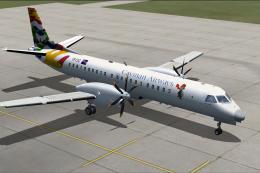
Cayman Airways SAAB 2000, registration VP-CXC. Textures only for the BSMP Saa…
 FSX Turboprops
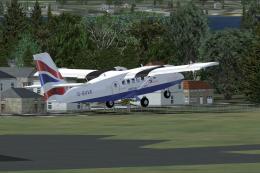
Two aircraft pack, with BA (Loganair) G-BVVK and Scilly Skybus G-BIHO. Includ…
 FSX Turboprops
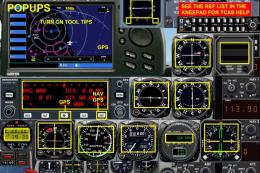
Two aircraft pack, Paradise Island Airlines reflective and non-reflective. In…
 FSX Turboprops
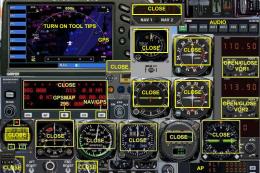
Air Tindi DeHavilland DHC6-300 Twin Otter on floats, registration C-FGOG (199…
 FSX Turboprops
Yeti Airlines DeHavilland DHC6-300 Premier Aircraft Design DHC6-300 model wit…
 FSX Turboprops
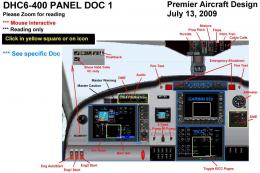
Viking DHC6-400 Twin Otter. The worldwide demand for refurbished Twin Otters …
 FSX Turboprops
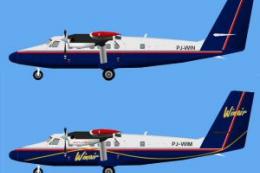
AI Winair DHC6 Twin Otter Fleet. Textures only for the Winair DeHavilland DHC…
Be the first to leave a comment on this download.
Be the first to share your thoughts on this download.