


 FSX Civil Aircraft
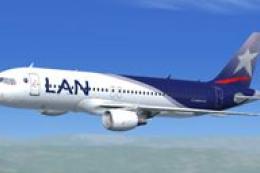
LAN Airlines Airbus A320
A repaint of the iFDG model. Repaint by Carlos Molina. Screenshot of LAN Airl…
LAN Airlines livery textures refresh the default Airbus A321 with accurate logos, fonts, gradients, metallic shading, and subtle weathering for convincing close-up exterior views. Designed for FSX, it preserves the original virtual cockpit and native model behavior, and requires the default A321 base aircraft to display correctly.
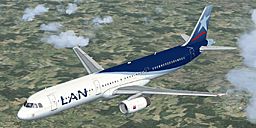
Experience a meticulous rendition of LAN Airlines’ familiar branding applied to the default Airbus A321 in FSX. This freeware package focuses on customized exterior textures, originally created by developer David Hall. It takes full advantage of FSX’s native modeling and seamlessly integrates with the original virtual cockpit, making it a convenient expansion for pilots seeking a refined South American airline livery.
The painted scheme replicates precise aesthetic elements that have defined LAN Airlines’ regional reputation. You’ll find accurately placed logo graphics, color gradients, and airline-specific fonts that mirror the real-world counterpart. In addition, the layering of metallic shading contributes to a balanced reflection effect across the fuselage.
Chile-based LAN Airlines (part of a larger international group) has long operated Airbus narrow-body aircraft throughout Latin America. This repaint pays homage to the airline’s distinct style, often noted for its clean white-and-blue design with a prominent tail motif. By including these specialized textures, flight simulator enthusiasts can replicate short- to medium-haul routes that LAN historically served.
Because this release contains textures only, you must have the default Airbus A321 installed in FSX prior to applying this repaint. You can find the necessary base model in the Fly Away Simulation library. Installation typically involves copying the texture folder and making minor adjustments to your aircraft’s configuration file.
This repaint was carefully developed by David Hall as a standalone freeware mod, showcasing his commitment to high-quality liveries. Consider retaining original documentation for troubleshooting or reference to ensure you achieve the correct setup.
Once installed, you can load your newly painted A321 directly through FSX’s aircraft selection menu and begin your journey under the LAN Airlines banner. This mod offers a polished aesthetic that blends naturally with default cockpit features for a cohesive flying environment.
Free for all simmers · 3.47 MB · Scanned clean
Download speed: Free tier is capped at 0.5 Mbps. PRO members download at full line speed.
FSX\SimObjects\Airplanes\. The folder must contain an aircraft.cfg file. Effects go into FSX\Effects\; gauges go into FSX\Gauges\.readme.txt or README file. It tells you exactly where files go, what dependencies are needed, and any quirks specific to this add-on.The archive text_lan.zip has 11 files and directories contained within it.
This list displays the first 500 files in the package. If the package has more, you will need to download it to view them.
| Filename/Directory | File Date | File Size |
|---|---|---|
| A321_1_T.dds | 01.15.08 | 1.33 MB |
| A321_1_T_spec.dds | 01.15.08 | 1.33 MB |
| A321_2_T.dds | 09.04.06 | 1.33 MB |
| A321_2_T_spec.dds | 09.04.06 | 1.33 MB |
| Fresnel_Ramp.dds | 01.11.08 | 1.13 kB |
| texture.cfg | 08.14.06 | 137 B |
| thumbnail.jpg | 01.16.08 | 68.65 kB |
| Texture.LAN | 01.16.08 | 0 B |
| Installation - Please Read.txt | 01.16.08 | 2.44 kB |
| flyawaysimulation.txt | 10.29.13 | 959 B |
| Go to Fly Away Simulation.url | 01.22.16 | 52 B |
More FSX & P3D add-ons hand-picked based on this download.
FSX Civil Aircraft
A repaint of the iFDG model. Repaint by Carlos Molina. Screenshot of LAN Airl…
 FSX Civil Aircraft
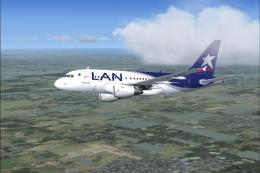
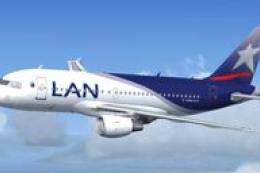
Description: The newest aircraft for the LAN Airlines fleet. This is a repain…
 FSX Civil Aircraft
This complete freeware release brings a high-fidelity Airbus A319 rendition t…
 FSX Civil Aircraft
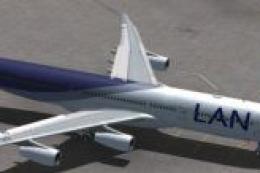
LAN Airlines Airbus A340-300. A repaint of Thomas Ruth's A340-300 model in LA…
 FSX Civil Aircraft
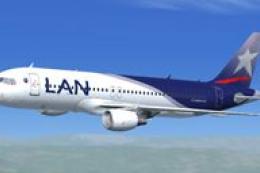
This enhanced repaint places the signature LAN Airlines color scheme onto the…
 FSX Civil Aircraft
A LAN Airlines Airbus A321 repaint for the model by FSX AI Bureau (FAIBA321.Z…
 FSX Civil Aircraft
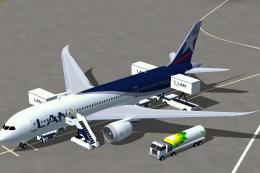
This freeware LAN Airlines Boeing 787-8 modification offers an immersive long…
 FSX Civil Aircraft
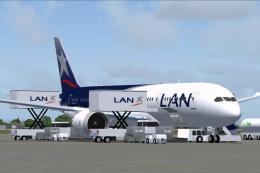
Discover a refined LAN Airlines Boeing 787-8 for FSX that integrates an enhan…
Be the first to leave a comment on this download.
Be the first to share your thoughts on this download.